
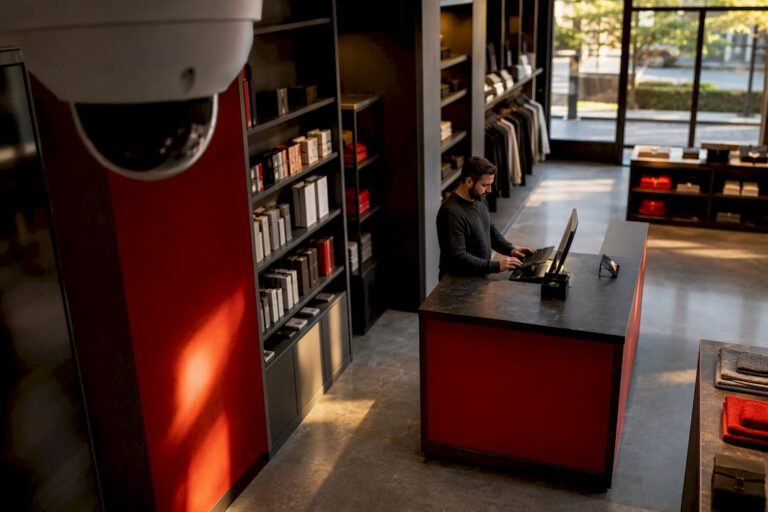
The best approach for most small businesses is a professionally designed, local-first camera system, either a wired PoE/NVR setup or a hybrid with local storage backing up cloud access, installed by a licensed team like Central Jersey Security Cameras. It costs more upfront than a DIY kit, but it delivers footage that actually holds up if you need it, and it skips the surprise fees. DIY or cloud-only cameras can work fine for a single small storefront with low risk exposure, but anything with employees, inventory, or multiple entry points outgrows them fast.
TL;DR:
- For most small businesses, a professionally installed, local-first camera system with PoE and local storage provides more reliable footage than DIY or cloud-only options, especially with inventory or high traffic.
- Coverage planning by a technician is crucial to avoid blind spots at key access points, with a focus on high-risk zones, resolution standards, and proper camera placement.
- A multi-camera system typically costs between $400 and $2,500 depending on size, with larger setups including features like license plate recognition and professional monitoring.
- Proper equipment selection, such as dome, bullet, or PTZ cameras, depends on the specific area and purpose, with outdoor, high-value, or open spaces requiring more specialized models.
- Costs and system design should include considerations for retention days, remote access, backup options, and service guarantees, ensuring long-term reliability and legal evidence quality.
Table of Contents
- Why a Professionally Installed, Local-First Camera System Wins
- How Do You Choose the Right Camera System and Installer?
- What Does a Small Business Security Camera System Typically Cost?
- Which Camera Types Fit Which Areas of Your Business?
- Local NVR, Cloud, or Professional Monitoring: What’s Right for You?
- Should You Install Cameras Yourself or Hire a Professional?
- What Should You Expect From a Professional Proposal?
- An Editorial Take on Buying Cameras for the Long Haul
- Ready for a Site Survey? Here’s What Happens Next
- Where These Numbers and Recommendations Come From
- Sources
Why a Professionally Installed, Local-First Camera System Wins
Most small business owners buy cameras the same way they buy printer ink: grab something off a shelf, plug it in, hope it works when it matters. That approach fails at the worst possible moment, usually right after a break-in or an employee theft claim, when you discover the footage is grainy, the camera missed the angle, or the cloud subscription lapsed three months ago.
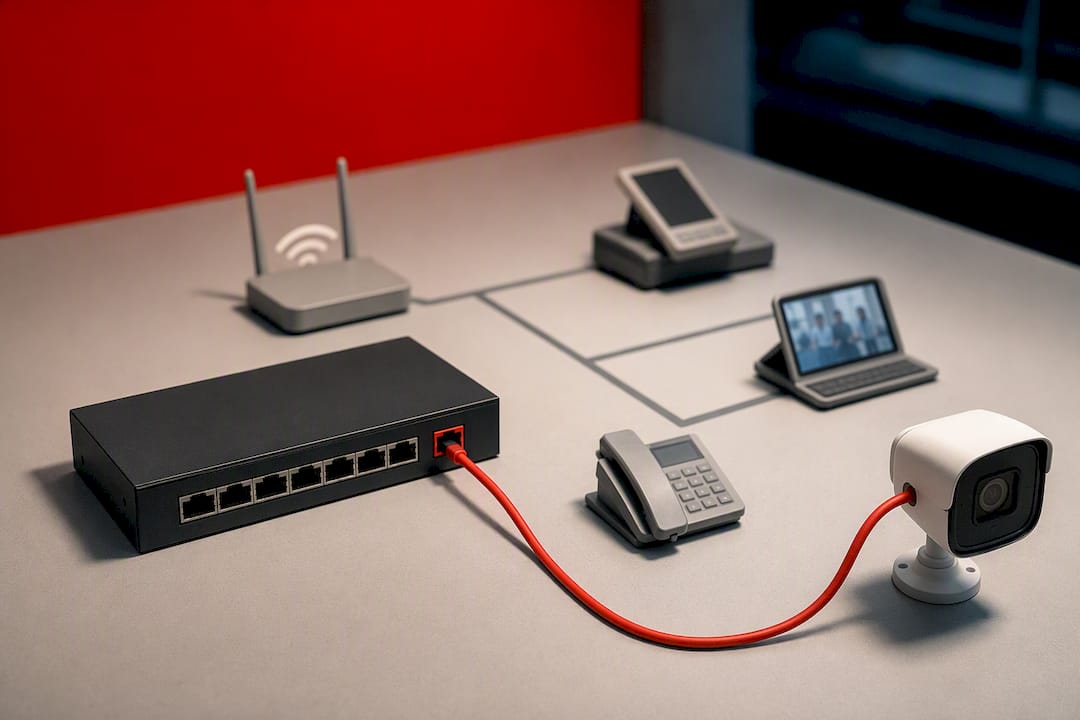
A wired Power over Ethernet (PoE) system solves the biggest reliability problem in commercial surveillance: dropped feeds. Wi-Fi cameras compete for bandwidth with your point-of-sale system, guest Wi-Fi, and every employee’s phone. PoE cameras run on a dedicated cable that carries both power and data, so a slow internet day doesn’t leave you with a blank spot in your recording right when someone walks out with a case of merchandise.
Coverage planning matters just as much as the hardware. A tech who’s mapped hundreds of retail floors and warehouse bays knows where blind spots actually form: behind shelving endcaps, at the edge of a loading dock’s lighting, in the three feet next to a cash register that a wide-angle lens distorts into uselessness. Get that wrong and you end up with footage that shows that something happened but not who did it or how. That distinction is the entire point of owning cameras in the first place.
Local storage changes the math on long-term cost, too. A network video recorder (NVR) sitting in your back office or server closet holds weeks or months of footage without a recurring cloud bill attached to every camera. Compare that to some DIY brands that charge per-camera monthly fees just to keep more than a day or two of history, and the math flips in favor of local-first fairly quickly for anyone running more than two or three cameras.
Here’s what a professional installation typically gets you that a self-installed kit usually doesn’t:
- A service contract with a real technician who answers the phone when a camera goes offline
- Properly terminated cabling that doesn’t degrade or get chewed by rodents in a warehouse ceiling
- Firmware and security updates handled on a schedule instead of “whenever you remember”
- A system designed around your actual floorplan, not a generic four-camera box kit
- Documentation your insurance carrier or attorney can actually use if footage becomes evidence
Pro Tip: Ask any installer for their average response time on service calls before you sign anything. A same-day or next-day guarantee tells you more about long-term reliability than any spec sheet.
None of this means DIY cameras are worthless. A single-employee coffee stand with a locked register drawer and nothing worth stealing doesn’t need PoE and a service contract. But the moment you have inventory, cash handling, multiple staff, or after-hours access, the reliability gap between a $60 Wi-Fi camera and a properly wired system becomes the gap between having evidence and having an apology.
How Do You Choose the Right Camera System and Installer?
Buying cameras without a checklist is how businesses end up with six cameras and still can’t identify the person who walked out the back door. Work through these steps in order, and don’t skip the site survey step even if a vendor tells you it’s optional.
- Walk your floorplan and mark every entry point. Doors, windows, loading docks, and any spot where cash or inventory changes hands.
- Identify your highest-risk zones. Registers, safes, back offices, stockrooms, and parking areas where vehicle break-ins happen.
- Set a resolution baseline. Business-grade systems now run 2K to 4K resolution as a standard, which matters if you ever need to zoom in on a face or a license plate rather than a colored blob.
- Decide between PoE and Wi-Fi for each zone. Wired PoE for anything mission-critical (entrances, registers, warehouses); Wi-Fi is acceptable for supplementary angles in low-risk areas.
- Set your retention window. How many days of footage do you actually need on hand before it’s overwritten?
- Confirm remote access needs. Do you or a manager need to check live feeds from a phone while off-site?
- Ask about cellular backup. If your internet goes down, does the system keep recording and can it still alert you?
- Get a written proposal, not a verbal quote. A real proposal includes camera placement, model numbers, and a cost breakdown.
A few technical criteria deserve extra attention, because they’re where cheap systems quietly cut corners:
- Low-light performance. Most break-ins and theft attempts happen after hours or before opening, so a camera that turns to mush in low light is close to decorative.
- Field of view and lens type. A wide-angle lens covers more ground but distorts detail at the edges; a narrower lens gives you better facial detail but less coverage.
- Retention days. Retail businesses generally want 14 to 30 days of stored footage, while warehouses handling higher-value freight often push past 30 days.
- Multi-site management. If you run more than one location, ask whether the system lets you view all sites from one login instead of juggling separate apps.
Before signing with an installer, ask these specific questions: How is the cabling run and concealed? What’s covered under warranty, and for how long? What’s included in ongoing maintenance versus what’s billed separately? And critically, how do they tune the system to cut down false alerts from moving shadows, blowing trash, or headlights sweeping across a parking lot at night? A system that pings your phone forty times a night from false motion alerts gets ignored within a week, which defeats the entire purpose of having it.
What Does a Small Business Security Camera System Typically Cost?
Costs break down fairly predictably once you know how many cameras you actually need, and that number depends almost entirely on your business type and floorplan, not on how much you’re willing to spend.
Entry-level (1 to 3 cameras). A single storefront, small office, or service business with one or two entrances typically needs just a few cameras covering the front door, register area, and back exit. Hardware and installation for this tier usually runs $400 to $800. At this size, either a wired or wireless setup can work, though a professionally mounted wired camera at the entrance still outperforms a battery-powered unit that needs recharging.
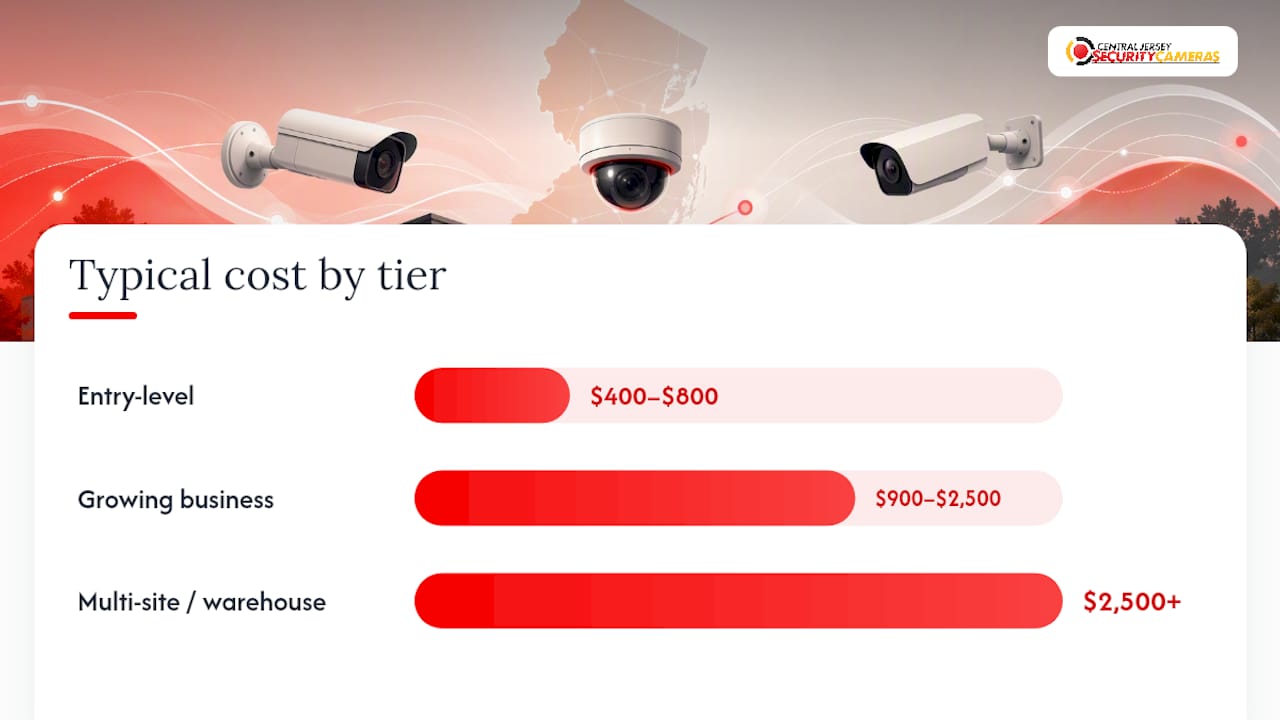
Growing business (4 to 8 cameras). Once you’re covering a retail floor, a multi-room office, or a small restaurant with a kitchen and dining area, you’re typically in the $900 to $2,500 range. This is where the NVR-versus-cloud decision really starts to matter financially. Cloud storage across six or eight cameras adds up in subscription fees fast, while a local NVR is a one-time hardware cost that pays for itself within a year or two for most businesses at this scale.
Multi-site or warehouse (8+ cameras). Larger footprints, multiple buildings, or warehouses with loading docks and high-value inventory generally call for a PoE NVR system starting around $2,500 and climbing based on camera count, cable runs, and whether you need features like license plate recognition at gate entrances. Full-system installations across this range can run $1,000 to $5,000 once monitoring and integration are factored in.
| Tier | Camera count | Typical hardware + install cost | Recommended setup |
|---|---|---|---|
| Entry-level | 1 to 3 cameras | $400 to $800 | Wired or wireless, basic NVR or cloud |
| Growing business | 4 to 8 cameras | $900 to $2,500 | PoE NVR preferred, hybrid cloud optional |
| Multi-site / warehouse | 8+ cameras | $2,500 and up | PoE NVR, LPR at gates, professional monitoring |
Beyond hardware, factor in a few recurring costs most first-time buyers overlook:
- Professional monitoring, if you want dispatch and alert response, typically adds a monthly fee on top of hardware
- Extended cloud retention beyond what’s included in your base plan
- Annual maintenance visits or service contracts for cleaning lenses, checking cable connections, and updating firmware
- Cellular backup service for continued recording during internet outages
Retail businesses generally land in the growing-business tier with 4 to 8 cameras, offices often need just 2 to 4, and warehouses tend to need 6 to 16 depending on square footage and dock count.
Which Camera Types Fit Which Areas of Your Business?
Not every camera does the same job, and mismatching camera type to location is one of the most common (and expensive) mistakes small business owners make.
Dome cameras work well overhead in retail aisles and offices because their compact, tamper-resistant housing makes it harder for someone to tell which direction the lens is pointed. Bullet cameras are better suited for entrances, loading docks, and parking areas where you want a visible deterrent and a longer effective range. Turret cameras split the difference, offering a wider field of view than a bullet with better tamper resistance than an exposed dome. PTZ (pan-tilt-zoom) cameras earn their higher price tag in large open areas, like warehouse floors or parking lots, where one operator-controlled camera can cover ground that would otherwise take three fixed cameras. License plate recognition (LPR) cameras belong at gated entrances or loading dock approaches where you need to log every vehicle that comes and goes.
Placement rules that actually hold up in practice:
- Cover every entrance and exit, including employee-only doors, not just the customer-facing front door
- Angle register cameras to capture the cashier’s hands and the customer’s face, not just the top of someone’s head
- Overlap coverage at high-value zones like the safe or stockroom so one blocked angle doesn’t leave a gap
- Mount cameras 8 to 10 feet high at entrances to avoid easy tampering while keeping facial detail usable
- Position outdoor cameras away from direct sunlight angles that cause lens flare during sunrise or sunset
Pro Tip: Point cameras away from bright exterior lights and westward-facing sunset glare. A camera fighting glare twice a day produces useless footage during exactly the hours criminals count on.
A quick note on privacy: keep cameras focused on business areas, not neighboring properties, restrooms, or break rooms, both for legal compliance and to avoid unnecessary friction with employees.
Local NVR, Cloud, or Professional Monitoring: What’s Right for You?
Storage and monitoring decisions come down to how much control you want versus how much convenience you’re willing to pay for monthly.
Local NVR storage keeps all your footage on a hard drive inside your building. You own the hardware outright, it works even if your internet goes down, and there’s no recurring storage bill eating into margins every month. The tradeoff is that if the NVR itself is stolen or damaged in a fire, you lose the footage with it, unless it’s backed up.
Cloud storage solves that single point of failure by keeping footage off-site, which matters if physical damage to your building is a real risk. The tradeoff is a recurring subscription cost per camera and a dependency on your internet connection’s bandwidth and uptime.
Professional monitoring adds a layer neither local nor cloud storage provides alone: someone actually watching for trouble and dispatching help. Monitoring for small business camera setups typically runs about $20 per month and often includes emergency dispatch, cellular backup so the system keeps working during an internet outage, and extended video storage, commonly around 60 days.
A quick cost snapshot: for roughly the price of a streaming subscription, professional monitoring buys you dispatch coverage and two months of backup footage retention, on top of whatever your camera system already records locally.
How to pick retention days for your business type:
- Small office: 7 to 14 days is usually enough unless you have a specific compliance requirement
- Retail: 14 to 30 days covers most theft investigation and chargeback dispute windows
- Warehouse or high-value inventory: 30+ days gives you room for slower-moving investigations or insurance claims
If bandwidth is a concern for cloud recording or remote viewing, a reliable business internet connection is worth confirming before you commit to a cloud-heavy setup, since choppy upload speeds will bottleneck video quality faster than any camera spec.
Should You Install Cameras Yourself or Hire a Professional?
The honest answer depends less on your technical skill and more on what’s actually at stake if the system fails.
DIY makes sense when:
- You’re covering a single small space with one or two entry points and low theft risk
- You’re comfortable running your own network configuration and troubleshooting connectivity
- You don’t need integration with an alarm system or access control
- A missed or blurry recording wouldn’t create a legal, insurance, or liability problem
Value-brand kits built for small businesses, offering Wi-Fi operation and AI-powered motion detection with optional subscriptions for extended cloud retention, can be a reasonable starting point for a business at this scale.
Red flags that should push you toward a professional installer instead:
- Your building has multiple floors, a warehouse footprint, or long cable runs that need proper conduit work
- You need cameras integrated with an alarm system, access control, or a monitoring service
- Local ordinances or your insurance policy require documented professional installation
- You’ve had a prior incident where footage quality or coverage gaps actually mattered
A competent site survey from a professional installer should produce a coverage map showing exact camera placement, specific model recommendations for each zone, a storage and retention plan matched to your business type, and clear terms on what’s covered under warranty versus what’s billed as a service call. If a quote skips any of those, that’s a warning sign, not a bargain.
What Should You Expect From a Professional Proposal?
Central Jersey Security Cameras designs, installs, and maintains custom surveillance systems throughout Central New Jersey, covering Ocean, Monmouth, Middlesex, Mercer, and Burlington counties, for offices, retail stores, warehouses, and industrial sites. The company’s work spans CCTV design, IP camera systems, 4K and license plate recognition cameras, PTZ cameras, active deterrence cameras, NVRs, and remote monitoring, built around each property’s actual layout rather than a one-size-fits-all kit.
Businesses that move from a patchwork of consumer cameras to a properly designed system typically see three concrete improvements: far fewer false motion alerts because the system is tuned to the site, remote access that actually works reliably from a phone or laptop, and recordings sharp enough to hold up if footage ever needs to go to police or insurance.
A proposal worth signing should include:
- A coverage map showing camera placement across your actual floorplan
- Specific camera models and resolutions matched to each zone’s risk level
- A storage and retention plan that fits your business type
- Clear terms on service response time and what maintenance is included
The difference between a camera system that works and one that just exists usually comes down to whether someone actually surveyed the property before installing anything. A camera aimed at the wrong angle records constantly and still tells you nothing useful.
Author Tom, of Central Jersey Security Cameras, brings direct experience designing and installing systems for businesses across Central New Jersey, work that informs the practical guidance throughout this piece.
An Editorial Take on Buying Cameras for the Long Haul
Most advice on this topic focuses on the wrong variable: camera count. Owners fixate on “how many cameras do I need” when the better question is “what happens six months after installation when something goes wrong.” A cheap eight-camera kit that drops half its feeds during a Wi-Fi hiccup is worse than four properly placed wired cameras that never miss a frame.
The conventional wisdom that DIY always saves money doesn’t hold up once you count cloud subscription fees over three years against a one-time NVR purchase. It only wins for genuinely small, low-risk operations, and even then only in year one.
If you take one thing from this guide, prioritize coverage of your highest-risk zones over total camera count, and put your money into wired reliability at the entrances and registers first. Everything else, including extra angles and bonus features, is optional polish on top of that foundation.
— Tom
Ready for a Site Survey? Here’s What Happens Next
Central Jersey Security Cameras is the direct alternative to piecing together a DIY kit and hoping it holds up: local technicians who design your system around your actual floorplan, back it with warranties, and stay reachable when something needs a service call, instead of leaving you on hold with a call center three states away.

A site survey starts with a walkthrough of your property to identify entry points, blind spots, and high-risk zones, followed by a written proposal covering camera placement, model recommendations, storage plans, and monitoring options if you want them. There’s no generic box kit involved. Every recommendation is built around your building, your risk level, and your budget tier.
If you’re ready to move past guessing and get a real coverage plan, request a site survey and quote for your business, or browse sample camera systems the team regularly installs across Central New Jersey to get a feel for what fits your property.
Where These Numbers and Recommendations Come From
The cost tiers, camera counts, and retention guidance in this guide draw from a handful of established sources worth checking directly if you want to dig deeper before making a purchase decision:
- Security covers professional monitoring costs and what’s typically included at that price point.
- eufy’s small business security guide breaks down setup tiers, PoE and NVR system recommendations, and camera counts by business type.