

Video surveillance is the use of cameras, recorders, and software to capture, transmit, and store video footage for security and monitoring purposes. Property owners rely on these systems for four core functions: deterrence, detection, situational awareness, and forensic investigation. Whether you manage a warehouse in Middlesex County or a home in Ocean County, understanding how video surveillance systems work is the first step toward making a smart security decision. This guide covers system components, how the technology has evolved, the real benefits for homes and businesses, and what to consider before you buy.
What is video surveillance and how does it work?
Video surveillance is defined as a physical security technology that records or monitors activity through a network of cameras connected to storage and management systems. The industry standard term is Video Surveillance System, or VSS. A VSS consists of cameras, recording hardware such as a DVR or NVR, networking equipment, and management software. Each component plays a specific role in getting footage from the lens to a screen or storage drive.
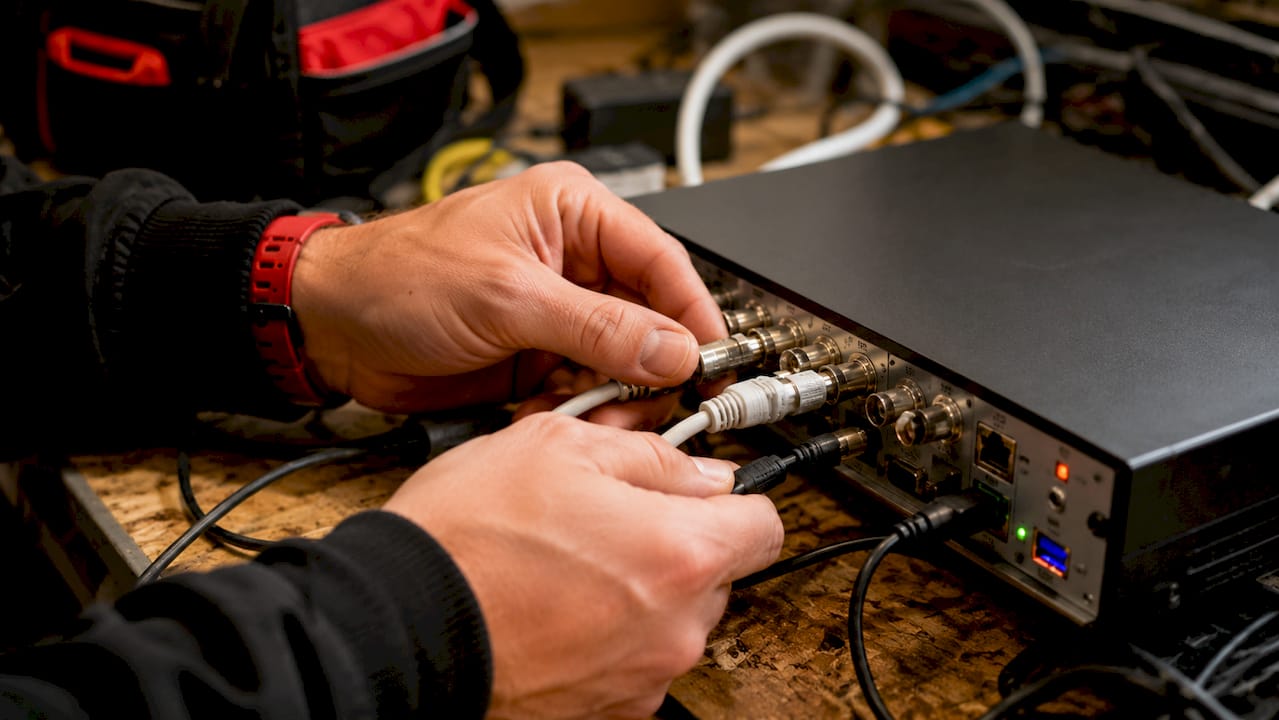
The signal chain starts at the camera. Light enters the lens, gets converted to a digital signal, encoded, and transmitted over a cable or wireless network. That signal travels to a recorder or a Video Management System, known as a VMS, where it is stored, indexed, and made available for live viewing or playback. A weak link anywhere in this chain reduces the forensic value of the footage. A blurry camera or a misconfigured recorder can make footage useless in a legal proceeding.
Pro Tip: Position cameras to capture faces and license plates at the entry and exit points of your property. Footage from these angles has the highest evidentiary value.
What are the main components of a video surveillance system?
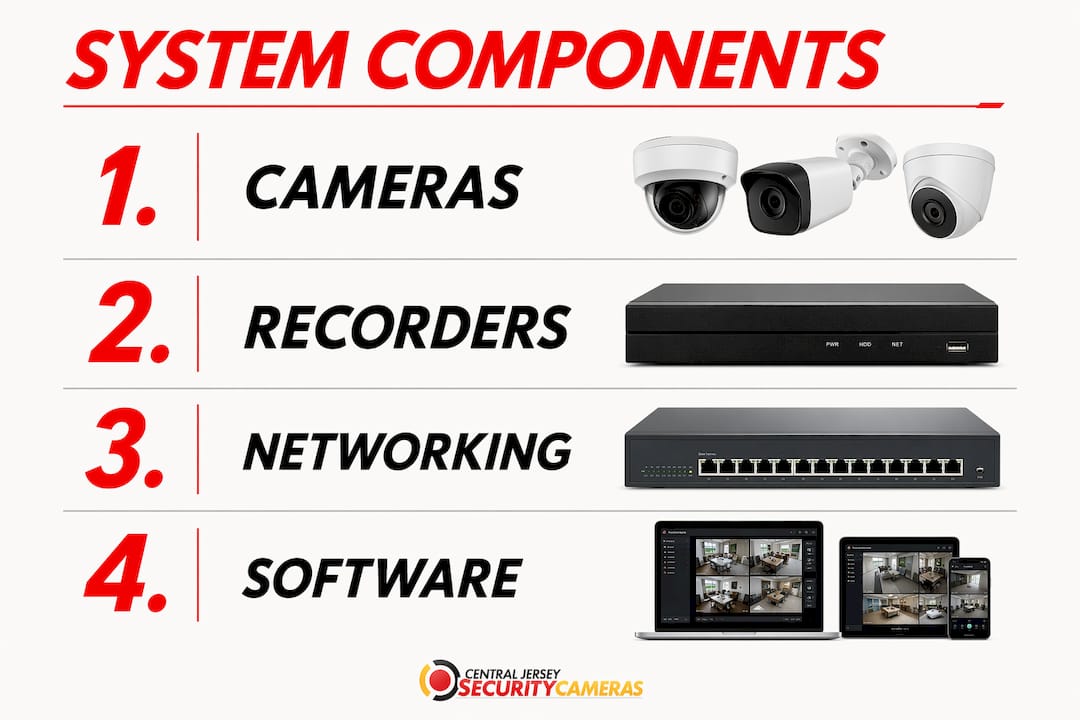
A video surveillance system is built from four layers: cameras, recorders, networking, and software. Each layer must be matched to the others for the system to perform reliably.
Cameras: analog vs. IP
Analog cameras send a continuous video signal over coaxial cable to a Digital Video Recorder, or DVR. IP cameras digitize video at the camera itself and transmit it over Ethernet to a Network Video Recorder, or NVR. The practical difference is resolution and flexibility. IP cameras support 4K resolution and can be placed anywhere on a network, including remotely. Analog cameras are limited by cable runs and lower resolution ceilings.
| Feature | Analog + DVR | IP + NVR |
|---|---|---|
| Resolution | Standard to HD | HD to 4K and beyond |
| Cabling | Coaxial | Ethernet (Cat5e/Cat6) |
| Scalability | Limited by DVR ports | Flexible over network |
| Remote access | Requires extra hardware | Built in via network |
| Cost to start | Lower upfront | Higher upfront, lower long-term |
Recorders and storage
DVRs process analog signals and store footage on internal hard drives. NVRs receive pre-encoded video from IP cameras and store it locally or send it to cloud storage. The choice of recorder determines how much footage you can retain and how quickly you can retrieve it.
Video Management Systems
A VMS is the software backbone of a modern surveillance setup. Platforms like Genetec Security Center centralize and manage video feeds from multiple cameras, enabling live view, playback, and efficient search. A well-configured VMS indexes footage by time, camera, and event, so finding a specific clip takes minutes instead of hours. That speed matters when law enforcement needs evidence quickly.
Pro Tip: When evaluating a VMS, test the search and export functions before committing. A system that takes 20 minutes to export a clip will frustrate investigators and reduce the practical value of your investment.
How has video surveillance evolved from CCTV to modern systems?
The technology has changed dramatically over the past three decades. Understanding the progression helps you recognize what older systems cannot do and what modern solutions make possible.
-
Analog CCTV (1970s–2000s). Closed-circuit television, or CCTV, transmits video to specific monitors, not a public broadcast. Early systems used VHS tapes for recording, required physical tape swaps, and produced low-resolution footage. Retrieval was slow and footage quality often made identification difficult.
-
Digital video recorders (2000s). DVRs replaced tapes with hard drives, making storage cheaper and retrieval faster. Resolution improved, but cameras still relied on coaxial cable and the signal remained analog until it reached the DVR.
-
IP camera systems (2010s). IP cameras moved encoding to the camera itself. This shift enabled higher resolution, two-way audio, and remote access over the internet. NVRs replaced DVRs as the preferred recorder for new installations.
-
Cloud and analytics (2020s). Cloud storage removed the need for on-site recorders entirely in some deployments. Video Surveillance as a Service, or VSaaS, delivers recording and management through a subscription model. Analytics tools now detect motion, recognize license plates, and flag unusual behavior automatically, reducing the need for constant human monitoring.
-
AI-integrated systems (2025–2026). Modern advanced analytic cameras use on-device processing to classify objects, count people, and generate real-time alerts. These systems reduce false alarms and give operators actionable information instead of raw footage.
What are the benefits of video surveillance for homes and businesses?
Video surveillance acts as a security force multiplier, enabling wider and more frequent monitoring than security personnel alone can provide. That statement has real operational meaning. One camera covering a parking lot at 2 a.m. does the work of a guard who would otherwise need to patrol that area continuously.
The core benefits include:
- Crime deterrence. Visible cameras reduce the likelihood of theft, vandalism, and trespassing. Criminals choose easier targets when they see active surveillance.
- Real-time alerts. Modern systems send push notifications to your phone when motion is detected in a restricted area, so you can respond before a situation escalates.
- Remote monitoring. Business owners can watch live feeds from any location. A restaurant owner in Freehold can check the kitchen from a phone in Florida.
- Operational oversight. Warehouses use cameras to monitor workflow, verify procedures, and investigate accidents. This use case has nothing to do with crime and everything to do with efficiency and liability.
- Evidence collection. Footage from a well-placed camera can resolve insurance disputes, support police investigations, and protect businesses from false claims. A VMS with indexing makes retrieving that footage fast and reliable.
- Integration with alarms. VSS platforms connect with intrusion detection and access control systems, creating a unified security picture. An alarm trigger can automatically pull up the camera feed for that zone.
The home security benefits extend beyond crime prevention. Parents use cameras to monitor children after school. Homeowners track package deliveries. Landlords verify property conditions between tenants.
How do you choose the right video surveillance system?
Choosing a system starts with a site assessment, not a product catalog. The right system depends on what you need to monitor, how much coverage you need, and what you plan to do with the footage.
Key considerations:
- Coverage area and camera count. Map every entry point, parking area, and high-value zone. Each location may need a different camera type. A loading dock needs a wide-angle camera with strong low-light performance. A narrow hallway needs a different field of view entirely.
- Resolution requirements. License plate capture requires a minimum resolution and a specific focal length. A 4K camera pointed at the wrong angle will not read a plate. Match the camera spec to the task.
- Storage duration. How many days of footage do you need to retain? A retail store handling insurance claims may need 30 days. A residential property may need 7–14 days. Storage requirements drive recorder size and cost.
- Remote access needs. If you need to view footage from outside the property, your system needs proper network configuration and secure remote access. This is not a default setting on most recorders.
- Legal compliance. Video surveillance systems must comply with local recording laws, including rules about audio recording and signage requirements. New Jersey law permits video surveillance in public areas of a property but restricts recording in areas where people have a reasonable expectation of privacy.
- Lifecycle planning. The IEC 62676-4:2025 standard covers the full lifecycle of a VSS, from planning and design through installation, testing, and maintenance. Systems that skip the maintenance phase degrade quickly. Cameras shift, lenses fog, and hard drives fail without regular service.
Pro Tip: Before finalizing your camera layout, walk the property at night. Lighting conditions after dark reveal blind spots and glare problems that are invisible during a daytime walkthrough.
Many video surveillance projects fail not because of bad hardware but because of missing operational elements. Effective surveillance requires retrieval workflows, legal compliance processes, and defined monitoring roles, not just cameras on a wall. A system without a plan for how footage gets reviewed and exported is only half a system.
Key Takeaways
A professionally designed video surveillance system combines the right cameras, recorders, software, and operational processes to deliver reliable security and usable evidence.
| Point | Details |
|---|---|
| System components matter | Cameras, NVRs, and VMS software must be matched to each other and to the property’s needs. |
| IP cameras outperform analog | IP systems offer higher resolution, remote access, and greater flexibility than legacy analog CCTV. |
| Analytics reduce monitoring burden | Modern systems with motion detection and object classification cut false alarms and speed up response. |
| Legal compliance is non-negotiable | New Jersey property owners must follow state recording laws and post required signage before going live. |
| Maintenance determines longevity | Systems without scheduled service degrade within months, reducing coverage and forensic value. |
What I’ve learned after years of watching surveillance systems succeed and fail
The most common mistake property owners make is treating a surveillance system as a one-time purchase. They buy cameras, have them installed, and assume the job is done. Three years later, two cameras are offline, the hard drive is full, and the footage resolution was never set correctly. When something happens, the footage is either missing or useless.
The second mistake is over-indexing on camera count and under-investing in placement and configuration. Sixteen cameras covering the wrong angles produce less useful footage than six cameras placed strategically. I have seen warehouses with cameras on every wall that could not identify a theft suspect because no camera covered the actual point of access.
The technology available in 2026 is genuinely impressive. AI-driven analytics, 4K resolution, and cloud backup have removed most of the technical barriers that made surveillance systems unreliable a decade ago. But the technology only works when the system is designed with a clear purpose. What are you trying to detect? What will you do when an alert fires? Who reviews footage and how often? These questions matter more than the brand of camera on the wall.
Responsible deployment also means respecting privacy. Cameras should cover areas where monitoring is legally and ethically appropriate. Pointing a camera into a neighboring property or a private space creates legal exposure that no security benefit justifies. The principle is proportionality: the level of surveillance should match the actual security need.
— Tom
Professional surveillance installation for Central New Jersey properties
Central Jersey Security Cameras designs and installs custom video surveillance systems for homes, businesses, warehouses, offices, and schools throughout Central New Jersey, including Ocean County, Monmouth County, Middlesex County, Mercer County, and Burlington County.

Every installation starts with a site assessment to identify coverage gaps, lighting conditions, and the right camera types for each location. The team handles system design, installation, configuration, and ongoing maintenance so your system stays reliable long after the initial setup. If you are ready to protect your property with a professionally installed system, the home security buying guide is a strong starting point. For commercial properties, Central Jersey Security Cameras also provides security camera solutions tailored to high-traffic and high-value environments.
FAQ
What is the difference between CCTV and IP cameras?
CCTV transmits an analog video signal over coaxial cable to a DVR, while IP cameras digitize video at the camera and transmit it over Ethernet to an NVR. IP cameras support higher resolution and remote access without additional hardware.
How long does a video surveillance system store footage?
Storage duration depends on the number of cameras, resolution settings, and hard drive capacity. Most residential systems retain 7–30 days of footage, while commercial systems may store 30–90 days depending on legal and operational requirements.
Is video surveillance legal in New Jersey?
Video surveillance is legal in New Jersey for areas where people do not have a reasonable expectation of privacy, such as parking lots, storefronts, and common areas. Audio recording carries stricter rules, and signage requirements apply in many commercial settings.
What is a VMS and do I need one?
A Video Management System is software that centralizes camera feeds, enables live viewing, and indexes footage for fast search and retrieval. Small residential systems can operate without one, but any property with more than four cameras benefits significantly from VMS capabilities.
Can a surveillance system work with my existing alarm system?
Most modern video surveillance systems integrate with intrusion detection and access control systems. When an alarm triggers, the system can automatically display the relevant camera feed, giving you immediate visual confirmation of what is happening.