
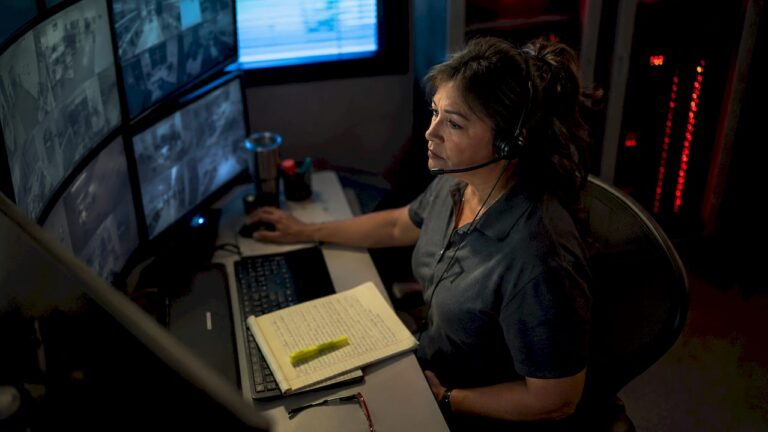
Video verification is defined as the active review of security camera footage to confirm whether an alarm event represents a genuine threat before emergency responders are dispatched. This process directly addresses a critical problem: 94–98% of commercial alarm activations are false positives. That rate has pushed law enforcement agencies across the country to adopt verified response policies, meaning they prioritize calls backed by visual confirmation. Understanding how businesses verify alarm events cameras capture is no longer optional. It is the standard that separates reactive security from genuinely effective protection.
How businesses verify alarm events cameras capture in real time
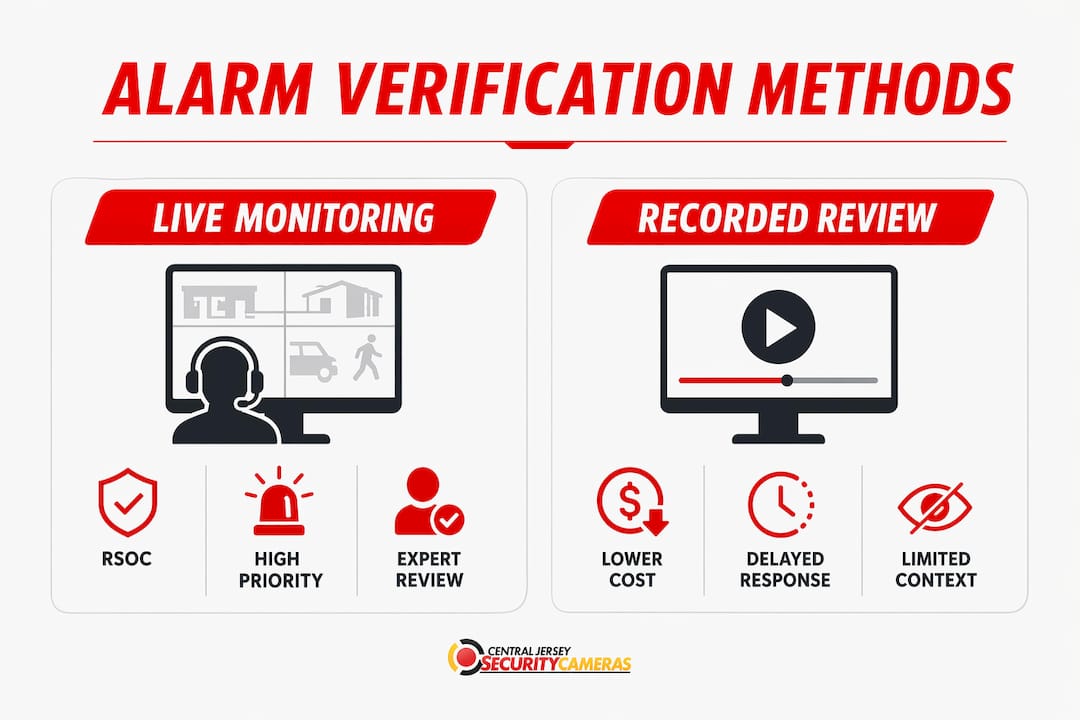
The highest standard for alarm event verification is live monitoring by a Remote Security Operations Center, commonly called an RSOC. When a camera detects motion or a sensor triggers, RSOC operators watch live feeds in real time and assess whether the event is a real threat within seconds. This human review step is what separates video verification from simple alarm notification.
The contrast with traditional alarm monitoring is significant. A conventional alarm system sends a signal to a monitoring center, which then calls the business owner or dials 911 with no visual context. Video verification adds a trained operator who can see what is actually happening. That operator can confirm an intruder is present, describe their location and appearance, and relay that information directly to law enforcement.
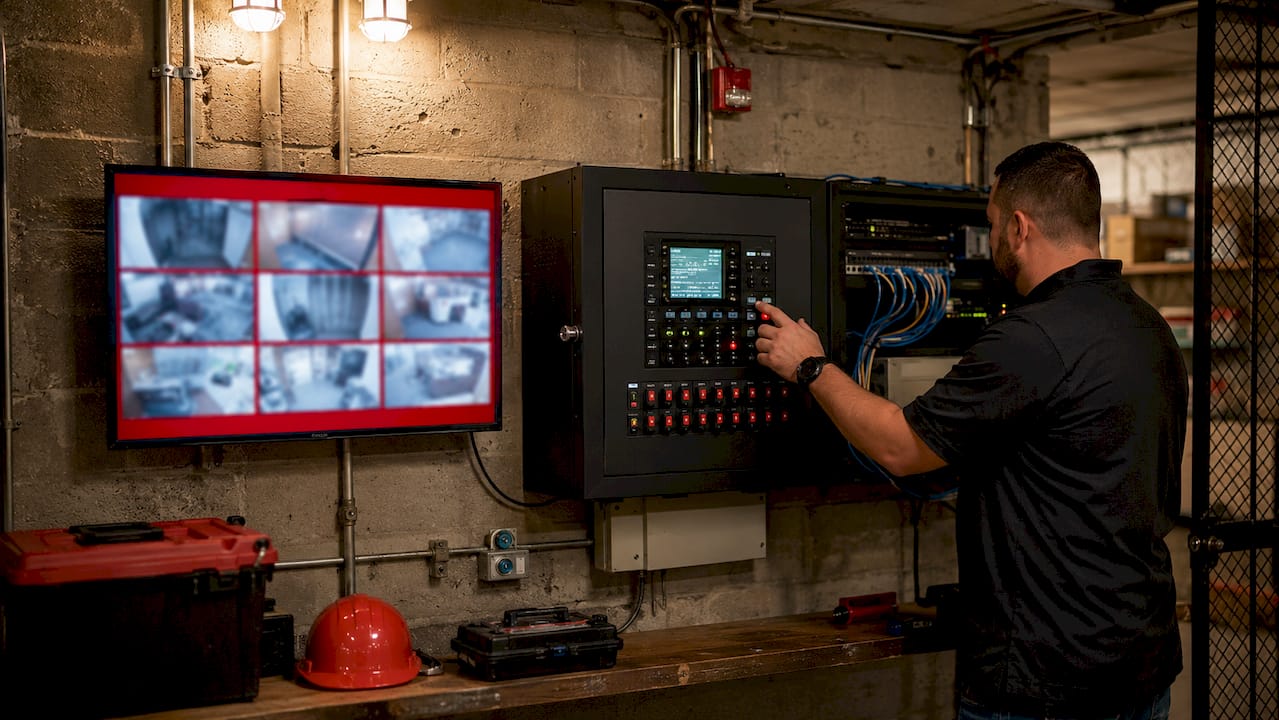
Verified alarm calls with video confirmation receive higher dispatch priority than unverified calls. Police departments that have adopted verified response policies will not respond to standard alarm signals at all without visual or audio confirmation. For business owners, that policy shift makes video verification a necessity, not an upgrade.
Pro Tip: If your current alarm monitoring contract does not include live video review by a trained operator, you are likely paying for a service that law enforcement may deprioritize during an actual break-in.
What alarm event verification methods work best for businesses?
Businesses use several distinct alarm event verification methods, and the most reliable ones combine multiple data sources rather than relying on a single sensor or camera feed.
Cross-trip logic with multiple sensors
Multi-sensor cross-trip logic requires two or more independent sensors to trigger before an alarm escalates. A common setup pairs a passive infrared motion detector with a door or window contact sensor. If only one activates, the system holds the alarm in a pending state. When both fire within a defined time window, the system escalates to live video review. This approach filters out the majority of false triggers caused by HVAC drafts, insects, or lighting changes.
Recorded clip review vs. live video access
Not every business can afford 24/7 live monitoring. Recorded video clip review offers a lower-cost alternative where a short clip captured at alarm trigger is sent to a monitoring operator or directly to the business owner for review. Live video feed monitoring offers faster and more accurate threat assessment than post-event recorded footage review. Recorded clips work well for lower-risk zones; live access is the right choice for high-value or high-risk areas.
Audio as a verification layer
Audio adds context that video alone cannot always provide. A camera may capture movement in a dark corner, but a microphone can pick up voices, breaking glass, or tool sounds that confirm criminal intent. Combining audio with video gives operators a richer picture and reduces the chance of misclassifying an event.
AI-assisted analytics
AI-flagged video paired with sensor data allows operators to triage alarms faster by surfacing the most likely genuine threats first. AI analytics can distinguish a person from a shadow or a vehicle from a shopping cart. The key limitation is that AI should assist operators, not replace them. Overreliance on automated scoring without human review increases the risk of missed events and operator complacency.
| Verification method | Best use case | Key limitation |
|---|---|---|
| Live RSOC monitoring | High-value commercial sites | Higher cost, requires 24/7 staffing |
| Recorded clip review | Lower-risk zones, small businesses | Slower response than live monitoring |
| Cross-trip sensor logic | All commercial properties | Requires proper sensor placement |
| AI-assisted analytics | Large sites with high camera counts | Must be paired with human review |
| Audio verification | Interior spaces, entry points | Privacy regulations vary by state |
How to design effective alarm verification workflows for your property
A well-designed alarm verification workflow layers confirmation steps so that each zone on your property gets the level of scrutiny it warrants. A server room and a parking lot do not need identical procedures. Tiering your response by zone risk level keeps operators focused and reduces alert fatigue.
Physical Security Information Management systems, known as PSIM, integrate your Video Management System (VMS), intrusion panels, and access control into a single interface. This integration means an operator sees camera footage, door sensor status, and access log data simultaneously when an alarm fires. That combined view dramatically shortens the time needed to classify an event.
Operator fatigue and poor UI design lead directly to missed verifications and false alarm escalations. A monitoring operator reviewing 200 alerts per shift will start making errors without a well-structured interface and clear escalation rules. Split-screen interfaces that pair raw sensor data with AI-flagged video reduce cognitive load and keep operators accurate over long shifts.
Pro Tip: Set zone-specific escalation timers. A loading dock alarm at 2:00 AM should escalate to law enforcement faster than a front lobby motion trigger at 8:00 AM when staff are arriving.
The following steps represent a practical workflow structure for most commercial properties:
- Define zones by risk level. Categorize each area as high, medium, or low risk based on asset value and access frequency.
- Set sensor cross-trip rules per zone. High-risk zones require two or more sensor triggers. Low-risk zones can use single-sensor alerts with a longer review window.
- Assign escalation timers. Determine how many seconds an operator has to confirm or dismiss an alarm before it auto-escalates to law enforcement.
- Integrate PSIM with your VMS and intrusion panel. Operators should see all relevant data on one screen without switching systems.
- Schedule regular operator training. Run tabletop exercises using recorded alarm events to keep recognition skills sharp.
- Audit and adjust monthly. Review false alarm rates by zone and refine sensor sensitivity or camera angles based on real data.
What technology does reliable camera alarm verification require?
Reliable alarm verification depends on a specific set of integration protocols and network infrastructure. Without the right technical foundation, even the best workflow will fail under pressure.
Contact ID, ONVIF, SIP, and RTSP are the four protocols that connect alarm panels, cameras, and monitoring platforms. Contact ID is the legacy standard used by most traditional alarm panels. ONVIF governs IP camera interoperability. SIP handles audio communication. RTSP streams live video to monitoring platforms. Many businesses run a mix of old and new equipment, which requires protocol converters or edge gateways to bridge the gap.
Legacy alarm panels using Contact ID over dial-up lines need protocol converters to communicate with modern IP video systems. This is one of the most common technical bottlenecks in commercial security upgrades. Skipping this step means your cameras and alarm panel operate in isolation, which defeats the purpose of integrated verification.
Network bandwidth is a real constraint for 4K camera systems. A single 4K stream at full resolution can consume 25–50 Mbps depending on compression settings. Multi-camera sites need gigabit uplinks and quality-of-service rules that prioritize video traffic during alarm events. Cellular backup connections provide failover when primary internet goes down, which is exactly when an intruder is most likely to be present.
Encrypted video streams and network segmentation protect your verification system from tampering. Placing cameras on a dedicated VLAN prevents a compromised office computer from accessing or disrupting camera feeds. Regular API auditing catches unauthorized access attempts before they become a breach. For a deeper look at protecting your camera infrastructure, commercial camera cybersecurity is a topic every business owner should understand before deploying a verification-capable system.
Key Takeaways
Businesses that combine live human review with multi-sensor cross-trip logic and encrypted, protocol-integrated camera systems achieve the fastest and most accurate alarm event verification.
| Point | Details |
|---|---|
| False alarm rates drive verification | 94–98% of commercial alarms are false positives, making visual confirmation a necessity. |
| Live RSOC monitoring is the gold standard | Real-time human review of camera feeds produces faster, more accurate threat classification than recorded clip review. |
| Cross-trip logic reduces noise | Requiring two or more sensor triggers before escalation filters out the majority of environmental false alarms. |
| PSIM integration speeds response | Combining VMS, intrusion panels, and access control in one interface cuts operator decision time significantly. |
| Encryption and segmentation protect the system | VLAN isolation and encrypted streams prevent tampering with the verification infrastructure itself. |
Why video verification has changed how I think about business security
The security industry spent decades selling alarm systems as the answer. What we actually sold was a notification system with no context. A siren goes off, a call center dials the owner, and police roll out to find a door left open by a cleaning crew. That cycle repeated itself millions of times a year, and it eroded trust in alarm systems across the board.
Video verification changed the equation because it puts a trained human in the loop at the moment that matters most. I have seen businesses cut their false alarm fees to near zero after switching to verified monitoring, not because their cameras got better, but because a real person was watching and making a judgment call before the police were called. That human element is irreplaceable, even as AI analytics improve.
The businesses that get this wrong are the ones that treat video verification as a technology problem rather than a process problem. They install 4K cameras and analytics software, then route alerts to an email inbox that nobody checks at 3:00 AM. The technology is only as good as the workflow behind it. Advanced analytic cameras are a genuine force multiplier, but they need a human review process to deliver on their promise.
The next frontier is drone integration for large campuses and industrial sites, where a triggered alarm can automatically launch a drone to provide aerial confirmation before any human or law enforcement response. That is not science fiction. It is already in use at large distribution centers. For most businesses, though, the gap between where they are and where they need to be is not about drones. It is about connecting their existing cameras to a live monitoring workflow with proper escalation rules.
— Tom
Central Jersey Security Cameras can build your verification-ready system
Business owners in Central New Jersey who want camera systems that actually support verified alarm response need more than off-the-shelf hardware. They need a professionally designed installation where cameras, sensors, and alarm panels communicate correctly from day one.
Central Jersey Security Cameras designs and installs commercial security camera systems built for alarm event verification, including 4K IP cameras, PTZ cameras, active deterrence cameras, and NVR systems integrated with alarm panels. Every installation is tailored to the property’s zone layout, risk profile, and monitoring requirements. The team also provides ongoing support so your verification workflow stays current as your business grows. Contact Central Jersey Security Cameras to schedule a site assessment and get a system designed around verified response from the ground up.
FAQ
What is video verification in commercial security?
Video verification is the process of reviewing live or recorded camera footage to confirm whether an alarm event is a genuine threat before law enforcement is dispatched. It reduces false alarm responses and improves police dispatch priority.
Why do businesses need verified alarm response?
94–98% of commercial alarm activations are false positives, and many law enforcement agencies now require visual or audio confirmation before responding. Without verification, your alarm calls may be deprioritized or ignored entirely.
What is cross-trip logic in alarm verification?
Cross-trip logic requires two or more independent sensors to activate within a set time window before an alarm escalates to human review or law enforcement dispatch. It is one of the most effective ways to filter environmental false triggers.
How does PSIM improve alarm verification workflows?
A PSIM platform integrates your video management system, intrusion panel, and access control into a single operator interface. This combined view allows faster, more accurate alarm classification without switching between multiple systems.
Do I need 4K cameras for effective alarm verification?
4K cameras improve image detail for suspect identification, but they require higher network bandwidth, typically 25–50 Mbps per stream. The camera resolution matters less than whether your cameras are properly integrated into a live monitoring and escalation workflow.