

Commercial camera cybersecurity is the practice of securing networked surveillance systems to prevent unauthorized access and protect sensitive video data. Every IP camera your business installs is a small computer on your network. That means it carries the same risks as any other networked device: weak passwords, outdated software, and open ports that attackers can exploit. Getting the commercial camera cybersecurity basics explained correctly matters because the consequences of a breach go beyond stolen footage. A compromised camera can become an entry point into your entire business network.
What are the main cybersecurity risks facing commercial camera systems?
The single largest attack vector in commercial surveillance is unchanged factory credentials. Research shows over 40,000 cameras were accessed in 2025 through standard URL paths without any brute force, simply because businesses never changed the default username and password. That number reflects a systemic failure in basic security hygiene, not a sophisticated attack.
Attackers do not need to be skilled to exploit these gaps. Tools like Shodan scan the internet for exposed cameras and identify default credentials within minutes. Once inside, an attacker can view live feeds, download footage, disable recording, or pivot deeper into your network.

The second major risk is unpatched firmware. Camera manufacturers release firmware updates to fix known vulnerabilities, but most cameras do not support automatic updates. That means your IT team must manually check and apply patches. When that process gets skipped, cameras run with known security holes for months or years.
Network design creates a third category of risk. Flat networks without segmentation allow an attacker who compromises one camera to move laterally into sensitive systems like payroll servers, customer databases, or access control platforms. That lateral movement turns a camera breach into a full business breach.
Two additional risks deserve attention:
- Unencrypted video streams: Cameras that transmit footage over unencrypted connections expose live video to anyone on the same network segment.
- Open management ports: Cameras with HTTP, Telnet, or RTSP ports exposed to the internet give attackers direct access to configuration interfaces.
Pro Tip: Run a quick Shodan search for your business’s public IP address. If any camera management interfaces appear in the results, those ports need to be closed or firewalled immediately.
How should businesses secure their commercial camera networks?
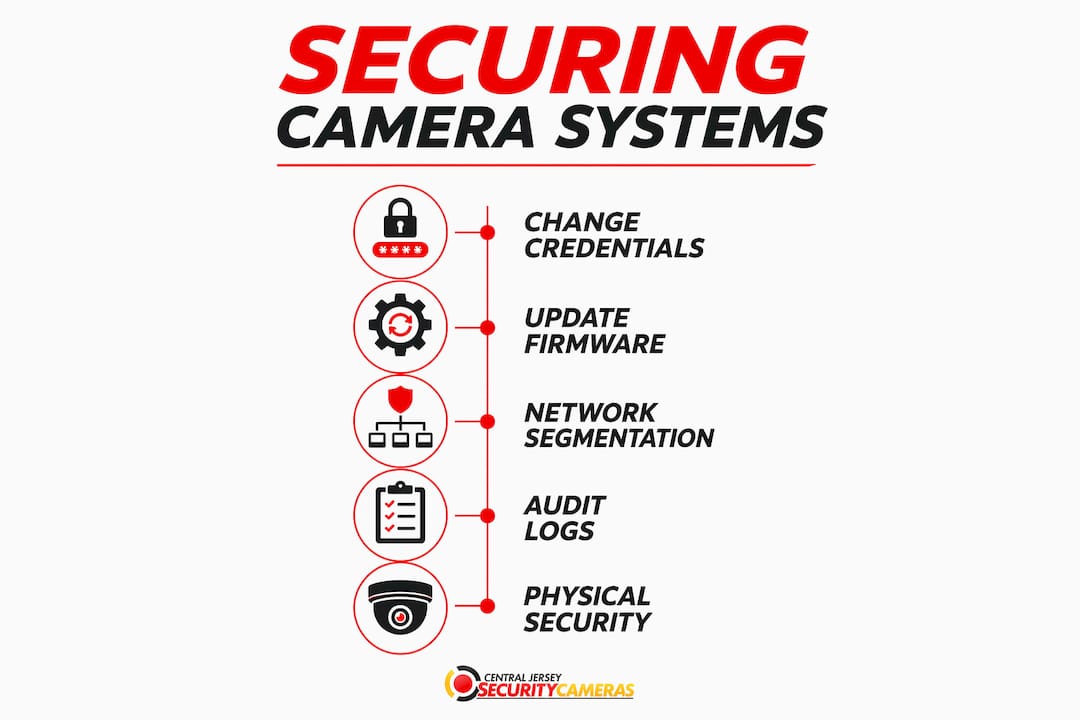
Securing your camera network requires a layered approach. No single control is enough. The goal is to make each layer of defense independent so that one failure does not collapse the entire system.
Follow these steps in order of impact:
- Change every default credential immediately. Replace factory usernames and passwords with strong, unique passphrases before any camera goes live. Use a password manager to store and rotate credentials across your camera fleet.
- Segment your camera network using VLANs. Place all cameras on a dedicated VLAN that has no direct routing to your core business systems. This contains any breach to the camera network alone.
- Establish a firmware update schedule. Check manufacturer release notes monthly. Apply security patches within 30 days of release. Document every update with the camera ID, firmware version, and date.
- Disable unused services and ports. Turn off Telnet, FTP, and any management protocol your team does not actively use. Close all ports that are not required for camera operation or remote viewing.
- Enable encryption on all management interfaces. Use HTTPS for web-based camera management and ensure video streams use encrypted transport protocols where the hardware supports it.
- Apply role-based access control. Separate view-only accounts from administrator accounts. Most staff need to review footage, not change camera settings. Limiting admin access reduces insider risk and accidental misconfiguration.
Every IP-connected camera functions as an unmanaged endpoint when it lacks these controls. Treating cameras the same way you treat servers and workstations closes the gap that attackers rely on.
Pro Tip: A single 4K camera stream compressed with H.265 requires 8–16 Mbps of bandwidth. Plan your VLAN capacity around that figure before you segment, or you will create performance problems that push staff to bypass the security controls.
What role do audit logs and retention policies play in camera cybersecurity?
Audit logs are the record of who accessed your footage and when. Without them, you cannot prove that footage was not tampered with, and you cannot investigate an incident with any legal credibility. Governance must precede technology: defining who can view footage, who can export it, and who holds administrator rights is the foundation of a defensible surveillance program.
The integrity of those logs depends on how they are stored. Audit logs stored in WORM format (Write Once, Read Many) cannot be altered or deleted after the fact. That tamper-proof quality is what makes them admissible in legal proceedings and useful in forensic investigations.
Retention policy is equally important. Key considerations include:
- Standard retention period: 31 days is the common standard for commercial surveillance footage, aligned with most privacy regulations. High-security environments often extend this period.
- Excessive retention creates legal risk: Holding footage longer than your stated policy without justification can expose your business to privacy law violations.
- Policy documentation: Write your retention policy down, get it reviewed by legal counsel, and store it alongside your audit logs.
- Regular compliance reviews: Audit your actual retention practices against your written policy at least quarterly.
Businesses that audit camera footage remotely need to pay particular attention to access logging. Every remote session should be recorded with a timestamp, user ID, and the specific footage accessed. That record protects the business if footage is ever challenged in court or a regulatory review.
How does installation quality affect camera cybersecurity?
A camera that is physically difficult to reach rarely gets its firmware updated or its credentials changed. Administrative neglect is a direct result of poor installation planning. When cameras are mounted in hard-to-access locations without documented asset records, they fall off the maintenance schedule entirely.
Professional installation creates the conditions for ongoing security. A well-documented system includes a camera inventory with each unit’s IP address, firmware version, last update date, and physical location. That inventory is the starting point for every future audit and maintenance visit.
Routine maintenance supports cybersecurity in concrete ways:
- Firmware checks: Scheduled visits confirm that each camera runs the current approved firmware version.
- Credential audits: Periodic reviews verify that no camera has reverted to a default password or retained credentials from a former employee.
- Alert testing: Confirming that motion alerts, recording triggers, and tamper notifications still function catches configuration drift before it becomes a vulnerability.
- Storage health checks: Verifying that NVR drives and cloud backup connections are functioning prevents silent recording failures that leave gaps in your footage history.
- Physical tamper inspection: Checking camera housings and cable runs identifies signs of physical interference that could indicate an attempt to disable or redirect a camera.
Network infrastructure choices also affect security. PoE switches with managed port controls let you disable individual camera ports remotely, which is a fast containment option if a camera is compromised. Unmanaged switches remove that capability entirely.
Key Takeaways
Securing commercial cameras requires layered controls: credential hygiene, network segmentation, firmware discipline, audit logging, and professional installation working together.
| Point | Details |
|---|---|
| Default credentials are the top risk | Over 40,000 cameras were accessed in 2025 simply because factory passwords were never changed. |
| VLANs contain breaches | Segmenting cameras onto a dedicated VLAN stops lateral movement into core business systems. |
| Firmware must be manually patched | Cameras rarely auto-update; schedule monthly checks and document every patch applied. |
| WORM audit logs protect legal standing | Tamper-proof logs are the foundation of forensically valid and legally defensible footage. |
| Installation quality drives maintenance | Well-documented, accessible installations make credential audits and firmware updates practical. |
Why cameras are the most overlooked endpoint in your network
Most businesses spend real money securing their servers and workstations, then install a dozen IP cameras with factory passwords and call it done. I have seen this pattern repeatedly, and it never ends well. The cameras sit on the same network as everything else, nobody updates them, and the first time someone runs a Shodan scan against the business’s IP range, those cameras light up like open doors.
The uncomfortable truth is that camera cybersecurity is not complicated. It is just unglamorous. Changing a password, creating a VLAN, and setting a monthly calendar reminder for firmware checks takes an afternoon. What makes it hard is that nobody owns the task. IT thinks it belongs to the facilities team. Facilities thinks it belongs to IT. The cameras get ignored.
My recommendation is to assign one person explicit ownership of the camera asset inventory and tie their quarterly review to a written checklist. That checklist should cover credentials, firmware versions, retention policy compliance, and audit log integrity. When one person is accountable, things actually get done. The role of cameras in access point monitoring only works if those cameras are themselves secure. A compromised camera watching your front door is worse than no camera at all, because it creates false confidence.
— Tom
How Central Jersey Security Cameras secures your business camera system
Protecting your surveillance investment starts with how the system is installed and configured from day one.

Central Jersey Security Cameras designs and installs commercial-grade camera systems with cybersecurity built into every step. That means proper network segmentation, secure credential setup, and documented asset records handed to you at project completion. Ongoing maintenance plans cover firmware updates, credential audits, and storage health checks so your system stays protected long after installation. Central Jersey Security Cameras also consults on retention policies and audit logging practices to help your business meet regulatory expectations. Serving Ocean County, Monmouth County, Middlesex County, Mercer County, Burlington County, and surrounding areas, the team brings professional-grade security to businesses of every size across Central New Jersey.
FAQ
What is commercial camera cybersecurity?
Commercial camera cybersecurity is the practice of securing IP-connected surveillance cameras and their footage against unauthorized access, tampering, and network-based attacks. It covers credential management, network segmentation, firmware updates, encryption, and audit logging.
Why do business cameras need cybersecurity controls?
Every IP camera is a networked computer, and without hardened configuration, it acts as an unmanaged endpoint that attackers can exploit to access live feeds or pivot into core business systems.
How often should businesses update camera firmware?
Businesses should check manufacturer release notes monthly and apply security patches within 30 days of release, since most cameras do not support automatic updates.
What is the standard retention period for commercial surveillance footage?
31 days is the common standard retention period for commercial surveillance footage, with longer periods used in high-security environments. Holding footage beyond your stated policy without justification can create legal exposure.
What are WORM audit logs and why do they matter?
WORM (Write Once, Read Many) audit logs cannot be altered after they are written, making them tamper-proof records that hold up in legal proceedings and forensic investigations.