
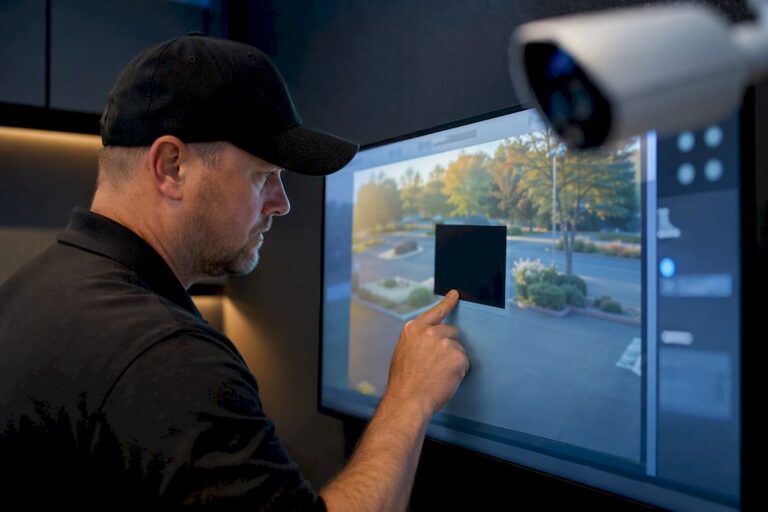
A privacy mask digitally blocks out part of a camera’s field of view so a private area or a person’s identity never shows up in live or recorded footage. Use masking when you cannot avoid pointing a camera near a neighbor’s window, a keypad, or another sensitive spot. Try re-aiming the camera first; mask only what re-aiming can’t fix. You’ll run into two flavors: static masks for fixed zones, and dynamic masks that track motion.
TL;DR:
- Static masks are best for fixed privacy concerns and do not require detection, while dynamic masks track moving subjects using AI or motion detection for active areas.
- Masking is applied in real time at the camera or server level, with edge-based masking preventing unmasked footage from ever reaching storage, enhancing security.
- Proper implementation requires re-aiming cameras first, verifying resolution and pixel density, and testing masks during actual conditions to ensure coverage and reliability.
- Masking should complement good camera placement rather than compensate for poor positioning, and documenting masking policies aids in future adjustments.
- Legal considerations vary by state, with restrictions on recording audio and places with strong privacy expectations, making legal compliance essential before setup.
Table of Contents
- What Is Privacy Masking in CCTV?
- Static vs. Dynamic Privacy Masking: Choosing the Right Type
- Privacy Masking vs. Redaction and Anonymization
- How Privacy Masking Actually Works Behind the Scenes
- How to Implement Privacy Masking Correctly
- U.S. Legal Considerations for CCTV Privacy
- Common Privacy Masking Problems and How to Fix Them
- When to Bring in a Professional for CCTV Masking
- Central Jersey Security Cameras: Privacy-Aware Installation and Support
- Where to Learn More About Privacy Masking
- Sources
- FAQ
What Is Privacy Masking in CCTV?
Privacy masking, sometimes called a privacy mask or a privacy redaction feature, is a layer of digital obstruction applied over part of a camera’s image. It can black out a rectangle, blur a region, or pixelate a moving object, and it works on both the live view and the recorded file, depending on how it’s configured. The goal is narrow: hide the parts of a scene that don’t need to be watched, while leaving everything else fully visible for actual security purposes.
Property owners run into this constantly without realizing there’s a name for it. A parking lot camera that happens to catch a slice of the apartment building next door. A retail camera aimed at a cash register that also captures the PIN pad. A warehouse camera covering a loading dock that clips a public sidewalk. In each case, the fix isn’t turning the camera off. It’s masking the part of the frame that shouldn’t be recorded.
Masks can also run on a schedule. A daycare might mask a diaper-changing area only during certain hours, or a business might drop a mask over an employee break room only after hours when the space becomes a hallway shortcut. Common terms you’ll hear used almost interchangeably:
- Privacy mask: the overlay itself, whether a solid block or a blur.
- Privacy redaction: usually refers to editing footage after the fact, often for a video you’re about to hand over or publish.
- Anonymization: stripping identifying detail (faces, plates, badges) more completely than a simple overlay.
- Live vs. recorded masking: whether the mask is baked into the stored file or only applied to what a viewer sees on screen.
Static vs. Dynamic Privacy Masking: Choosing the Right Type
Static masks are the simplest tool in the box: a fixed black or blurred rectangle that sits in the same spot in every frame, day and night. They cost almost nothing in processing power, and they never fail because they never have to detect anything. If your neighbor’s kitchen window is always in the same corner of your driveway camera’s view, a static mask handles it permanently.
Dynamic masks work differently. They use motion detection or AI-based object recognition to track people, vehicles, or faces as they move through the frame, applying the blur or block only to the moving target while everything else in the scene stays sharp. ABI Research notes that static masking suits fixed privacy concerns like windows or keypad terminals, while dynamic masking fits active areas like hallways or public entrances where you still want to monitor activity without recording identity.
Pick between them with a simple rule:
- Fixed, unchanging privacy concern (a window, a neighbor’s yard, a keypad): use a static mask.
- High-traffic area where you need activity awareness but not identity (a hallway, a lobby, a public sidewalk): use dynamic, motion-based, or AI-based masking.
- Outdoor scene with variable lighting, glass, or reflective surfaces: lean static, or better yet, re-aim the camera. Dynamic masks lose accuracy in glare and shifting light.
Pro Tip: Test dynamic masks at dawn and dusk, not just midday. Low-angle sunlight and long shadows are where AI-based tracking most often drops or misfires.
Privacy Masking vs. Redaction and Anonymization
Masking and redaction solve related but different problems, and mixing them up creates real gaps. Masking is typically real-time: the overlay is applied as the video streams or records, so the sensitive area is never visible even to someone watching live. Redaction is post-processing. Someone takes an already-recorded clip and blurs or blocks a section of it before sharing or releasing that specific file.
The distinction matters for investigations. Hikvision’s guidance on the topic points out that vendors commonly support both: a masked live feed for day-to-day viewing, plus the ability to export a redacted clip for someone outside the organization while keeping the original, unmasked archive available to authorized investigators.
- Masking = applied continuously, often in real time.
- Redaction = applied once, to a specific exported clip.
- Anonymization = a stronger standard, often required for compliance, removing identity markers rather than just obscuring them visually.
- Best practice: keep the unmasked original archived and access-controlled, and generate masked or redacted copies for anyone who doesn’t need to see the full picture.
How Privacy Masking Actually Works Behind the Scenes
Where the masking happens changes what it protects. Edge-based masking applies the mask inside the camera itself, before the footage ever reaches a recorder or network. Genetec explains that this keeps unmasked footage from ever landing in central storage, which matters enormously if that storage is ever breached or subpoenaed. Server or VMS-side masking works the opposite way: the camera sends full, unmasked footage to the server, and the mask gets applied only when someone views it through the software interface. That approach can be more flexible, but it means the original unmasked footage sits in storage the entire time.
The masking method itself usually falls into one of a few technical camps:
- Pixel replacement or mosaic: swapping the target area with a flat color or a coarse grid.
- Blur: smoothing detail in the region without fully blocking it.
- AI-based object detection: identifying a person, face, or license plate and masking only that moving target.
Each method has real limits. AXIS’s documentation for its Live Privacy Shield feature warns that reflective surfaces, low light, and background merge time (how long it takes the system to “catch” a newly entered object) all reduce reliability. Pixel density matters too: masking reliably fails once a subject falls below roughly 30 pixels per foot, so a camera mounted too far from its subject may not have enough resolution for AI masking to lock onto a face or plate consistently.
How to Implement Privacy Masking Correctly
Getting masking right is less about software settings and more about doing the groundwork before you ever draw a mask. Follow these steps in order.
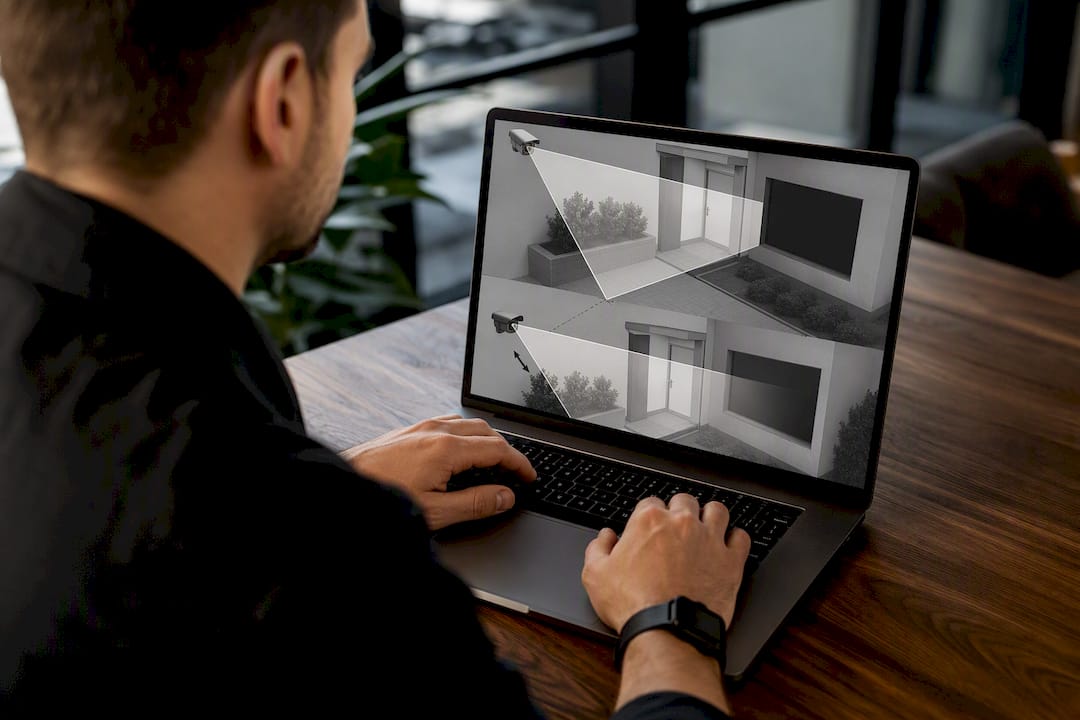
- Re-aim or relocate the camera first. Masking should patch an unavoidable overlap, not compensate for lazy camera placement. If tilting the camera five degrees removes the neighbor’s window from the frame entirely, do that before opening the masking menu.
- Check pixel density at the target distance. Use your camera manufacturer’s site planning tool to confirm you have enough resolution where masking needs to track a face, plate, or person reliably.
- Choose the mask type per scene. Static for fixed zones, dynamic or AI-based for moving subjects, based on the guidance above.
- Draw masks conservatively. Cover only what needs covering. An oversized mask can blot out a doorway, a cash drawer, or an exit, creating a blind spot where you actually needed coverage.
- Set schedules and exclusion zones if the sensitive area is only private at certain times, and configure background merge settings on dynamic masks so they don’t lag behind fast-moving subjects.
- Test with real motion and real lighting, not a static walkthrough at noon. Walk the actual paths people take, at the times of day the camera will actually be recording.
- Run an export test. Pull a clip and confirm the mask persists in the exported file, not just in the live view. Some systems only mask the display, not the saved footage.
- Lock down access to the unmasked stream and keep a log of who viewed or exported original footage.
Pro Tip: Document every mask’s location and purpose in a simple spreadsheet. When a mask needs adjusting six months later, you’ll want a record of why it’s there, not a guess.
Installers commonly see clients try to use masking as a workaround for a camera that was mounted in the wrong spot to begin with. The better fix is almost always redesigning the shot, then masking whatever genuinely can’t be avoided.
U.S. Legal Considerations for CCTV Privacy
There’s no single federal law governing video surveillance privacy in the United States. Instead, state laws and the “reasonable expectation of privacy” doctrine fill that gap, and the rules shift depending on where the camera sits and what it records. A few practical guardrails apply almost everywhere:
- No federal law requires posted signage for CCTV, though some states and municipalities do. Check your local signage requirements before assuming you’re covered.
- Audio recording faces much tighter rules than video. Many states require consent from one or all parties before recording conversations, so setting cameras to video-only is the safer default unless you’ve confirmed your state’s consent law.
- Masking a camera’s view does not make it legal to record in places where people have a strong expectation of privacy, like bathrooms or changing rooms. No mask fixes an inherently improper camera placement.
- Employers generally can monitor work areas, but should give employees notice, respect any labor agreements, and avoid areas like break rooms or restrooms regardless of masking.
None of this substitutes for legal advice specific to your state and situation, but it’s the baseline every property owner should understand before configuring a system.
Common Privacy Masking Problems and How to Fix Them
Masking fails in predictable ways, and most of them show up during testing rather than during an actual incident, which is exactly why testing matters.
- Artifacts from reflections or low pixel density: relocate the camera closer, adjust the angle away from glass or metal, or switch to a static mask if AI tracking keeps stuttering.
- Masks creating accidental blind spots: walk test patterns through the covered area to confirm the mask isn’t swallowing a doorway or exit alongside the intended target.
- Bandwidth or performance drops with server-side masking: heavy real-time processing at the VMS level can strain older hardware; edge-based masking offloads that work to the camera itself.
- Export tests that reveal the mask doesn’t carry over: always confirm masked footage stays masked once it leaves the system, not just on the live dashboard.
When to Bring in a Professional for CCTV Masking
Most masking headaches trace back to camera placement, not software. Re-aiming a camera two feet to the left or mounting it three feet higher often solves a privacy overlap that a mask would only patch over. Getting that placement right on the first pass takes a site walk, not guesswork.
Central Jersey Security Cameras leans toward edge-capable hardware and documented masking policies for exactly that reason: masking should be the backup plan, not the whole plan. If your system already has masks stacked on masks trying to compensate for bad angles, it’s worth a site survey with a professional installer before adding another workaround.
— Tom
Central Jersey Security Cameras: Privacy-Aware Installation and Support
Central Jersey Security Cameras is the alternative to guessing your way through masking settings on a DIY camera app. Instead of layering software fixes over a camera mounted in the wrong spot, we start with a site survey, correct the placement first, and only apply masking where overlap is genuinely unavoidable.

A consultation covers camera re-aim options, edge-capable hardware selection, VMS configuration for masking and access control, and a documented policy for who can view unmasked footage. We handle installations across Central Jersey for homes and businesses that want a system built right the first time rather than patched afterward. If you’re outfitting a home, our home security camera installation service walks through exactly this process, from placement to privacy configuration to final testing. Reach out for a site survey and we’ll tell you honestly whether your issue is masking or aim.
Where to Learn More About Privacy Masking
For technical specifics straight from the source, check vendor documentation like AXIS Live Privacy Shield or Genetec’s masking overview. For legal context beyond this article, review guidance on U.S. surveillance law. For broader security design thinking, DockLedger’s security resources cover related professional practices.
Sources
- ABI Research — privacy masking for surveillance cameras
- PrivAInI — Surveillance laws in the United States
- Hikvision blog — privacy masking and redaction
FAQ
What Is Privacy Masking in CCTV Cameras?
Privacy masking is a digital overlay, either a solid block or a blur, applied over a specific part of a camera’s view so that area or a moving subject within it isn’t visible in live or recorded footage.
Is It Illegal to Cover a Security Camera?
Covering someone else’s security camera can carry legal consequences depending on your state and the property involved, but this is separate from privacy masking, which is a setting the camera’s own owner applies to their own footage.
Do You Legally Have to Tell People You Have CCTV?
No federal law requires CCTV signage nationwide, though some states and cities have their own posting rules, so check local signage requirements for your area.
Can My Boss Watch Me on Camera All Day?
Employers can generally monitor work areas, but they still need to respect reasonable expectations of privacy and avoid spaces like restrooms or break rooms, and state rules on notice can vary.