
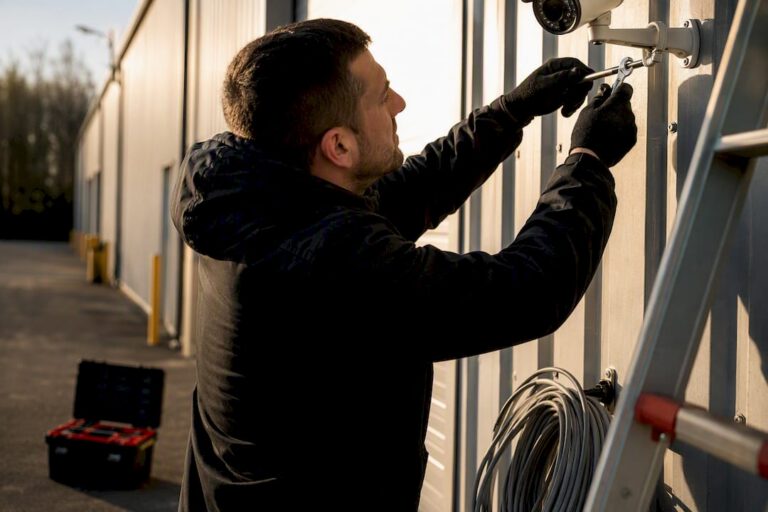
Remote guard services pair AI-filtered camera alerts with trained human operators who verify threats and intervene in real time, using two-way audio, lights, and sirens before a crime finishes happening. Business owners and property managers use this model to cut theft, vandalism, and liability without staffing a guard shack around the clock. The route that works best is a professionally installed system built for remote monitoring from day one, not a bolted-on afterthought.
If you’re deciding whether this fits your property, start here:
- Remote guard services combine AI detection with live human verification, so alerts trigger real intervention, not just a recorded clip you review Monday morning.
- The typical buyer is a warehouse operator, retail owner, construction manager, or property manager covering a lot with too few eyes.
- Your next move: check whether your current cameras are compatible or request a site assessment before you sign anything.
Key Takeaways
Remote guard services work because AI detection filters the noise while trained human operators verify events and intervene live, before an incident escalates into a police report.
| Point | Details |
|---|---|
| AI is a filter, not the guard | Human operators verify every AI-flagged event before any warning, siren, or escalation happens. |
| Speakers and PTZ cameras matter | Two-way audio talk-downs and pan-tilt-zoom coverage are the features that actually deter intruders in real time. |
| Managed integrations beat DIY DDNS | Vendor-managed remote access centralizes authentication and reduces the router exposure that manual port forwarding creates. |
| Redundancy prevents blind spots | Cellular failover and battery backup keep monitoring active during outages or cut internet lines. |
| Central Jersey Security Cameras builds the foundation | Custom-designed, professionally installed camera systems with privacy masking and health monitoring make live remote guarding reliable. |
Table of Contents
- How Do Remote Guard Services Work?
- What Camera Hardware Do You Need for Remote Monitoring?
- Is Remote Guarding Worth It Compared to On-Site Guards?
- How Do You Protect Employee and Public Privacy?
- How Do You Choose a Remote Guard Service Provider?
- How Central Jersey Security Cameras Builds Remote Guard-Ready Systems
- Sources
How Do Remote Guard Services Work?
The process runs in a tight loop, and every provider worth hiring follows roughly the same sequence.
AI software watches the video feed continuously, flagging events like a person crossing a perimeter line at 2 a.m., a vehicle idling in a loading zone, or someone loitering near a back entrance. That flag doesn’t trigger a siren automatically. It routes to a human operator in a monitoring center, because AI alone produces too much noise from shadows, weather, and wildlife to be trusted on its own. The operator looks at the live feed, decides whether it’s a real threat, and acts.
A typical detection-to-response sequence looks like this:
- Camera and AI software flag motion or a defined rule violation (line crossing, loitering, unauthorized vehicle).
- A human operator pulls up the live feed within seconds to confirm what’s happening.
- If it’s a real intruder, the operator issues a two-way audio warning (“You are being recorded, leave the property now”) through the camera’s speaker.
- If the person doesn’t leave, the operator can trigger a strobe light or siren, then escalate to the property manager or local police.
- The center logs the entire event and builds an evidence package, timestamps, clips, and operator notes included.
Some providers advertise detection-to-response cycles under 30 seconds when AI and trained operators work together, though actual speed depends on your provider’s staffing and escalation plan. This is a meaningfully different posture from a DVR that just records footage nobody watches until after a break-in. Proactive monitoring exists specifically to interrupt the crime while it’s happening.
Pro Tip: Ask a prospective provider to show you a redacted example of an actual talk-down event, audio and all. If they can’t produce one, they may not have real 24/7 human coverage.
What Camera Hardware Do You Need for Remote Monitoring?
Not every camera system supports live guarding, and this is where a lot of buyers get burned buying hardware first and asking questions later.
The essentials:
- IP cameras with PoE (Power over Ethernet) for stable, high-bandwidth feeds, not consumer Wi-Fi cameras that drop frames under load.
- Resolution and low-light performance strong enough that an operator can identify a face or license plate at night, not just a blurry silhouette.
- Built-in or add-on speakers so operators can issue verbal warnings; without this, you lose the single most effective deterrent in the toolkit.
- PTZ (pan-tilt-zoom) cameras at entry points and parking areas so an operator can track a moving subject instead of watching a fixed frame.
- Vendor-agnostic platform compatibility, so your existing camera system doesn’t need to be ripped out to add monitoring.
On remote access, there are two paths. One uses a managed cloud connector or vendor-established secure tunnel. The other uses dynamic DNS (DDNS) with manual port forwarding, which works but opens a direct path into your router that a misconfigured setting can expose to the internet. Managed integrations centralize authentication and updates, which is why most professional monitoring providers steer clients away from DIY port forwarding.
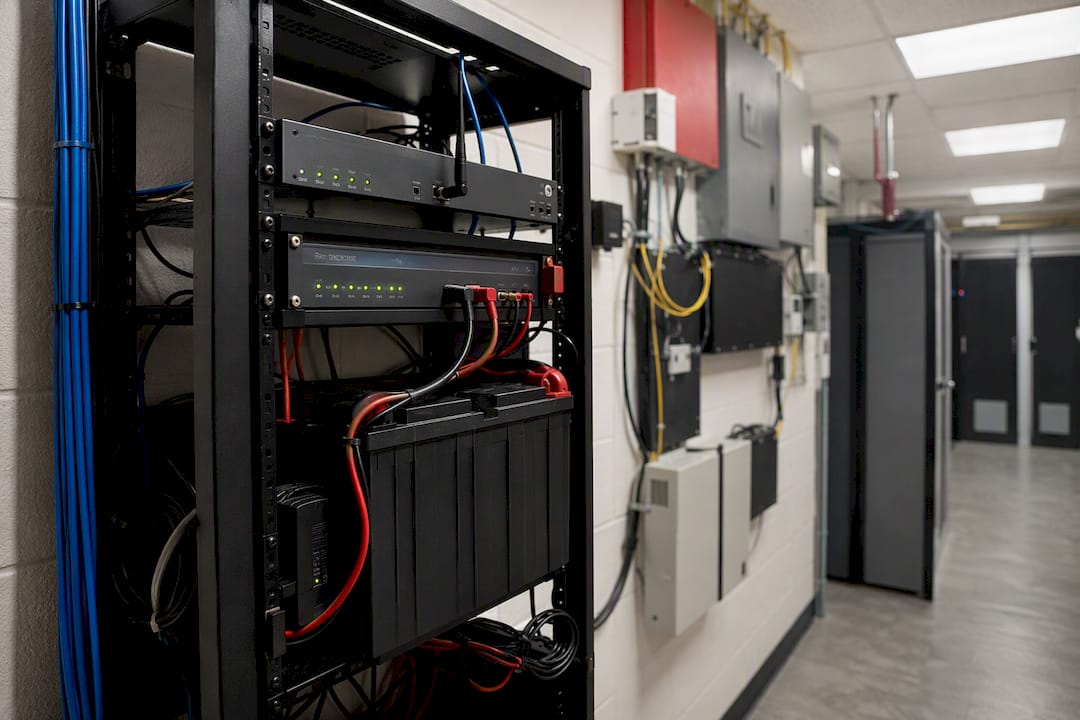
Redundancy matters just as much as the cameras themselves: cellular failover and UPS battery backup keep the system talking to the monitoring center during a power outage or cut internet line, and CISA’s physical security guidance treats that kind of redundancy as a baseline expectation for any commercial site, not a luxury add-on.
Is Remote Guarding Worth It Compared to On-Site Guards?
The math usually favors remote monitoring, but not for every property.
What you gain:
- Continuous overnight and weekend coverage without paying shift differentials or overtime.
- Active deterrence, verbal warnings and sirens, that stops an incident before it becomes a police report.
- Lower ongoing cost than staffing full-time guards, especially once you factor in wage data for security guard positions, which tend to run higher than a monitoring contract on a per-hour basis.
What you give up:
- No one physically on-site to intervene if a threat requires hands-on response.
- Dependence on your internet connection and camera health staying solid.
- False positives if the AI isn’t tuned to your property’s traffic patterns.
Pricing usually runs per camera or per site, and calculating rough ROI means weighing the monthly monitoring fee against your history of theft, vandalism, or insurance claims tied to your property.
How Do You Protect Employee and Public Privacy?
Live monitoring raises real privacy questions, and ignoring them creates legal exposure that outweighs whatever crime you prevented.
- Use digital privacy masking to black out areas the camera shouldn’t capture, a neighbor’s yard, a public sidewalk, a restroom entrance.
- Post visible signage and give employees written notice when cameras cover work areas, which reduces legal exposure while keeping coverage effective where it matters.
- Limit who can access live feeds and recorded footage, and set a defined retention window instead of storing everything indefinitely.
- Document chain-of-evidence procedures for any footage handed to police or an insurance adjuster, and confirm your provider’s contract spells out how that handoff happens.
How Do You Choose a Remote Guard Service Provider?
Getting quotes from three providers and picking the cheapest one is how businesses end up with a monitoring contract that doesn’t actually monitor anything useful. Ask harder questions upfront.
- Compatibility first. Confirm the provider can integrate with your existing cameras, speakers, and alarm panel rather than forcing a full replacement.
- Ask for false-alarm metrics. A provider should be able to tell you their AI-to-human verification rate and how often alerts turn out to be nothing, not dodge the question.
- Get their SLA in writing. Response times, escalation scripts, and who gets called first (you, a keyholder, or police directly) should all be spelled out.
- Request a sample incident report. This shows you what an actual evidence package looks like before you’re relying on one during a real event.
- Check contract terms closely. Look for a trial or demo period, clear termination language, and explicit statements on who owns the footage and how long it’s retained.
Red flags worth walking away from: a vendor that skips human verification entirely, pricing that’s vague until you sign, or no defined local escalation plan for your specific address. Tools like OnSite AI illustrate the broader industry shift toward pairing video analytics with human review specifically to cut down on nuisance alerts, which is the standard you should hold any provider to.
Pro Tip: Ask what happens at 3 a.m. on a holiday weekend, specifically. That answer tells you more about a provider’s real staffing than anything on their sales page.
How Central Jersey Security Cameras Builds Remote Guard-Ready Systems
Central Jersey Security Cameras designs and installs the camera infrastructure that makes live remote guarding actually work, rather than selling a generic monitoring subscription bolted onto whatever hardware you already have.
That means:
- Custom camera system design based on a walk-through of your specific property, not a one-size-fits-all package.
- IP and 4K cameras, PTZ units, and license plate recognition cameras placed where your actual risk points are.
- Active deterrence hardware and NVR systems built for reliable remote viewing.
- Privacy masking, camera health monitoring, and structured evidence delivery built into the install, not added later.
The value of a professional install isn’t the camera on the wall. It’s whether that camera, your network, and the monitoring operator on the other end all work as one system when something actually happens at 2 a.m.
The typical workflow starts with a site assessment, moves through tailored placement and installation, and continues with ongoing service support so the system keeps performing as your property changes.
A Field Note on What Actually Goes Wrong
The most common mistake I see isn’t a bad camera. It’s placement decided by convenience, mounting height, existing wiring, rather than by where an actual intruder would enter. The second is skipping redundancy: no cellular failover, no battery backup, so the one time the power blinks is the one time nobody’s watching. If you’re not sure where your current setup stands, a free compatibility check or site assessment answers that faster than guessing. Reach out and we’ll walk your property with you.
— Tom
Get a Site Assessment Before You Sign Anything
Central Jersey Security Cameras installs and integrates the camera hardware that remote guard monitoring depends on, and handles the privacy masking, health monitoring, and evidence delivery setup that most DIY installs skip entirely. That’s the real gap between a camera system that just records and one that’s actually ready for live human monitoring: the wiring, placement, and redundancy decisions made before the first alert ever fires.

If your current cameras are aging, poorly placed, or simply not built for 24/7 verification, a free site assessment is the fastest way to find out what needs upgrading and what’s already good enough to keep. Schedule one before your next incident, not after.
Sources
- AI-Powered Remote Video Monitoring and Analytics | Brivo
- What Is Proactive Video Monitoring vs. Traditional Security? | Becklar
- CISA — physical security guidance