
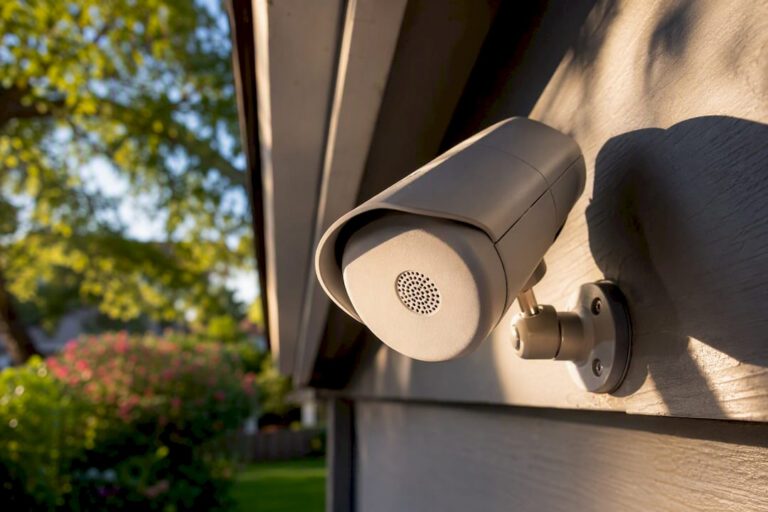
Yes: many security cameras record audio, and the spec sheet will say so with terms like “built-in mic,” “audio in,” or “two-way audio.” Most systems let you turn audio on or off from an app, a recorder menu, or a physical switch. The catch is legal, not technical: U.S. audio recording consent rules vary by state, so check your local law before you capture private conversations.
- Built-in mic: records sound only, no live talk-back
- Audio in / mic input: accepts an external microphone for better range or directional pickup
- Two-way audio: microphone plus speaker, lets you listen and talk in real time
Table of Contents
- Camera Audio Recording: Built-In Mics vs External Inputs vs Two-Way
- How Does a Camera Actually Capture and Process Audio?
- How Far Can a Security Camera Actually Hear?
- Is It Legal to Record Audio With a Security Camera?
- How Do You Know if Your Camera Is Recording Audio?
- Where Does the Audio Go Once It’s Recorded?
- What We’ve Learned Installing Audio-Enabled Systems
- Should You Enable Audio on Your Security System?
- Ready to Add Audio-Capable Cameras to Your Property?
- Sources
Camera Audio Recording: Built-In Mics vs External Inputs vs Two-Way
Most cameras with sound fall into three camps, and knowing which one you’re looking at saves you from buying the wrong tool for the job.
Built-in mics are the default on budget indoor cameras. They’re cheap, small, and fine for catching a doorbell chime or a conversation a few feet away, but they weren’t built to fight wind noise or traffic outside.
Mic or line-in inputs open the door to external microphones, including directional and weatherproof models, which matters if you need clearer pickup at range or outdoors. Two-way audio adds a speaker to the mix, so the camera can talk back. That’s useful for telling a delivery driver where to leave a package, or for active deterrence, warning someone off before they get closer. Two-way systems show up most often on Wi‑Fi indoor cameras and video doorbells; one-way, record-only units are common on outdoor and budget lines.
- Indoor units generally prioritize two-way convenience over weatherproofing
- Outdoor units need IP-rated housings if audio hardware sits exposed to rain or humidity
- External mic inputs let you upgrade audio quality without replacing the whole camera
How Does a Camera Actually Capture and Process Audio?
The mic itself is only step one. What happens after the sound hits it determines whether you get usable audio or a muddy mess.
Cameras capture sound through onboard mics, external mics wired via USB-C or a 3.5 mm jack, or in some professional setups, XLR mics run through an audio interface. Some action and consumer cameras also support Bluetooth headsets, though pairing reliability and supported codecs vary by device and firmware version, according to GoPro’s MISSION 1 audio documentation.
Several settings decide the final quality:
- Sample rate: 48 kHz is the common standard referenced in Canon’s product manuals for clean audio capture
- File format: RAW or 24-bit PCM preserve more detail than compressed AAC, at the cost of storage space
- Gain and AGC: automatic gain control helps in variable environments, but manual gain gives you more control in a fixed installation
- Wind filters: cut low-frequency rumble from outdoor mics
Mechanical noise, focus motors, zoom mechanisms, and fan hardware, can bleed into the recording if the mic sits too close to moving parts.
Pro Tip: If your camera picks up its own zoom motor whirring on playback, that’s a placement problem, not a settings problem. An external mic mounted away from the lens housing usually fixes it.
How Far Can a Security Camera Actually Hear?
Set your expectations before you install anything, because audio range disappoints more buyers than video resolution ever does.
Indoors, most cameras capture clear speech somewhere in the range of 10 to 20 feet, depending on room acoustics and mic sensitivity. Outdoors, that range shrinks fast. Wind, traffic, and general ambient noise all compete with the voice you’re trying to record, and a camera mounted 25 feet from a driveway conversation may only pick up fragments.
A few adjustments help:
- Automatic gain control and limiter settings reduce clipping when someone shouts near the mic
- Wind-reduction modes cut some outdoor noise, but they can’t fully separate speech from a gusty afternoon
- Directional or powered external mics extend usable range significantly compared to a stock onboard mic
If you’re hoping audio will hold up as evidence, be realistic. Distant, wind-heavy, or traffic-adjacent recordings are often too degraded to be useful in a dispute, even when the video is perfectly clear.
Is It Legal to Record Audio With a Security Camera?
Audio recording law is where most DIY installs go wrong, because the rules aren’t uniform. Federal law generally follows a one-party consent standard, but many states impose stricter all-party consent requirements for recording private conversations. That means a camera legal to run in one state could expose you to liability in another, particularly if it captures conversations where people have a reasonable expectation of privacy, think bedrooms, bathrooms, or a neighbor’s backyard chat overheard through a fence line.
Practical steps that reduce risk:
- Post visible signage where audio recording is active, especially in commercial or shared spaces
- Get written consent for continuous audio monitoring in workplaces or rentals
- Disable audio entirely in bathrooms, break rooms, and other private zones, even if the camera itself stays on for video
Pro Tip: When in doubt, record video only. You lose the audio layer, but you eliminate the single biggest legal gray area tied to home and business surveillance.
If you operate across multiple states, or run a business with employees who work in more than one, loop in legal counsel before enabling audio broadly. It’s a five-minute conversation that can save a much bigger headache later.
How Do You Know if Your Camera Is Recording Audio?
A short checklist beats guesswork, and it takes less than five minutes to run through.
- Check the spec sheet for the words “mic,” “audio in,” “two-way,” or “two-way talk.”
- Look at the housing for a small grille, perforated dots, or a visible speaker opening, both usually mean audio hardware is present.
- Open the companion app and look for a microphone or speaker icon on the live view screen.
- Run a spoken test: say something a few feet from the camera, save the clip, and play it back to confirm sound was captured.
- Check your NVR or cloud storage settings, since some recorders disable audio by default even when the camera supports it, and confirm smartphone app permissions allow microphone access if the system uses two-way talk.
Where Does the Audio Go Once It’s Recorded?
Recording audio is only half the equation. Where it’s stored, and in what format, determines whether you can actually use it later.
IP cameras typically embed audio directly into the video stream, so your NVR stores a single file with both tracks synced. Analog systems sometimes require a separate audio input on the DVR, which is worth checking before you assume sound is being saved at all.
Format matters more than most buyers realize:
- AAC is compressed and storage-friendly, fine for casual monitoring
- PCM (often 24-bit) preserves more detail, useful if you might need cleaner audio later
- RAW exports keep the most fidelity but eat up storage fastest, a tradeoff worth understanding since enabling higher-quality formats increases storage demand
Muting is usually straightforward: most apps and recorders let you disable audio system-wide, schedule it for specific hours, or zone it off in rooms where you never want sound captured. Some cameras also include a physical mute switch, useful if you want a hardware-level guarantee rather than trusting a software toggle.
What We’ve Learned Installing Audio-Enabled Systems
After years of installing camera systems across Central New Jersey, we add external mics or reposition cameras in a specific pattern: when a client needs voice clarity at a gate, loading dock, or reception desk, and the stock onboard mic won’t reach. We rarely enable audio in break rooms, bathrooms, or shared residential hallways, the privacy risk outweighs the benefit in almost every case.
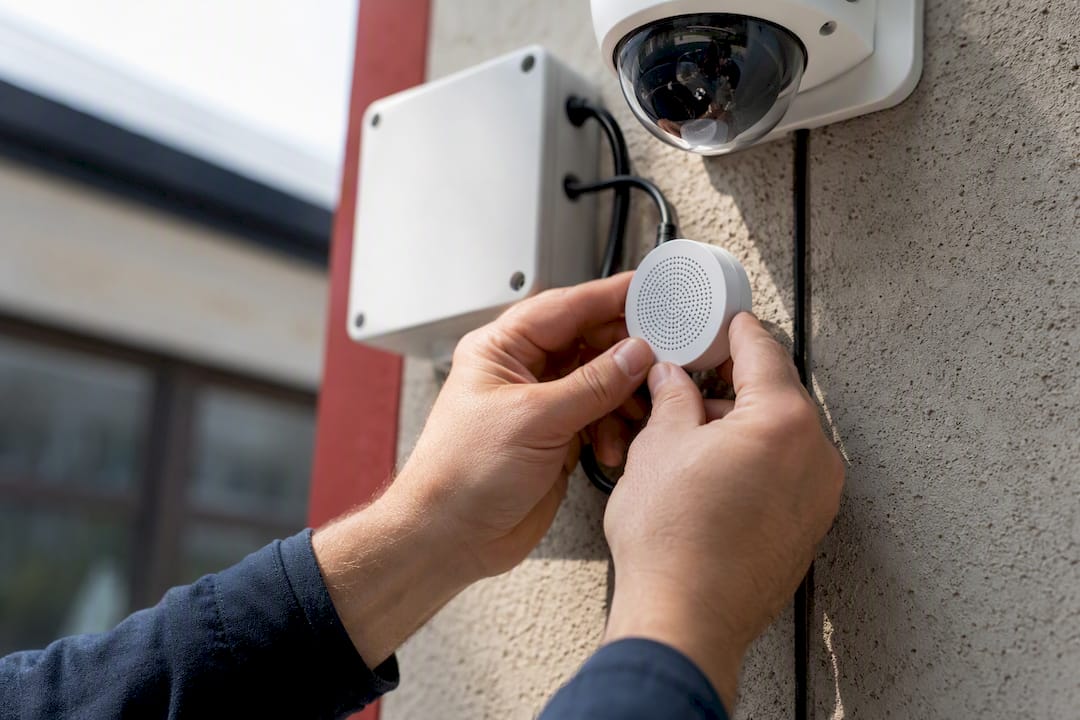
Good cable routing and isolated mounting cut down on the motor hum and network noise that plague DIY installs. We also build in mute schedules and signage as standard practice, not an afterthought, because privacy-first installation protects clients as much as the hardware does.
Should You Enable Audio on Your Security System?
Clear audio recording depends on matching mic type, camera placement, and legal compliance to the reader’s specific property and state.
| Point | Details |
|---|---|
| Identify your camera type | Check specs for “built-in mic,” “audio in,” or “two-way audio” before assuming a camera can record sound. |
| Set realistic range expectations | Indoor pickup runs roughly 10 to 20 feet clear; outdoor range drops with wind and traffic noise. |
| Confirm state consent laws | Some states require all-party consent for private conversations; verify local rules before enabling audio. |
| Choose the right storage format | RAW and PCM preserve more detail than AAC but require significantly more storage space. |
| Get professional placement help | Central Jersey Security Cameras positions mics and sets privacy zoning to balance usable audio with legal risk. |
Manuals and Guides Worth Checking
For settings questions, check your camera’s manual for sample-rate and RAW audio options, review a two-way audio buying guide, and confirm consent rules with your state’s official statutes rather than a summary blog.
Ready to Add Audio-Capable Cameras to Your Property?
Central Jersey Security Cameras designs and installs systems that get audio right the first time, no guessing at mic placement, no fighting wind noise on playback, no accidental privacy violations in a break room. That’s the gap between a DIY camera pulled off a shelf and a system a technician actually tunes for your property’s layout and your state’s consent rules.

We handle the details that trip up self-installs: choosing mic type for the distance involved, verifying your recorder actually supports the audio format you want, testing gain against real-world noise at your property, and setting up signage and mute schedules where they’re legally smart. Whether you’re a homeowner in Ocean or Monmouth County who wants a doorbell that talks back, or a business owner in Middlesex or Mercer County who needs a loading dock mic that actually picks up voices over traffic, we build the system around your specific space.
If you’re ready to move past guesswork, get a quote for home security camera installation or browse our recommended camera systems to see what fits your property.
Sources
- Canon : Product Manual : EOS R6 V : Sound Recording
- MISSION 1 And MISSION 1 PRO Audio Settings And Information — GoPro Community
- Two Way Audio Security Cameras: 2026 Buying Guide — Reolink
- Security Cameras with Audio Recording – Reolink