
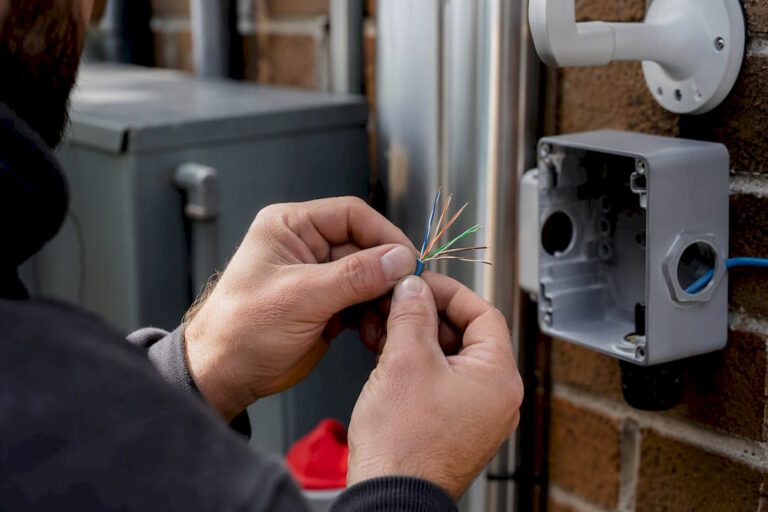
For most IP PoE security cameras, solid-core Cat6 with 23 AWG pure copper conductors gives you the best balance of power margin and future-proofing. It’s not the cheapest option on the shelf, and it’s not always necessary, but it’s the choice that fails the least often.
Here’s the quick version before we get into the reasoning:
- Short, low-power runs (under 150 feet, single-camera, no heaters): Cat5e is acceptable, though it leaves little margin.
- Everything else, especially PTZ or 4K cameras: Solid-core Cat6, 23 AWG, pure copper.
- 10G networks, dense camera clusters, or new construction: Cat6A, which handles 10G at the full 100-meter channel where Cat6 tops out around 55 meters.
- The hard ceiling: 100 meters (328 feet) per IEEE PoE standards, but your real-world limit often arrives sooner depending on PoE class and cable gauge.
Key Takeaways
Solid-core Cat6 at 23 AWG with pure copper conductors delivers the most reliable balance of PoE power margin and future capacity for the overwhelming majority of IP camera installs.
| Point | Details |
|---|---|
| Default to Cat6 | Choose solid-core, 23 AWG, pure-copper Cat6 for most camera runs to minimize voltage drop. |
| Skip CCA entirely | Copper-clad aluminum raises resistance and risks PoE power failures under load. |
| Respect the 100-meter ceiling | IEEE PoE standards cap channel length at 100 meters, but voltage drop often limits runs sooner. |
| Choose Cat6A for growth | Pick Cat6A for 10G plans, dense camera clusters, or new construction to avoid future re-pulls. |
| Test under peak load | Confirm cameras stay powered with IR or heaters running before calling the install done. |
Table of Contents
- Which Ethernet Cable for Security Cameras Fits Your Setup?
- How Does PoE Power Affect Your Maximum Cable Run?
- Outdoor and Buried Cable: What Actually Holds Up
- Getting Terminations and Testing Right
- Why Do PoE Cameras Fail After Working Fine for Months?
- What an Installer Actually Decides on the Job
- Standards, Tools, and Retailers to Check
- Frequently Asked Questions
- Sources
Which Ethernet Cable for Security Cameras Fits Your Setup?
Camera type and run length decide this, not brand loyalty or whatever spool is cheapest at the hardware store.
Cat5e still shows up in older installs and it works, within limits. If you’re running one camera 80 feet from the switch and it’s not drawing PoE++ power for a heater or IR array, Cat5e will carry the signal and enough power for basic PoE (802.3af) devices. Push past that, and thin conductors start losing voltage before it reaches the camera. Cat5e also has no official 10G rating, so it’s a dead end if your network plans ever grow.
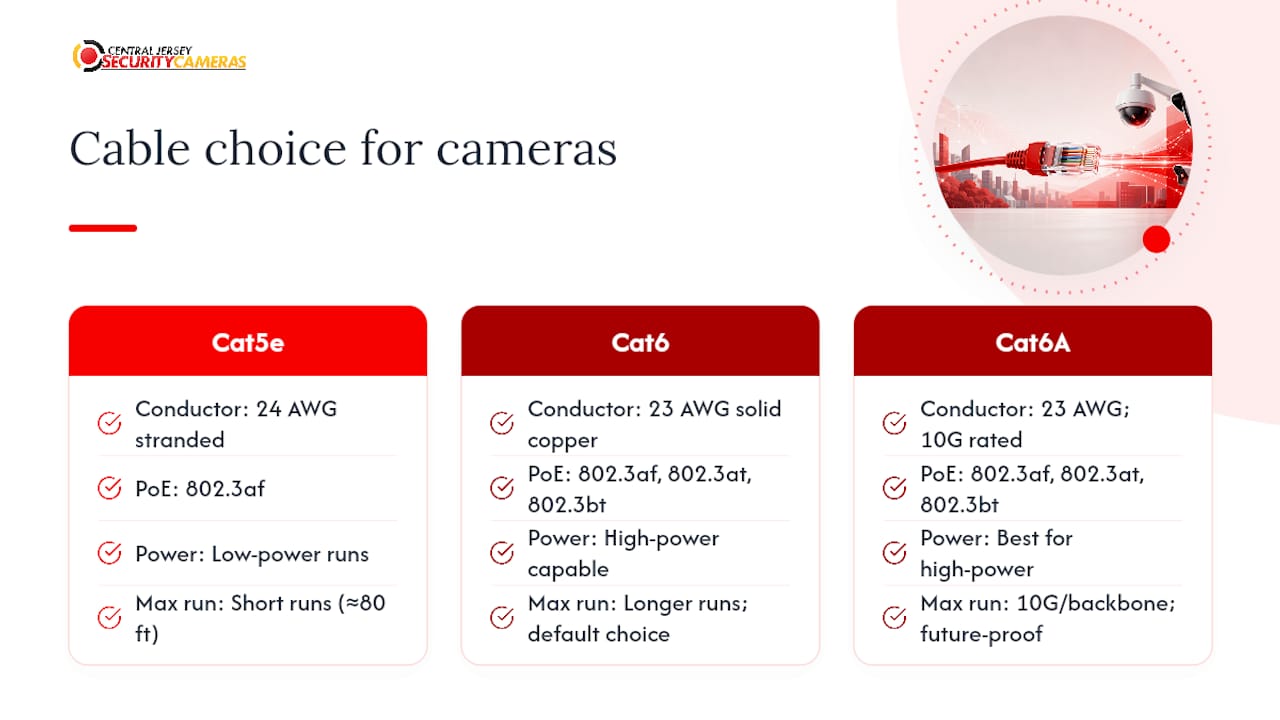
Cat6 is the default recommendation for a reason. The thicker 23 AWG solid-copper conductor found in quality Cat6 cable reduces resistance compared to Cat5e’s typical 24 AWG stranded wire, which matters enormously once you’re running 802.3at or 802.3bt power to a camera with a built-in heater or long-range IR illuminators. Installers favor Cat6 as the practical default for camera work because it reduces voltage drop and gives breathing room for PoE++, while Cat5e stays fine only for short, low-power runs.
Cat6A earns its place when you’re planning 10G backbone links, running dozens of cameras through a single closet, or building out a property you don’t want to rewire in five years. For new builds where 10G is even remotely foreseeable, the cost premium over Cat6 is small when you’re buying in bulk, and it beats paying an installer to re-pull cable later.
One warning that applies across every category: avoid copper-clad aluminum, usually labeled CCA. It’s common in bargain bulk spools, and it looks identical to copper on the reel. The problem is resistance. CCA raises voltage drop and heat risk significantly compared to pure copper, which is exactly the wrong trade-off for a cable that has to carry both data and power. Check the printed markings on the jacket, which list conductor material, or ask for the spec sheet before you buy in bulk.
For outdoor runs, look for CMR or CMX-rated jackets with UV inhibitors, or gel-filled direct-bury cable if it’s going in the ground. A cable rated for indoor use only will crack and let moisture in within a season or two outside.
How Does PoE Power Affect Your Maximum Cable Run?
The 100-meter number gets quoted everywhere, but it’s a ceiling for data signaling, not a guarantee that power arrives intact at the far end.
IEEE 802.3af, 802.3at, and 802.3bt each define a different power budget, from about 15 watts up to 90+ watts under 802.3bt for high-draw devices like PTZ cameras with heaters. All three standards cap the channel at 100 meters, and Cat5e is the acceptable minimum for the older, lower-power classes.
A cable’s resistance, not its data rating, is usually what breaks a PoE run first. Thinner conductors and CCA cores raise resistance, and resistance turns into voltage drop under load. A camera might negotiate power fine at idle, then drop offline the moment its heater or IR array kicks in at night, because the extra draw pushes voltage below what the camera needs to stay powered.
A few fixes work, roughly in order of cost:
- Upgrade to 23 AWG solid copper if you’re currently on thin stranded cable.
- Minimize the number of patch cables and couplers in the run; every connection point adds resistance.
- Add a mid-span PoE switch or extender partway through a long run to re-inject power.
- Switch to fiber with a local power supply at the camera end when copper simply won’t reach.
Pro Tip: Test every camera at night with its IR illuminators or heater running before you call the install finished. Daytime testing hides voltage-drop problems that only show up under peak load, and that’s when you don’t want to discover them.
Outdoor and Buried Cable: What Actually Holds Up
Weather and ground contact wreck more camera installs than bad cable specs ever do.
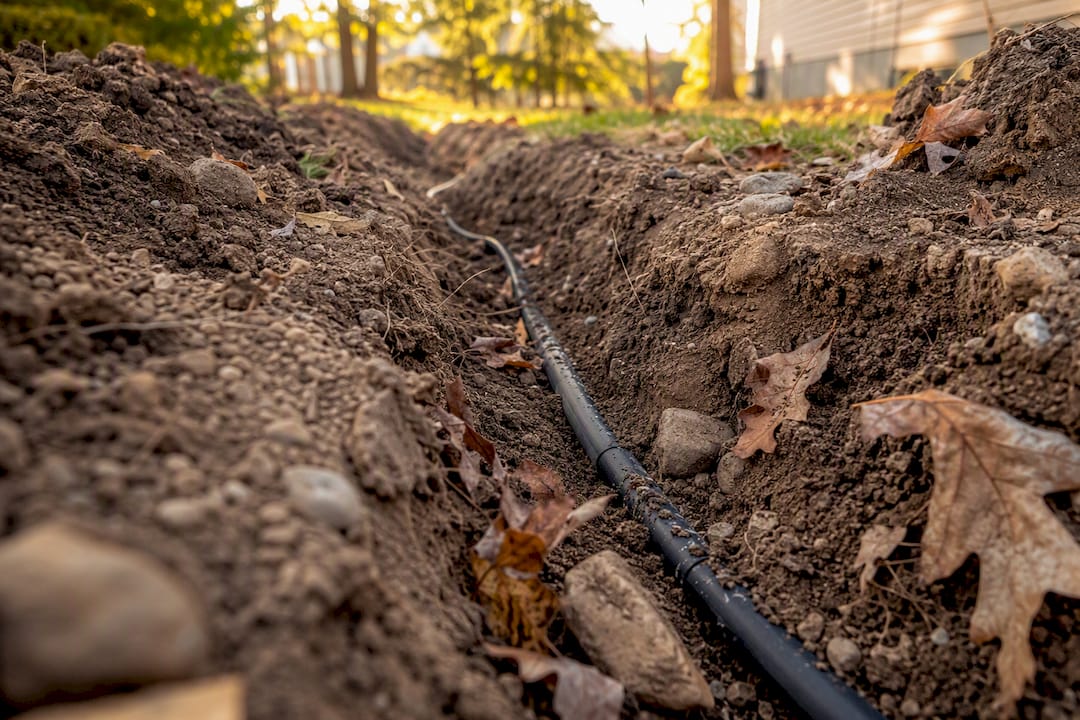
For anything routed outside or underground, look for a jacket rated CMR (riser) at minimum, and prefer a UV-stabilized outdoor jacket if the run is exposed to sunlight. Direct burial calls for a gel-filled, waterproof-core cable rated specifically for underground use; standard indoor cable buried without conduit will let moisture wick into the jacket within a year or two, and that moisture eventually corrodes the copper.
- Choose gel-filled direct-bury cable for anything going in the ground without conduit.
- Use shielded twisted pair (STP or FTP) near heavy electrical interference, like next to fluorescent ballasts, elevator motors, or large transformers, and ground the shield properly at one end only.
- Avoid running PoE++ cable in a tightly bundled, poorly ventilated conduit. Heat builds up inside dense bundles, and heat raises resistance right when high-power cameras need the most stable voltage.
- Run cable through PVC or metal conduit wherever rodents are a known issue. A single chewed jacket outdoors can take down a whole camera run.
Pro Tip: If you’re routing cable through an attic or crawlspace shared with rodent activity, conduit costs more upfront but almost always costs less than the callback to re-pull a chewed cable six months later. Central Jersey Security Cameras technicians see this pattern often enough on service calls that it’s become a default recommendation, not an upsell.
Getting Terminations and Testing Right
Sloppy termination causes more intermittent PoE failures than bad cable does. A crimped connector with even one loose pin can work fine for weeks, then fail the first cold night.
- Terminate solid-core cable into keystone jacks or punch-down patch panels designed for solid conductors, not crimp-style RJ45 connectors, which grip stranded wire better.
- Save stranded patch cable for the short flexible jumpers between a patch panel and a switch, or anywhere the cable will flex repeatedly.
- Cut down on the number of couplers, panels, and barrel connectors in a long run. Each junction is a spot where resistance and corrosion can creep in over time.
- Test every run with a cable tester for continuity and correct pair mapping before mounting the camera. A mis-wired pair might still pass data at short range and fail once you’re near the length limit.
- Load-test PoE delivery with a dedicated PoE tester, then confirm the actual camera boots and holds a stable connection with IR or heater running.
Getting termination right the first time avoids the most common source of callbacks: a camera that worked during setup and then dropped off the network the first cold week. For more on how the rest of your network setup affects camera reliability, see how home networks support security cameras.
Why Do PoE Cameras Fail After Working Fine for Months?
Cameras that reboot randomly at night, lose IR range, or drop offline only when the heater kicks in are almost always telling you a power story, not a data story.
Start with the cheap tests. Swap in a known-good patch cable at both ends; a damaged stranded jumper is a common, easy-to-miss culprit. Measure voltage at the camera’s power input under load, not at idle, and compare it against the camera’s rated minimum. If the cable in question turns out to be CCA, that alone explains a lot of intermittent power complaints that installers initially blame on the camera or the NVR.
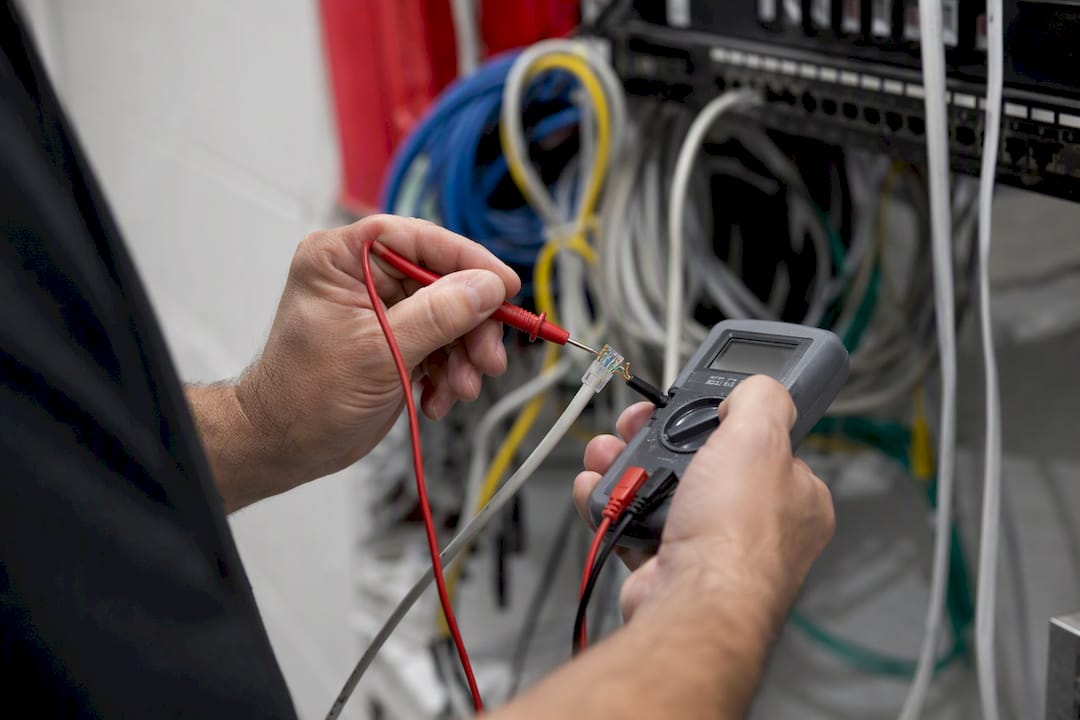
If voltage checks out fine at the switch but drops well below spec at the camera end, you’re looking at a resistance problem somewhere in the run. A mid-span PoE extender can patch that for one troublesome camera. But if you’re seeing this pattern across multiple runs, or planning a multi-building property, it’s usually cheaper long-term to plan a fiber backbone with local power injection at each building, rather than fighting voltage drop across marginal copper runs indefinitely.
What an Installer Actually Decides on the Job
Choosing cable on paper is one thing. Choosing it while standing in an attic in July, staring at a run that has to cross a parking lot to a detached garage, is another.
On multi-building properties, Cat6A stops being a nice-to-have and becomes the practical answer, because pulling fiber later through finished walls costs far more than the modest price difference paid upfront. Conduit routing decisions, especially rooftop runs exposed to weather, are where a professional eye catches problems a DIY install often misses until the first storm.
Central Jersey Security Cameras technicians handle these calls routinely across Central New Jersey, including installs where local permit requirements dictate conduit for exterior runs. Rooftop PTZ installations, buried runs between buildings, and any job involving electrical permit work are exactly where hiring out saves a re-pull down the line.
Pro Tip: If your install involves more than one building, a rooftop mount, or any run near electrical service, get a professional quote before you buy cable. The labor to fix a marginal run later almost always costs more than doing it right the first time.
Ready to skip the trial and error? Central Jersey Security Cameras designs and installs complete home security camera systems throughout Central New Jersey, with cable, terminations, and PoE budgeting handled by technicians who deal with these exact voltage-drop problems every week. Whether you need a single PTZ camera on a detached garage or a full multi-building system, explore security camera installation options built to hold up past the first hard winter.
Standards, Tools, and Retailers to Check
Verify specs against IEEE PoE standards, run distances through a cable length calculator, and consult the CCTV product database for deeper technical references.
Frequently Asked Questions
Is Cat5e good enough for security cameras?
Cat5e works for short, low-power runs under roughly 150 feet with basic PoE devices, but it lacks the conductor thickness for long runs or high-draw cameras with heaters and IR arrays.
What’s the real difference between Cat5e vs Cat6 for cameras?
Cat6 typically uses thicker 23 AWG solid-copper conductors versus Cat5e’s common 24 AWG stranded wire, which lowers resistance and voltage drop under PoE load, especially over longer runs.
Can Ethernet cable for cameras run outside without conduit?
Only if it’s rated for outdoor use, meaning UV-resistant and, for underground sections, gel-filled and direct-bury rated. Standard indoor cable degrades quickly when exposed to moisture and sunlight.
What is the maximum PoE cable length for a security camera?
The IEEE channel limit is 100 meters (328 feet), but real-world limits often arrive sooner due to voltage drop, especially with thin conductors, CCA cores, or high PoE classes.
Do I need Cat6A for a home security camera system?
Not usually. Cat6A matters most for 10G networks, large camera counts through one switch, or new construction where future-proofing offsets the modest cost difference over Cat6.
Sources
- What Category of Ethernet Cable Should You Use for PoE, and What Is the Maximum Length? – NETGEAR Blog
- Cable Length Calculator (Cat5e/6/6A + Fiber) | Datastrive
- PoE Voltage Drop Calculator – The Home Server Blog
- Semiconductor