
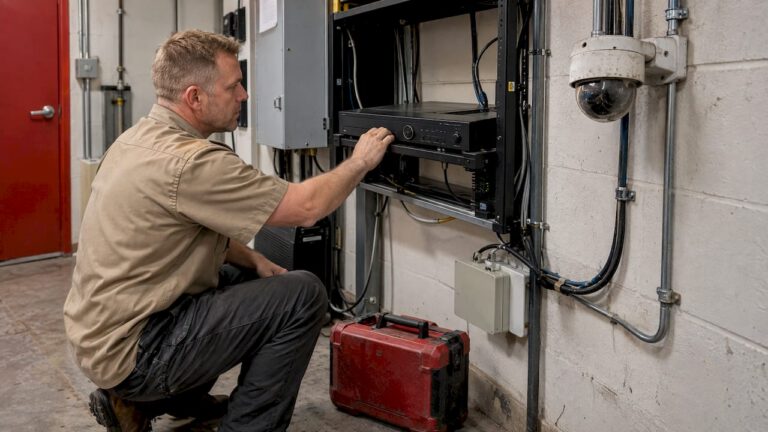
Most old CCTV systems do not need to be torn out. They need to be assessed run by run: which cameras still earn their place, which cable can carry a modern signal, and whether the recorder and network can handle what you want next. In many New Jersey homes and businesses, the cable in the walls is the most valuable part of the old system, and a professional survey is how you find out whether yours can be reused. Our free on-site evaluation is built for exactly that question.
This guide walks through when an upgrade makes sense, what can be reused, how to size storage and bandwidth, and how to cut over without losing coverage.
TL;DR
- Most cameras last 5 to 7 years or longer, so age alone is not the trigger. Poor night video, failing recorders, no remote viewing and unavailable parts are.
- Old coaxial cable can often be reused, either for HD-over-coax cameras or for IP cameras through a converter. Replacing it is sometimes the cheaper long-term answer.
- Size storage and bandwidth before you buy. Higher resolution multiplies both.
- Run the new system in parallel with the old one until you have tested it end to end.
- A site survey tells you what is reusable. We offer free on-site evaluations across Central New Jersey.
Table of Contents
- How to tell if your CCTV system is due for an upgrade
- What you can reuse from an old system
- The three upgrade paths, compared
- Check compatibility before anything is ordered
- Size storage and bandwidth first
- Secure the system while you modernize it
- The upgrade, step by step
- What drives the cost
- Our approach to upgrades
- Let us look at your system
- FAQ
- Sources
How to tell if your CCTV system is due for an upgrade
Age is a weak signal on its own. An industry survey in IPVM’s large-systems guide found that cameras typically last 5 to 7 years or longer, with annual failure rates of around 2% or less. So a camera installed in 2015 is not automatically a problem.
The real triggers are practical:
- You cannot identify anyone. Faces and license plates turn into smears, especially at night or at the edges of the frame. This is the most common reason owners call us.
- The recorder is failing or full. A DVR (digital video recorder, the box that stores footage from analog cameras) that reboots, loses days of video or has a dead hard drive is a single point of failure for the whole system.
- No remote viewing, or an unsafe one. Older recorders may have no phone app, or rely on exposed network settings that were never updated.
- Parts and support are gone. If the manufacturer no longer supports the model, every repair becomes a gamble.
- The property changed. A business added a loading dock, a second suite or a parking lot. A homeowner added a pool, a detached garage or a driveway gate. The cameras still work, but they watch the wrong things.
If two or three of those describe your system, an upgrade will pay off. If only one does, a targeted fix may be enough: one recorder, a few camera swaps, or two extra views.
What you can reuse from an old system
The good news is in the walls. The U.S. Department of Homeland Security’s Video Security Systems Technology handbook says old coaxial cable systems can be converted to IP (network-based) video by running Ethernet over the coax with a converter module. It also notes that reusing existing cameras, mounts and cable runs may reduce cost, while adding that replacing old equipment can improve performance and, as camera capabilities advance, may be the more cost-effective choice.
In practice, each part of the old system gets one of three verdicts.
Cable
Coaxial cable (the thick round cable, usually RG59 or RG6, that carries analog video) is the biggest saver. It can often stay if it is intact, properly terminated and not water-damaged. Three common routes exist:
- HD-over-coax. Newer analog-HD cameras and recorders use the same coax to carry a sharper picture. Hikvision’s Turbo HD brochure says its version reaches up to 2,625 feet over existing coaxial cable and that its power-over-coax option carries video and power on one cable.
- IP over coax. A converter at each end turns the coax into a network link, so you get true IP cameras without pulling new cable.
- New Ethernet cable. For many properties, especially when you want many cameras or the highest resolutions, new Cat6 cable is the cleanest long-term path. It also carries power to the camera (PoE, power over Ethernet), which removes separate power supplies and outlets.
The test that decides between them is not age. It is the condition of each run: corroded connectors, kinked sections, splices and wet conduit are where reuse fails. Looking at every run is part of the on-site evaluation.
Cameras and mounts
Good housings and mounts in good locations can often stay. Lenses, sensors and night vision are what age. A 2012 dome with a tired sensor is worth replacing even if the plastic looks fine. Where the view is right but the picture is weak, swapping the camera on the existing mount and cable is the cheapest upgrade available.
The recorder
The recorder is usually the first thing to replace. Modern NVRs (network video recorders, which store footage from IP cameras) handle higher resolution, smarter compression and secure remote access. A hybrid recorder can run old and new cameras at the same time. Hikvision’s brochure describes DVRs that accept IP, analog and HD cameras together, so you can upgrade the important views first and the rest later.
The three upgrade paths, compared
| Path | What changes | Best for | Watch for |
|---|---|---|---|
| Swap recorder and cameras, keep coax (HD-over-coax) | New HD recorder, new cameras, same cable | Homes and small shops with sound coax | Distance limits and cable condition |
| IP cameras over existing coax | New NVR, IP cameras, converters on each run | Properties wanting IP features without new cable | Converter compatibility, one per camera |
| Full IP rebuild with new Cat6 | New NVR, cameras, PoE switch, new cable | Larger sites, 4K, license plate or PTZ cameras | Higher up-front labor, best long-term base |
Most of our evaluations end up recommending a mix: reuse the clean coax runs that suit the views, and run new cable where a camera needs to move or upgrade to a higher resolution.
Check compatibility before anything is ordered
Mixed-up equipment is the most common reason a DIY upgrade stalls. A few rules from vendor documentation apply broadly. ANNKE’s compatibility guide explains that a recorder generally accepts cameras of equal or lower resolution, so a 6MP recorder will not take an 8MP camera. Analog cameras must match the signal type the DVR supports, and IP cameras and NVRs both need to support ONVIF, a common standard that lets different brands talk to each other.
Translated for an owner: before you buy a single camera, write down the recorder model, the camera models, the signal type on each run, the cable length of each run and the resolution you want. A mismatch in any one line means a return, a delay or a camera that shows no picture.
We do this on paper and on a bench before we touch your property, so the equipment we bring has been matched to your runs instead of discovered on the ladder.
Size storage and bandwidth first
This is the step that surprises owners. A sharper picture is a bigger file, and bigger files need more disk space and more network capacity.
Storage
A sizing formula published by Industrial Monitor Direct is: total gigabytes equals the sum of camera bitrates in megabits per second, times 3,600, times 24, times retention days, divided by 8, divided by 1,000. Their example is 16 cameras at 4 Mbps with 30 days of retention, which comes to about 20,736 GB, roughly 21 TB, before adding about 20% for overhead. At 1080p they expect 4 to 8 Mbps per camera.
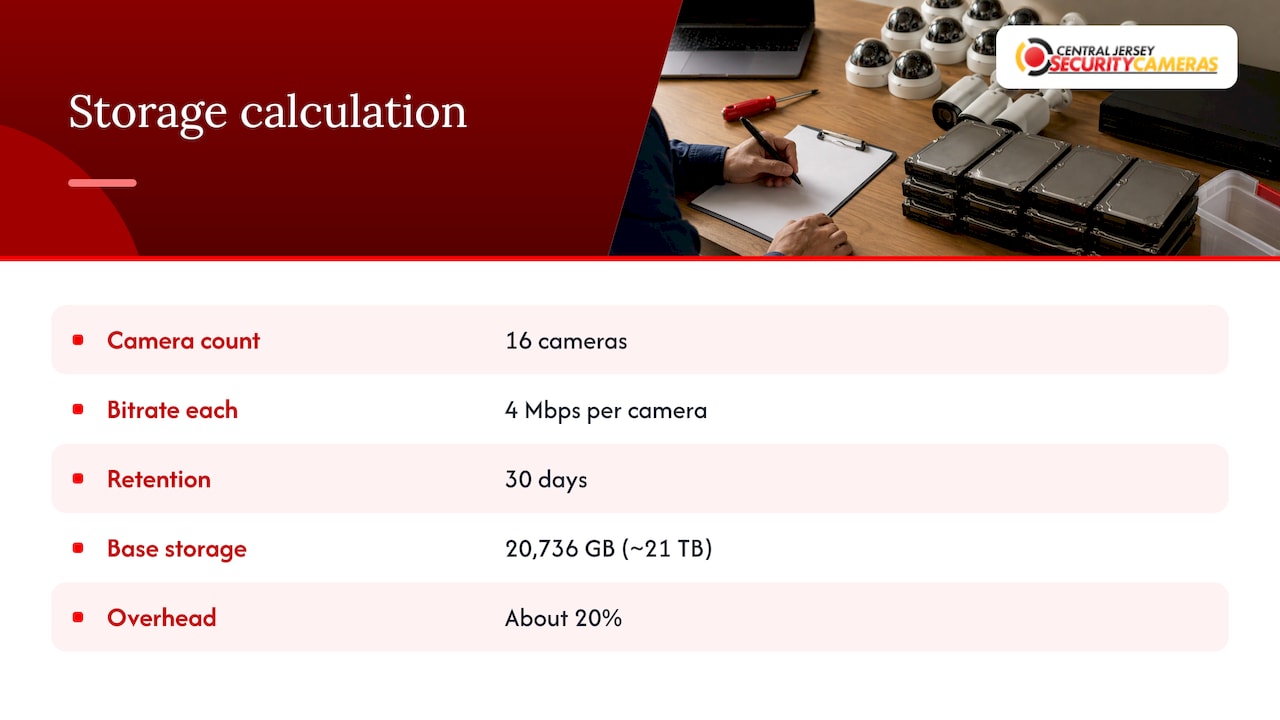
Two things move that number for you: how many days you keep video, and whether the cameras record all the time or only on motion. Motion recording can cut storage a great deal, but a busy driveway or parking lot will trigger constantly. Our guide to 30 to 90 day CCTV retention covers how to pick a retention period for your property.
Network bandwidth
IP video also loads your network. The DHS handbook warns that IP video places high demand on network bandwidth, with image quality as the tradeoff, and recommends separating the video stream from the primary network. That is why we design the camera network on its own switch where the site calls for it, rather than letting cameras compete with your point-of-sale system or the family’s streaming. For the numbers, see our explainer on how much bandwidth a camera system needs. Homeowners can also read how a home network supports security cameras.
Secure the system while you modernize it
An upgrade is the right moment to fix remote access. Old recorders often ship with default passwords, outdated firmware and ports opened to the internet. A new system should have unique credentials, current firmware, and remote viewing through the vendor’s secure app instead of open ports. Businesses that store customer-facing video should read our commercial camera cybersecurity basics.
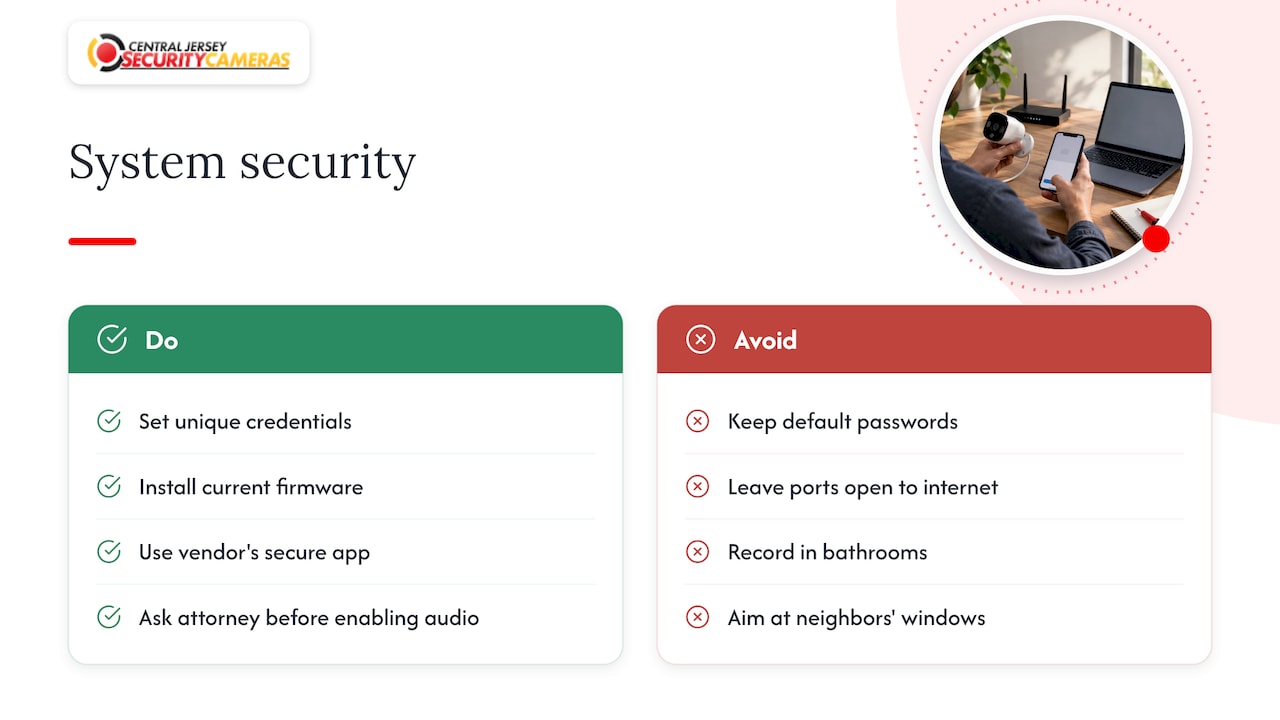
Two New Jersey notes belong here too. Video of your own property is generally allowed with no permit, but audio is different: according to a New Jersey surveillance law summary, audio recording falls under the state’s wiretapping act and one-party consent rules, and cameras in places like bathrooms are prohibited. If your new cameras have microphones, ask your attorney before enabling audio, and do not aim cameras at a neighbor’s windows.
The upgrade, step by step
- Walk the property and list every camera. Note location, what it should see, what it actually sees at night, and the condition of the cable. Photograph each recorder label.
- Define what you need to identify. Faces at the front door, plates at the gate, activity at the dock. This sets resolution and lens choice. Our evaluation starts here, because the view matters more than the megapixel count.
- Test each cable run. Look for corrosion, splices and water. This decides what is reused. We assess each run on site.
- Choose the path. HD-over-coax, IP over coax or new cable, per run (see the table above).
- Size storage and bandwidth. Use the formula above and decide retention.
- Bench-test the equipment. Vendor documentation from SCW describes plugging in the recorder with a monitor, connecting each camera, waiting one to two minutes for it to boot, and confirming it appears on the right channel. That isolates a bad camera, cable or recorder before installation.
- Install in parallel. The DHS handbook advises running a new installation alongside the existing system until the new one is accepted and the old one is upgraded or phased out. You are never uncovered during the switch.
- Prove it. Create a test event in front of every camera, then find, play back and export it, including at night. If you cannot pull a clean clip, the system is not finished.
- Lock down and hand over. Change credentials, update firmware, set up your phone app and walk through exporting video.
A few installation details matter on the physical side. Put the recorder in a locked, ventilated spot on a battery backup (UPS) so a power blip does not corrupt the drive, and protect outdoor cable runs in weatherproof conduit.
What drives the cost
The price of an upgrade depends mostly on four things: the number of cameras, how much cable can be reused, the resolution and special features you choose (4K, PTZ, license plate recognition), and how much storage you want. DHS also advises that cost estimates cover the whole lifecycle, including design, installation, maintenance, training and later upgrades, not only the hardware.
On our side, the published figures are straightforward: a one-time installation fee of $99, and alarm monitoring from $24.95 to $29.95 per month if you add it. Camera system pricing depends on the design, which is why we begin with a free on-site evaluation. Business owners planning growth can also read about planning a camera system for expansion.
Our approach to upgrades
Owners call us expecting to hear that everything has to go. Usually it does not. The first thing we do is walk the property and look at the cable, because that decides most of the budget.
A camera system is only as good as the weakest link: the recorder, the cable, the network or the aim of the lens. We design each system around the property in front of us, install it, and stay available for service afterward. That is what a custom, professionally installed system gives you over a box of cameras with a subscription attached.
If you are unsure whether your old system is worth upgrading, start with the evaluation. You will know what stays, what goes and what it costs before you commit.
Tom
Let us look at your system
We design, install and maintain CCTV and IP camera systems for homes and businesses across Ocean, Monmouth, Middlesex, Mercer and Burlington counties. We offer free on-site evaluations, and our installers work with 4K, PTZ, license plate recognition and active deterrence cameras and NVRs. For homes, start with home security installation. For businesses, see commercial security installations and repairs.

To book an evaluation, reach us through the Central Jersey Security Cameras site.
FAQ
How long should a CCTV system last?
Cameras commonly last 5 to 7 years or longer, according to an industry survey. Recorders and hard drives are more likely to fail first, and image quality improves quickly, so many owners upgrade for picture quality before anything breaks.
Can I keep my old coax cable?
Often yes. The DHS handbook says coax systems can be converted to IP with converter modules. Whether your runs are good enough depends on their condition and length, which we check during an on-site evaluation.
Do I need to replace the recorder too?
Usually, yes. An older DVR may not accept new cameras, and modern recorders add better compression, more storage and secure remote viewing. A hybrid recorder can run old and new cameras together while you phase the upgrade.
How much storage will better cameras need?
More than before. At 1080p, expect roughly 4 to 8 Mbps per camera by one published sizing guide, and 16 cameras kept for 30 days need about 21 TB before overhead. Choosing your retention period first makes the sizing simple.
Sources
- Large Video Surveillance Systems Guide, IPVM
- Video Security Systems Technology, U.S. Department of Homeland Security
- Turbo HD 3.0 brochure, Hikvision
- Choosing Compatible Cameras for DVRs and NVRs, ANNKE
- Selecting IP Cameras, DVRs and Encoders: Hybrid Migration Guide, Industrial Monitor Direct
- Bench Testing Guide, SCW
- New Jersey Surveillance Camera Laws, RecordingLaw.com