
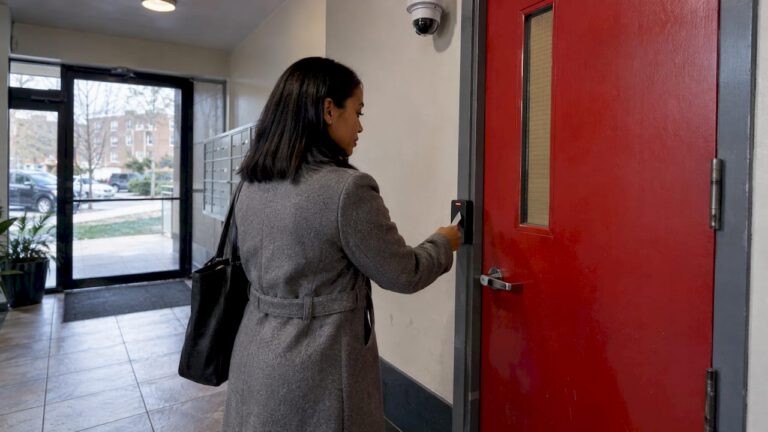
Access control with cameras means your door readers, keypads or intercoms and your security cameras work as one system. Every badge tap, denied entry or forced door is tied to the video of that moment, so you see who was there instead of only a name in a log. For a New Jersey home or business, the best results come from designing the doors and the cameras together, by one installer who will also look after the system afterward. That is how we approach it at Central Jersey Security Cameras, where access control installations and camera systems are part of the same service.
TL;DR
- Access control decides who may open a door and records when. Cameras show who actually did. Joined together, each entry event comes with its own video clip.
- The biggest practical gain is verification: you can see whether the person who used a code or card is the person it was issued to, and check forced or propped doors without scrubbing hours of footage.
- Plan the doors, the camera positions, the network and the recording storage together. Adding one system to the other later is harder than designing both at once.
- Privacy and upkeep matter as much as hardware: decide who may view footage, how long it is kept, and who maintains the system.
- We design, install and maintain both for homes and businesses across Central New Jersey, and offer free on-site evaluations.
Table of Contents
- What access control with cameras actually means
- What linking the two systems gives you
- Where it fits: homes versus businesses
- The parts of an integrated system
- How to plan it, step by step
- Privacy, data and legal points for New Jersey owners
- Keeping it working: maintenance and procedures
- What it costs and what we offer
- Our perspective
- Get your doors and cameras working together
- FAQ
- Sources
What access control with cameras actually means
An access control system is the part of your security that answers the question: who is allowed through this door, and when? New Jersey law describes it as a system that provides access to authorized persons and may record who entered or exited, which doors or areas were used, and when. The same legal definition says it can use keys, access cards, locks, card readers, biometric devices, recorders and control devices, and can stand alone or be integrated with other electronic security systems.
The camera side is a CCTV system: cameras, recorders, monitors and the network gear that connects them. The same statute lists video cameras and IP cameras, which send video over a network, among the parts of a video security system.
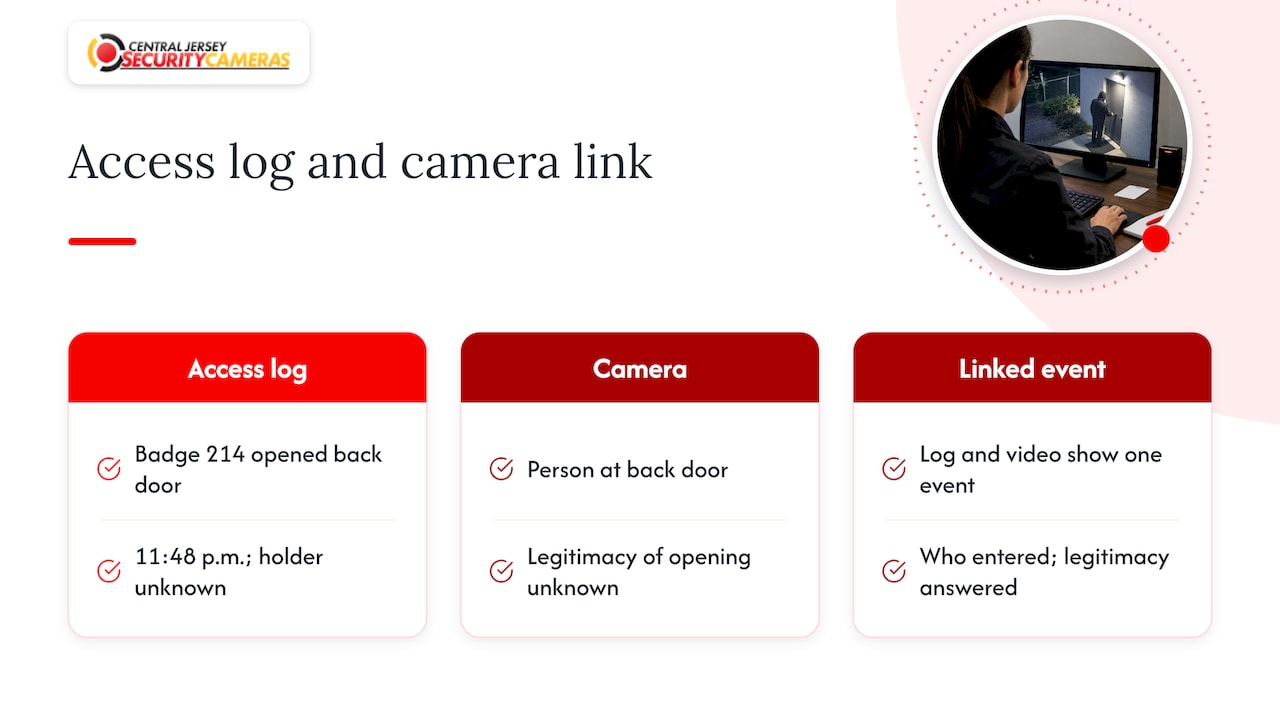
On their own, each system has a gap. An access log says that badge number 214 opened the back door at 11:48 p.m., but not who held it. A camera shows a person at the back door, but not whether the door was opened legitimately. When the two are linked, the log entry and the video belong to one event, and you can answer both questions from one screen.
What linking the two systems gives you
The benefits are concrete, and they differ a little between a home and a business.
Verification before and after entry
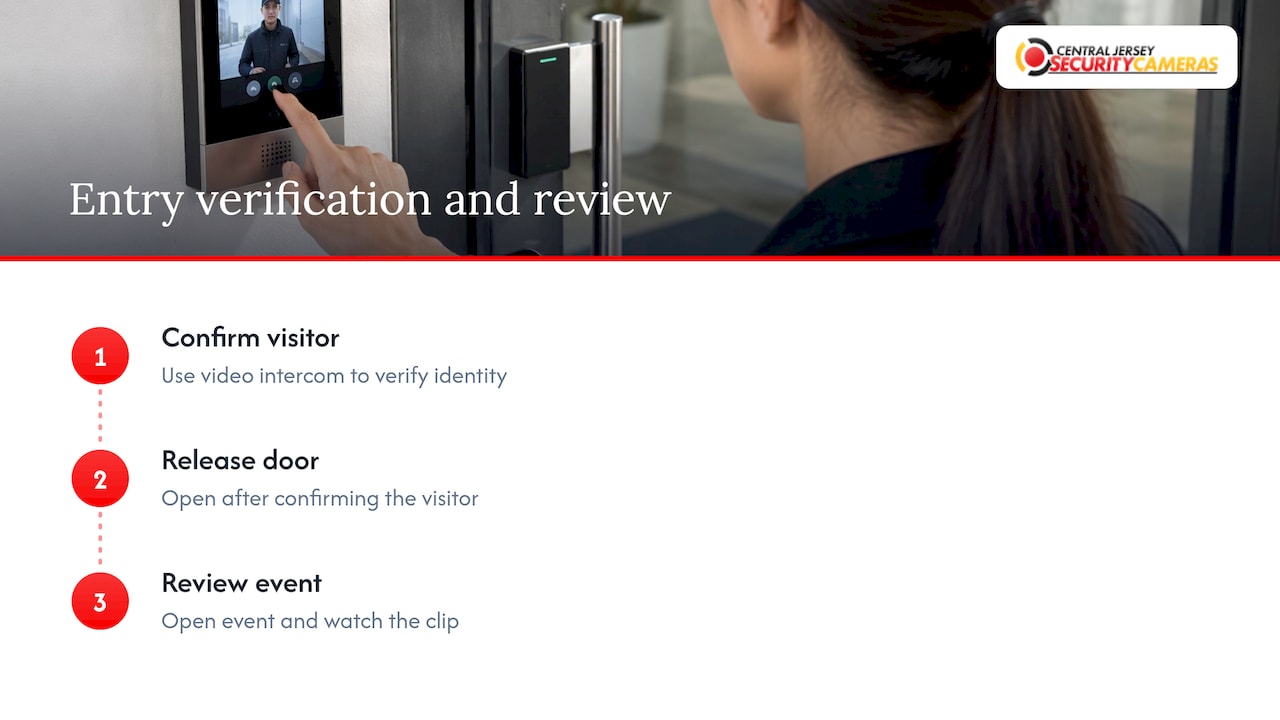
A camera at the entrance lets someone confirm a visitor before releasing the door. A large Texas-area school district, described in SDM Magazine’s 2023 case study, has receptionists confirm visitor identity through a video intercom. That district runs 42 sites with nearly 2,000 cameras, so your property will be far simpler, but the principle scales down: see the person, then open the door.
After an event, the value is speed. Instead of reading a log and then hunting through a recorder’s timeline for the matching minute, you open the event and watch the clip.
Doors that are forced or left open
The same case study notes automated reporting on doors kept open too long. A propped warehouse door at 2 a.m. and a side gate left ajar at a home are the same problem: the door is not secure, and nobody noticed. When the door status triggers an alert and the nearby camera is already recording, you learn about it and see it.
Shared codes and borrowed credentials
A keypad code that five people use tells you nothing about who came in. A camera at that door gives the log a face. This is also why shared gate codes cause trouble in communities: when many people know one code, accountability disappears. Readers dealing with it in a community setting can look at gate code misuse in HOAs to see how associations approach the problem on the rules side. Pairing individual credentials with a camera on the gate handles it on the security side.
One view for emergencies
At the far end of the scale, a convention center such as Chicago’s McCormick Place specified video and access control integration so that command center staff could control doors and link camera feeds to them for verification. A small business does not need thousands of automated responses. It benefits from the same idea: one place to see the door and the video together.
Where it fits: homes versus businesses
| Typical home | Typical business | |
|---|---|---|
| Doors that matter | Front door, garage entry, side or back gate | Front entrance, rear and loading doors, server or stock rooms, office suites |
| Who needs access | Family, cleaners, contractors, guests | Employees, vendors, delivery drivers, managers with different rights |
| Main gain | See who is at the door and who used a code | Individual credentials per person, an audit trail, after-hours alerts |
| Camera focus | Approach to the door, driveway, gate | Entrance, interior lobby, parking, vehicle gates |
| Typical add-ons | Video doorbell or intercom, alarm | License plate recognition, alarm, remote viewing |
A home usually needs a small number of controlled points and a clear view of each. A business has more people, more doors and more rules about who can go where, and that is where individual credentials and a searchable record pay off. Our work spans both: we install for homes and for commercial properties, including offices, warehouses, schools and industrial facilities.
The parts of an integrated system
You do not need to learn every acronym, but knowing what each part does helps you read a quote.
- Credential and reader. The card, fob, code, phone or biometric that a person presents, and the device that reads it. Statute lists card readers and biometric identification devices among the usual components.
- Door hardware. The electric lock or strike that releases when access is granted.
- Controller. The brain that decides whether a credential is allowed at that door at that time.
- Cameras. Fixed cameras for doorways and lobbies, and PTZ (pan-tilt-zoom) cameras where an operator needs to follow activity over a wider area. For vehicle gates, license plate recognition cameras read plates at the entrance.
- Recorder and software. A network video recorder (NVR) stores the footage. Video management software lets you view and search it, including by event.
- Network. Both systems ride on your network, so its capacity and security are part of the design.
One thing surprises people: the link between a door and a camera usually lives in settings, not in extra wiring. Each camera is assigned to the door it watches, and the system pulls the right clip when that door has an event. Several cameras can cover one busy entrance, so a single tap can be checked from more than one angle. Getting these assignments and the triggers right is design work, and it is where a poorly planned system tends to disappoint.
Recording that does not drop out
Video that is missing when you need it is the most common failure. Industry guidance on choosing video software emphasizes that reliability means receiving, recording and viewing video without unplanned interruption, with health monitoring of the recording server and alerts for gaps. For a business, ask how recording problems will be noticed and who is told.
How to plan it, step by step
Planning both systems as one project avoids rework. Here is the sequence we would walk a property owner through.
- List the entry points and rank them. Walk the property and mark every door, gate and loading dock. Decide which need controlled access and which only need a camera. A rear storeroom may deserve a reader; a window may only need a view.
- Define the people. Who needs access, to which doors, and at what hours? Separate owners, staff, contractors, cleaners and visitors. A business should also decide how credentials are removed the day someone leaves.
- Set the camera coverage for each controlled door. Place a camera to see the approach to the door, and where it matters another to see the interior side. Industry guidance on integrated design stresses the placement of cameras relative to controlled entry points as a planning priority, so lock that in before drilling anything.
- Decide what should trigger video. Examples: a denied credential, a door held open past a set time, a door forced, or entry outside permitted hours. Each trigger should lead to a clear action, such as a recording flag or a notification to a named person.
- Size recording and retention. Choose how many days of footage you keep, and make sure storage supports it for the number of cameras and their resolution. Higher resolution, such as 4K, means more storage.
- Check the network. Cameras, readers and recorders all share it. Confirm it can handle the load and that the equipment is secured.
- Plan remote viewing and alerts. Decide who can look from a phone and who gets alarm notifications.
- Plan for maintenance. Systems drift: cameras get bumped, firmware ages, employees change. Settle who looks after it before you install it.
At each step, an installer who does both disciplines saves you from mismatches, such as a camera that sees the sidewalk but not the door, or a reader mounted where the camera sees only the back of someone’s head. We handle the design, installation and maintenance in one engagement, and our free on-site evaluation is where the entry point walk-through in step 1 happens.
Privacy, data and legal points for New Jersey owners
Cameras and door logs create records about people. That brings responsibility, and the Security Industry Association’s 2025 Data Privacy Code of Practice for video surveillance sets out good practice. Key points for an owner:
- Think about privacy at the design stage. The code says installer responsibility begins at design and layout, and that a privacy impact assessment before installation should identify concerns such as what the camera views and how analytics are used.
- Limit what cameras see. It calls for default privacy settings and viewing or exclusion zones, so a camera aimed at your door does not also record a neighbor’s window.
- Protect stored footage. Data should be stored securely, with encryption in transmission and storage, and access to retained images should be restricted by clear rules on who can view them, when and why.
- Keep the records accurate. Time, date and location data attached to footage should be correct, and edited video should be noted as such.
For a business with employees, write down who may view footage and how long it is kept. For a home, the same rule applies in miniature: decide which family members get remote access, and do not point cameras into places where people expect privacy. For anything beyond general good practice, such as employee monitoring policies or audio recording, check with your attorney.
If you plan to read license plates at a gate or driveway, New Jersey has its own rules for plate readers, and we can discuss the setup for your property during the evaluation.
Keeping it working: maintenance and procedures
The Security Industry Association’s Operational Security Technology report says success depends on people, process and tools, not only equipment. It recommends defined procedures for problems that will happen, such as a defective reader or a lost access card, regular maintenance and patching, testing upgrades before deployment, and a regularly reviewed plan for who has access.
Translated for a property owner:
- Keep a simple list of every door, reader and camera, including which camera covers which door. When someone moves a camera, update the list.
- Decide what happens when a card is lost: who disables it, and how fast.
- Review who has access every few months. Remove former employees, old contractors and anyone who no longer needs a code.
- Make sure someone is responsible for software updates and for checking that cameras are recording.
SDM Magazine’s review of top 2025 integration projects describes an integrator that took a school district from installation into a managed-services program with proactive maintenance. The lesson applies at any size: installation is the start, and ongoing support is what keeps the system dependable. We provide ongoing service and support, and repairs for commercial systems, so the company that designed your system is the one you call.
What it costs and what we offer
Prices depend on the number of doors, cameras, the type of readers and the building. We do not publish a price for access control, which is why we start with a free on-site evaluation. What we do publish: a one-time installation fee of $99 is listed for security camera installations, and our alarm monitoring plans run $24.95 to $29.95 per month on the alarm monitoring pricing page.
Our perspective
Most people come to us with a camera question or a lock question. The best results come when we treat them as one.
A camera that cannot tell you which door event it belongs to is only half useful. A door log with no picture is the same. When we design a property, we start with how people actually move through it, then place readers and cameras so each controlled door has a clear view of whoever uses it.
We also think the system should be tailored. A single-family home in Monmouth County, a warehouse in Middlesex County and a school in Burlington County do not need the same layout. That is why we design custom systems and stay on to service them, rather than handing over a box and walking away.
If you are weighing this, begin with the entry points that matter most and build from there. We are glad to walk the property with you.
Tom
Get your doors and cameras working together
If you want a system where every door event has video attached, we design and install access control, CCTV, license plate recognition, PTZ cameras and alarm systems for homes and businesses across Ocean, Monmouth, Middlesex, Mercer and Burlington counties. Book a free on-site evaluation through our access control page, and we will map your entry points and recommend a layout.
If you already have cameras and want to add controlled doors, or the reverse, tell us what you have during the evaluation and we will plan around it.
FAQ
Can I add access control to cameras I already have?
Often, yes, depending on the recorder and cameras you own. The link is made through settings that assign each camera to a door, so what matters is whether your equipment can work with the new readers and software. We can assess that during an on-site evaluation.
Do homes really need access control with cameras?
Many homes are well served by cameras and a video doorbell alone. Access control adds value when several people or workers use entries, such as a detached garage, a guest house, a gate or a home office, and you want to know who used which entry and see them. We can recommend the right level for your property.
How long should I keep the video?
There is no single number. Choose a retention period that fits your needs, size the storage to match, and restrict who can view saved footage. The Security Industry Association’s code of practice advises clear rules on who has access to retained images, when and for what purpose. Businesses should write the policy down.
What can be recorded when a door is forced or held open?
A properly configured system can start or flag recording when a door is forced, held open too long or used outside permitted hours, and send an alert. The triggers are chosen during design, so tell us which events matter most at each door.
Is a monitored alarm part of the same system?
It can be. We install alarm systems alongside cameras and access control, and our listed alarm monitoring plans run $24.95 to $29.95 per month.
Sources
- P.L. 2021, c.002 (S2419 3R), New Jersey Legislature
- Dallas-area school district case study, SDM Magazine
- McCormick Place security project, Security Sales & Integration
- 5 Tips to Choose the Right VMS for Enterprises, SDM Magazine
- Top 2025 Systems Integration Projects, SDM Magazine
- Data Privacy Code of Practice for Video Surveillance, Security Industry Association
- Operational Security Technology report, Security Industry Association