
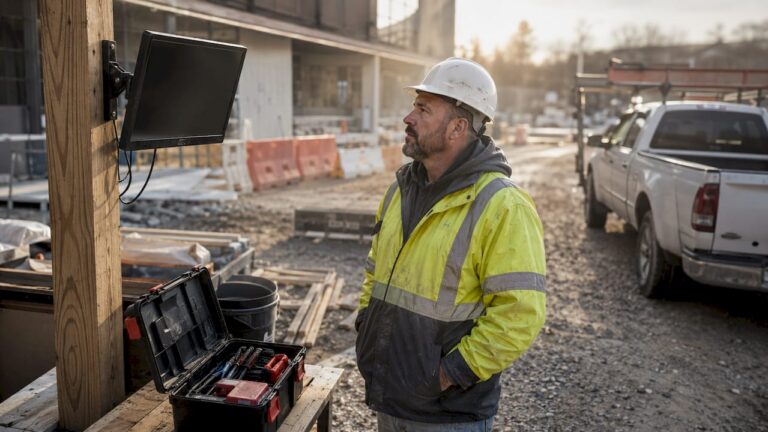
Monitoring contractor activity with CCTV means using video surveillance systems to observe, record, and analyze what contractors do on your property. For homeowners and business owners, this practice delivers three concrete benefits: security against theft, accountability for hours worked, and documented evidence when disputes arise. CCTV monitoring systems transmit footage to a central location for both live viewing and recorded review. When combined with AI-powered analysis, these systems can reduce workplace incidents by up to 50% and cut worker’s compensation insurance costs by as much as 75%.
How to monitor contractor activity with CCTV: the right tools
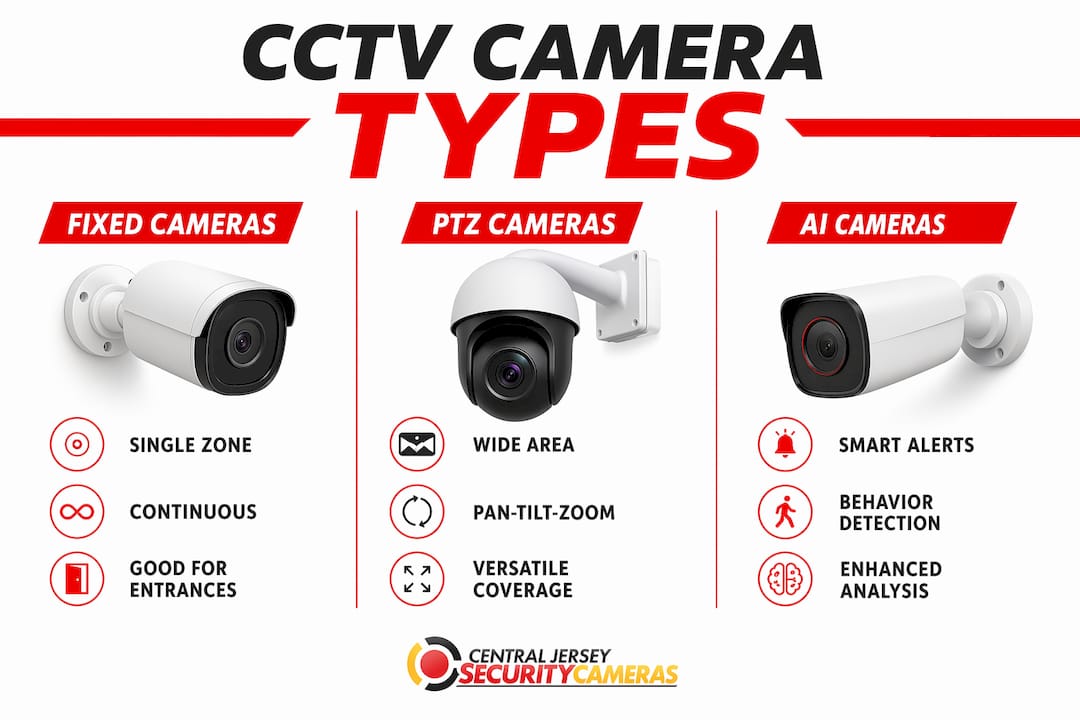
The camera you choose determines what you can actually see and prove. Three types cover most contractor monitoring needs.
Fixed cameras cover a single, defined area continuously. They work best at entrances, material storage areas, and equipment yards where you need a permanent record of who enters and what moves.
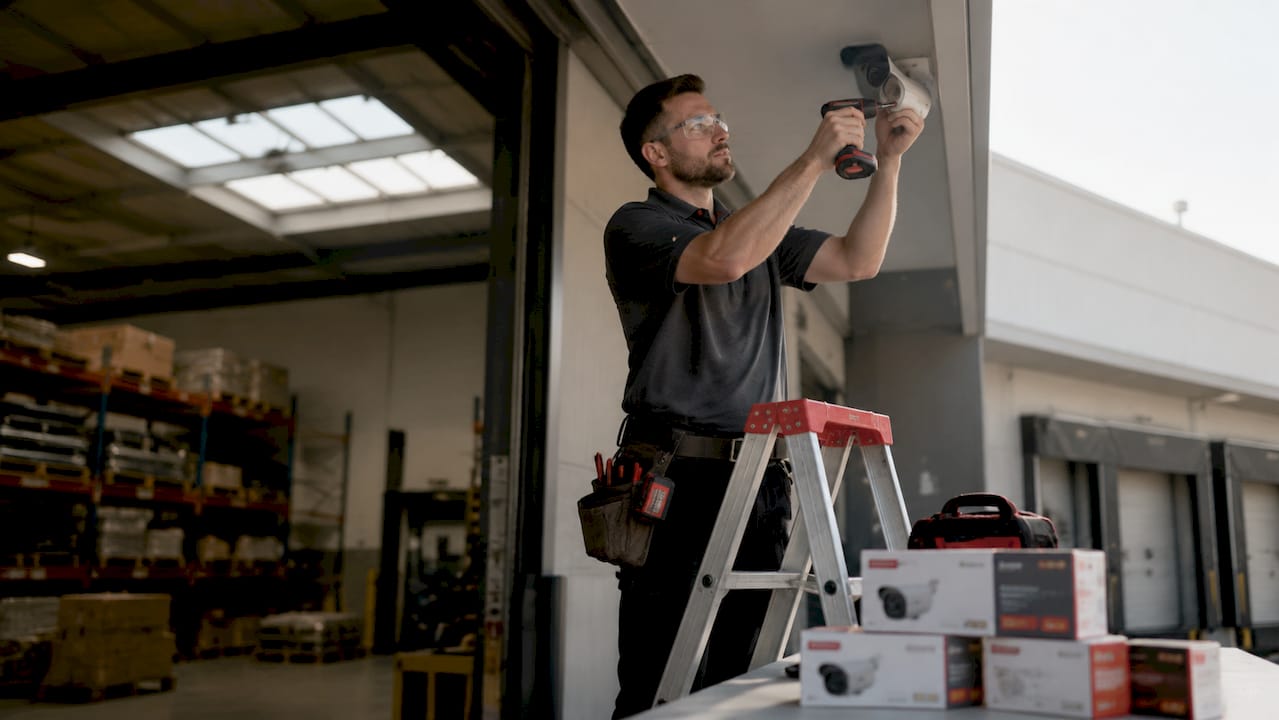
PTZ cameras (pan, tilt, zoom) let you follow movement across a wide area. A single PTZ security camera can cover ground that would otherwise require three or four fixed units. That makes them cost-effective for large job sites or commercial properties.
AI-powered cameras go further. They detect unusual behavior, trigger alerts for after-hours activity, and generate data on contractor movement patterns. AI-enabled cameras notify monitoring professionals of unusual activity promptly, and the recorded footage supports law enforcement when needed.
Beyond cameras, two supporting technologies matter.
- Video recorders (NVRs): Network video recorders store high-resolution footage and allow remote access from any device. Without adequate storage, footage overwrites before you can review it.
- Remote viewing software: Cloud-based or app-based access lets you check live feeds from your phone. You do not need to be on site to know what is happening.
- Solar-powered mobile units: For temporary sites or locations without power infrastructure, solar-powered CCTV units deploy without external power or network setup, making them ideal for short-term contractor monitoring.
| Feature | Fixed Camera | PTZ Camera | AI-Powered Camera |
|---|---|---|---|
| Coverage area | Single zone | Wide, adjustable | Wide, with analytics |
| Best use | Entrances, storage | Large open sites | Behavior tracking |
| Alert capability | No | No | Yes |
| Remote access | Yes | Yes | Yes |
Pro Tip: Pair an NVR with at least 30 days of storage capacity. Most contractor disputes surface days or weeks after an incident, not the same day.
How to plan your CCTV installation for contractor oversight
Camera placement is where most property owners make mistakes. A camera pointed at the wrong angle gives you footage that looks useful but proves nothing.
Effective camera deployment starts with a documented plan that identifies high-risk zones, coordinates with site leads, and validates camera views before work begins. The planning step is not optional. Skipping it produces blind spots that contractors quickly learn to exploit.
Identify these zones before you order a single camera:
- Entry and exit points: Every gate, door, and vehicle access point. This is where you confirm who arrived, when, and with what equipment.
- Material storage areas: Lumber, tools, and supplies disappear most often from unsupervised storage. A camera here creates a direct record of who accessed materials.
- Equipment zones: Heavy machinery and power tools represent significant value. Cameras covering these areas also capture unsafe operating practices.
- Work areas: Position cameras to see the actual work being performed, not just the perimeter. This footage validates billing claims and work quality.
Power and network access shape your options. Wired systems deliver the most reliable footage quality but require infrastructure. Where wiring is impractical, solar-powered mobile units fill the gap. Mobile monitoring units require no external infrastructure and deploy within 24–72 hours. That speed matters when a contractor starts work before your permanent system is ready.
Pro Tip: Walk the site with your camera installer before finalizing placement. What looks like good coverage on a floor plan often has obstructions, glare, or shadow problems that only show up in person.
Step-by-step process to deploy and operate your system
Deployment follows a clear sequence. Rushing any step creates gaps that undermine the whole system.
Prerequisites before installation
- Define your monitoring objectives in writing. Are you tracking attendance, preventing theft, or documenting work quality? Each goal changes camera placement.
- Notify contractors in writing that surveillance is in use. This is both a legal requirement in most jurisdictions and a deterrent in itself.
- Confirm power sources and network connectivity for each camera location.
- Select your NVR and confirm storage capacity matches your retention needs.
- Designate who has access to footage and under what circumstances.
Installation and commissioning
Work with a professional installer to mount cameras, run cabling, and configure the NVR. After mounting, test every camera angle against your documented coverage plan. Adjust before the contractor crew arrives. A camera that is two degrees off can miss the exact area you need to monitor.
Live monitoring and AI alerts
Once the system is live, AI-powered cameras handle the continuous watching. They flag unusual activity, after-hours access, and behavioral anomalies without requiring someone to stare at a screen all day. Set alert thresholds to match your risk level. A residential renovation project needs different sensitivity settings than a commercial warehouse build.
Pro Tip: Review AI alerts the same day they are generated. Delayed review turns a useful alert into a historical footnote.
Footage review for performance and disputes
Video footage paired with attendance records creates a forensic audit trail for resolving billing disputes and verifying onsite hours. Schedule a weekly footage review, even when nothing seems wrong. Patterns of late arrivals, extended breaks, or unauthorized access show up over time, not in a single incident.
Common challenges include camera blind spots, footage quality issues in low light, and network dropouts. Address blind spots during the planning phase. For low light, specify cameras with infrared or low-light capability. For network reliability, use wired connections where possible and cellular backup where not.
How does CCTV monitoring improve contractor management and safety culture?
CCTV does more than catch problems. Used well, it builds a culture where contractors perform consistently because they know the standard is documented.
Sharing short video clips of both exemplary and risky contractor behaviors during daily meetings produces measurable reductions in injury rates and insurance claims. The key is framing video review as coaching, not punishment. Contractors who see footage used constructively accept it. Contractors who see it used only for discipline resist it.
The operational benefits extend beyond safety:
- Billing validation: Video footage confirms actual hours worked on site, protecting you from inflated invoices.
- Attendance verification: Cameras at entry points create a timestamped record of arrival and departure times.
- Work quality documentation: Footage of completed work stages protects you if a contractor later disputes a quality complaint.
- Theft deterrence: Visible cameras reduce opportunistic theft of materials and tools. The deterrent effect begins before any incident occurs.
AI-powered tracking systems provide real-time alerts for unsafe equipment operation and idle time. That data feeds directly into performance reviews and insurance negotiations. Insurers respond to documented safety records with lower premiums.
What are the legal and ethical rules for contractor surveillance?
Surveillance law draws a clear line between monitoring work activity and invading privacy. Employers can legally monitor contractor activities with cameras when there is a legitimate business reason and the monitoring respects applicable privacy laws. The business reasons for contractor monitoring are well established: security, safety, and accountability.
The practical rules are straightforward. Post visible notices that surveillance is in use. Do not place cameras in bathrooms, changing areas, or any space where workers have a reasonable expectation of privacy. Restrict footage access to authorized personnel only.
“Monitoring must not be used to discipline workers unfairly or to collect information beyond what is necessary for the stated business purpose. Transparency with contractors about what is monitored and why is both a legal safeguard and a trust-building practice.”
Communicate your surveillance policy to contractors before work begins, not after. A written policy that contractors acknowledge in writing protects you legally and removes any claim of surprise. When contractors understand the purpose of monitoring, most accept it without friction.
Key Takeaways
CCTV contractor monitoring works when it combines strategic camera placement, AI-powered alerts, and a transparent communication policy that contractors acknowledge before work begins.
| Point | Details |
|---|---|
| Start with a documented plan | Identify high-risk zones and validate camera angles before installation begins. |
| Match camera type to the task | Use PTZ cameras for large areas, fixed cameras for entry points, and AI cameras for behavior tracking. |
| Deploy fast with solar units | Solar-powered mobile units install in 24–72 hours with no external power or network required. |
| Use footage for coaching, not just discipline | Video-based behavioral review reduces injury rates and builds contractor accountability over time. |
| Know the legal boundaries | Post surveillance notices, avoid private areas, and get written contractor acknowledgment before monitoring begins. |
What I’ve learned from watching contractor monitoring go right and wrong
The property owners who get the most value from contractor surveillance are the ones who treat it as a management tool, not a gotcha system. I’ve seen setups where cameras were installed after a theft, pointed at the wrong areas, and reviewed only when something went wrong. Those systems catch almost nothing useful.
The setups that work start with a clear plan written before a single camera is mounted. They involve the site manager in placement decisions. They use AI alerts to flag issues in real time rather than discovering problems weeks later in a footage review. And they communicate openly with contractors from day one.
The most underused feature in contractor monitoring is the billing audit. Most property owners think about cameras in terms of theft prevention. The bigger financial exposure is often inflated invoices for hours not worked. Footage tied to an attendance log closes that gap completely.
My advice: do not wait for a problem to justify the investment. The deterrent effect of visible, professional cameras changes contractor behavior before any incident occurs. That prevention is worth more than any footage you will ever review.
— Tom
Professional CCTV installation for contractor monitoring in New Jersey
Central Jersey Security Cameras designs and installs surveillance systems built specifically for contractor oversight at homes, businesses, and commercial properties throughout Central New Jersey.

Whether you need fixed cameras at entry points, PTZ coverage across a large work area, or solar-powered units for a temporary site, Central Jersey Security Cameras configures each system to your property’s specific risk zones. Every installation includes NVR setup, remote viewing access, and coverage validation before your contractor crew arrives. Explore the full range of security camera options or get details on professional installation services for commercial and residential properties across Ocean County, Monmouth County, Middlesex County, Mercer County, and Burlington County.
FAQ
What cameras work best for monitoring contractor activity?
PTZ cameras cover large work areas, while fixed cameras secure entry points and storage zones. AI-powered cameras add behavioral alerts and are the best choice when you need real-time notification of unusual activity.
Can I legally record contractors working on my property?
Employers and property owners can legally record contractor activity for legitimate business reasons, provided cameras are not placed in private areas and contractors are notified in advance. Written notice before work begins is the standard practice.
How quickly can a CCTV system be set up on a job site?
Solar-powered mobile CCTV units deploy within 24–72 hours with no external power or network infrastructure required. Permanent wired systems take longer but deliver higher reliability and footage quality.
How does CCTV help resolve contractor billing disputes?
Video footage combined with automated attendance records creates a timestamped audit trail that confirms actual hours worked on site. That record resolves billing disputes faster and with less friction than any verbal account.
Does visible CCTV actually change contractor behavior?
Visible cameras deter opportunistic theft and encourage consistent performance before any incident occurs. The deterrent effect is one of the strongest arguments for professional installation over covert monitoring.