
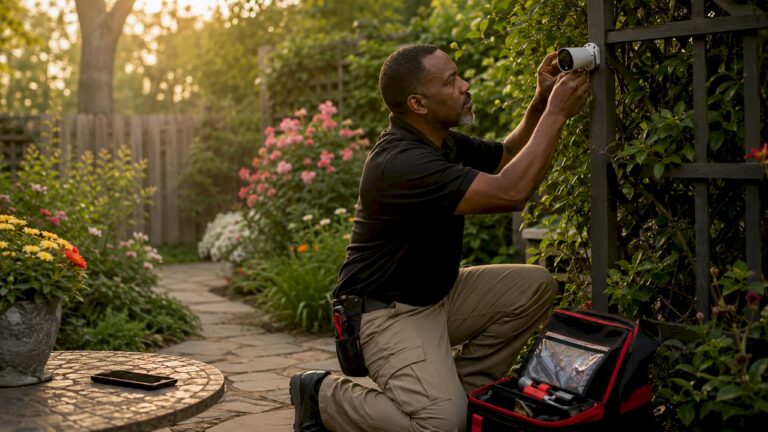
Home surveillance during vacation is the practice of using integrated security technologies to monitor and protect your property remotely while you are away. A well-designed system combines CCTV cameras, alarm systems with cellular backup, and environmental sensors to cover every meaningful threat to an unoccupied home. Homeowners who set up these systems before leaving reduce both the risk of break-ins and the financial damage from water leaks or freeze events. The result is genuine peace of mind, not just the appearance of security.
What tools do you need for home surveillance during vacation?
The right equipment makes the difference between a system that works and one that fails the moment you need it. A professionally installed setup typically includes security cameras with local NVR storage, a monitored alarm system, environmental sensors, and smart access control.
Cameras and recording
Security cameras are the foundation of any vacation monitoring setup. The most reliable configurations use a Network Video Recorder (NVR) for local storage paired with cloud backup. Hybrid recording systems with local NVR or microSD storage prevent critical footage loss during internet outages, which are common in vacant homes. Cloud-only systems miss footage whenever connectivity drops, and that gap is exactly when you need the record most.
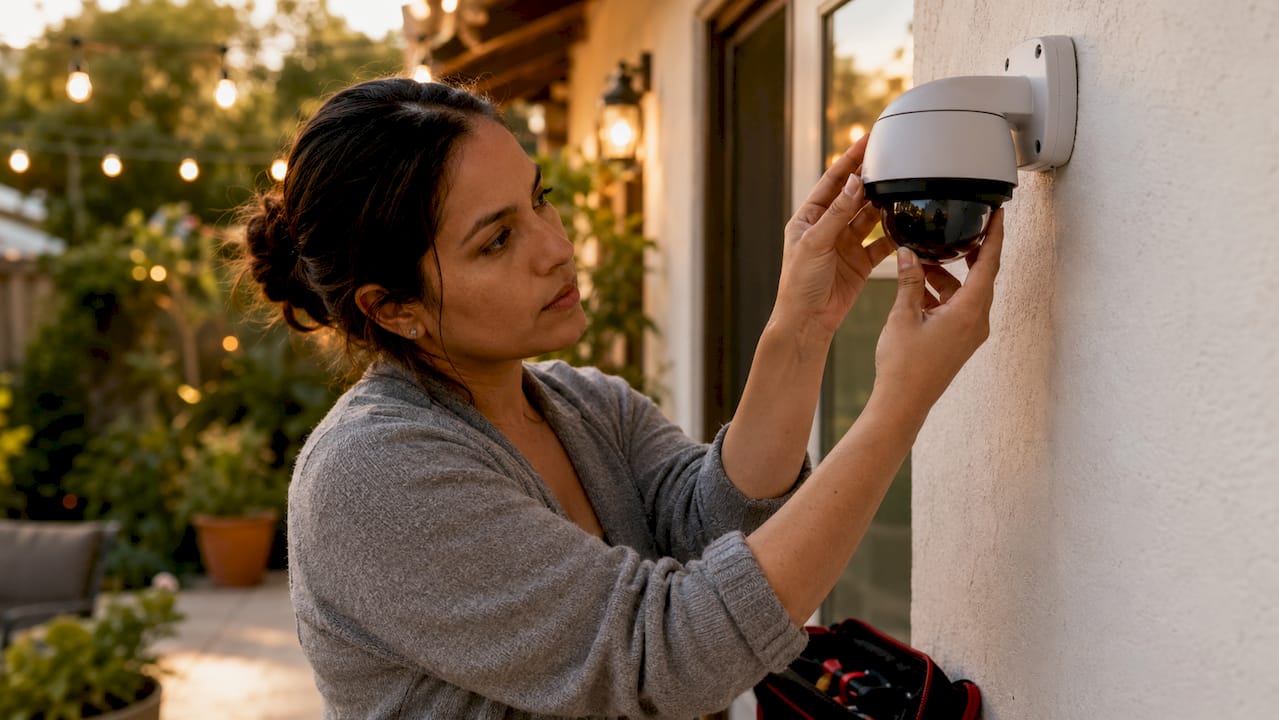
Pro Tip: Position at least one camera to cover each entry point and one to cover the driveway or parking area. Blind spots are where problems start.
Alarm systems with cellular backup
An alarm system without cellular backup is a serious liability for an unoccupied property. Burglars often cut Wi-Fi and internet lines before attempting entry, which renders any system relying solely on broadband effectively useless. LTE cellular backup keeps your alarm communicating with the monitoring station even when the internet goes down. Cellular backup is the single most critical feature for vacation home security, ranking above camera resolution or any other specification.
Environmental sensors
Water leak and freeze sensors protect vacation homes from a category of damage that often exceeds burglary losses. Environmental sensors for water leaks and freeze conditions are critical for unoccupied properties because repair costs from a burst pipe or flooding can far outpace what a burglar takes. A humidity sensor adds another layer by flagging mold conditions before they become structural problems. These sensors cost little to add but cover a risk most homeowners overlook entirely.
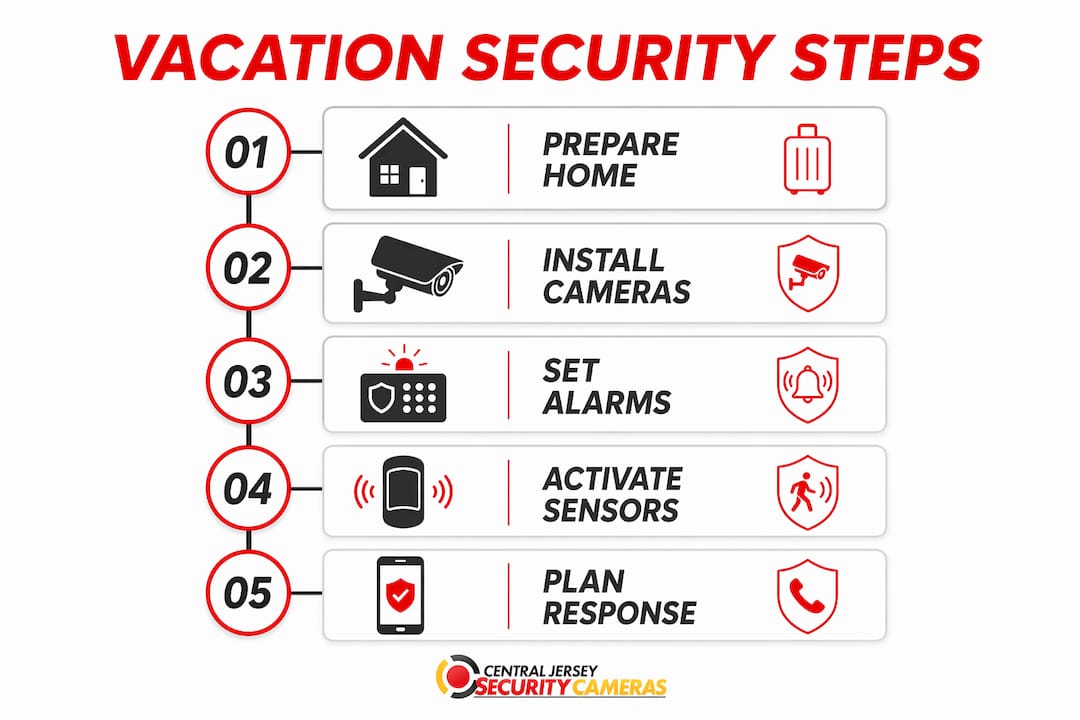
Smart locks and access control
Remote arming and disarming via a mobile app is a non-negotiable feature for managing guest or service provider access without returning to the property. Remote app access lets you grant a cleaning crew a timed entry code and revoke it the same day, all from your phone. Smart locks eliminate the need to hide a physical key, which is one of the most common security failures in vacation homes.
| Tool category | Key feature |
|---|---|
| Security cameras | Local NVR storage plus cloud backup |
| Alarm system | LTE cellular backup for outage resilience |
| Environmental sensors | Water leak, freeze, and humidity detection |
| Smart locks | Remote app-based access and code management |
| Professional monitoring | Rapid alert response and dispatch capability |
A professional-grade full vacation home security setup carries an initial investment of approximately $1,050 to $1,150, which covers an NVR, a four-camera kit, and the necessary monitoring hardware. That cost is modest compared to the average insurance claim from a single water damage event.
How do you avoid alert fatigue while monitoring home while away?
Constant notifications destroy the vacation experience and train homeowners to ignore alerts entirely. Effective vacation monitoring focuses on meaningful alerts over constant surveillance to prevent burnout.
The practical approach is to filter aggressively and check deliberately:
- Prioritize entry alerts. Door and window sensors generate the most actionable notifications. Set these as high-priority alerts that push to your phone immediately.
- Use motion zones. Configure cameras to alert only within defined zones, such as the front door or driveway, rather than triggering on every passing car or animal.
- Limit live video checks. Restrict camera app reviews to once or twice daily at set times. Constant checking creates anxiety without adding safety.
- Assign a local contact. A trusted neighbor or property manager handles physical responses so you are not making decisions from a beach chair with incomplete information.
- Test before you leave. Walk through every alert type and confirm notifications reach your phone correctly. A system you have never tested is a system you cannot trust.
Pro Tip: Turn on “Do Not Disturb” for all non-critical app notifications and whitelist only your security app. This keeps vacation stress low while keeping real alerts visible.
Customized alert plans focused on significant events improve response efficiency and reduce the mental load of remote monitoring. The goal is a system that alerts you when something matters, not one that demands your attention every hour.
What are the best steps to secure your home before vacation?
Preparation before you leave is as important as the technology you install. A camera system cannot compensate for an unlocked door or an uncollected pile of mail that signals an empty house.
- Lock every entry point and arm the system remotely. Check all doors, windows, and garage entries. Arm your alarm system from the app after you leave so you can confirm it is active.
- Set lights on timers. Interior lights on randomized timers create the appearance of occupancy. Exterior lights on motion sensors deter anyone approaching after dark.
- Hold mail and package deliveries. A full mailbox or a stack of packages on the porch is a clear signal that no one is home. Use USPS Hold Mail service or arrange for a neighbor to collect deliveries daily.
- Notify a trusted neighbor. Give one person your contact information and a brief description of who is authorized to be at your property. They become your eyes on the ground.
- Shut off the main water supply. This single step eliminates the risk of a burst pipe flooding your home while you are unreachable. Unplug nonessential appliances to reduce fire risk.
- Test all system components. Trigger each sensor, confirm camera feeds load remotely, and verify that alert notifications arrive on your phone. Do this 48 hours before departure so you have time to fix anything that fails.
Pro Tip: Set a recurring calendar reminder two weeks before any trip to run through this checklist. Rushed pre-trip security checks miss things that a calm, scheduled review catches.
A home security system is only as effective as the preparation behind it. Pre-designating trusted responders and testing communications before extended absences is the step most homeowners skip and most often regret.
How do you build a response plan for alerts during vacation?
A camera that records an intrusion but triggers no response is just an expensive witness. A clear response plan for who answers alerts is vital for timely action when you are away.
Build your plan around these elements:
- Designate a primary local contact. This person receives a call from you or the monitoring station when an alert fires. They need a key or access code and clear instructions on what warrants a visit versus a call to police.
- Use professional monitoring as a safety net. Top-tier monitored systems contact monitoring stations in about 38 seconds after alarm activation. Professional monitoring costs around $22 per month and provides a trained dispatcher who acts when you cannot.
- Define escalation thresholds. Not every alert needs a physical response. A door sensor trigger at 2:00 PM might be your neighbor checking on the property. A glass-break sensor at 2:00 AM warrants an immediate police call.
- Maintain cellular backup. Systems without LTE backup are effectively inoperative if Wi-Fi is cut. Cellular backup keeps the monitoring station connected regardless of what happens to your internet service.
- Review legal and privacy guidelines. If you assign access to a property manager or neighbor, confirm they understand what they are authorized to do. Written instructions protect everyone involved.
A response plan without a designated local contact is just a list of notifications. The plan only works when a specific person knows their role, has the access they need, and has agreed to respond before you ever leave home.
Key Takeaways
Effective home surveillance during vacation requires the right technology, a filtered alert strategy, and a pre-assigned response plan working together before you leave.
| Point | Details |
|---|---|
| Use hybrid recording | Pair local NVR storage with cloud backup to prevent footage gaps during outages. |
| Cellular backup is non-negotiable | LTE backup keeps your alarm active even when burglars cut your internet connection. |
| Filter alerts aggressively | Prioritize entry sensors and limit camera checks to once or twice daily to avoid burnout. |
| Prepare before departure | Test every sensor, hold mail, and shut off water at least 48 hours before leaving. |
| Assign a local responder | A trusted neighbor or professional monitoring service turns alerts into actual action. |
Why most vacation security setups fail before the trip even starts
The honest truth I have seen repeatedly is that homeowners invest in good equipment and then undermine it with poor planning. They install cameras, skip the cellular backup upgrade, and leave without testing a single notification. Then they wonder why the system felt useless when something actually happened.
The environmental sensor issue is the one that surprises people most. A burst pipe or a freeze event in a vacant home causes damage that dwarfs the average burglary loss, yet most homeowners focus entirely on cameras and ignore water and temperature sensors completely. I have talked to homeowners who lost tens of thousands of dollars to water damage that a $30 sensor would have flagged within minutes.
My strongest advice is to treat cellular backup as a baseline requirement, not an optional upgrade. Camera resolution, AI detection features, and app design are secondary. A system that goes dark the moment a burglar cuts your cable line is not a security system. It is a false sense of safety.
Check your system every six months even when you are not planning a trip. Sensors fail, batteries die, and firmware updates sometimes reset notification settings. The homeowners who maintain their systems consistently are the ones who actually benefit from them when it counts.
— Tom
Professional surveillance for your home from Central Jersey Security Cameras
Protecting your home while you travel requires more than off-the-shelf cameras. Central Jersey Security Cameras designs and installs custom CCTV systems built for reliable remote monitoring, including NVR-based recording, LTE-backed alarm systems, and professionally installed home cameras tailored to your property’s layout.
Central Jersey Security Cameras serves homeowners throughout Ocean County, Monmouth County, Middlesex County, Mercer County, and Burlington County. Whether you need a full CCTV camera system for a primary residence or a second home, the team handles design, installation, and ongoing support. Contact Central Jersey Security Cameras to schedule a property assessment before your next trip.
FAQ
What is the most important feature for vacation home security?
Cellular LTE backup is the single most critical feature for vacation home security. It keeps your alarm system connected to the monitoring station even if a burglar cuts your internet or power line.
How much does a professional vacation home security setup cost?
A professional-grade setup including an NVR, a four-camera kit, and monitoring hardware costs approximately $1,050 to $1,150 as an initial investment. Professional monitoring adds around $22 per month.
How fast do professional monitoring services respond to alarms?
Top-tier professional monitoring services contact their stations in approximately 38 seconds after an alarm activates. That response speed is the primary advantage of monitored systems over self-monitored setups.
Should I use cloud or local storage for vacation home cameras?
Use both. Hybrid systems with local NVR or microSD storage paired with cloud backup prevent footage loss during internet outages. Cloud-only systems miss recordings whenever connectivity drops.
Do I need environmental sensors for my vacation home?
Water leak and freeze sensors are strongly recommended for any unoccupied property. Damage from a burst pipe or flooding in a vacant home frequently exceeds the cost of a typical burglary, and these sensors provide early warnings that can prevent major losses.