
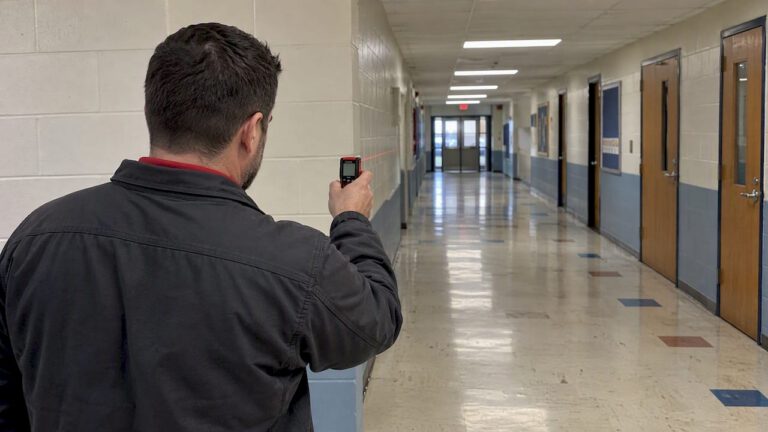
A security camera site survey produces camera locations, verified coverage, power and network requirements, and documentation that turns into a quote and an installation plan. The single most important habit is collecting photos with measurements, areas of interest (AOIs), and device identifiers on the very first walk. We handle full professional surveys and deliverables for property owners who want this done right the first time, including comprehensive commercial inspection services to ensure accurate pre-survey preparation and building plan review.
TL;DR:
- Photograph critical areas when lighting matters most, including dusk; backlighting, flickering lights, and moving traffic can change lens, sensor, and shutter requirements.
- Inventory each existing camera’s firmware and credential settings; isolate devices with unchangeable passwords, especially when cameras need internet access or lack network segmentation.
- Verify switch power budgets and sustained bandwidth between camera switches and recorders, since high resolution streams can overwhelm links even when internet service is adequate.
- Flag views into neighboring private spaces and document retention and access policies; workplace audio recording may require stricter review before camera angles are finalized.
Table of Contents
- Quick Site-Survey Checklist: Mandatory Data to Capture
- Step-by-Step On-Site Survey Workflow
- Measuring and Mapping Camera Coverage on Site
- Environmental Factors That Affect Image Quality
- Device and Network Security Checks During the Survey
- Documentation and Deliverables From the Survey
- Converting Survey Findings Into System Specs and a Quote
- How We Conduct a Survey and What Clients Receive
- Network Infrastructure and Bandwidth for IP Camera Integration
- Compliance With Privacy Laws During the Survey and Installation
- Obstructions and Interference Affecting Wireless Camera Signals
- What Most Site-Survey Advice Gets Wrong
- Get a Professional Site Survey and Installation From Us
- FAQ
- Sources
Quick Site-Survey Checklist: Mandatory Data to Capture
Before you walk a property, list every area of interest and critical asset: entrances, parking lots, cash registers, loading docks, or anything the client has named as a priority. Everything else on the walk supports that list.
- Photograph each proposed mounting location, noting height and a clear sightline to the AOI.
- Measure distance from the mount to the AOI and record it next to the photo.
- Note the power source available (PoE or AC) and how far it sits from the mount.
- Mark likely cable paths and any conduit or cable tray already in place.
- Record environmental stressors (glare, shade, moving foliage) and typical object motion at that spot.
- Log device metadata (make, model, firmware version) for any existing cameras or recorders.
Pro Tip: Tag every photo with the AOI name and a sequential ID, such as AOI-Entrance_IMG_01, so installers can match images to the mounting schedule without re-visiting the site.
Skipping any of these items usually means a second site visit, which costs more time than doing it once properly.
Step-by-Step On-Site Survey Workflow
A survey runs smoother when it follows a fixed order rather than wandering the property as ideas come up.
- Review any available site plans, floor layouts, or prior camera diagrams before arriving.
- Confirm access to all areas, including roofs, utility closets, and locked storage, and schedule a stakeholder who knows the property’s history of incidents.
- Walk the property along a logical route, marking candidate mounting points as you go.
- Take measurement-anchored photos at each candidate mount: one wide shot of the location and one showing the AOI from that vantage point.
- Record a short test video at AOI locations with meaningful motion, such as parking lanes or loading areas.
- Check power availability and network proximity at each mount, using a PoE tester where existing cabling is already in place.
- Note switch locations and run a basic Wi-Fi scan if wireless cameras are being considered.
- Back at the office, annotate photos with distances and compass orientation, then build an annotated site plan with prioritized recommendations.
A technical design reference covering resolution, PoE planning, and bandwidth is useful here if you want to translate field notes into equipment specifications immediately.
Measuring and Mapping Camera Coverage on Site
Full design software is not necessary to verify coverage adequately during a survey. Most planners can confirm field of view with a few repeatable habits.
- Estimate the lens and resolution needed by comparing the distance to the target with how large the subject must appear in the frame, since a license plate at 40 feet needs far more resolution per pixel than a general area shot at the same distance.
- Use annotated photos with distance markers written directly on the image rather than relying on memory later.
- Sketch rough angle lines on a printed site plan or phone photo to show the estimated field of view from each candidate mount.
- Reserve CAD or a dedicated design tool for larger commercial sites with many overlapping zones; a marked photo is usually sufficient for a single building or a home.
- Group coverage photos by AOI so they convert into a placement diagram without hunting through a camera roll later.
Environmental Factors That Affect Image Quality
Coverage on paper does not guarantee a usable image. Backlighting, glare, and high-contrast scenes cause more installed-camera failures than poor placement does, so the survey has to catch them before equipment goes on the wall.
- Photograph each AOI at the time of day it matters most, since a south-facing entrance can look clear at 10 AM and wash out completely at 4 PM.
- Note any artificial lighting that flickers or cycles, since LED fixtures and older ballasts can cause banding on camera sensors.
- Record how fast objects typically move through each AOI (a walking entrance versus a drive-through lane) to guide frame-rate and shutter choices.
- Mark spots exposed to wind-blown dust, salt spray, or direct rain that could foul a lens housing over time.
- Flag temperature extremes for any mount location, particularly rooftop or exterior units in direct sun.
Pro Tip: A camera that performs well in a daytime walkthrough can still struggle at dusk, so note the sunset transition separately from daytime lighting conditions.
Each of these observations maps to a feature decision: wide dynamic range for backlit entrances, infrared or low-light sensors for dim areas, and a weatherproof housing rating for exposed mounts.
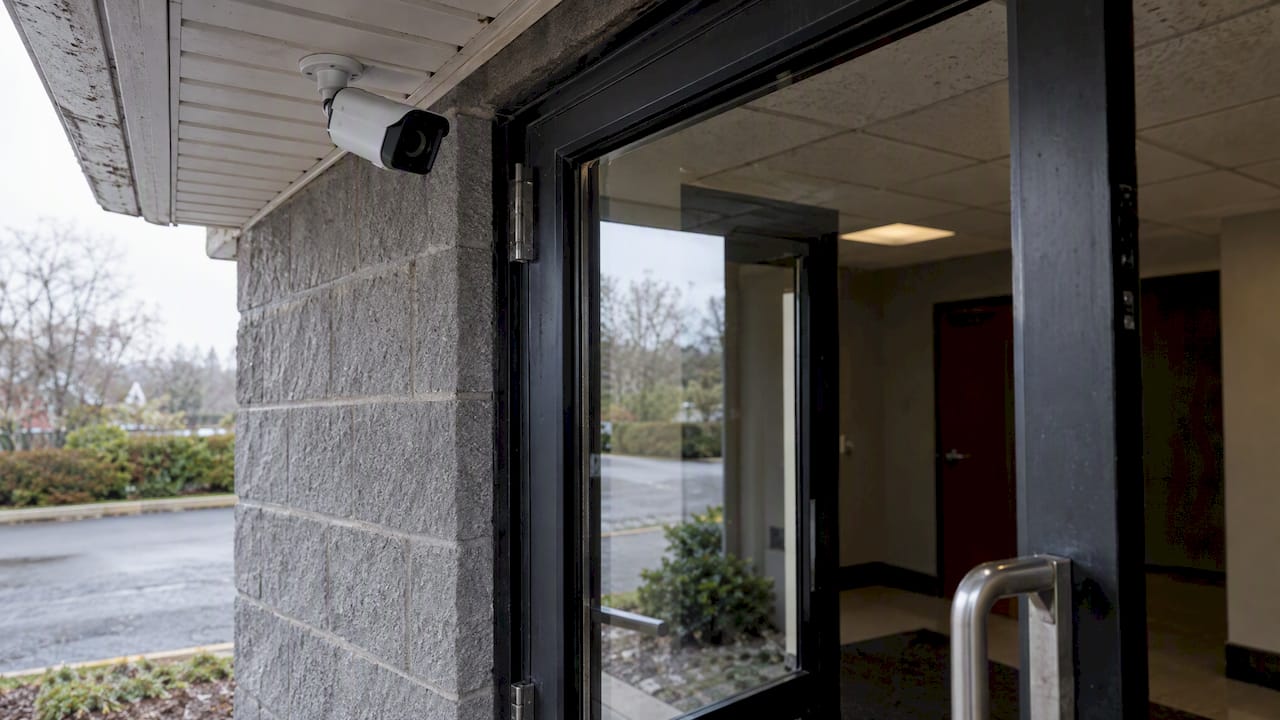
Device and Network Security Checks During the Survey
A camera survey is also a quick security audit, and skipping it leaves clients exposed after installation.
- Record the make, model, and firmware version of every existing IP camera, NVR, or VMS on the property.
- Check whether default credentials can actually be changed, since CISA recommends changing all default manufacturer passwords before any device goes into production use.
- Note whether each camera needs inbound internet access for cloud features, since the FBI and CISA warn that threat actors actively scan the internet for cameras running outdated firmware and default settings.
- When a device has hard-coded credentials that cannot be changed, flag it for network isolation or a dedicated VLAN rather than leaving it on the main network.
- Build a simple inventory of devices and firmware versions so future patching does not require a fresh walk-through.
Advisories from NYSIC and the FBI in 2024 and 2025 emphasize maintaining an accurate device inventory and applying regular firmware updates to reduce targeting of IP cameras. This matters most for any property with cameras exposed directly to the internet without a firewall or segmentation in place.
A dedicated page on commercial camera cybersecurity basics covers these hardening steps in more depth for business properties with multiple devices.
Documentation and Deliverables From the Survey
The survey only has value if someone besides the surveyor can act on it without visiting the site again.
- An annotated photo map tying every image to its AOI and mounting point.
- A cabling and mounting schedule listing run lengths, conduit needs, and hardware per location.
- A power and network plan showing which mounts need new drops versus existing infrastructure.
- A prioritized camera list separating must-have coverage from optional additions.
| Form field | What to record |
|---|---|
| AOI name | Entrance, loading dock, parking lane, etc. |
| Photo IDs | Sequential IDs matching the AOI tag |
| Distance | Measured distance from mount to AOI |
| Suggested camera class | Fixed, PTZ, license plate recognition, active deterrence |
| Power and network notes | PoE availability, run length, switch port location |
| Cybersecurity notes | Firmware version, default credential status, isolation needs |
Name photo and plan files consistently, using the AOI and a sequential photo ID, so the installation team can work from the survey without cross-referencing multiple documents. Keep versioned copies of the survey and any related service logs since historical records matter if a client later needs to demonstrate maintenance history or investigate an incident.
Converting Survey Findings Into System Specs and a Quote
Field notes become a quote once they are translated into equipment counts and network requirements.
- Convert each AOI’s distance and required detail level into a specific resolution and lens combination rather than a generic “4K camera” note.
- Estimate total cable run lengths, conduit needs, and mounting hardware directly from the measured paths recorded on the walk.
- Add up expected network bandwidth and storage based on camera count, resolution, and how long footage needs to be retained.
- Offer a recommended coverage tier alongside an optional tier so property owners can see what drives the cost up or down.
A business-expansion planning guide is useful here when the property is likely to add cameras or buildings later, since cabling and network capacity should account for growth rather than only the current AOI list.
How We Conduct a Survey and What Clients Receive
We offer on-site evaluations that follow this same structure: AOI review, measured photos, power and network checks, and a cybersecurity pass on any existing devices. Clients receive an annotated deliverable and a maintenance-aware installation plan, not just a verbal estimate.
Network Infrastructure and Bandwidth for IP Camera Integration
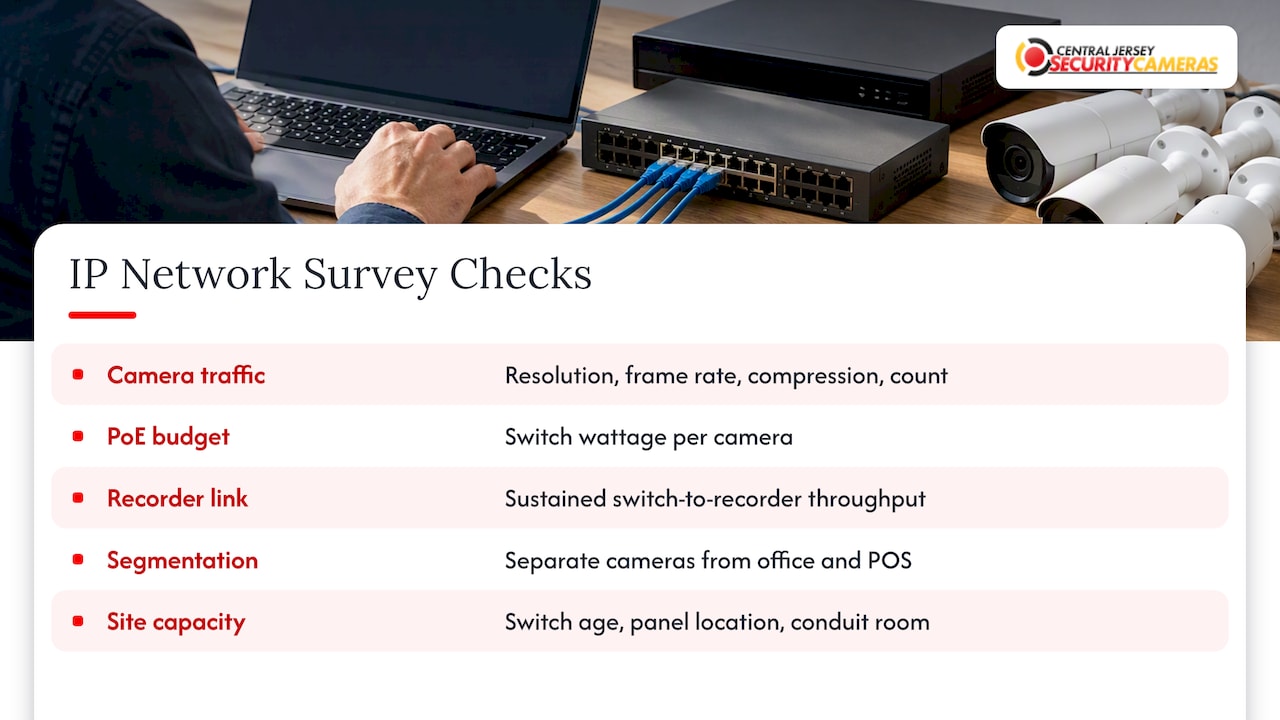
Before recommending any IP camera system, the survey has to account for what the existing network can actually support. Every IP camera adds continuous upload traffic to the local network, and that load is driven by resolution, frame rate, compression, and how many cameras run at once.
Start by identifying the switches that will carry camera traffic and whether they support Power over Ethernet at the wattage each camera needs. A PTZ camera or one with built-in heating draws considerably more power than a basic fixed-lens unit, and running out of PoE budget mid-installation is a common and avoidable mistake.
Check available bandwidth between the camera switches and the recording device, since that link is often the bottleneck rather than the internet connection itself. A property recording a dozen 4K cameras at high frame rates needs a wired backbone that can handle sustained throughput, not just occasional bursts.
Ask whether the network is flat or already segmented, since cameras sharing a broadcast domain with office computers or point-of-sale systems increase the attack surface unnecessarily. Note the age and capacity of existing switches, the location of the main distribution panel, and whether there is room in existing conduit for new runs.
A home network readiness guide walks through these same checks at a smaller scale for residential properties, where a basic router and a handful of cameras can still strain a shared connection if nothing is planned ahead of time.
Compliance With Privacy Laws During the Survey and Installation
Camera placement decisions carry legal weight, and the survey is the right time to flag them rather than after cameras are already mounted. Recording areas with a reasonable expectation of privacy, such as restrooms, changing rooms, or neighboring private property, creates legal exposure regardless of the surveillance intent behind it.
During the walk, note any camera angle that would capture a neighbor’s yard, a shared stairwell, or interior space visible through a window on adjoining property. These angles often need to be narrowed or excluded entirely rather than accepted as a tradeoff for broader coverage.
Workplace cameras carry their own set of considerations, particularly around notice to employees and whether audio recording is involved, since audio recording rules are generally stricter than video rules. A guide to workplace camera rules covers footage retention and access control considerations that should be documented alongside the physical survey.
Retention policy belongs in the survey deliverable too: how long footage is kept, who can access it, and how access requests are handled if law enforcement or a tenant asks for footage later. These are policy decisions, not technical ones, but the camera count and storage capacity recommended in the survey directly shape what retention period is realistic.
When a property sits near a boundary with different local rules, or when audio recording is being considered, it is worth a quick conversation with a professional installer or local counsel before finalizing camera angles, since getting this wrong after installation often means re-mounting equipment.
Obstructions and Interference Affecting Wireless Camera Signals
Wireless cameras introduce a category of problems that wired systems do not have, and the survey needs a separate pass to catch them. Physical obstructions like metal roofing, concrete walls, and dense foliage all weaken a wireless signal between the camera and its receiver, sometimes enough to make an otherwise well-placed camera unreliable.
Walk the property with attention to line of sight between each proposed wireless camera location and its base station or access point. A mount that looks ideal for coverage can still fail if a steel beam or brick chimney sits directly in the signal path.
Check for competing wireless traffic in the same frequency bands, particularly on properties with existing Wi-Fi networks, cordless phones, or other wireless security devices. A crowded 2.4 GHz band is a common source of dropped frames and lag on wireless cameras, even when signal strength looks adequate on paper.
Note seasonal changes that might affect a signal path later, since a clear line of sight in winter can become obstructed once trees leaf out in spring. For construction sites specifically, temporary structures, stacked materials, and heavy equipment move constantly, so wireless camera placement needs more frequent reassessment than a fixed commercial property.
Where obstructions cannot be avoided, the survey should note whether a wired alternative, a signal repeater, or a relocated access point solves the problem, rather than leaving the client with an unreliable wireless link discovered only after installation.
What Most Site-Survey Advice Gets Wrong
Most guides on this topic treat the site survey as a formality before the “real work” of installation begins. That framing undersells it. The survey is where coverage gaps get caught, where legal exposure around neighboring property gets flagged, and where a camera’s realistic performance in afternoon glare or winter darkness gets documented instead of discovered later.
The conventional advice leans heavily on camera placement and resolution math, and that math matters, but it is not where most installations actually fail. They fail because nobody checked whether the existing switch had enough PoE budget, nobody noted that the parking lot camera would be blinded by headlights every evening at dusk, or nobody flagged a device with hard-coded default credentials sitting exposed on the network.
If you take one thing from this checklist, prioritize the boring parts: measured distances, photographed lighting conditions at different times of day, and a firmware and credential check on every device. Coverage diagrams are easy to produce. A survey that catches the problems a diagram cannot show is the one that saves a client from a second visit or a security incident.
— Tom
Get a Professional Site Survey and Installation From Us
A thorough survey is only as useful as the installation behind it, and that is where a professional team pays for itself. We design, install, and maintain custom surveillance systems across Central New Jersey, translating survey findings directly into a working system rather than leaving you to interpret a checklist on your own.

Our relevant services include:
- New Jersey security camera installations, including IP camera systems, 4K cameras, and license plate recognition cameras
- Commercial security installations for warehouses, offices, schools, and industrial facilities
- Home security installation for residential properties of any size
- Access control installations for properties that need entry management alongside video
- Alarm monitoring services starting at $24.95 per month, with a one-time installation fee of $99
If you would rather have a trained technician run the walk, measure the AOIs, and flag the cybersecurity gaps for you, request an on-site evaluation and we will turn it into an installation plan built for your property.
FAQ
How much should I pay for CCTV installation?
Installation pricing depends on camera count, property size, and cabling complexity, so there is no single flat rate across providers. For a baseline reference, our own one-time installation fee runs $99, with camera and equipment costs quoted separately based on the survey findings.
What are the 5 D’s of physical security?
The five D’s commonly cited in physical security planning are deter, detect, deny, delay, and defend, describing the layered goals a security system works toward. A camera system primarily supports deterrence and detection, while access control and barriers handle deny and delay functions.
What is required for CCTV installation?
A CCTV installation needs defined camera locations, a power source (PoE or AC) at each mount, network connectivity to a recorder or cloud service, and compliant placement that avoids capturing areas with a reasonable expectation of privacy. A proper site survey captures all of these requirements before any equipment is purchased.
What are some good wireless cameras for construction sites?
Construction sites generally need wireless cameras built for temporary, rugged use, often solar-powered or battery-based since permanent electrical service is rarely available early in a project. Line of sight to the base station and resistance to dust and weather exposure matter more on these sites than on a fixed commercial property, since equipment and materials shift constantly.
Sources
- Enhanced visibility and hardening guidance for communications infrastructure — CISA
- Malicious cyber actors exploiting insecure SOHO routers — FBI
- NYSIC-CYB-25-01: Best Practices to Mitigate Threat Actor Targeting of IP Cameras