
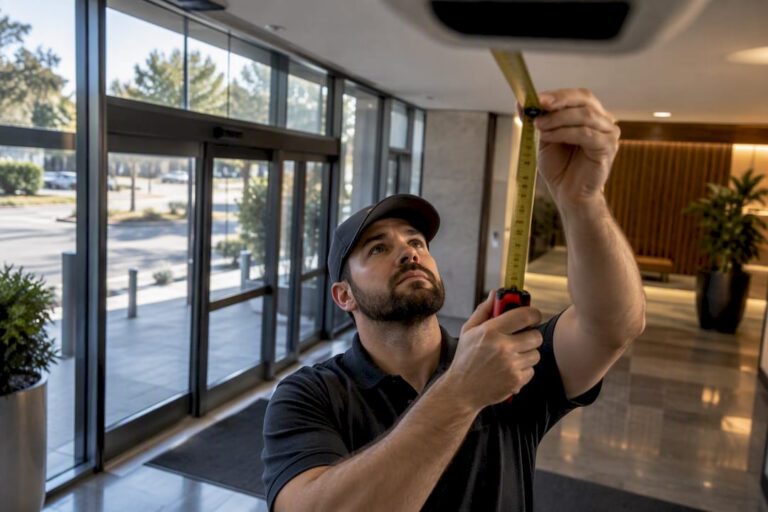
People counting cameras track entries, exits, and dwell time using AI video, depth sensors, or thermal imaging mounted at entrances. The right choice depends on one trade-off above all others: accuracy versus privacy versus how complicated the install gets. A professional site assessment usually settles which of those wins, and whether a camera or a camera-free sensor actually fits the space.
TL;DR:
- Cameras perform best when mounted at measured heights and angles, with calibration and manual audits ensuring accuracy stays within acceptable thresholds.
- Depth or ToF sensors handle wide entrances and crowded scenes better than RGB cameras or infrared beams, especially in low light or outdoor conditions.
- Real-world accuracy often falls below vendor claims due to lighting, occlusion, and crowding, making post-install manual audits essential for reliable data.
- Privacy-sensitive environments favor camera-free sensors like ToF or signal-based systems, which do not capture identifiable images and simplify compliance.
- Proper site assessment and clear scope definitions, including support for staff exclusion and API integration, significantly reduce installation errors and data drift.
Table of Contents
- What Are People Counting Cameras and How Do They Record Events?
- People Counting Technologies and Their Trade-Offs
- How Accurate Are People Counting Cameras, Really?
- Site Survey and Installation Checklist for Reliable Counts
- Turning Counts Into Business Numbers
- What Do People Counting Cameras Cost?
- Privacy and Camera-Free Alternatives
- Regulatory Considerations for Surveillance and People Counting
- Installer Perspective: What Actually Goes Wrong on Site
- How Central Jersey Security Cameras Handles Camera Installation and Integration
- Sources
- FAQ
What Are People Counting Cameras and How Do They Record Events?
A people counting camera logs specific events at a doorway or zone: an entry, an exit, a dwell period, or a running occupancy total. Everything downstream, staffing decisions, conversion math, capacity alerts, gets built from those four numbers.
Most systems handle the counting one of three ways. On-device counting processes video locally on the camera itself and outputs only the count, not the footage, which keeps bandwidth and privacy exposure low. Edge AI pushes more processing power to the camera to handle complex scenes, like overlapping bodies or fast-moving crowds. Cloud analytics sends footage or metadata off-site for heavier computation and cross-location reporting.
Cameras aren’t the only way to get these numbers:
- Infrared beam counters detect a body breaking a light path but struggle with side-by-side entries.
- Pressure mats register footsteps but can’t distinguish direction or dwell.
- Wi‑Fi and mobile-signal sensors estimate traffic from device pings, with known accuracy trade-offs depending on how many visitors carry a phone with Wi‑Fi enabled.
People Counting Technologies and Their Trade-Offs
Every counting method senses presence differently, and that difference shows up the moment conditions get messy.
RGB/AI video uses standard camera footage and machine learning to identify and track individual people. It’s flexible and often doubles as a security feed, but it struggles more than depth-based methods in low light or backlit doorways. Stereo/3D depth cameras use two lenses to build a height map of what passes beneath them, which handles crowding and shadows better than flat RGB video. Time-of-Flight (ToF) sensors bounce infrared light off objects and measure the return time, giving reliable counts even in near darkness. Thermal cameras read heat signatures, useful outdoors or in total darkness, though they lose some precision distinguishing close-together bodies. Infrared beam counters are cheap and simple but fail on group entries. Wi‑Fi/mobile sensing counts signals rather than bodies, which introduces bias since not every visitor carries a discoverable device.
- High ceilings and wide entrances favor stereo/3D or ToF over beams.
- Privacy-sensitive locations (locker rooms, medical waiting areas) often push buyers toward camera-free ToF or signal-based sensing.
- Dense crowds expose the weaknesses of basic RGB video fastest.
Pro Tip: If your entrance is wider than about 6 feet, ask any vendor how their system handles two people walking through side by side. That single question exposes more about real-world accuracy than any spec sheet.
How Accurate Are People Counting Cameras, Really?
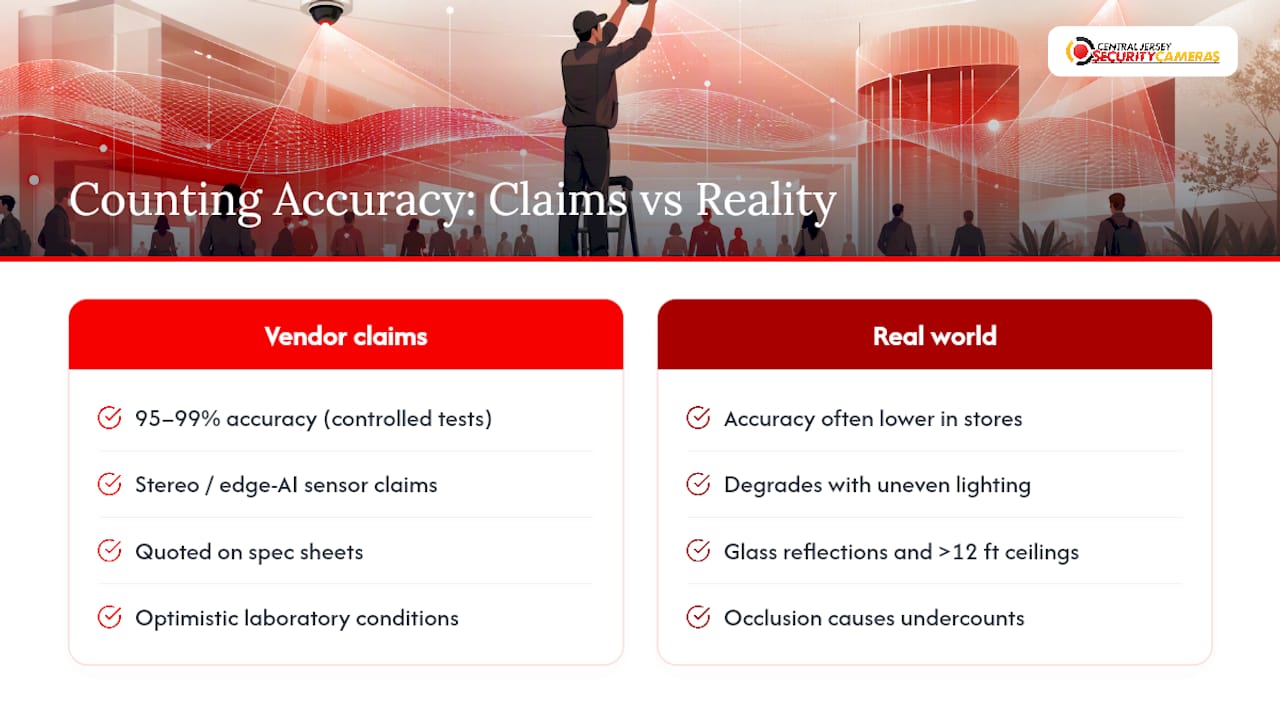
Vendors love round numbers. Enterprise people-counting platforms commonly advertise 95 to 99% accuracy under optimal conditions, and stereo or edge-AI sensors from vendors like V-Count make similarly high claims. Those figures come from controlled testing, not your lobby on a Saturday afternoon.
Real-world accuracy drops when lighting is uneven, when the entrance has glass reflections, when ceilings sit above 12 feet, or when groups bunch together entering at once. Occlusion, one person blocking the sensor’s view of another, is the single most common cause of undercounts in retail deployments.
The Number That Actually Matters: vendor-claimed accuracy and post-install audited accuracy are two different figures. RetailNext performs manual audits at installation specifically because the gap between the two can be significant.
Before signing anything, require an accuracy commitment tied to a manual audit, not just a spec sheet number. Ask whether the system can exclude staff badges or uniforms from counts. That single feature separates usable retail data from noise.
Site Survey and Installation Checklist for Reliable Counts
Reliable counts start before a single bracket goes on the wall. Practitioners consistently point out that success depends on matching the sensor to the environment, not just picking the highest-rated box on a vendor page.
- Measure entrance width and traffic patterns. Note peak versus off-peak flow and whether people typically enter in pairs or groups.
- Record ceiling height and lighting. Note glare sources, skylights, and any reflective flooring that could confuse video-based sensors.
- Mount at the manufacturer’s recommended height and angle, usually straight overhead, to avoid double-counting tall individuals or missing children.
- Run a calibration period. Compare a manual headcount against sensor output over several hours to set a documented baseline.
- Define acceptance criteria before go-live. Agree on a minimum accuracy threshold in writing, not verbally.
Pro Tip: Ask any installer for a go-live audit report as a deliverable, not an afterthought. A documented baseline is what lets you catch drift six months later instead of discovering it in a board meeting.
Hiring a professional installer matters most at this stage. A qualified team should hand over a written site survey and a go-live audit, not just a working camera.
Turning Counts Into Business Numbers
A raw entry count tells you almost nothing on its own. The number becomes useful the moment you connect it to something else, most often point-of-sale data. Joining counts to POS transactions is what lets you calculate conversion rate, the percentage of visitors who actually buy something, which is a far better staffing and merchandising signal than foot traffic alone.
- Native POS integrations or open APIs prevent your counting data from sitting in a silo separate from sales.
- NVR-connected systems let security footage and count data live on the same platform, simplifying audits.
- Weekly counts across multiple locations support competitive benchmarking, since foot-traffic data reflects real behavior rather than survey answers.
A dance studio using attendance tracking, for instance, benefits from the same logic: manage attendance patterns without a clipboard, and staffing decisions get easier almost immediately.
What Do People Counting Cameras Cost?
Pricing splits into hardware, analytics software, and installation labor, with basic single-camera systems at the lower end and enterprise multi-camera deployments with dashboards and POS integration costing significantly more.
- Ask whether the quoted price includes an on-site accuracy audit or if that’s billed separately.
- Confirm what the support SLA actually covers, hardware failure, software updates, or both.
- Check whether staff-exclusion and API access are included or sold as add-ons.
- Compare subscription-based analytics platforms against one-time software licenses; recurring fees add up fast across multiple locations.
Getting these answers upfront avoids the most common procurement mistake: comparing two quotes that aren’t actually quoting the same scope of work.
Privacy and Camera-Free Alternatives
Camera-based systems capture optical images even when the count output is anonymized, which raises more privacy questions than sensor-only approaches. ToF and signal-based sensors capture depth maps or device pings, not identifiable images, which simplifies compliance in many settings.
Practical mitigations include on-device anonymization, short data retention windows, role-based access to footage, and policies that block raw video export. Hybrid systems that fuse signal sensing with Time-of-Flight depth claim entrance-level accuracy in the high 90s without ever capturing an image, a useful option when procurement rules or tenant agreements restrict camera use outright.
Regulatory Considerations for Surveillance and People Counting
Rules around counting technology usually fall under the same laws that govern general video surveillance, plus, in some jurisdictions, biometric and consumer privacy statutes. Several U.S. states now treat facial geometry or unique biometric identifiers as regulated data, which matters if a counting system does anything beyond a raw headcount, like storing facial templates for repeat-visit tracking.
Retail and commercial property owners should know their state’s specific stance before deployment rather than assuming a national standard applies uniformly. Where biometric processing is involved, written notice or consent requirements can apply even for anonymized counting use cases, depending on how the data is stored and for how long.
A few practical questions to bring to any vendor conversation:
- Does the system store any raw video, or only aggregate counts?
- Is facial recognition or biometric matching used anywhere in the pipeline, even for de-duplication?
- What is the data retention period, and can it be shortened on request?
- Who has access to exported data, and is that access logged?
Posting visible signage at monitored entrances is standard practice for any video-based system, counting or otherwise, and it’s worth doing even where not strictly mandated. When in doubt about a specific jurisdiction’s biometric or surveillance statute, a quick consultation with legal counsel before installation costs far less than a compliance problem after the fact. Camera-free ToF or signal-based systems sidestep much of this exposure entirely, which is part of why they’ve gained traction in privacy-sensitive procurement processes.
Installer Perspective: What Actually Goes Wrong on Site
Most accuracy complaints trace back to two mistakes: mounting height guessed instead of measured, and no acceptance audit run at go-live. A proper site survey catches entrance width and lighting problems before they become six months of bad data. Skip the audit, and you’re trusting a spec sheet instead of your own numbers.
— Tom
How Central Jersey Security Cameras Handles Camera Installation and Integration
If you’re weighing people counting alongside general security coverage, that’s exactly where a dedicated installer earns its fee instead of a DIY kit. Central Jersey Security Cameras designs and installs custom IP camera systems for homes and businesses across Central New Jersey, including 4K cameras, NVR setups, and integrations that connect footage and analytics to the systems you already run.

Reach out and expect an on-site evaluation first, not a sales pitch. A technician walks your entrances, checks lighting and ceiling height, and documents a survey before any hardware gets mounted. New camera installations start with a $99 one-time installation fee, and if you want ongoing monitoring layered in, alarm monitoring plans run $24.95 to $29.95 per month. Get in touch to schedule a free on-site evaluation and see what a properly calibrated system looks like at your property.
Sources
- SafeGraph guide to foot-traffic data
- RetailNext traffic analytics
- Ariadne Hybrid Fusion people counting
FAQ
What Is a People Counting Camera?
A people counting camera is a sensor mounted at an entrance or zone that logs entries, exits, dwell time, and occupancy using video, depth sensing, or thermal imaging. The output feeds business decisions like staffing levels, conversion rate, and capacity limits.
How Much Does a People Counter Cost?
Costs vary by hardware type, number of entrances, and whether analytics run on a subscription or a one-time license. Central Jersey Security Cameras charges a $99 one-time installation fee for new camera systems, with optional monitoring plans starting separately.
Can a Cell Phone Detect a Hidden Camera?
Some phone apps can spot infrared light or unusual Wi‑Fi and Bluetooth signals that certain hidden cameras emit, but results are inconsistent and miss many devices. A physical inspection or a dedicated RF detector is far more reliable than relying on a phone alone.
How Accurate Are People Counting Cameras?
Vendors commonly claim 95 to 99% accuracy under ideal conditions, but real-world results depend heavily on lighting, entrance width, and crowding. A post-install manual audit is the only reliable way to know your actual accuracy rather than the advertised range.
Do People Counting Cameras Raise Privacy Concerns?
Camera-based systems capture optical images even when outputs are anonymized, which raises more questions than sensor-only alternatives. Camera-free options using Time-of-Flight and signal sensing avoid capturing identifiable images while still delivering strong accuracy.