
A multi-site camera system puts the cameras at every property you own, such as a home plus a rental, a shop plus a warehouse, or several offices, into one view on your phone or computer. Each location keeps its own recorder and network connection, and you see and search all of them from one place. The part that decides whether it works is not the camera. It is the design of each site: the internet connection, where video is stored, and how every location is built the same way so one person can manage all of them. We design and install systems like this for homes and businesses across Central New Jersey, and the planning below is the same whether you have two locations or twenty.
TL;DR
- A multi-site system is one set of standards applied at every location, with central viewing on top: each site records locally, and you watch and search all of them from one app or screen.
- Bandwidth is the most common failure point. Plan each site’s connection from the camera resolution and compression, then add about 25% headroom.
- Local recording at each site, with remote viewing, keeps video available when a connection drops and keeps internet use manageable.
- A site survey at every location before you buy catches blind spots, cabling problems and power issues while they are cheap to fix.
- Design all sites together, even if you install them in phases, so adding a third or fourth location does not mean starting over.
Table of Contents
- What a multi-site camera system actually is
- How central viewing, recording and alerts work
- What internet and power each site needs
- Local recording, cloud storage or a hybrid
- Homes, permanent businesses and temporary sites
- What to evaluate before you commit
- What it costs to run several sites
- Our perspective
- Get all your locations designed together
- FAQ
- Sources
What a multi-site camera system actually is
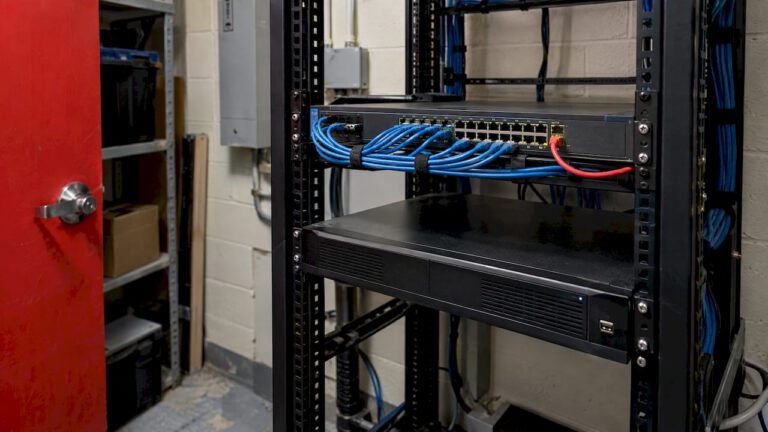
Think of it as several small systems that report to one place. Each location has cameras, a network switch that powers and connects them, and a recorder (an NVR, short for network video recorder, the box that stores the footage). On top of that sits software that lists all your locations, lets you open any camera live, search recorded video, and receive alerts.
The reasons owners want this are practical. A contractor with a shop and a storage yard wants to check both before the morning crew arrives. A landlord with three buildings wants to review a package-theft incident without driving to each. A retailer with two storefronts wants the same login, the same camera quality and the same alerts at both. Without a plan, you end up with three different apps, three different passwords and three footage formats, and nobody can tell which camera is offline.
That is the case for treating the project as one design rather than a series of separate purchases. Our security camera system design approach covers the network, power and cybersecurity choices that make several sites behave as one system.
How central viewing, recording and alerts work
There are two ways to build the central layer, and the difference matters for bandwidth.
In the first, every camera streams over the internet to one central place that records everything. This is simple to picture but heavy: every site’s full video load has to travel out over its internet connection all day.
In the second, each site records on its own recorder, and only the video you ask to see travels over the internet. This is the distributed approach. A security trade-press account of a large municipal project in Schaumburg, Illinois describes exactly that: a plan to centrally monitor more than 200 cameras across 30 locations, with most cameras recorded on a server at each location to minimize bandwidth while maintaining image quality.
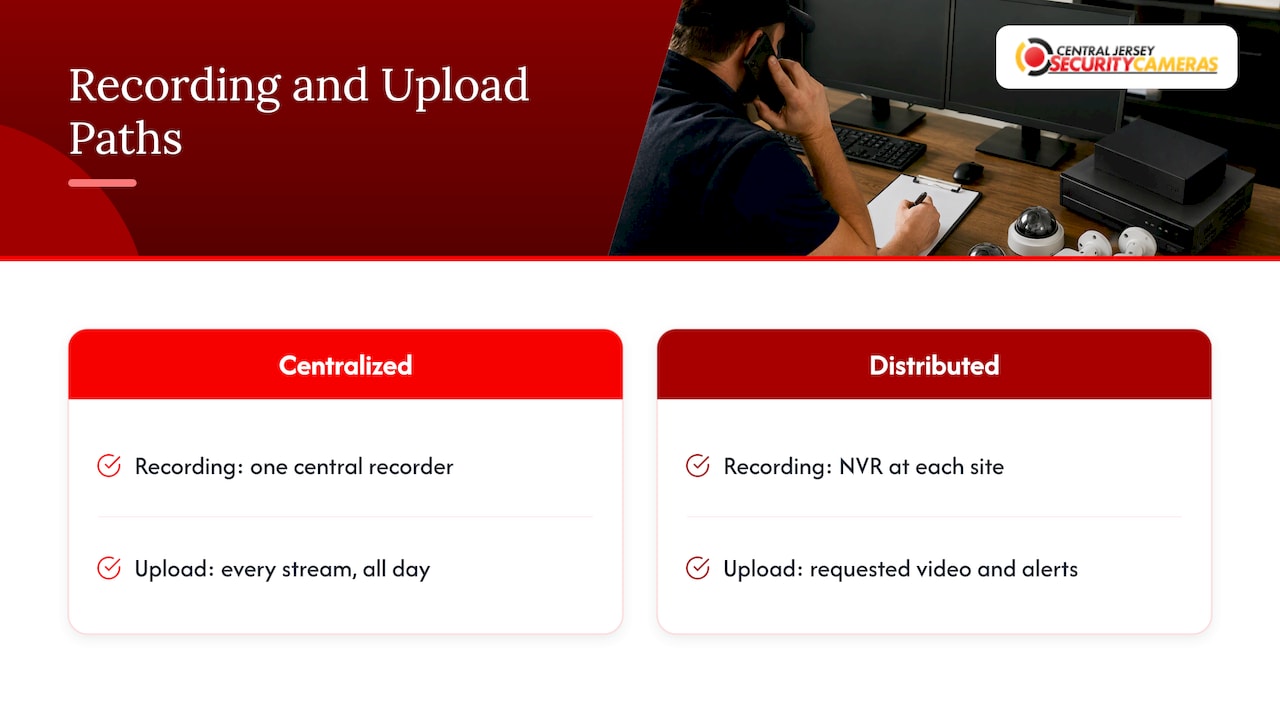
For a New Jersey homeowner with a rental property, or a business with two or three locations, the same logic applies at smaller scale. Record on site, view from anywhere. Your upload connection only carries video when you are watching a live view, pulling a clip, or receiving an alert snapshot.
What you see on the central screen
- A list of locations, each with its cameras and their online or offline status.
- Live view and playback for any camera, from a phone or a desktop.
- Alerts from motion, line crossing or other analytics, sent to the people who should see them.
- User permissions, so a manager sees only their own site while the owner sees everything.
Offline status is the item most owners forget. A camera that quietly stopped recording three weeks ago is worse than no camera, because you assume you are covered. Ask for health supervision of recorders and cameras in the design. In an IPVM survey of 80 integrators covering 100+ camera systems, network performance, redundancy and failover, and scalability were the most common concerns on large systems, and the integrators named system health supervision among the features they relied on.
What internet and power each site needs
Every location needs its own internet connection, and each one should be sized from the cameras it hosts. Video bitrate depends on resolution, frame rate and compression. H.265 compression produces smaller streams than H.264 at the same quality. Cambium Networks’ planning figures for wireless CCTV backhaul give a useful guide per camera at 30 frames per second:
| Camera type | H.264 | H.265 |
|---|---|---|
| 1080p | 4–6 Mbps | 2–4 Mbps |
| 4MP | 6–10 Mbps | 3–5 Mbps |
| 4K | 12–16 Mbps | 6–8 Mbps |
The same paper recommends adding roughly 25% headroom for video management metadata, audio and protocol overhead.
A worked example. A small warehouse with eight 4MP cameras using H.265 is 8 × 3–5 Mbps, so 24–40 Mbps if every camera were streaming at once. Add 25% and you are planning for roughly 30–50 Mbps. With local recording, you do not stream all eight continuously over the internet, but you do want the internal network to carry that load without trouble, and enough upload speed to view several cameras live at the same time. Residential internet plans often have much lower upload speeds than download speeds, which is why we check upload capacity at every site rather than assuming the advertised plan is enough.
Network basics that apply everywhere
- Cabling. Netgear’s IP surveillance networking guide recommends Cat5E or better cable, switches that move traffic at line rate, and alternate power for switches so the network survives an outage.
- Separation. Cambium’s paper recommends isolating camera traffic on its own VLAN (a separate virtual network), so cameras are not sitting on the same network as point-of-sale systems or office laptops.
- Encryption and grounding. For wireless links between buildings, the same paper recommends AES encryption, power over Ethernet (PoE) or direct DC power for radios, and surge protection and grounding for outdoor equipment.
- Room to grow. A Security Today article on remote-site video notes that video applications consume bandwidth quickly, so wireless infrastructure should have room to grow even when current needs look small.
The cabinet at each site matters too. Tidy Ethernet switch panels and labeled ports make it far easier to trace a dead camera years later, whichever technician is on the job. If you are connecting a home site, our guide to how home networks support security cameras explains what a typical router and Wi-Fi setup can and cannot carry.
Local recording, cloud storage or a hybrid
This is the decision owners ask about most, and it comes down to three things: cost over time, what happens when the internet drops, and how much footage you need to keep.
Local recording writes video to an NVR at each site. Footage keeps recording when the internet is down, and you pay no monthly storage fee per camera. Storage size is set by how many cameras you have, their resolution and how many days you want to keep. A recorder with redundant drives (RAID, which keeps footage safe if one drive fails) is the standard for anything you cannot afford to lose. The IPVM survey lists RAID5 storage, redundant power supplies and recorder failover among the measures integrators use on larger systems.
Cloud storage copies video to a remote service. It protects footage if the recorder is stolen or damaged, but the upload load grows with every camera and the fees recur.
Hybrid keeps a local recorder as the main store and adds offsite copies of selected clips or cameras. For most owners with a few sites, this is where we would steer you: local recorders carry the daily load, and the offsite copy is reserved for the entrances and cash areas where losing footage would hurt most.
How long to keep footage
Decide retention before you size the drives. Thirty days is a common target, and some businesses need more for insurance or dispute reasons. Longer retention means bigger storage, so settle the number at the design stage, not after the first incident.
Homes, permanent businesses and temporary sites
The same principles apply to every type of property, but the priorities differ.
Homes and rental properties. Reliable alerts, clear views of doors and driveways, and simple access for family members matter most. If you own a primary home plus a rental or second home, the system should give you one login for both while letting a tenant or caretaker see only what you choose.
Permanent businesses. Offices, retail and warehouses usually need more cameras per site, recorders with redundancy, user roles for managers, and features such as license plate recognition for gates and lots or PTZ (pan-tilt-zoom) cameras for large yards. Our small business security camera guide lays out what a typical project involves.
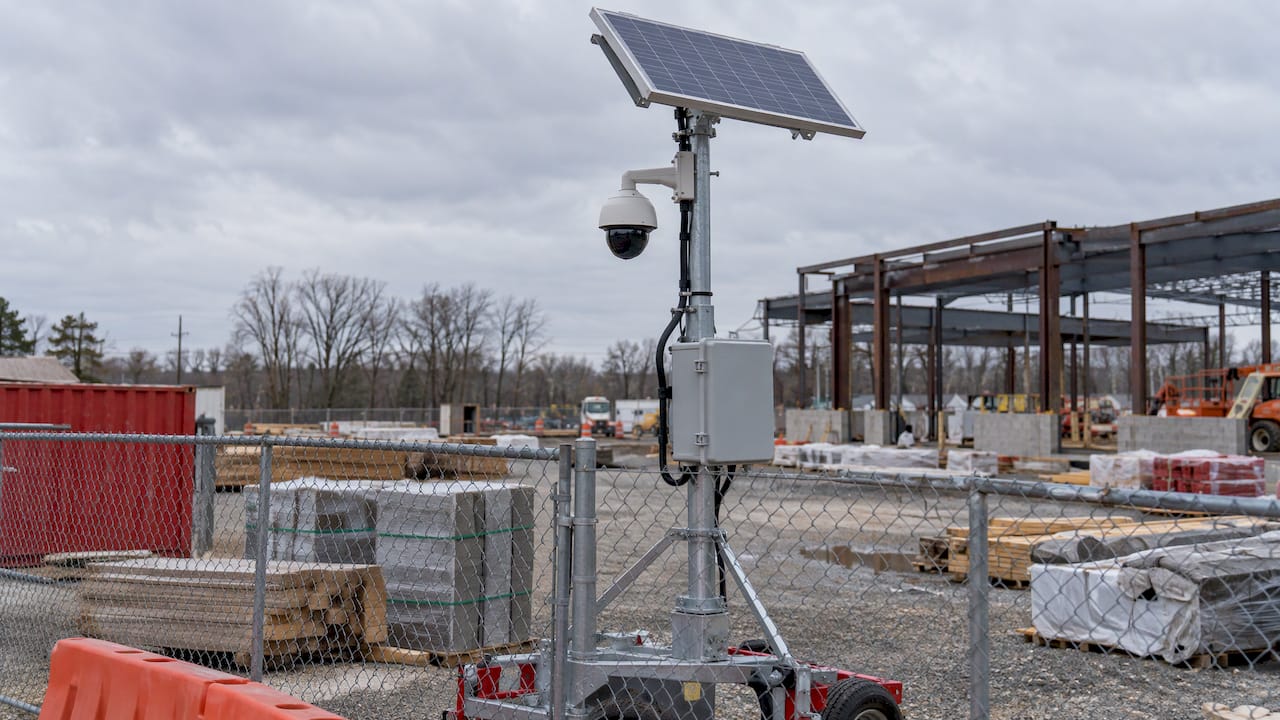
Remote or temporary sites. A construction site or storage lot may have no wired internet and no building power. That is where the cost of connectivity and power dominates. The Security Today piece notes that remote deployments depend on utilities, phone and cable companies outside your control, and that solar or generator power may be required. Plan for the power and the connection first, and choose cameras second. Expect to coordinate timing, because a site that moves every few months needs equipment that can be relocated without rewiring.
If you are growing from one location to several, read how to plan a camera system for business expansion before you buy for the first site.
What to evaluate before you commit
Use this list at each location and again across the whole group.
- Compatibility. Cameras, recorders and software should work together. The IPVM survey notes that some customers require a single vendor to guarantee compatibility, interoperability and support. Choosing one design for all sites gets you that benefit.
- Secure access. Strong unique passwords, two-step sign-in for the owner account, and permission levels for staff. Keep camera traffic off your general network.
- Reliability. Backup power for the recorder and switch, surge protection, and a recorder built for the environment. In the Schaumburg design, servers in unconditioned locations were hardened units rated from -13°F to 140°F, with surge protection and UPS systems throughout. An unheated garage or a hot utility room in New Jersey is the same kind of problem.
- Storage. Retention days, camera count and resolution decide the drive size.
- Expansion. Leave spare switch ports, spare recorder channels and spare bandwidth for the next building.
- Camera count. More is not always better. In a 2024 SDM Magazine piece on video monitoring practices, an operations executive at a monitoring firm says “less is more” because extra cameras can create noise for the people watching alerts. Put cameras where they answer a specific question.
Start with a site survey
The same SDM article says monitoring companies typically begin with a survey of the protected premises, walking the site and mapping camera placement against the environment. Doing this at every location is the cheapest insurance in the project. Our security camera site survey guide covers eight steps from coverage to cyber checks. We offer free on-site evaluations, so the walk-through does not cost you anything.
What it costs to run several sites
Costs fall into four buckets: equipment (cameras, recorders, switches), installation and cabling, connectivity (internet plans, and cellular or wireless links at remote sites), and ongoing service. Recurring fees are the ones owners overlook. Per-camera cloud subscriptions multiply with every site you add, while a local-recording design keeps the recurring portion small.
Our published pricing: a one-time installation fee of $99, listed on our security camera installation page. Our alarm monitoring plans run $24.95 to $29.95 per month, shown on the alarm monitoring pricing page. Camera system pricing depends on the number of cameras, cable runs and recorder size at each property, so we quote after the on-site evaluation.
Our perspective
We build every system as if the owner will add another location next year, because they usually do. That means the same camera standards, the same recorder design and the same cabinet layout at every property, so a technician who has seen one site can service the next.
The mistake we see most is buying cameras first and asking about the network later. A system that is designed around the connection and power at each site, with local recording and remote viewing on top, stays reliable and stays affordable. That is why we design custom systems for each property rather than handing out a box of cameras, and why we stay on as the local team for service and support after the install.
For a home, a rental or a business across Ocean, Monmouth, Middlesex, Mercer or Burlington County, the right place to start is a walk through each property.
Tom
Get all your locations designed together
We design, install and maintain custom surveillance systems for homes, offices, warehouses, schools and industrial facilities across Central New Jersey, including IP and 4K cameras, license plate recognition, PTZ and active deterrence cameras, NVRs and remote monitoring. We start with a free on-site evaluation of each property, so your system is built to the real layout, network and power at every site. Start with our commercial security installation page or, for a house or rental, home security installation.
FAQ
Can I view cameras at different properties in one app?
Yes. When the properties are designed as one system, each site records locally and all of them appear in a single list in one app or on one screen. You can open any camera live, search recorded video, and set who sees which site.
How much internet speed does each site need?
It depends on the cameras. As a planning guide, a 4MP camera using H.265 compression needs about 3 to 5 Mbps and a 4K camera about 6 to 8 Mbps, plus roughly 25% headroom, according to Cambium’s planning figures. With local recording, upload speed matters most, because that is what carries live views to you.
What happens to my footage if a site loses internet?
With a recorder at the site, cameras keep recording to local storage during the outage. You cannot view that site remotely until the connection returns, but the footage is there afterward. Backup power for the recorder and switch keeps recording through a power cut.
Can I add a second location later?
Yes, and it is simpler when the first site was designed with spare capacity and the same standards. Leave spare switch ports and recorder channels, and use the same software so the new site joins the existing view.
Do I need cameras at every entrance of every site?
Not necessarily. Place cameras where they answer a clear question: who came in, what happened at the gate, who was at the register. A site walk-through shows where those points are.
Sources
- How the ‘Best Place to Live in Illinois’ Chose and Deployed Video Security (Security Sales & Integration)
- Wireless CCTV Backhaul (Cambium Networks)
- Networking Solutions for IP Surveillance (Netgear)
- Out of Sight (Security Today)
- Large Video Surveillance Systems Guide (IPVM)
- Successful Video Monitoring Practices (SDM Magazine)