
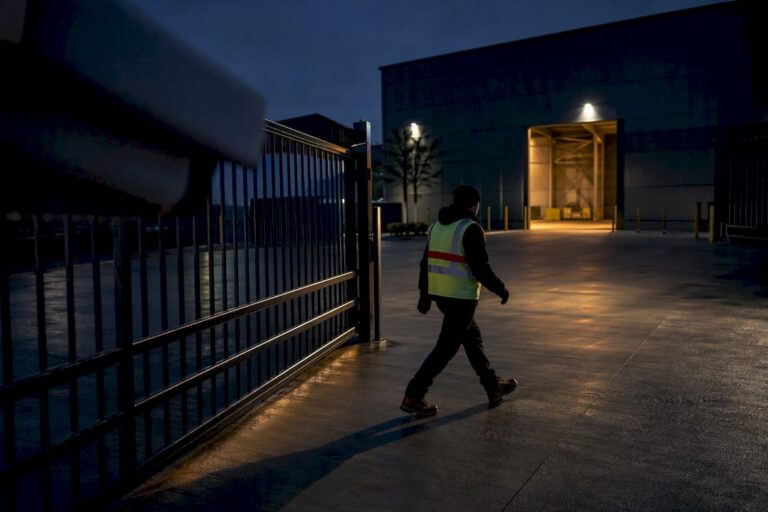
Line crossing detection is a virtual tripwire that alarms only when a classified object crosses a drawn line in a specified direction. Instead of flagging every pixel change, it watches one specific boundary and one specific direction of travel, ignoring everything else in the frame. Property owners use it to catch someone climbing a perimeter fence, walking through a loading dock threshold, or entering through a side gate that should stay clear after hours.
TL;DR:
- Line crossing detection only triggers alarms when objects cross a fixed, predefined line in a specific direction, avoiding false alerts from general motion zones.
- Proper placement of the line and camera angle are crucial; a poorly positioned line can miss crossings regardless of system sensitivity or classification settings.
- Fixed cameras are nearly essential for reliable detection, as pan-tilt-zoom units must remain static to maintain accurate line coordinates.
- Filtering alerts by object type and testing crossings under different lighting conditions greatly reduces false alarms caused by shadows, vegetation movement, or lighting changes.
- Accurate detection also depends on hardware choices, mounting angles, and thorough site surveys, as most failures originate from physical setup rather than software issues.
Table of Contents
- What Is Line Crossing Detection and How Is It Different From Motion Zones?
- How Does Line Crossing Detection Actually Work?
- What Equipment Do You Need for Line Crossing Detection?
- How Do You Set Up a Line Crossing Alert Step by Step?
- How Do You Reduce False Alarms From Line Crossing Detection?
- Which Cameras and Mounting Angles Work Best?
- What Happens After a Line Crossing Alert Fires?
- Why a Site Survey Changes Everything
- Why Most Line Crossing Setups Fail on Day One
- Get Line Crossing Detection Installed and Tuned Right the First Time
- Sources
What Is Line Crossing Detection and How Is It Different From Motion Zones?
Line crossing detection is a directional analytic. It fires an alarm only when a tracked object’s path takes it across a line you’ve drawn, moving in the direction you’ve set. Zone intrusion detection, by contrast, watches an entire area and triggers on presence or occupancy, regardless of which way anything is moving through it.
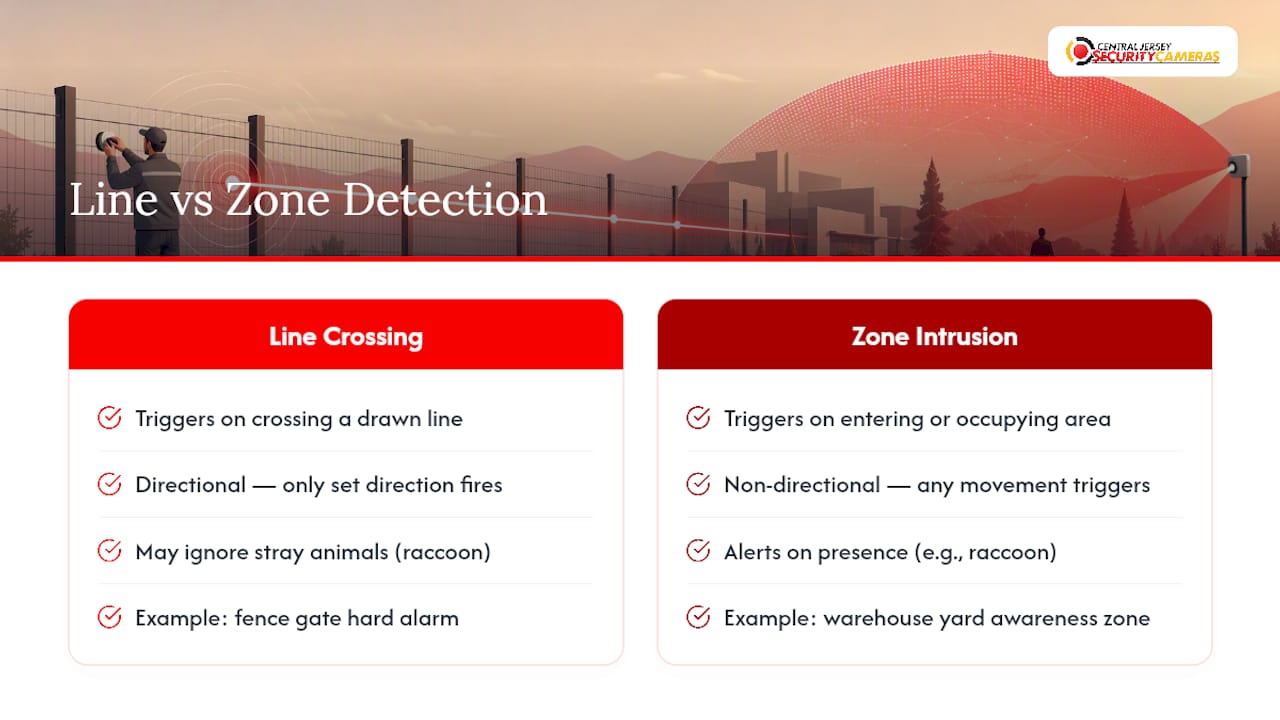
That distinction changes how each tool behaves in the field. A zone will alert the moment a raccoon wanders into frame. A properly configured line often won’t, because the animal never crosses the exact pixel path you defined, or it crosses in the direction you excluded. Several manufacturers build line crossing into their broader analytics suites alongside zone tools, letting installers pick whichever primitive fits the physical layout of the property, according to Tec-Tel’s overview of the technology.
The two are often combined. A warehouse might use a zone around the whole yard for general awareness and a line at the fence gate for a hard alarm trigger.
How Does Line Crossing Detection Actually Work?
The camera or its analytics engine tracks each moving object frame by frame, then watches the centroid, the calculated center point of that object’s bounding box, to see whether it passes through the coordinates of your virtual line. This is why placement and camera angle matter more than most people expect: a badly placed line can miss centroids entirely even while a person clearly walks past it.
A few mechanics drive reliability:
- Direction matters. Most systems let you set the line to trigger on crossings in one direction, both directions, or count-only mode with no alarm, based on the point order used to draw the line, per Axis’s cross line detection API documentation.
- Classification beats raw motion. Systems that distinguish people and vehicles from pixel noise, tree branches, shadows, headlight glare, filter out the majority of nuisance triggers before they ever reach you.
- Group and time-window logic add another filter. Some platforms only fire an alert after a set number of crossings happen within a defined time span, which is useful for high-traffic entrances where a single crossing means nothing.
Object classification is widely considered the real upgrade over older pixel-based motion detection, because it turns a raw pixel event into something you can actually act on.
What Equipment Do You Need for Line Crossing Detection?
Not every camera on a property can run this analytic, and that catches a lot of people off guard mid-installation. Line crossing requires a genuinely fixed camera position; the line’s coordinates are locked to a specific field of view, so anything that moves invalidates it.
- Fixed cameras only, practically speaking. PTZ cameras are generally unsuitable for line crossing unless they’re locked into one static preset, because a moving view breaks the line’s world coordinates, according to Axis’s technical guidance on cross line detection.
- Analytics-capable hardware or a gateway. Some cameras run the analytic on-board; others need a compatible NVR, video management system, or cloud analytics layer to process it.
- Channel and processing limits. Higher-end NVRs support analytics on more channels simultaneously; budget models often cap how many lines or zones can run at once.
- Firmware and app versions matter. Line crossing features get added, refined, or renamed across firmware releases, so check your camera or NVR’s release notes before assuming a feature is missing.
- Doorbell cameras are usually excluded. Their narrow field of view and typical mounting height rarely suit reliable line placement.
Developer documentation, like the Axis cross line API reference, is worth a look if you’re integrating line events into a custom dashboard or third-party alarm platform.
How Do You Set Up a Line Crossing Alert Step by Step?
Every VMS and camera app phrases this differently, but the underlying checklist is nearly identical across brands.
- Confirm the camera is fixed and streaming correctly. Verify firmware and app versions are current before touching any settings.
- Draw the line in the live view. Place it where a person’s centroid will reliably cross it. On low-angle or elevated cameras, draw the line higher in the frame, chest or head height on the subject, rather than at their feet, since a feet-level line often fails to register until someone is well inside the frame, per Tec-Tel’s practical placement guidance.
- Set the direction. Choose one-way, both-ways, or count-only depending on whether you need an alarm or just a tally.
- Adjust the traffic and time sliders. Requiring two or three crossings within a short window, rather than one, cuts down on single-actor false alarms without dulling real detections, based on the Arcules line crossing configuration guide.
- Save the configuration and run test crossings. Walk the line yourself at different speeds and angles, then confirm the system captured a clip, sent the alert, and logged the direction correctly.
Pro Tip: Test crossings at dusk and again after dark. A line that performs perfectly at noon can miss centroids entirely once infrared kicks in and contrast drops.
How Do You Reduce False Alarms From Line Crossing Detection?
Most nuisance alerts trace back to one of three causes: pixel-only motion detection, poor line placement, or an uncontrolled background. Fixing all three is usually enough to get a tripwire from annoying to genuinely useful.
- Turn on object filters wherever available. Restricting alerts to people and vehicles, rather than any pixel change, eliminates the bulk of false triggers from wind, shadows, and small animals.
- Use the sensitivity preview if your system offers one. Many video management systems display the exact pixels counted as motion so you can see, in real time, what’s tripping the threshold, according to Milestone’s documentation on manual sensitivity settings.
- Mask moving vegetation. A tree branch swaying at the edge of frame is one of the most common sources of repeat false alarms on outdoor perimeter lines.
- Watch lighting transitions. Cameras that switch between color and infrared at dusk sometimes register that switch itself as motion.
- Consider radar or thermal for long perimeters. Camera-based analytics alone can struggle across large open distances, and layering in radar or thermal detection is a standard move for serious perimeter coverage, per Axis’s perimeter security guidance.
Traffic and time sliders, often set on a 1 to 10 scale for both crossing count and window length, give you a direct dial for how aggressive the alarm is, a detail worth testing rather than leaving on default.
Which Cameras and Mounting Angles Work Best?
Camera choice and mounting angle decide whether a line crossing setup performs reliably or generates constant frustration. Get either wrong and no amount of software tuning fully compensates.
- Fixed bullet or dome cameras beat PTZ for this job. A locked field of view keeps the line’s coordinates valid indefinitely; a PTZ that patrols or gets bumped off preset breaks the whole setup.
- Aim for roughly 45 to 90 degrees relative to the direction of travel. Cameras angled close to head-on or steeply overhead tend to produce worse centroid crossing behavior than a moderate side angle, based on Axis’s technical brief on cross line detection.
- Large perimeters often need more than one sensor type. Multi-sensor or dual-lens cameras, or dedicated thermal units, cover ground a single fixed lens can’t handle reliably.
- Resolution and night performance affect classifier accuracy directly. A camera that produces a clean, well-lit image at night gives the classification engine far more to work with than a grainy low-light feed, which is one reason choosing the right CCTV hardware up front saves so much tuning headache later.
What Happens After a Line Crossing Alert Fires?
A detection is only useful if it triggers a response that actually matches the risk. Most platforms support a handful of standard actions once a line crossing event fires.
- Push notifications and email alerts with an attached clip so you can verify the event without pulling up the full recorder.
- Automatic recording of the triggering clip, often with a few seconds of buffer before the crossing.
- Automations tied to deterrence hardware, triggering lights, sirens, or active deterrence cameras that issue a live audio warning.
- PTZ cue-to-zoom, where a separate PTZ camera automatically slews to the coordinates of the triggering line for a closer look.
- Entry and exit logging, useful for tailgating flags when paired with access control at a monitored door.
The best-designed response flows verify before they escalate. Check the clip first, then decide whether the event warrants a call to the alarm panel or a keyholder, rather than dispatching on every alert, a workflow outlined in more detail here. Pairing analytics with clear alert categories, as this property monitoring resource explains, keeps a flood of notifications from turning into alert fatigue.
Why a Site Survey Changes Everything
Vendor documentation tells you what a line crossing feature can do in theory. A site survey tells you what it will actually do on your property, and the gap between those two things is where most failed installations live.
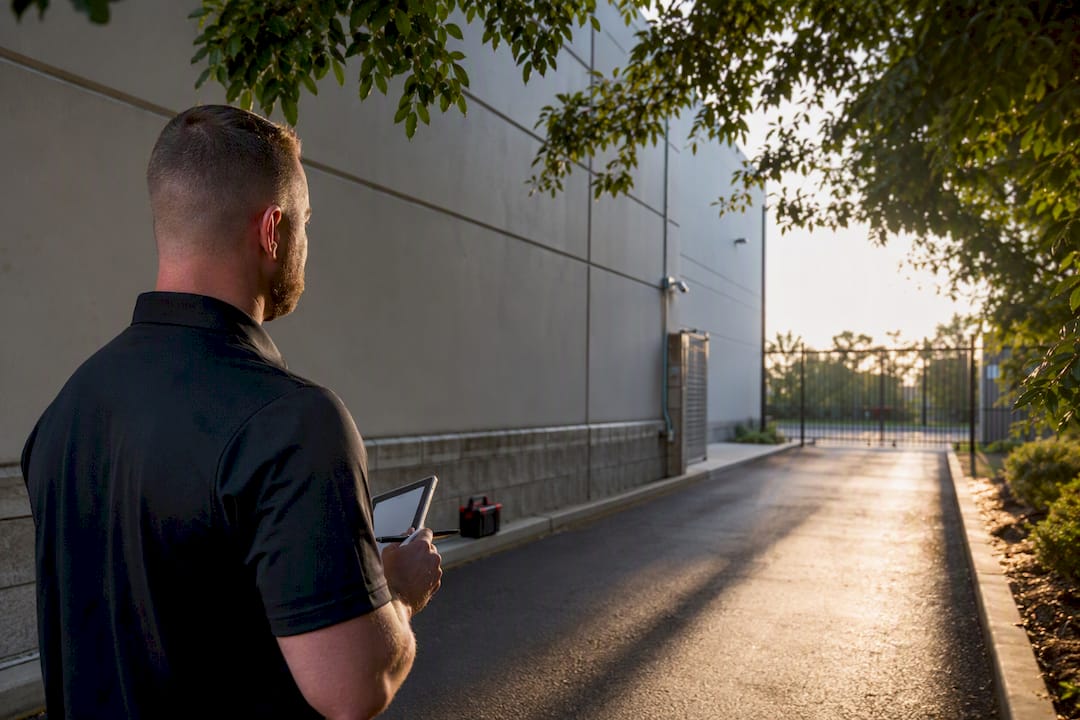
An experienced installer walks the sightlines before mounting anything, checking for tree limbs that’ll sway into frame, glare angles from streetlights, and mounting heights that keep centroids landing where they should. That same installer picks the camera, lens, and masking settings to match, then schedules firmware updates and periodic test crossings so a system that worked at commissioning still works six months later.
Why Most Line Crossing Setups Fail on Day One
The gap between a working tripwire and a useless one almost never comes down to the analytics engine. It comes down to where the line got drawn and whether anyone bothered to test it at night.
Most people treat line crossing detection as a software feature: draw a line, hit save, done. But the field reality is closer to physical engineering. A line placed at ankle height on a camera mounted fifteen feet up will miss half the people who walk through it, not because the software is bad, but because the centroid never crosses where the math expects it to. That’s a mounting and geometry problem, not a settings problem, and no amount of sensitivity tweaking fixes it.
The conventional advice, “just enable the analytic and adjust sensitivity,” undersells how much site-specific tuning actually matters. Object classification and traffic sliders are genuinely useful, but they’re tools for cleaning up an already well-placed line, not substitutes for placing it correctly in the first place. If you take one thing from this: walk the site, test at dusk and after dark, and treat the first week of alerts as a tuning period, not a failure.
— Tom
Get Line Crossing Detection Installed and Tuned Right the First Time
Our company offers an alternative to guessing your way through a DIY analytics setup. Where a self-installed camera leaves you drawing lines in an app and hoping the angle works out, we run an actual site survey first, checking sightlines, mounting height, and lighting before a single camera goes on the wall.

That matters because most line crossing failures trace back to placement, not settings. Our technicians select the right fixed cameras, set mounting angles that keep centroids crossing reliably, and mask out vegetation and glare sources before they ever generate a false alarm. We handle home security camera installation throughout Central New Jersey, covering Ocean, Monmouth, Middlesex, Mercer, and Burlington Counties, for both residential perimeters and commercial loading docks where a missed crossing carries real cost. If you’re weighing whether your fence line, dock threshold, or side entrance needs a properly tuned tripwire, reach out for a site assessment and we’ll tell you exactly what hardware and placement your property needs.
Sources
- Line Crossing Detection | Arcules Knowledge Base
- Axis: Cross line detection guidance (technical brief)
- Milestone documentation: manual sensitivity settings
- Axis: Perimeter security and intrusion detection