
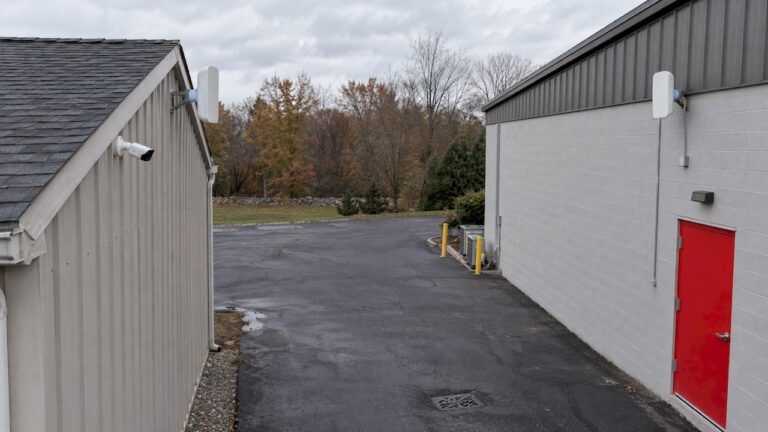
A wireless bridge is a pair of outdoor radios that act like a long Ethernet cable. One radio sits at your main building and one at the remote spot, such as a detached garage, a gate, a parking lot or a back lot. Cameras at the far end send video to your recorder as if they were hardwired. It is the right fix when trenching cable is too costly, too disruptive or not allowed. It only works well when the link is planned: clear line of sight, enough bandwidth, stable power and weather-rated gear.
TL;DR
- A wireless bridge (also called a point-to-point link) carries camera data between two buildings or points with no cable between them. It carries data only, so the remote end still needs its own power.
- It beats a Wi-Fi extender for CCTV because it is a dedicated link, not a rebroadcast of an existing signal.
- Range depends on the radios and the path. Line of sight, foliage and bandwidth matter more than the distance printed on a box.
- Plan for seasons, wind and storms. A link that works in January can struggle after the trees leaf out in May.
- For a New Jersey home or business, a professionally designed and aligned link is the safest way to keep recordings continuous.
Table of Contents
- What a wireless bridge does in a camera system
- When a wireless bridge makes sense
- Bridge, extender or repeater: what is the difference?
- What equipment you need
- How far can a camera wireless bridge reach?
- Step by step: how a bridge gets installed
- Securing and maintaining the link
- Our perspective
- Get the link designed for your property
- Choosing cameras for the far end of the link
- FAQ
- Sources
What a wireless bridge does in a camera system
A wireless bridge uses two dedicated radios, one transmitter and one receiver, to form a point-to-point connection. In an IP camera system, that link joins a remote switch or camera group to the main network, so video can travel back to the NVR without physical cables.
Think of it as an invisible Ethernet cable. The radios sit in what is called bridge mode, so the cameras at the far end appear on the same network as the recorder. You view them in the same app and record them to the same NVR as every other camera on the property.
Two limits are worth knowing from the start:
- It moves data, not power. A bridge does not deliver power through the air. The camera and the radio both need power at the remote end.
- It does not change image quality. A sharper picture comes from the camera, lens and lighting. The bridge’s job is to carry that picture without dropping frames.
When a wireless bridge makes sense
The usual rule of thumb is simple. Consider a bridge when the distance is more than about 100 meters (roughly 328 feet), when a cable run is impractical or expensive, or when trenching across roads or rough ground would be a big job.
The 100 meter figure is not random. It is the usual maximum for a standard Ethernet run to a PoE camera, so past that point you need a switch in the middle or a different way across.
In central New Jersey, these are the situations we see most:
- A detached garage, barn or pool house behind the main house, with a driveway or landscaping in between.
- A gated driveway or entrance far from the house, where you want to see plates and faces at the gate. Our gated driveway camera work often runs into exactly this problem.
- A warehouse or industrial yard with a second building or an open storage area across a paved lot.
- A parking lot or perimeter at a retail center, school or office park, where cameras on light poles are far from the equipment room.
- A property with no easy conduit path, such as an older building where drilling and trenching would mean tearing up pavement.
If you can pull a cable through an existing conduit at a reasonable cost, wired is still the simplest link. A bridge earns its place when the cable path is the expensive part.
Bridge, extender or repeater: what is the difference?
People often search for a Wi-Fi extender when what they need is a bridge. They solve different problems.
An extender or repeater picks up an existing Wi-Fi signal and rebroadcasts it. That can cut speeds and use up shared bandwidth. A wireless bridge links two separate locations with a dedicated, high-speed, low-latency connection.
| Wi-Fi extender or repeater | Wireless bridge (point to point) | |
|---|---|---|
| What it does | Rebroadcasts a Wi-Fi signal to widen one network | Links two locations as one network |
| Typical use | Weak signal in part of a house | Detached building, gate, parking lot |
| Effect on speed | Often reduced, shares airtime | Dedicated link built for steady throughput |
| Fit for CCTV | Fine for a single low-resolution camera indoors | Built for continuous video from fixed cameras |
| Needs aiming | No | Yes, the two radios face each other |
Video is the demanding part. A camera streams all day and night, and a recorder needs a steady flow, not a connection that is fine at noon and weak at dinner time when everyone is streaming. That is why we treat the link as part of the surveillance system, not a Wi-Fi add-on.
What equipment you need
A typical bridge setup for IP cameras has these parts:
- Power at both ends, as well as an internet connection if you want remote viewing. Verkada’s installation guide lists power, PoE switches or injectors, Ethernet cables and a weatherproof point-to-point bridge as the basics.
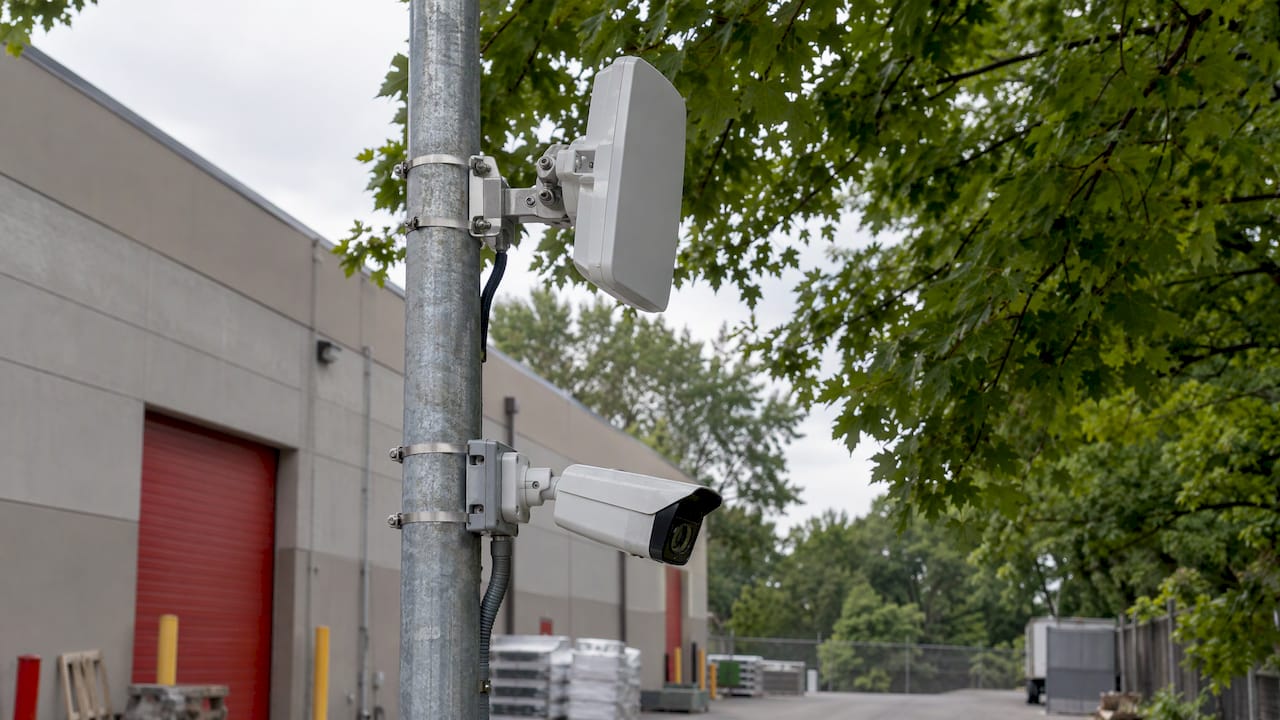
- Two outdoor-rated radios, one at each location, with directional antennas built in or attached.
- A PoE switch or injector at each end to power the radio and, in many layouts, the cameras behind it.
- Shielded outdoor Ethernet cable and weather-sealed connectors between the radio and the switch.
- Surge protection and grounding. Outdoor radios sit high and exposed, so a lightning event can travel down the cable into your network.
- An NVR at the main building that records every camera, bridged or not.
The remote end needs a power source, and that is often the hidden cost. If there is no outlet at the far pole or gate, one answer is a solar-powered setup. We cover that on our solar-powered security camera installation page. A bridge radio and camera together draw continuous power, so the system has to be sized for the radio too, not only the camera.
How far can a camera wireless bridge reach?
Bridge range spans a huge span. Verkada’s documentation puts point-to-point links anywhere from about 98 feet (30 m) up to 62 miles (100 km), depending on the gear. Ideal conditions are direct line of sight, low radio interference and throughput that meets your bandwidth needs.
A real property in Ocean or Monmouth County does not need 62 miles. It needs a few hundred feet to a mile, reliably. What decides whether that works:
Line of sight
Direct line of sight is essential. No buildings, hills or dense trees should block the path. A few small branches may be manageable, but thick growth degrades the link.
The radio path is not the same as the camera’s view. Radios often need to be mounted higher than the camera to clear pergolas, walls or trees. In our region, with its mature oaks and maples, that usually means going up to a roofline or a pole.
Seasons and growth
New Jersey foliage changes the picture twice a year. A link set up in winter can look perfect, then lose signal when leaves fill in. Good site planning takes into account future tree growth and seasonal changes, not only what the path looks like on install day.
Bandwidth versus resolution
Throughput is where many DIY links fail. Consumer-grade bridges typically offer 100 to 300 Mbps, while enterprise long-range systems can pass 1 Gbps. Those are best-case link rates, and real throughput is lower.
Add up what the cameras need. A 4K camera at high bitrate uses far more than a 1080p one. Four 4K cameras on one link plus a PTZ camera can use a large share of a budget bridge. If the link is undersized, you see freezes, dropouts and gaps in recordings, which is exactly what you do not want on the night it matters.
Do not buy on a distance claim
The number on the box is a lab or best-case figure. A better approach is to model the radio path, calculate fade margin, confirm power at both ends and commission the link in both directions. That is the work a professional does before anything is mounted.
Step by step: how a bridge gets installed
At its simplest, you mount one unit at each location, connect each to its network by Ethernet, aim them at each other and power them on. Remote cameras then connect by Ethernet and send footage to the NVR as if hardwired. In practice, a careful job looks like this:
- Survey the site. Walk the path between both points. Note trees, rooflines, metal structures, power, and where each radio can be mounted high and secure.
- Count the cameras and estimate bandwidth. Choose radios with comfortable headroom above the combined camera bitrate.
- Design the network. Decide where the PoE switches go, how the remote end is powered and how the link connects to the NVR.
- Mount and ground the radios. Use outdoor-rated hardware, secure brackets, drip loops, surge protection and proper grounding.
- Align the radios. Use the signal readout to fine-tune the aim at both ends, since a few degrees can matter on a directional antenna.
- Test before you finish. Verkada recommends testing for several days because local conditions can cause packet loss or too little throughput. We like to watch live view, recording and playback over that period, in daylight and after dark.
- Document it. Record radio locations, IP addresses and passwords so service is quick later.
Securing and maintaining the link
A wireless bridge is network infrastructure, not an accessory. A few habits keep it dependable.
- Change default passwords and update firmware on every radio, and use encryption on the link so nobody nearby can join your camera network.
- Keep camera traffic separate from guest or office Wi-Fi where you can, for example on its own network segment.
- Use properly rated outdoor gear. Outdoor installs need weather-rated equipment, secure mounting, surge protection and grounding.
- Check after storms. High winds can shift an antenna by a few degrees. After a nor’easter, confirm the link is still strong and inspect brackets for rust or movement.
- Test regularly. Open live view, confirm recording and pull up a clip from playback every so often, so a failed link never goes unnoticed for weeks.
Troubleshooting common problems
| Symptom | Likely cause | What to check |
|---|---|---|
| Video freezes or stutters | Not enough bandwidth, or interference | Total camera bitrate versus link speed; try another channel |
| Link drops in spring or summer | New foliage in the path | Walk the path; raise a radio or trim growth |
| Link drops after wind or storms | Antenna moved | Re-aim and tighten brackets |
| Camera works but radio keeps rebooting | Power problem or water in a connector | Check injector, cable and seals |
| Everything is fine until evening | Shared airtime congestion on the channel | Scan the spectrum and move to a quieter channel |
Our perspective
We install a lot of camera systems, and the wireless bridge is the part we plan most carefully. A remote camera is only as good as the link that carries its video. A cheap radio that passes a quick test on install day is not the same as a link that holds up through a New Jersey winter, a leafy summer and a hard coastal storm.
That is why we do not treat a bridge as a box you point and forget. We walk the property, look at the trees, check where power is available and count the cameras before we choose radios. We aim and test the link, and we make sure the recorder is capturing clean video. When the path is straightforward, a bridge saves you the cost and mess of trenching. When it is not, we say so and design around it, whether that means a higher mount, a second hop or a hardwired run.
This is also where a professionally designed system pays off over a store-bought kit. Your property is not a standard layout, so your link should not be a standard guess. And because we are local, we are nearby for service when something needs adjusting.
Tom
Get the link designed for your property
If you have a detached building, a gate, a lot or a perimeter that cable cannot reach easily, we can design the whole system around it. That covers cameras, recorder, wireless link, power and remote viewing, installed and maintained by one local team across Ocean, Monmouth, Middlesex, Mercer and Burlington counties. We offer free on-site evaluations, and our published one-time installation fee for security camera installs is $99 on our security camera installation page.

Business owners can start with our commercial security installations, and homeowners with our home security installation service. If you also want alarm monitoring, plans are listed at $24.95 to $29.95 per month on our alarm monitoring pricing page.
Choosing cameras for the far end of the link
The bridge matters little if the camera at the end is wrong for the spot. For gates and driveways, a fixed bullet camera or one set up for license plate capture is usually the right choice. For wide lots, a PTZ camera lets one device cover a large area, but it also draws more bandwidth and power, so the link needs room for it. Our PTZ camera installations show how that looks on a real system.
If you are comparing models before talking to an installer, a list of best CCTV camera options shows where camera types are sold and how they differ. Bring your shortlist to the on-site evaluation. We will tell you which of those cameras suit a bridged location and how much bandwidth they need.
A few pairing rules we follow:
- Match the camera count to the link: fewer, better-placed cameras on a modest bridge beat many cameras on one starved link.
- Keep high-resolution cameras on the strongest link, and lower the bitrate on secondary views.
- Record locally at the remote end when it makes sense, so a brief link drop does not mean lost footage.
- Put the recorder where it is protected, and keep the bridge’s main radio close to it on a clean wired connection.
FAQ
Can I use a regular Wi-Fi extender instead of a wireless bridge for cameras?
For one indoor camera with a weak signal, an extender can be enough. For outdoor cameras at a separate building or gate, a bridge is the better tool. It forms a dedicated link instead of rebroadcasting a shared signal, which often reduces speed on extenders.
How far can a wireless bridge send camera video?
It depends on the radios and the path. Published point-to-point ranges run from about 98 feet to 62 miles. Most homes and businesses need far less, but they need a clear line of sight and enough bandwidth for every camera on the link.
Does a wireless bridge power the camera?
No. A bridge carries data only, so the remote camera and the radio each need power at their location. Options include a nearby outlet, a PoE switch fed from local power, or a solar setup sized to run both.
Will trees and weather affect the connection?
Yes. Dense foliage can weaken a link, and a connection set up in winter may struggle once new leaves grow in. Wind can also shift antenna alignment. A good design allows for seasonal growth, and a quick check after major storms keeps the link on target.
Do I need a professional to install a camera bridge?
A professional survey, alignment and testing is the surest way to get a steady link, especially across a business lot or over trees. We handle the design, mounting, grounding and testing, and we are available for service afterward.
Sources
- Point-to-Point Wireless Bridge Guide, IP Trading Australia
- Connect a Verkada Camera via a Wireless Bridge
- Wireless Video Bridges: Paths, Airtime and Power, FCTELE
- Wireless Bridge vs Repeater vs Ethernet Bridge, MossLink
- Point to Point Wireless Bridge for Gates and Outbuildings, Netmagen
- Point-to-Point Wireless Bridge Planning Guide, EhubAmerica
- Remote Site Camera Connectivity That Stays Online