
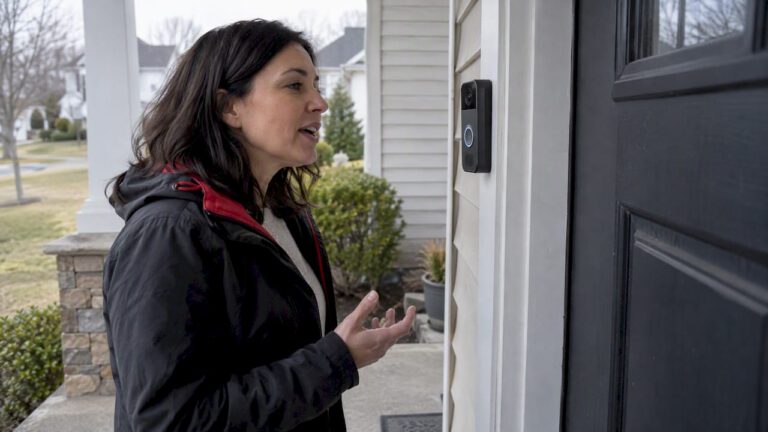
A two way audio camera lets you hear and speak through the device in real time, so you can greet a delivery driver, warn off a trespasser, or check on a pet from your phone. They work well for front porch interactions and active deterrence, but before buying, weigh audio range, power source, network latency, and how the device handles privacy.
TL;DR:
- Full-duplex audio provides more natural conversations, but Wi-Fi and battery-powered cameras often suffer from delays, limiting practical use.
- The microphone’s stated range and noise cancellation features are critical for clear sound pickup, especially outdoors where wind and traffic are issues.
- Audio performance heavily depends on proper placement, ideally at conversational height within fifteen feet of interaction points, and away from wind and noise sources.
- Laws regulating audio recording vary by state, so posting visible notices and disabling audio recording in public areas reduces legal and privacy risks.
- Professional installation is recommended for complex setups with multiple cameras or integration needs to ensure reliable two-way audio and system longevity.
Table of Contents
- How two way audio works in a security camera
- What to compare when shopping for a two-way audio camera
- Real benefits vs practical limits of two-way audio
- Privacy and recording laws you should know before installing
- Installing a two-way audio camera so it actually works
- Deciding between a DIY camera and a professional installation
- What installers notice that spec sheets miss
- How we can help with your two-way audio camera system
- FAQ
- Sources
How two way audio works in a security camera
A two way audio camera pairs a microphone and a speaker with a codec that compresses sound for transmission, then sends it through an app or cloud service back to your phone. When you tap the talk button, your voice travels from your phone, through the cloud, to the camera’s speaker. Sound at the camera travels the same path in reverse through its microphone.
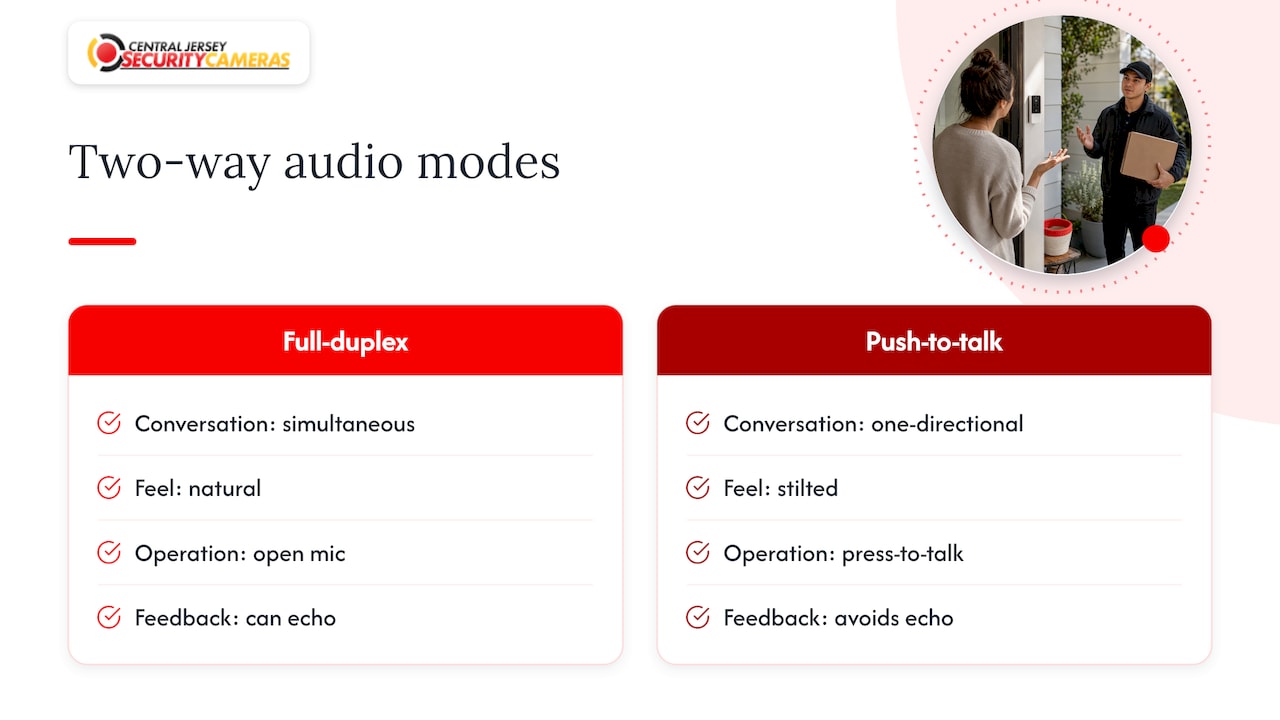
The mode matters more than most buyers realize. Full-duplex audio lets both sides talk and hear at once, like a phone call, which feels natural for a real conversation with a visitor. Push-to-talk, also called half-duplex, only carries audio in one direction at a time: you press a button to speak, release it to listen. Push-to-talk is cheaper to build and usually clearer because it avoids feedback, but it makes quick exchanges feel stilted.
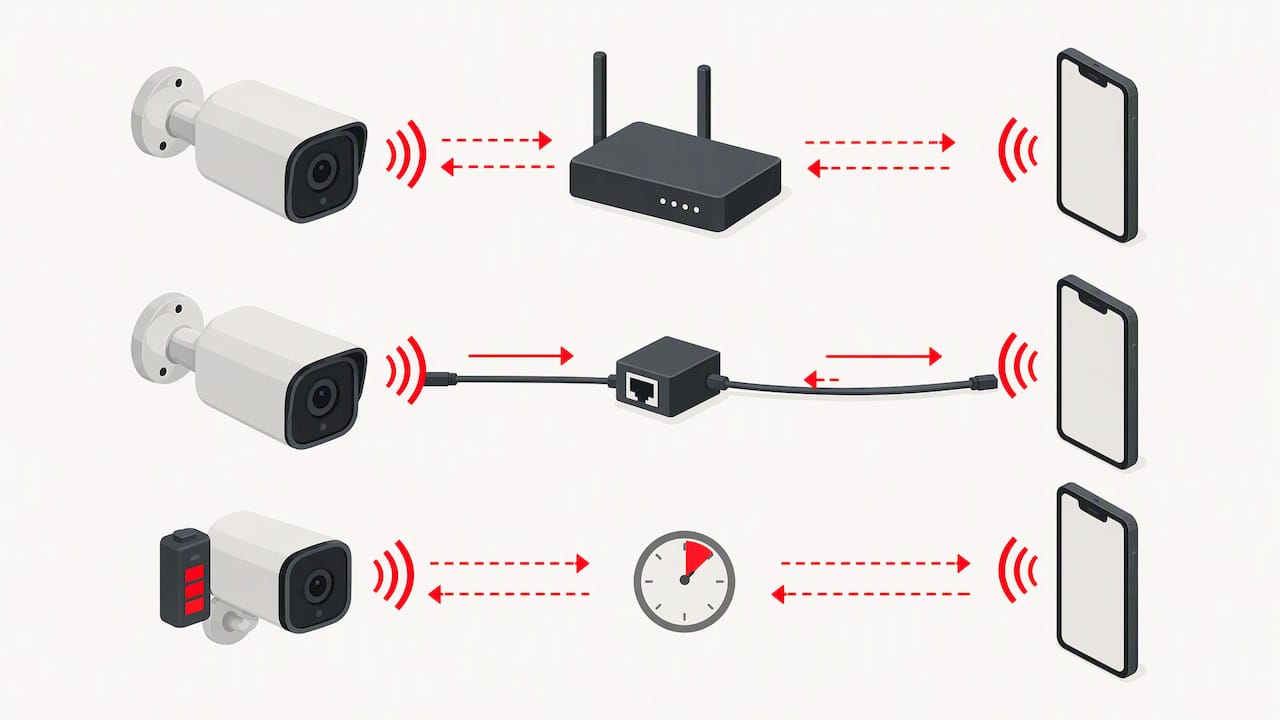
Network path affects how the conversation actually feels. A camera on Wi-Fi depends on your router’s distance and interference, and congested home networks can add noticeable delay between when you speak and when the person at the door hears you. Power over Ethernet, or PoE, cameras send both power and data over a single cable, which tends to produce steadier bandwidth and lower latency than Wi-Fi, especially at range or through walls. Battery powered cameras often conserve power by limiting how long the audio session stays active, which can cut a conversation short if you’re not quick with the talk button.
None of this shows up clearly on a spec sheet. A camera can list “two-way audio” as a feature while delivering choppy, delayed, or one-sided performance once it’s mounted twenty feet from your router. That gap between the marketing claim and the lived experience is why installers who design full systems tend to test audio in context rather than trust the box.
What to compare when shopping for a two-way audio camera
Spec sheets use similar language across brands, so it helps to know which numbers and features actually predict a better experience.
- Audio quality and pickup range: look for stated microphone range and any mention of noise cancellation, since background wind and traffic noise are the biggest complaints with outdoor units.
- Two-way mode: confirm whether the camera supports full-duplex conversation or only push-to-talk, since that changes how natural the exchange feels.
- Power and connectivity: battery units are easy to place but may throttle audio sessions; PoE and wired Wi-Fi units generally hold a steadier connection for longer conversations.
- Weatherproofing and storage: an outdoor camera needs a real weather rating, and you should know whether footage and audio save locally to a microSD card or to a paid cloud plan.
- Smart home compatibility and app responsiveness: check whether the camera works with your existing ecosystem and how much delay the app shows between video and audio.
Manufacturer pages give a useful reference point. The Aqara Camera G100 lists two-way audio alongside 2K video, an IP65 weather rating, and both local microSD and cloud storage options, plus compatibility with HomeKit, Google, and Alexa. The Tapo C425 from TP-Link pairs two-way audio with noise cancellation and a built-in siren and light, which gives you an objective sense of what “noise cancellation” means in practice: clearer voice pickup even with some ambient sound. Google’s Nest Cam line markets two-way talk specifically around deliveries and visitor interactions on its Nest Cam product page, which reflects how most households actually use the feature.
Pro Tip: Before buying, check the manufacturer’s stated microphone range in feet, not just the marketing description, since “clear audio” means little without a distance reference.
Real benefits vs practical limits of two-way audio
Two-way audio earns its keep in specific moments: telling a delivery driver where to leave a package, asking a contractor to wait a minute, or firing a verbal warning at someone lingering near a car. Used for active deterrence, a camera that can talk back does more than one that only records.
It also has real limits that buyers underestimate.
- Pickup range drops fast outdoors: wind, traffic, and distance from the camera all reduce how well a visitor can hear you.
- Background noise cuts both ways: cheaper microphones struggle to filter rain or HVAC hum, which garbles what you hear back.
- False interactions happen: motion-triggered audio alerts can prompt homeowners to talk to raccoons, delivery boxes, or passing cars.
- Audio pickup extends your privacy exposure: a camera near a sidewalk or shared space may capture conversations that a video-only camera would not.
Audio adds the most value at entry points, driveways, and package drop zones, places where a verbal exchange actually changes the outcome. It adds the least value on a long perimeter fence line, where video alone usually does the job.
Privacy and recording laws you should know before installing
Audio recording laws are stricter than video recording laws in many states, since some require consent from all parties to a conversation rather than just one. Because the rules vary so much by state, the safest approach is to treat any audio-capable camera as if it needs a visible notice and a clear policy, even where the law might not strictly require one.
A few practical habits lower your legal and privacy risk:
- Post a visible sign near audio-capable cameras, especially at property entrances or shared walkways.
- Disable cloud audio recording on cameras aimed at sidewalks, neighboring yards, or other areas beyond your property line.
- Notify tenants or employees in writing when a camera on a shared property captures audio, not just video.
- Mute audio by default on cameras covering break rooms, waiting areas, or other spaces where private conversation is likely.
Enterprise guidance for managing cameras and microphones in professional settings backs up this cautious posture. The Enterprise Voice, Video, and Messaging Policy Security Requirements Guide directs organizations to manage microphone operation through clear policies, muting, and standard procedures specifically to avoid capturing or disclosing sensitive information by accident. That same discipline, muting when not needed and documenting where audio is active, applies just as well to a home or small business setup.
Installing a two-way audio camera so it actually works
Audio performance depends more on placement and system design than on any single camera’s spec sheet. Crime prevention guidance from police departments consistently points to designing coverage and detection geometry first, then choosing hardware to fit that plan, rather than buying a camera and hoping it covers the right spot. The Crime Prevention Through Environmental Design framework used by departments like Menlo Park’s treats layout and sightlines as the foundation, with cameras filling gaps the design identifies.
A few steps make the difference between a camera that works and one that frustrates you:
- Map sightlines and blind spots first, including gates, side yards, and areas hidden by landscaping, before picking camera locations.
- Mount audio-capable cameras at conversational height and distance, generally eight to ten feet up and within fifteen feet of the interaction point, so the microphone and speaker perform as intended.
- Choose PoE wiring over battery or Wi-Fi wherever running a cable is practical, since it holds a steadier connection for longer two-way exchanges.
- Integrate the camera with an NVR or remote monitoring platform rather than running it as a standalone app, so footage and audio logs stay in one system.
Pro Tip: Mount audio-capable cameras away from HVAC units, wind-exposed corners, and busy streets, since ambient noise is the most common reason two-way audio sounds garbled.
Deciding between a DIY camera and a professional installation
A single camera over a front door is a reasonable DIY project. A property with multiple entry points, a mix of PTZ or license plate recognition cameras, or a need to integrate audio with an existing alarm and access control system is a different problem, and that’s where a professional site survey pays off.
Signs you likely need a pro: more than two or three cameras, any PoE wiring, an existing NVR you want to fold the new cameras into, or outdoor placement where wind and distance make DIY audio unreliable. A professional installer runs a site survey, maps blind spots the way crime prevention guidance recommends, places cameras for both video coverage and clear two-way audio, and backs the system with a warranty and ongoing service.
The upfront cost of professional work is higher than a self-installed camera, but the real savings show up over time: fewer false alerts, less troubleshooting, and a system that still works correctly a year later instead of one reconfigured after every firmware update.
What installers notice that spec sheets miss
Most homeowners shop for two-way audio the way they’d shop for a phone: compare specs, pick the best number, buy it. In practice, the camera is rarely the problem. A clear-sounding microphone mounted too far from the front walk, or aimed at a windy corner, performs worse than a modest microphone placed well.
My take after looking at how these systems get built: plan the layout first, including where conversations will actually happen, then pick cameras with audio quality that matches that plan. If your property has more than one entry point or you want the camera tied into an existing alarm or NVR, a professional evaluation is worth the conversation before you buy anything.
— Tom
How we can help with your two-way audio camera system
We design and install custom camera systems for homes and businesses, which means your two-way audio cameras get placed and wired as part of a full system instead of guessed at one box at a time.

- Free on-site evaluation to map blind spots and plan camera and microphone placement
- PoE wiring and NVR integration so audio and video stay on one reliable system
- Installation of two-way audio cameras alongside alarm, access control, or monitoring equipment
If you want a system that’s built around your property rather than a single device pulled off a shelf, you can start with a security camera installation consultation, and we’ll walk the property with you before any camera goes on the wall.
FAQ
What is a two-way audio camera?
A two-way audio camera has both a microphone and a speaker, so you can hear what’s happening near the device and talk back through an app in real time. They’re commonly used at front doors, driveways, and package drop zones to communicate with visitors or deter unwanted activity.
What are the best security cameras with two-way audio?
The right choice depends on your setup rather than a single best model. Cameras like the Aqara Camera G100 and Tapo C425 show the features worth comparing: audio quality, weatherproofing, and storage options, while a full property with multiple entry points usually benefits more from a professionally designed system than any one camera.
Is it legal to record audio with a security camera?
Audio recording laws vary significantly by state, and some require consent from everyone in a conversation rather than just one party. Because of that variation, posting visible notice near audio-capable cameras and disabling audio where it might capture a public sidewalk or neighboring property is the safer practice.
Should I install a two-way audio camera myself or hire a professional?
A single camera over one entry point is reasonable to install yourself. Properties with multiple cameras, PoE wiring, or an existing alarm or NVR system generally see fewer false alerts and better audio performance with a professional site survey and installation.
How much does a two-way audio camera system cost to install?
Costs depend on the number of cameras, wiring needs, and whether you add monitoring. A professional installation typically starts with a one-time installation fee, listed at $99, and ongoing alarm monitoring plans run $24.95 to $29.95 per month when added.
Sources
- Enterprise Voice, Video, and Messaging Policy Security Requirements Guide (STIG Viewer)
- Crime Prevention Through Environmental Design (Menlo Park police guidance)
- Tapo C425 product page (TP-Link)