
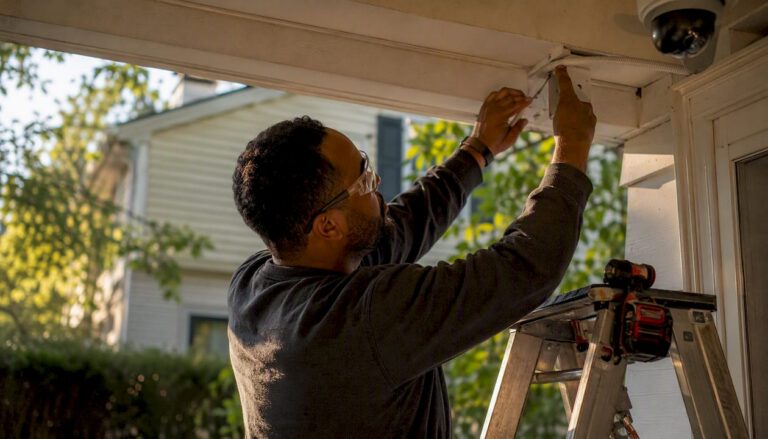
For most homes with more than eight cameras, exterior PoE runs, legacy low-voltage wiring, or an insurance rider that requires documented installation, hiring a professional is the right call. Smaller homes with strong Wi-Fi and simple interior coverage can often manage with a modern DIY kit. The hybrid approach sits in the middle, and works well for the majority of homeowners.
Quick decision guide:
- Hire a pro if your home has multiple floors, exterior cable runs, a legacy alarm panel, or you need licensing documentation for an insurance discount.
- DIY is realistic for fewer than eight cameras, interior-only coverage, and a solid home network you already manage.
- Hybrid means you self-install interior sensors and hire a technician for outdoor wired cameras and hardwired doorbells. Lab data shows a base DIY kit averages 29 minutes to install; adding cameras pushes that to 60–75 minutes. A pro appointment typically takes a few hours on-site.
Central Jersey Security Cameras handles all three scenarios across Central New Jersey, from a single outdoor camera to a full 4K NVR system.
Key Takeaways
A professionally designed and installed security camera system outperforms DIY on every technical dimension that determines whether footage is actually usable as evidence.
| Point | Details |
|---|---|
| DIY vs. pro timeline | DIY base kits average 29 minutes; pro installs run 90–180 minutes on-site with scheduling delays of days to weeks. |
| Hybrid cost control | Hiring a pro for outdoor cameras only runs $80–$150 per device, keeping costs manageable for most homeowners. |
| Configuration failure rate | Nearly 60% of DIY IP camera installers report a significant configuration issue, most often in network or storage setup. |
| Commissioning matters | A proper handoff includes fail-safe tests, as-built documentation, and owner training, not just a working login. |
| Central Jersey Security Cameras | Offers site surveys, custom design, PoE cabling, NVR setup, and commissioning for homes across Central New Jersey. |
Table of Contents
- Who should hire a pro, and who can realistically DIY?
- What a professional design and install actually delivers
- Realistic cost and timeline ranges for every install path
- Why professional design matters for camera performance
- How to vet and select a trustworthy installer
- What ongoing maintenance from a pro actually covers
- Local regulations and disclosure requirements for security systems
- What types of systems and equipment professionals recommend
- An installer’s honest take on what goes wrong
- Central Jersey Security Cameras: get a site survey and a real quote
- Sources
Who should hire a pro, and who can realistically DIY?
The honest answer depends on four variables: home size, wiring complexity, camera type, and how much configuration failure you can tolerate.
Full professional install makes sense when:
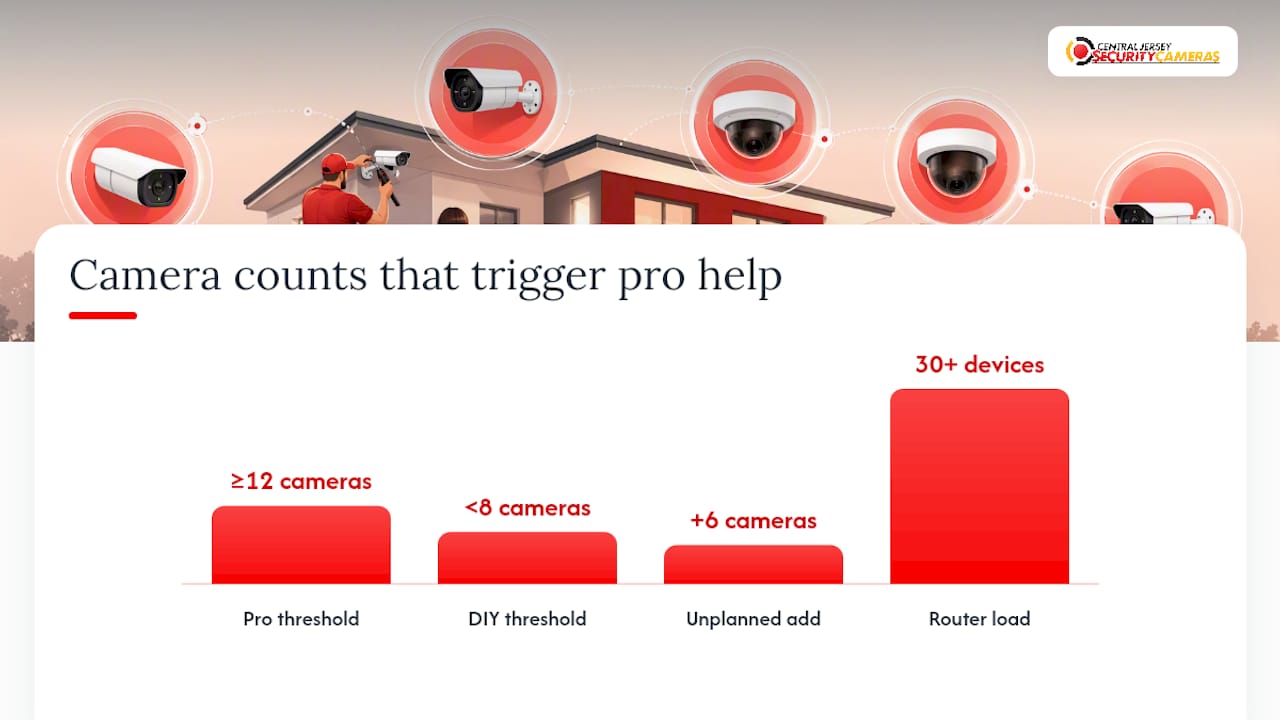
- Your home has 12 or more cameras, multiple floors, or long exterior cable runs where a single miswired PoE port kills an entire camera string.
- You have legacy low-voltage wiring from an older alarm panel that needs integration with a new IP system.
- Your insurer requires a licensed installer’s documentation to validate a security discount or rider.
- You want license plate recognition, PTZ cameras, or active deterrence cameras, all of which require precise focal length and mounting angle decisions that are hard to get right without sightline testing.
DIY is a reasonable choice when you have fewer than eight cameras, interior-only coverage, a strong mesh Wi-Fi network, and you’re comfortable with basic router configuration. Modern PoE NVR kits with auto-discovery have made setup faster, but nearly 60% of homeowners who attempt DIY IP camera installs still report at least one significant configuration issue, most often in network setup or storage planning.
The hybrid model is what most homeowners actually land on. Self-install the interior door/window sensors and motion detectors, then bring in a technician for the outdoor wired cameras and hardwired doorbell. Per-device contractor rates typically run $80–$150 for a single-device install, which keeps the cost manageable while putting the hardest work in experienced hands.
Pro Tip: Before committing to full DIY, pull up your router’s admin panel and check how many devices are already connected. If you’re already at 30+ devices and you don’t manage VLANs, adding six IP cameras without professional network planning is a real risk.
What a professional design and install actually delivers
A professional install is not just someone who mounts cameras faster than you would. The scope of work is meaningfully different from anything a DIY kit covers.
1. Site survey and risk interview. The technician walks every room, identifies entry points, maps privacy boundaries (neighbor sightlines, windows), and names coverage zones before a single device is ordered.
2. Design and scope documentation. You receive a written device map, power and network plan, PoE budget, and a recording retention plan. This document is what separates a professional quote from a lump-sum guess.
3. Physical installation. Rough-in, conduit runs, cable routing through walls and attic spaces, mounting, weatherproofing at every exterior penetration, and bench-testing each device before final mounting. A professional-grade install maps power and network routes and bench-tests devices before final mounting to reduce rework.
4. NVR and network setup. IP address assignment, VLAN segmentation for camera traffic, storage sizing, and remote viewing configuration.
5. Commissioning and handoff. This is where most DIY installs fall short. A proper commissioning includes:
- Day and night camera view verification on-site
- Power-loss and internet-down fail-safe tests
- Motion masking and pet-immune zone configuration
- As-built documentation and IP address map
- Owner walkthrough and training
- Written warranty and service terms
Commissioning steps include fail-safe tests, full documentation, and owner training — not just a handshake and a login.
Realistic cost and timeline ranges for every install path
Scheduling is often the hidden cost of professional installation. Pro appointments are commonly booked one to two weeks out, so factor that into any timeline where you need coverage quickly.
A few regional variables affect final cost: permit requirements vary by municipality, conduit material costs differ, and attic or crawlspace access difficulty changes labor hours. The fastest way to avoid change orders is a clear, itemized scope of work before the job starts. Vague contracts with no device counts are where surprise charges live.
Why professional design matters for camera performance
Cameras are not plug-and-play. Security integration experts are direct about this: lighting transitions, field-of-view bottlenecks, and night performance determine whether footage is actually usable as evidence, not camera brand or resolution alone.
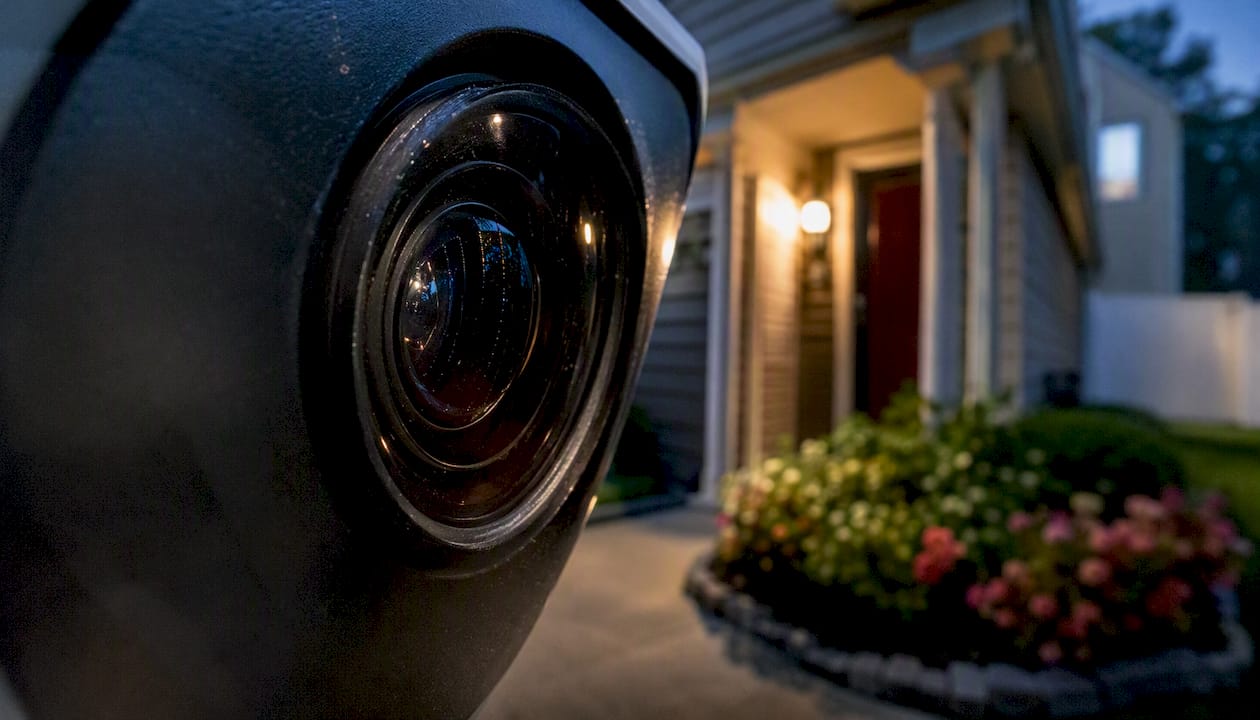
Lighting and backlight. A camera aimed at a front door with a bright street light behind it will silhouette every visitor. Proper placement and sensor selection for wide dynamic range (WDR) solve this. A pro tests the actual sightline at different times of day.
Field of view and focal length. Wide-angle lenses cover more area but lose face detail beyond 20–25 feet. A narrow focal length captures plate numbers but creates blind spots on either side. Getting this balance right requires knowing exactly what each camera is expected to capture.
Night performance. IR illumination ranges in spec sheets are measured in ideal lab conditions. On-site night testing, with actual ambient light and real obstructions, is the only way to verify coverage. Active deterrence cameras add a visible light and audio deterrent, but placement determines whether they trigger at the right moment.
Network and PoE planning. PoE is often preferred for fixed exterior cameras because one cable carries both power and data, reducing failure points and simplifying future servicing. PoE switch selection, power budgets, and VLAN planning are decisions that affect system reliability for years. Storage sizing, retention days, and resolution trade-offs are part of the same conversation. For a technical overview of how CCTV systems handle these variables, ThreeSixty Fire & Security’s CCTV resource covers the fundamentals well.
How to vet and select a trustworthy installer
Most homeowners ask the wrong questions during installer interviews. Here is a checklist that actually separates good installers from ones who will cost you more later.
Before you commit, request:
- A written site survey and walkthrough (not a phone quote)
- A device map and itemized scope of work
- Proof of licensing and general liability insurance
- Manufacturer training documentation or NICET certification
- References and before/after installation photos
- Written warranty terms covering both equipment and labor
- Monitoring response protocol in writing, if monitoring is included
Questions worth asking directly:
- What happens if a camera fails six months after install? Who pays for the service call?
- Do you pull permits when required by the municipality?
- How do you handle network configuration and remote access setup?
- Can I see a sample commissioning report from a previous job?
Red flags to walk away from:
- Lump-sum pricing with no device count or cable run estimate
- No evidence of on-site testing before handoff
- Unclear or verbal-only warranty terms
- No mention of a site survey before quoting
For local examples of what a documented install looks like, the Freehold home security installation page shows a full-install workflow homeowners can reference when comparing quotes.
What ongoing maintenance from a pro actually covers
A professional installer’s job does not end at commissioning. Reputable installers offer service agreements that cover firmware updates, camera repositioning as landscaping or structures change, and storage drive health checks. Some agreements include annual site reviews to verify that coverage zones still match the property’s current risk profile.
On the compliance side, local regulations occasionally change what documentation a monitored system requires. A service agreement with a licensed installer means those updates are handled without you tracking municipal code changes yourself. For larger or complex residential installs, labor warranties and documented service records also matter if you ever sell the home, since buyers and their insurers increasingly ask for system documentation.
Local regulations and disclosure requirements for security systems
Permit requirements for security camera and alarm system installation vary by municipality. Many New Jersey townships require a permit for hardwired alarm systems, and some require annual alarm registration with the local police department to reduce false-dispatch fees. Exterior cameras that capture public sidewalks or neighboring properties may be subject to local ordinance restrictions.
The practical answer: ask your installer whether a permit is required before work begins, and get confirmation in writing. A licensed installer who skips this step is a red flag, not a convenience.
What types of systems and equipment professionals recommend
Professionals specify equipment based on the coverage problem, not the price point. The most common residential configurations include:
IP cameras with PoE NVR for permanent exterior coverage. These offer 4K resolution, local storage, and remote viewing without a cloud subscription.
PTZ cameras for large yards or driveways where a fixed camera cannot cover the full area. A PTZ camera can track motion across a wide zone.
Active deterrence cameras for entry points where visible light and audio warnings are part of the deterrence strategy, not just recording.
License plate recognition cameras for driveways, with specific focal length and mounting height requirements that are almost always misconfigured in DIY installs.
Material and mounting choices matter too. Exterior cameras need weatherproof housings rated for the local climate, conduit-protected cable runs at every wall penetration, and mounting hardware that holds alignment through seasonal temperature swings.
An installer’s honest take on what goes wrong
The most common mistake I see on service calls is a system that looked fine at install but fails the first time it actually matters. A camera pointed at a bright window that silhouettes every face. A storage drive that filled up in three weeks because nobody sized the retention plan. An outdoor camera that lost its angle after one winter because the mount wasn’t torqued properly.
The second most common mistake is skipping the site survey. A phone quote based on square footage misses the attic access problem, the neighbor’s floodlight that kills the east-facing camera, and the PoE switch that’s two ports short for the actual device count. Every one of those becomes a change order or a callback.
Early design review is not overhead. It’s the work that prevents the rework. For homeowners in Central New Jersey, the Jackson home security installation page shows what a properly documented install looks like from survey to commissioning.
Central Jersey Security Cameras: get a site survey and a real quote
Homeowners in Central New Jersey who want a professionally designed and installed system, without the guesswork of a phone quote, can schedule a site survey with Central Jersey Security Cameras. The survey includes a full property walkthrough, a draft device map, PoE and network planning, and a written itemized quote before any commitment.

Services cover the full scope: site survey, custom CCTV design, PoE cabling, camera installation, NVR and network setup, monitoring integration, commissioning, and ongoing maintenance. Equipment options include 4K IP cameras, PTZ cameras, active deterrence cameras, license plate recognition cameras, and NVR systems sized for your retention needs. Schedule your site survey or review available camera systems on the home security cameras page to see what a professionally specified system looks like before your appointment.
Sources
- Home security systems explained — from sensors to safe rooms | Architectural Digest
- Securitysystemsreview
- Security Systems Installation Step-by-Step Guide | NIP Group
- Security System Installation a builder’s guide for 2026 | Templeton Built