
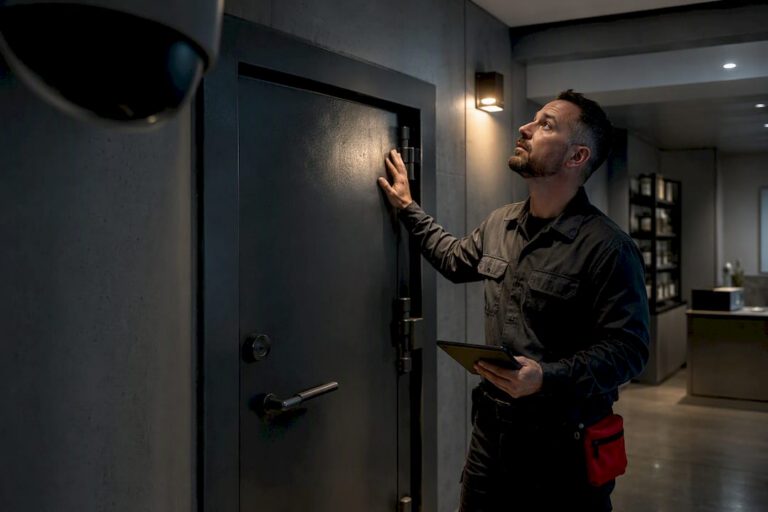
New Jersey dispensaries must maintain continuous, inspectable video surveillance of every restricted and transaction area, and that system must give the NJ Cannabis Regulatory Commission remote access on request. The non-negotiables are camera coverage of the vault, point-of-sale counters, entrances, exterior perimeter, and receiving areas, plus adequate footage retention and controlled employee access. Enforcement is active: recent Notices of Violation show inspectors reviewing camera feeds directly to build their case.
TL;DR:
- Dispensaries must have cameras covering vaults, sales counters, entrances, exterior perimeter, receiving areas, and inventory spaces with overlapping views on vaults to prevent blind spots.
- Continuous recording with high resolution, accurate timestamps, and secure remote access is essential, as investigators routinely review footage remotely to build cases.
- Proper access control, including role-based permissions, two-person vault entry, and validated personnel credentials, must be documented and aligned with camera footage during inspections.
- Regular scheduled maintenance, verification logs, and immediate documentation of outages or security breaches are critical to demonstrate ongoing compliance.
- Enforcement cases highlight the importance of physical security practices, clear logs, and remote camera review capability, with corrective actions influencing violation outcomes.
Table of Contents
- Which areas must be under surveillance and how to map your facility
- Technical system requirements operators should verify
- Access control, employee credentialing, and required logs
- Maintenance and verification schedules that prove ongoing compliance
- Enforcement in practice: what recent violations actually show
- Compliance checklist and short SOP template
- Installer perspective: what a professional setup actually looks like
- Requirements for signage about video surveillance within the dispensary
- Data security and privacy requirements related to camera footage
- Integration requirements with other security systems
- Procedure and timing for reporting security breaches or camera system failures
- What operators consistently get wrong about camera compliance
- How Central Jersey Security Cameras helps dispensaries meet NJ-CRC requirements
- Primary NJ sources to bookmark
- FAQ
Which areas must be under surveillance and how to map your facility
Start with a zone map before you touch a single camera mount. The Personal-Use Cannabis Rules (N.J.A.C. 17:30) lay out the operational framework that dispensaries must follow, and surveillance obligations run through several subchapters covering security, monitoring, and enforcement. Rather than treating cameras as a generic retail add-on, map your facility against the specific zones regulators expect to see covered, then build outward from there.
Six areas come up again and again in rule language and in the enforcement record:
- Cannabis storage and vault areas, including any safe or caged section holding product overnight.
- Sales counters and point-of-sale stations where transactions and identification checks happen.
- Customer entry and exit points, including any waiting or check-in area before the sales floor.
- Exterior and perimeter zones, particularly parking areas, loading zones, and building entrances.
- Receiving and loading docks where product arrives from cultivators or manufacturers.
- Inventory counting or packaging areas where product is handled outside the vault.
Vault and safe coverage deserves the most attention because it is where enforcement has focused. The Verano/Zenleaf monitoring and inspection report documented a vault door propped open during an inspection, along with unapproved personnel present in a restricted area. That single finding illustrates why a camera pointed at a vault door from one angle is not enough: an open door captured on video does nothing to prevent access, but it does prove the operator knew, or should have known, that the door was unsecured. Installers should aim for overlapping fields of view on any vault or safe entry, so that a single obstructed lens does not create a blind spot during the exact moment an inspector reviews footage.
Point-of-sale coverage needs enough resolution and framing to identify the person completing a transaction, not just a wide shot of the counter. Entrance cameras should capture both the person entering and any exterior context, such as who they arrived with or what they are carrying. Exterior cameras face different environmental demands: they need weatherproof housings rated for outdoor use, infrared or low-light capability for nighttime coverage, and mounting positions that avoid glare from parking lot lighting or headlights. Receiving and loading areas often get overlooked because they are used briefly, but a delivery window is exactly when product changes hands outside the vault, which makes it a natural target for both regulatory review and theft.
Technical system requirements operators should verify
Meeting the letter of N.J.A.C. 17:30 is one thing. Meeting the practical standard regulators apply when they actually review footage is another, and it comes down to four technical questions: resolution, recording mode, retention, and remote access.
Resolution matters because footage that cannot identify a face or a transaction is functionally useless as evidence. A wide-angle exterior camera and a tight point-of-sale camera have different needs, but as a baseline, cameras covering transaction and access points should produce footage sharp enough to identify individuals and read identification documents on playback, not just confirm that a person was present. Frame rate matters too: a system that drops frames during motion can miss the exact second a vault door opens or a product changes hands.
Continuous recording is the safer compliance posture than motion-only recording. Motion-triggered systems can miss slow, deliberate movements, such as someone gradually opening a door, and they create gaps that are hard to explain during an inspection. Continuous recording costs more in storage but removes the argument entirely: the footage exists, or it does not.
A few points worth verifying directly with whoever designed your system:
- Confirm cameras record continuously on covered zones rather than relying solely on motion detection.
- Confirm the network video recorder timestamps footage accurately and cannot be manually altered after the fact.
- Confirm exported footage retains original file metadata so authenticity is not in question later.
- Confirm storage capacity supports your retention window without automatic overwrite before that window closes.
Regulators have used remote camera access as a direct evidence-gathering tool in cannabis enforcement, according to the memorandum recommending enforcement action against URB’N Dispensary, which notes that investigators reviewed the operator’s camera system on specific dates as part of building their case. That detail alone should change how operators think about remote access. It is not a convenience feature for owners checking in from home. It is the mechanism inspectors expect to use, and a system that is slow, unstable, or improperly credentialed during a review creates the appearance of obstruction even when none is intended.
Secure remote access setup should include a dedicated login for CRC review that is separate from staff accounts, a log of who accessed the system and when, and a tested connection that does not depend on someone physically present at the facility to grant access. Document the credentials, who holds them, and when they were last verified. If your installer cannot explain how remote access is configured and secured, that is a gap worth closing before an inspector finds it for you.
Access control, employee credentialing, and required logs
Camera coverage only proves half the story. The other half is who was physically allowed near the vault, the sales floor, or the back of house, and whether you can document that decision after the fact. New Jersey’s cannabis rules tie facility access to personnel who hold the correct identification, and the NJ-CRC Compliance and Investigations unit processes background checks and identification cards as part of its oversight of licensed personnel.
A workable access control setup for a dispensary generally includes:
- Role-based access accounts so that only staff with a documented business need can enter vault or storage areas.
- A two-person rule for vault access, requiring two authorized employees present for any entry rather than one person alone.
- An escort requirement for any vendor, contractor, or visitor entering a restricted zone, with the escorting employee logged by name.
- A temporary access log for one-time entries, such as a technician servicing equipment, that records the date, purpose, and duration of access.
- Verified Cannabis Business Identification Cards or ATC credentials checked and logged before granting any restricted-area access.
Inspectors reviewing a facility will typically expect to see an access log that lines up with camera footage: if the footage shows someone in the vault at a given time, the log should show who that person was and why they were there and confirm they held valid credentials. The Verano/Zenleaf inspection report found unapproved personnel in a secure area, which is precisely the kind of mismatch that turns a routine review into a violation. Keep logs simple enough that staff actually fill them out consistently, and store them somewhere that can be produced quickly during an inspection rather than reconstructed from memory afterward.
Maintenance and verification schedules that prove ongoing compliance
A camera system that worked at installation but has not been checked since is a liability, not a safeguard. Regulators are not just asking whether you had cameras. They are asking whether the system was functioning and monitored on the specific day something happened, which means routine verification matters as much as the initial build.
A practical schedule breaks into three tiers:
- Daily: confirm every camera shows a live feed, check that the network video recorder is online, and glance at storage capacity to catch a drive nearing full before it starts overwriting footage early.
- Weekly: pull a short test export from at least one camera per zone to confirm footage is retrievable, properly timestamped, and clear enough to identify a person.
- Monthly: run a full system audit covering every camera angle, every access point, remote-access credentials, and backup storage, then log the results.
Pro Tip: Keep a simple written log, even a shared spreadsheet, noting the date of each check and any issue found. If a camera goes down for even a few hours, write down when it failed, when it was fixed, and what caused it. That log becomes your first line of defense if an inspector asks about a gap in footage.
When an outage happens, the honest move is documenting it immediately rather than hoping it goes unnoticed. Note the start and end time, the cause if known, and any corrective step taken, such as a technician visit or a hardware swap. A short outage promptly logged and repaired reads very differently to a regulator than an unexplained gap discovered during a review. There is no universal rule specifying exactly how many hours before an outage must be reported to the CRC, so the safer approach is treating any multi-day or safety-relevant outage as something to disclose proactively rather than wait to be asked about.
Enforcement in practice: what recent violations actually show
Two enforcement cases give a clear picture of what NJ-CRC inspectors look for and how they respond once they find a problem. Both involve camera systems directly, which is exactly why they matter to any operator building or auditing a surveillance setup.
The Verano/Zenleaf inspection documented a vault door propped open and unapproved personnel present in a restricted area, findings that led directly to a Notice of Violation. The failure was not a missing camera. It was a physical security lapse that the camera system captured and that inspectors then used as evidence.
The URB’N Dispensary case shows the other side of the process. Investigators used remote access to the operator’s camera system to review specific dates as part of building their recommendation for a Notice of Violation. What stands out is the outcome: the memorandum notes that corrective actions, including locking down the vault, restricting access, and retraining staff, contributed to a recommendation against a monetary penalty. The violation still happened, but the operator’s response to it shaped the result.
A few lessons carry across both cases:
- Physical security gaps, like a propped door, get caught by the same cameras meant to prove compliance.
- Remote camera access is not hypothetical. Investigators use it as a routine part of their review process.
- Fast, documented corrective action, such as retraining and restricted access, can influence whether a violation results in a monetary penalty.
- Unapproved personnel in restricted zones is a recurring finding, which points back to the access log gap covered earlier.
If your facility is inspected or receives a complaint, the immediate priorities are securing any open physical vulnerability, confirming remote access works without delay, and preparing a written corrective action plan before the CRC asks for one.
Compliance checklist and short SOP template
Use this as a working document, not a one-time exercise. Run through it during onboarding for a new system and again at every quarterly review.
- Confirm camera coverage on all six mandatory zones: vault, point-of-sale, entrances, exterior, receiving, and inventory areas.
- Verify continuous recording is active rather than motion-only on every covered zone.
- Test remote access end to end, including login speed and footage export, using the credentials an inspector would actually use.
- Confirm retention settings do not overwrite footage before your intended retention window closes.
- Pull and review the current access log for accuracy against actual camera footage from the same period.
- Check that every employee with restricted-area access holds a valid, logged identification credential.
- Document the date of the last full system audit and note any outstanding maintenance issues.
- File a copy of your written corrective action procedure where management can retrieve it immediately if requested.
A short SOP for handling an outage or an evidence request keeps the response consistent even if the person on shift has never dealt with one before.
| Situation | First contact | Action | Typical timeline |
|---|---|---|---|
| Camera or NVR outage | On-site manager, then installer or service contract | Log outage time and cause, request repair, note restoration time | Same-day diagnosis, repair scheduled within days |
| CRC evidence request | Compliance lead or owner | Export requested footage with metadata intact, confirm chain of custody | Same-day export where system access allows |
| Suspected access violation | Compliance lead | Cross-check access log against footage, document findings | Reviewed before next scheduled audit |
Store exported footage, access logs, and audit records together, ideally in a system separate from daily operational files, and keep them for at least as long as your retention policy requires for raw footage so that documentation and video always cover the same period.
Installer perspective: what a professional setup actually looks like
A compliant system starts with placement decisions most operators never think to question. Vault and safe coverage should come from at least two cameras with different angles, so a single obstruction, a delivery cart, an open door, a person standing in frame, does not blind the whole system. Lens choice matters more than most owners expect: a wide-angle lens on a small vault room can distort faces enough to make identification difficult, while a fixed telephoto lens on the sales counter keeps transactions sharp. Infrared coverage on exterior PTZ cameras handles nighttime perimeter monitoring without relying on parking lot lighting that can create glare or shadow gaps.
Backup strategy is where a lot of DIY installs fall short. A single network video recorder with no redundancy means one hardware failure erases your entire retention window. A better setup includes redundant storage or a scheduled offsite backup, paired with health alerts that notify a manager the moment a camera drops offline rather than waiting for someone to notice during a walk-through.
Pro Tip: When reviewing a proposal from any installer, ask specifically for a written site survey, a camera-by-camera list with IDs and angles, a sample test export, and a maintenance log template. If those four items are not part of the deliverable, the system may work fine day to day but leave you scrambling when an inspector asks for documentation.
A few things worth requesting before signing off on any installation:
- A written site survey showing every camera’s location and field of view.
- Camera identification numbers matched to a facility map for quick reference during an inspection.
- A sample export file to confirm timestamp and metadata integrity before go-live.
- A maintenance log template your staff can actually use consistently.
Requirements for signage about video surveillance within the dispensary
Posting visible notice that a facility is under video surveillance is standard practice across New Jersey cannabis operations, both as a deterrent and as a transparency measure for staff and customers. Signage should be placed at customer entrances and near any area where surveillance is active, worded plainly so it is understood at a glance rather than buried in fine print.
Beyond the general expectation of visible notice, operators should treat signage as part of the same documentation habit that applies to logs and maintenance records: note where signs are posted, keep a record of when they were last checked or replaced, and make sure new construction or layout changes do not leave a covered area without a visible notice nearby. Signage does not replace any technical requirement, but its absence is an easy, avoidable flag during a routine walk-through.
Data security and privacy requirements related to camera footage
Footage from a dispensary’s surveillance system counts as sensitive operational data, and protecting it means controlling who can view, export, or delete it. Access to recorded footage should follow the same role-based logic as physical access to the vault: only staff with a clear business reason should be able to pull footage, and every export should be logged with the date, the requester, and the reason.
Storage security matters just as much as access control. Footage held on a network video recorder or cloud platform should sit behind strong authentication, ideally with two-factor login for any remote access point, since that same remote access is the channel investigators use during a review. Encrypting stored and exported footage reduces the risk that a stolen drive or an intercepted export becomes a liability outside the facility. Keep a clear internal policy on how long footage is retained, who can authorize a deletion, and how exports are archived, because a gap in that chain is exactly what turns a routine review into a credibility problem.
Integration requirements with other security systems
A camera system that operates in isolation from your alarm and access control setup leaves gaps that a unified system closes automatically. When a door alarm triggers, the corresponding camera feed should be easy to pull up immediately rather than searched for manually across a separate interface. Commercial CCTV integration practices generally favor tying video, access control, and alarm systems into one monitoring platform, an approach outlined in general terms by integrators such as GSGI’s commercial CCTV integration guidance.
For a dispensary, that integration means a forced or propped vault door should trigger both an alarm event and a flagged camera clip, rather than relying on staff to notice a propped door on their own, which is exactly the kind of lapse that showed up in the Verano inspection findings. Access control logs and camera timestamps should also share the same clock source, so that cross-referencing who badged into a room against what the camera recorded does not require manual time adjustment. A system where alarms, badges, and cameras all report to one platform makes routine audits faster and makes discrepancies harder to miss.
Procedure and timing for reporting security breaches or camera system failures
When a camera system goes down or a security breach occurs, the priority is documenting the event immediately and restoring coverage as fast as possible, rather than waiting to see if the gap gets noticed. Note the exact start time of the failure, the suspected cause, and the steps taken to fix it, and keep that record with your other compliance documentation.
There is no single published rule specifying an exact reporting deadline for every type of camera outage, so the safer standard is treating any outage affecting a mandatory coverage zone, especially the vault or point-of-sale area, as something to disclose to the NJ-CRC promptly rather than only if asked. A breach involving unauthorized access, whether physical or through the camera system’s remote login, deserves the same urgency: document it, correct the vulnerability, and be ready to show the CRC exactly what happened and what changed as a result. Operators who treat disclosure as routine cooperation tend to fare better than those who wait, based on how corrective action was weighed in the URB’N enforcement outcome.
What operators consistently get wrong about camera compliance
Most operators treat camera compliance as a hardware purchase: buy enough lenses, point them at the right rooms, done. The enforcement record says otherwise. Both major violations reviewed here came from physical security and documentation failures that cameras recorded but did not prevent, a propped door and unapproved personnel in a restricted zone. The camera did its job. The operational habits around it did not.
The bigger miss is treating remote access as an afterthought. Inspectors do not always show up in person anymore. They log in. A system with a clunky remote login, missing credentials, or a slow export process reads as evasive even when it is only badly configured. Fix that before worrying about resolution specs.
If you take one thing from this guide, prioritize the access log and the corrective action habit over chasing higher camera resolution. A well-documented, quickly correctable facility outperforms a high-definition one with no paper trail, every time an inspector shows up.
— Tom
How Central Jersey Security Cameras helps dispensaries meet NJ-CRC requirements
Building a camera system around a specific regulation, rather than a generic retail template, is the difference between passing an inspection smoothly and scrambling to explain a gap. Security camera installation companies design and install custom surveillance systems for commercial clients in New Jersey, including facilities that need coverage mapped to specific compliance zones rather than a one-size-fits-all layout.

A compliance-focused engagement typically includes a site survey that maps every mandatory zone, vault and storage, point-of-sale, entrances, exterior, and receiving, a camera layout designed around overlapping coverage on high-risk areas like vault doors, and a secure remote access configuration built specifically so it works reliably when an inspector needs it. When you’re evaluating a proposal, ask for the same deliverables covered earlier in this guide:
- A written site survey with camera IDs and angles tied to your facility map.
- A tested remote-access setup with documented credentials and logs.
- A maintenance plan covering daily, weekly, and monthly checks.
- Support preparing documentation if a corrective action plan is ever needed.
Central Jersey Security Cameras offers New Jersey security camera installations with a one-time installation fee, along with alarm monitoring plans ranging from $24.95 to $29.95 per month for ongoing coverage that pairs alarm and camera systems together. The company also provides access control installations and commercial security installation and repair services for operators who need long-term maintenance support rather than a one-time install. Request a compliance-focused site survey to see what your current setup covers and where the gaps are before an inspector finds them for you.
Primary NJ sources to bookmark
Keep these on hand for any inspection or internal audit. Each one serves a different purpose, and citing them directly carries more weight than paraphrasing secondhand summaries.
- Personal-Use Cannabis Rules (N.J.A.C. 17:30): the full rule text covering licensing, security, and operational requirements, readopted with amendments effective February 8, 2023.
- NJ-CRC Compliance and Investigations: outlines inspection authority, background checks, and identification card requirements for licensed personnel.
- Verano/Zenleaf monitoring and inspection report and the resulting Notice of Violation: a concrete example of what inspectors document during a facility review.
- Memorandum recommending enforcement action against URB’N Dispensary: shows how remote camera access factors into an investigation and how corrective action affected the outcome.
- NJ-CRC Cannabis Related Laws: a broader resource page for tracking updates to packaging, delivery, and onboarding rules that intersect with security requirements.
This article is general information, not a substitute for advice from a qualified lawyer. Consult a qualified legal professional about your own circumstances before acting on anything here.
FAQ
What are the legal laws regarding dispensaries in New Jersey?
New Jersey dispensaries operate under the Personal-Use Cannabis Rules (N.J.A.C. 17:30), which cover licensing, security, monitoring, and enforcement standards set by the NJ-CRC. These rules govern everything from surveillance coverage to employee credentialing, and the NJ-CRC Compliance and Investigations unit handles inspections and enforcement.
How much does a micro grow license cost in New Jersey?
Licensing fees for cannabis micro-businesses in New Jersey are set and published by the NJ Cannabis Regulatory Commission rather than fixed in the security rules covered here. Operators should confirm current fee schedules directly through the NJ-CRC Cannabis Related Laws resource page rather than relying on secondhand figures.
What is the NJ CREAMM Act?
The CREAMM Act is the New Jersey law that legalized and established the regulatory framework for adult personal-use cannabis, which the Personal-Use Cannabis Rules (N.J.A.C. 17:30) implement in detail. It set up the licensing structure and compliance obligations, including security and surveillance requirements, that dispensaries operate under today.
Can I visit a dispensary in NJ from another state?
New Jersey’s adult-use dispensaries generally serve any adult customer who meets the state’s age requirement, regardless of home state, though individual store policies and product limits can vary. Check the NJ-CRC Cannabis Related Laws page or a specific dispensary directly for current purchase limits and identification requirements.
Do NJ dispensary cameras need to allow remote access for inspectors?
Yes. Enforcement records, including the memorandum on the URB’N Dispensary case, show NJ-CRC investigators reviewing licensed operators’ camera systems remotely as part of their standard inspection process. Operators should keep secure, tested remote-access credentials ready rather than treating remote access as optional.