
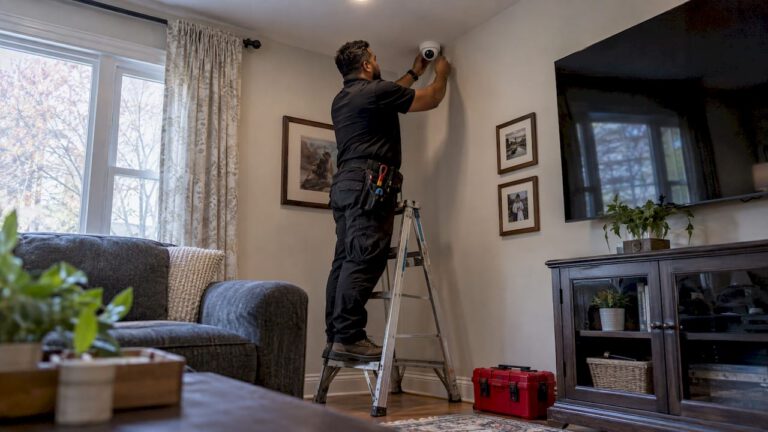
A professional install of a typical four-camera home system usually takes a few hours. A larger house, a multi-story exterior or a business with dozens of cameras can take a full day or several days. The time depends less on the number of cameras than on how they are powered and whether cable has to be pulled through finished walls. A custom system from Central Jersey Security Cameras starts with a free on-site evaluation, so the schedule is based on your actual property and not on an average.
TL;DR
- One wired PoE camera takes roughly 10 to 15 minutes to hang and check once the cable is already run. Running the cable is what takes the time.
- Published professional breakdowns put a 4 to 6 camera install at about 4 to 8 hours, with larger homes running 10 to 16 hours.
- Wireless cameras install faster, but wired systems are the ones built for long-term reliability and are how most business systems are done.
- Setup, remote access and testing add roughly 2 to 4 hours on top of mounting.
- Clearing access, deciding camera locations and knowing your network before the crew arrives is the easiest way to keep the job short.
Table of Contents
- Typical installation times at a glance
- Where the hours actually go
- Wired vs. wireless: the biggest time difference
- What makes an install take longer
- Why a DIY schedule is not the same as a pro schedule
- How to keep your installation short
- Why testing is part of the time, not a bonus
- Our perspective
- Scheduling an installation with Central Jersey Security Cameras
- FAQ
- Sources
Typical installation times at a glance
No single number fits every property, so it helps to think in ranges. The figures below come from published installer and cost guides, and they describe typical jobs, not any one company’s schedule.
| Job | Typical time |
|---|---|
| One camera, cable already run | About 10 to 15 minutes |
| Small home, 2 to 4 cameras | A few hours, often one visit |
| Standard 4 to 6 camera install | 4 to 8 hours, one or two technicians |
| Large home or multi-story exterior | 10 to 16 hours, crew of two or three |
| Business with many cameras and a recorder | One to several days, planned in phases |
The 4 to 6 camera range and the 10 to 16 hour figure for larger homes come from a 2026 US installation cost breakdown. A separate home security installation overview says most residential installs finish in a single visit of 1 to 6 hours, and that larger systems may need a follow-up visit.
Treat these as planning ranges. A pre-wired house with a network closet is at the fast end. A stone or concrete building with a long exterior run is at the slow end.
Where the hours actually go
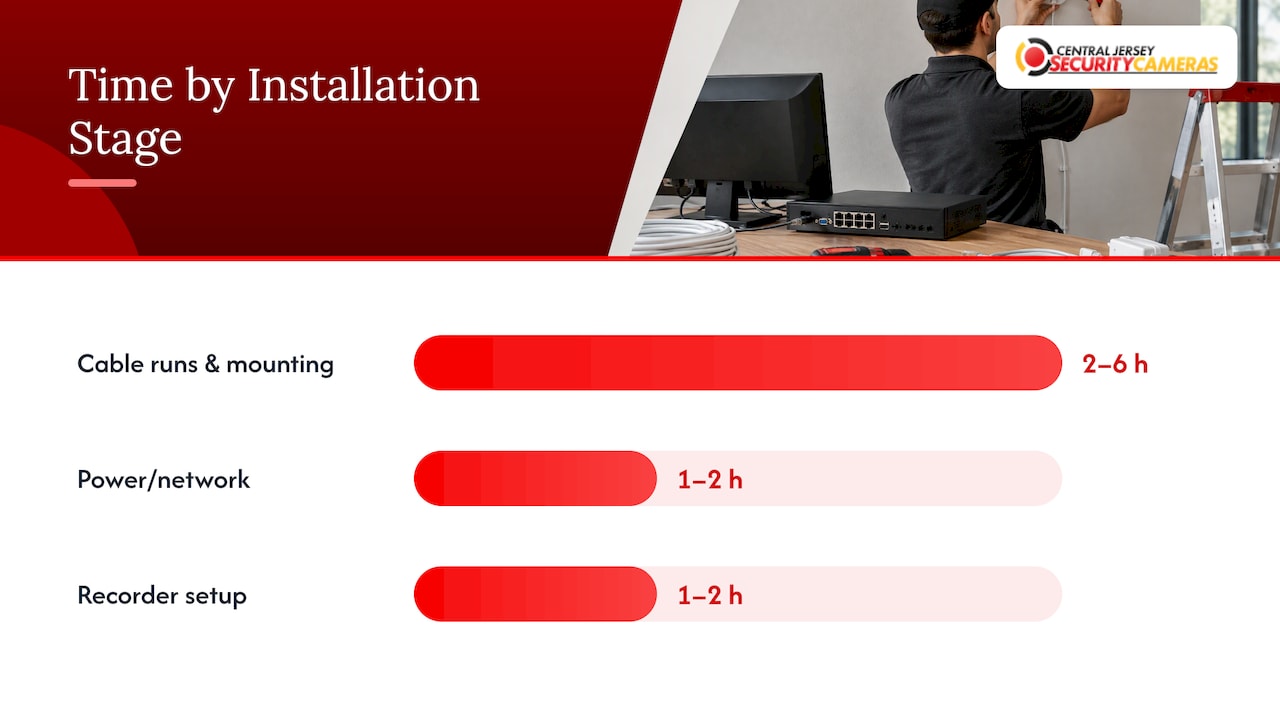
Hanging a camera is the quick part. A professional install is a sequence of stages, and one published professional installation guide gives a timed breakdown that shows where the day goes:
| Stage | Typical time |
|---|---|
| Pre-installation briefing | 15 to 30 minutes |
| Cable runs and mounting | 2 to 6 hours |
| Power and network connection | 1 to 2 hours |
| Recorder (NVR) setup | 1 to 2 hours |
| Remote access setup | 30 to 60 minutes |
| Testing and walkthrough | 30 to 60 minutes |
| Owner training | 15 to 30 minutes |
An NVR (network video recorder) is the box that stores footage from IP cameras. Setting it up, assigning each camera, choosing recording rules and getting your phone connected is a real block of work, which is why a recorded, remotely viewable system takes longer than a single plug-in camera.
Add these up and a mid-sized job lands in a full working day. That matches the 4 to 8 hour range above.
Wired vs. wireless: the biggest time difference
How a camera gets power decides how long the job takes. A battery or solar camera needs no wiring. A Wi-Fi camera needs an outlet nearby. A PoE camera needs one Ethernet cable that carries both power and video, up to 328 feet, according to a camera installation guide. PoE stands for Power over Ethernet.
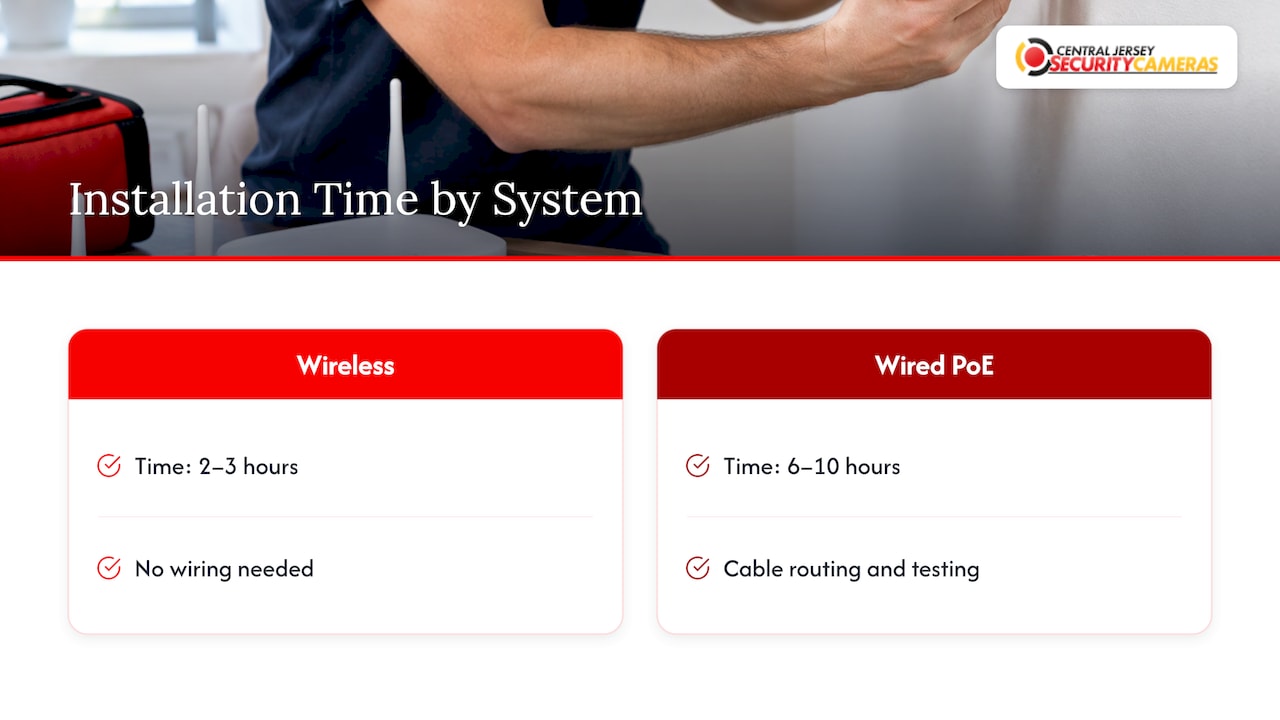
One installation cost comparison reports that a four-camera wireless system typically takes 2 to 3 hours, against 6 to 10 hours for a wired PoE system. Wired takes longer because of cable routing, termination and testing.
The extra hours buy something. A wired PoE camera does not depend on your Wi-Fi signal or a battery that needs charging, and one cable carries power and video. For a home you plan to protect for years, or a business where cameras must record around the clock, that trade is usually worth it. If you are choosing cable for a wired system, our Ethernet cable guide for PoE cameras explains what to look for, and our PoE power budget checklist covers how many cameras one switch can run.
What makes an install take longer
These are the situations that stretch a schedule from hours to days:
- Difficult access. The same cost guide notes that difficult roofs, long external runs and concrete walls raise labor time and call for specialty mounting.
- Finished walls and attics. Fishing cable through insulated, finished spaces is slower than running it in an open basement or garage.
- Multi-story exteriors. Second-story and peak mounting needs ladders or lifts, and cameras should sit high enough to be out of reach. Security.org advises mounting at least 8 to 10 feet up.
- No existing network. If there is no switch, router location or network closet in a sensible place, that gets built before cameras can come online.
- Many camera types. A mix of fixed cameras, PTZ (pan-tilt-zoom) cameras and license plate recognition cameras each needs its own aiming and tuning.
- Occupied businesses. Work around customers, staff and after-hours alarms often means splitting the job into phases.
On the other side, pre-wired homes and existing network infrastructure make the job more efficient, as the same cost guide observes.
Why a DIY schedule is not the same as a pro schedule
Published DIY estimates are useful mostly as a warning. Forbes Home puts a typical home camera project at 2 to 4 hours of working time and 6 to 8 hours in total once you include research and shopping. Those hours come from a first-time installer learning as they go, who then lives with the placement and settings they chose.
A professionally designed system moves the planning off your plate. Placement, cable paths, recorder sizing and testing are decided on the survey, not by trial and error on a ladder. You also get the benefit of a technician who has aimed cameras at faces and plates before. Our camera placement guide shows what that planning looks like for entrances and driveways.
How to keep your installation short
A few steps before the crew arrives save real time.
- Walk the property with your goals in mind. Decide what matters most: front door, driveway, side gate, back yard, loading dock, cash area. Tell the technician your priorities, and they will turn them into camera positions.
- Clear access. Move cars, vehicles, furniture and stored items from the garage, attic hatch, utility room and any wall where cable will run. For a business, make sure someone with keys and the authority to approve changes is on site.
- Know your network. Note where your router or switch sits, and whether you have an internet connection fast enough for remote viewing. Have the Wi-Fi details ready if any device will use it.
- Decide who sees the footage. List the phones or people who should get access. Setting up accounts at the end of the job is quick if you have decided in advance.
- Plan around the schedule. Businesses with customers or staff should tell the installer which hours are quiet. Exterior work is easier on dry days, and winter weather in New Jersey can add delays to roof and wall work.
- Check privacy and legal limits. Cameras do not belong in bedrooms, bathrooms or anywhere that records a neighbor’s private space without their knowledge, as Security.org notes. New Jersey has its own rules on recording, and our page on New Jersey security camera laws covers wiretapping and voyeurism so your layout stays on the right side of them.
If you are a homeowner with a standard colonial or ranch, this prep is a short list. If you run a warehouse, office or school, the same steps apply but with more people involved, so start them a few days before the visit.
Why testing is part of the time, not a bonus
A camera that is mounted is not yet a camera that works. Testing is where an installer confirms that each view is framed correctly, that night footage is usable, that the glare of a porch light or the afternoon sun does not wash out the image, and that motion alerts reach your phone. One home placement guide recommends about twenty minutes of verification before final mounting, including after-dark and worst-sun checks, because the most common failure is footage nobody can act on.
Budget the time. A rushed install that skips testing saves an hour and costs you the clip you needed.
Our perspective
When customers ask how long an install takes, we tell them the honest answer: it depends on the cable path, and we will not know that until we have walked the property. That is why our free on-site evaluation comes first.
We design each system around the property, whether it is a house in Monmouth County or a warehouse in Middlesex County. That means choosing camera types, recorder size and cable routes before anyone drills a hole. The result is a system built for reliability, with remote viewing and local support after the job is done.
A fast install that has to be redone is not a fast install. A well-planned one means you can trust the footage when you need it.
Tom
Scheduling an installation with Central Jersey Security Cameras
We design, install and maintain custom security camera systems for homes and businesses across Central New Jersey, including Ocean, Monmouth, Middlesex, Mercer and Burlington counties. Our security camera installation service lists a one-time installation fee of $99. For homes, see home security installation, and for offices, warehouses and schools, see commercial security installation.

If you also want alarm monitoring, our plans are listed at $24.95 to $29.95 per month on the alarm monitoring pricing page. Start with a free on-site evaluation and you will leave with a plan, a layout and a realistic schedule for your property.
FAQ
How long does it take to install one security camera?
Once the cable is already run, hanging a PoE camera and confirming it on the recorder takes about 10 to 15 minutes. If cable has to be pulled through walls, an attic or conduit, a single camera can take an hour or more. The cable path is almost always the deciding factor.
Can a security camera system be installed in one day?
Often, yes. A residential install is commonly completed in a single visit of one to six hours, and a standard four to six camera job is generally a full working day at most. Larger homes, multi-story exteriors and business systems can take longer or be split into phases.
Does a wireless camera install faster than a wired one?
Yes. A four-camera wireless setup is commonly quoted at 2 to 3 hours against 6 to 10 hours for wired PoE. The wired system takes longer because of cable routing and testing, and it gives you a connection that does not rely on Wi-Fi or batteries.
What should I do before the installer arrives?
Clear access to the garage, attic, utility room and walls where cable will run. Decide which areas matter most, locate your router or network equipment, and list who needs remote access. Businesses should also arrange for someone on site with authority to approve camera positions.
Sources
- Security Camera Installation Cost Across the U.S.: Price Ranges
- What Happens During a Home Security Installation?
- Professional Security Camera Installation: Complete Guide
- How to Install Security Cameras (2026): Heights, Wiring and More
- Wireless vs Wired Security Camera Installation Cost
- How To Install Home Security Cameras: An Indoor and Outdoor Guide (Security.org)
- How To Install A Home Security Camera? (Forbes Home)
- Where to Place Security Cameras Around Your Home