
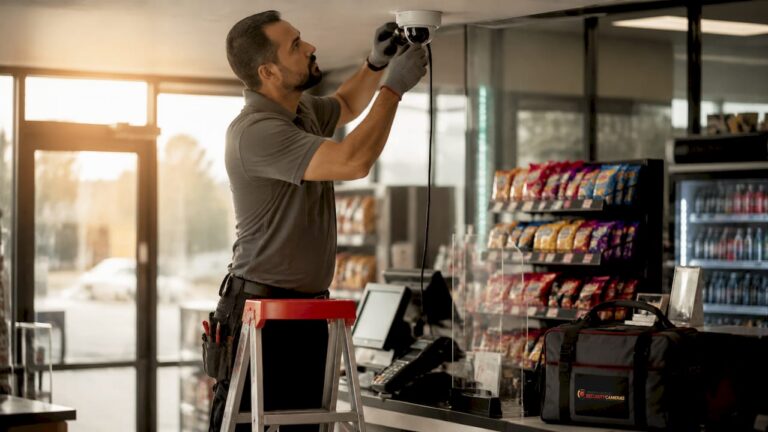
Security cameras for cash handling areas are specialized CCTV surveillance systems designed to monitor cash transactions closely, deter theft, and create a verifiable record of every register interaction. Cash handling zones carry the highest shrinkage risk in any retail or financial environment. AI-driven surveillance reduces cash discrepancies and shrinkage by 40–55%, and cuts theft in high-risk zones by up to 70%. That kind of impact does not come from a basic camera pointed at a counter. It comes from the right combination of camera placement, POS integration, and AI analytics working together.
1. What are the key features to look for in security cameras for cash handling areas?
The most effective CCTV systems for cash registers combine multi-angle coverage, POS data integration, and open architecture standards. Each feature solves a specific gap that single-camera setups leave wide open.
Multi-angle coverage is the foundation. Overhead plus side angles are both required to fully capture a transaction. An overhead view shows drawer contents and cash placement. A side view captures cashier hand movements and customer interactions. Neither angle alone tells the complete story.
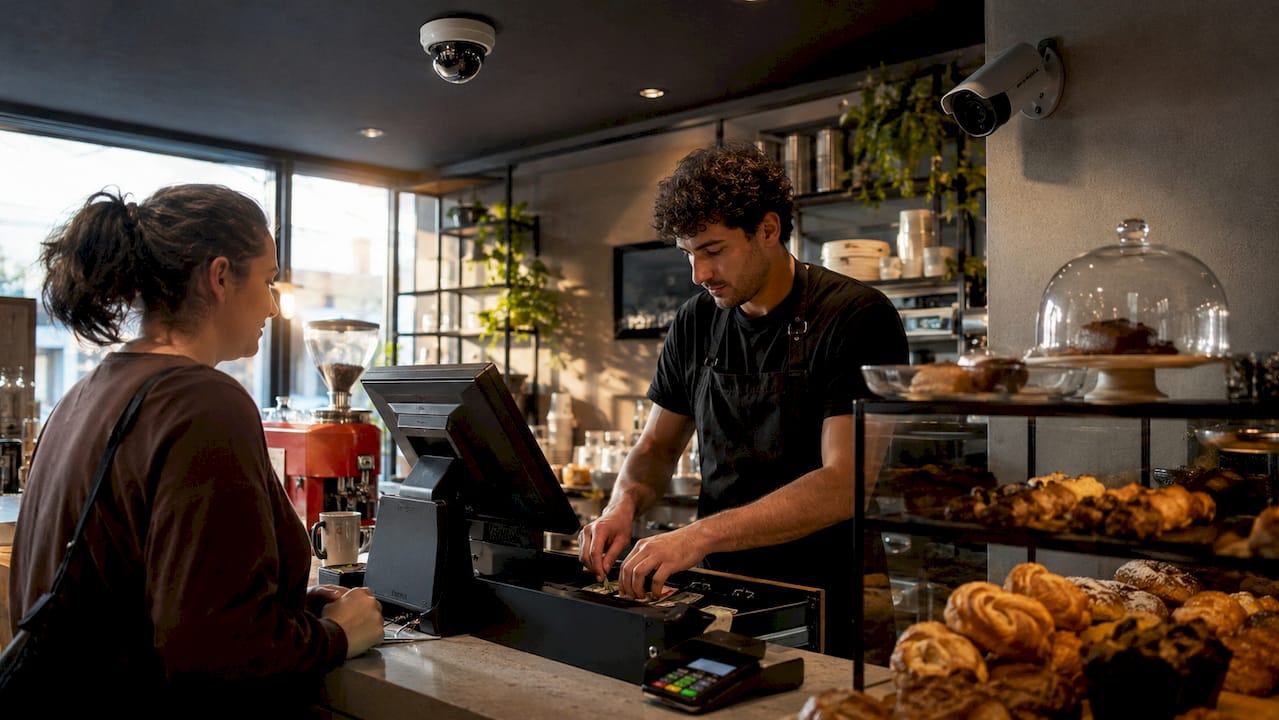
POS integration links transaction data directly to video footage. When a void, refund, or no-sale event fires at the register, the system timestamps and flags the corresponding video clip automatically. POS-linked exception-based reporting compresses fraud investigations from hours to minutes. Without it, managers waste time scrubbing through raw footage with no reference point.
AI-driven analytics move surveillance from passive recording to active prevention. The system detects behavioral patterns like unauthorized drawer access or repeated no-sale openings and sends real-time alerts. Visual intelligence detects unauthorized access the moment it happens, not after the fact.
Open architecture standards protect your investment long-term. Systems built on ONVIF and RTSP protocols allow you to add AI software, swap cameras, or integrate new analytics platforms without replacing your entire infrastructure. ONVIF/RTSP open standards prevent vendor lock-in and keep upgrade costs manageable.
- Multi-angle coverage: overhead and side views at every register
- POS integration: transaction data linked to video timestamps
- AI analytics: real-time behavioral alerts and exception reporting
- Open architecture: ONVIF/RTSP compatibility for future upgrades
- High resolution: 4K or minimum 1080p for readable transaction detail
Pro Tip: Request ONVIF compliance documentation from any installer before signing a contract. Non-compliant systems often require full hardware replacement when you want to add analytics later.
2. Top 5 camera types suited for cash handling surveillance
Choosing the right camera type depends on your register layout, ceiling height, and lighting conditions. Each type serves a specific role in a well-designed cash area surveillance setup.
Dome cameras
Dome cameras mount flush to the ceiling and provide a wide, discreet overhead view. Their low-profile housing makes them harder to tamper with and less intimidating to customers. They work best directly above the register to capture drawer contents and cash placement.
Bullet cameras
Bullet cameras excel at directional side angles. Mount them at counter height or slightly above to capture cashier hand movements and customer-facing interactions. Their narrow field of view delivers sharper detail at the register than a wide-angle dome can from the ceiling.
Turret cameras
Turret cameras offer a flexible ball-and-socket design that allows precise repositioning without removing the housing. They cover larger areas than dome cameras and work well in open retail floors where a single camera must watch multiple registers.
PTZ cameras
PTZ cameras pan, tilt, and zoom on command or automatically. They are best suited for large cash offices, bank branches, or multi-lane checkout areas where a single operator needs to track activity across a wide space. PTZ cameras are not a substitute for fixed cameras at each register. They work best as a secondary layer.
Thermal and low-light cameras
Thermal and IR cameras enhance surveillance during low visibility or after-hours conditions. Cash offices and back-of-house counting rooms often have poor lighting. A low-light camera maintains clear footage where a standard camera produces grainy, unusable images.
| Camera Type | Best Use Case | Key Strength |
|---|---|---|
| Dome | Overhead register view | Discreet, tamper-resistant |
| Bullet | Side angle at counter level | Sharp directional detail |
| Turret | Multi-register retail floors | Flexible repositioning |
| PTZ | Large cash offices, bank floors | Wide dynamic coverage |
| Thermal/Low-light | After-hours, dim counting rooms | Clear footage in darkness |
3. How to strategically place cameras to maximize cash handling security
Camera angle is the single most important factor in cash handling surveillance. Placement errors create blind spots that make footage useless in an investigation.
Every cash register needs at least two camera angles: one overhead and one from the side. The overhead camera captures the drawer, the cash, and the customer’s hands. The side camera captures the cashier’s movements and any items passed across the counter. Multi-angle coverage is the industry standard for complete transaction monitoring.
Entry and exit points near cash areas also require coverage. A camera at the door of a cash office records who enters and when. That timestamp becomes critical evidence if a discrepancy is discovered later. Monitoring these transition zones is part of the role of cameras in cash handling security that many businesses overlook.
Blind spots caused by cashier or customer positioning are the most common installation mistake. A camera mounted too far to one side gets blocked the moment a tall customer stands at the register. Ceiling-mounted cameras angled at 15–30 degrees from vertical minimize this problem.
| Zone | Recommended Camera | Placement Height |
|---|---|---|
| Cash register | Dome (overhead) + Bullet (side) | Ceiling + 6–7 ft wall mount |
| Cash office entry | Bullet or Turret | Above door frame |
| Back-of-house counting area | Low-light or Dome | Ceiling, centered |
| Customer queue approach | Wide-angle Dome | Ceiling, angled toward counter |
Pro Tip: Walk through a mock transaction at each register after installation. Watch the live feed on a monitor while a colleague handles cash. You will spot blind spots in minutes that would take hours to find in recorded footage.
4. How AI enhances security cameras in cash handling zones
AI transforms cash area surveillance from a recording tool into a fraud detection system. The difference is real-time response versus after-the-fact review.
AI-powered cameras detect specific behaviors automatically. Unauthorized drawer openings, repeated no-sale events, and unusual cash handling patterns all trigger instant alerts. AI-driven surveillance cuts theft in high-risk cash zones by up to 70%. That reduction comes from deterrence and early detection, not just better recordings.
POS-linked exception-based reporting is the most practical AI application for retail managers. Every suspicious transaction type, including voids, refunds, and price overrides, generates a flagged video clip. Manual audit preparation drops by up to 70% when the system pre-selects the relevant footage. Managers review minutes of flagged clips instead of hours of raw video.
Register fraud like sweethearting and void manipulation looks completely normal on standard video. Linking POS data with video is the only reliable way to detect these schemes. The camera shows what happened. The POS data shows whether it was authorized.
“Visual intelligence shifts surveillance from passive recording to active prevention by detecting behaviors like unauthorized access in real time. The system does not wait for a manager to review footage. It flags the event the moment it occurs.”
Advanced analytic cameras also support the broader role of cameras in supply chain security, flagging anomalies at receiving docks and storage areas connected to cash-heavy operations.
5. Common mistakes to avoid when installing cameras in cash areas
Most cash area surveillance failures trace back to installation decisions, not hardware quality. Avoiding these mistakes protects your investment from day one.
- Single-angle coverage: One camera per register creates blind spots that cashiers and customers can exploit unintentionally or deliberately. Always install at least two angles per register.
- Skipping POS integration: Cameras without POS data linkage force managers to search footage manually. Without POS integration, investigations that should take minutes take hours.
- Assuming new hardware is required for AI: Many platforms integrate AI through software bridges that work with existing IP cameras. You may not need to replace any hardware to gain analytics capabilities.
- Ignoring open standards: Proprietary systems lock you into one vendor’s upgrade path. Cameras and recorders that do not support ONVIF/RTSP open architecture become expensive dead ends when you want to add new features.
- Underestimating camera count: Convenience stores use 8–50 cameras depending on size, with multiple angles per register as standard. Cutting camera count to save money creates coverage gaps that cost more to fix later.
Key Takeaways
Security cameras for cash handling areas deliver the strongest protection when they combine multi-angle coverage, POS integration, AI analytics, and open architecture standards into a single coordinated system.
| Point | Details |
|---|---|
| Multi-angle coverage is non-negotiable | Every register needs an overhead and a side camera to eliminate blind spots. |
| POS integration cuts investigation time | Linking transaction data to video reduces manual audit time by up to 70%. |
| AI shifts surveillance to active prevention | Real-time behavioral detection catches fraud as it happens, not hours later. |
| Open standards protect your investment | ONVIF/RTSP compatibility allows AI and software upgrades without replacing cameras. |
| Camera count matters | Standard retail deployments use multiple cameras per register, not one per zone. |
What I’ve learned about cash area surveillance after years in the field
Most business owners I talk to think their cash area is covered because they have a camera somewhere near the register. That assumption is the most expensive mistake in retail security. A camera that cannot clearly show drawer contents, cashier hand movements, and customer interactions simultaneously is not protecting you. It is giving you a false sense of security.
The shift I have seen make the biggest real-world difference is POS integration. Once managers can pull up a flagged transaction clip in seconds instead of scrubbing through hours of footage, their entire relationship with the surveillance system changes. They actually use it. They catch patterns early. They address problems before they become habits.
My honest advice on AI: do not let the technology conversation distract you from the fundamentals. Get the angles right first. Get POS integration working. Then layer in AI analytics. A perfectly placed standard camera with POS data beats a poorly placed AI camera every time. The role of cameras in fraud prevention is only as strong as the foundation you build it on.
— Tom
How Central Jersey Security Cameras protects your cash handling zones
Central Jersey Security Cameras designs and installs professionally configured CCTV systems built specifically for cash-heavy retail and commercial environments throughout Central New Jersey.
Every installation starts with a site assessment to map register positions, identify blind spots, and confirm POS integration requirements. Central Jersey Security Cameras supports existing IP camera infrastructure where possible, so you avoid unnecessary hardware replacement costs. Systems are built on open ONVIF/RTSP standards to keep future upgrades straightforward. Whether you need retail security camera solutions for a single location or a multi-site deployment across Ocean County, Monmouth County, or Middlesex County, the team delivers a system configured for your specific layout and risk profile. Contact Central Jersey Security Cameras to schedule a consultation.
FAQ
What cameras work best directly above a cash register?
Dome cameras are the best choice for overhead register coverage because their wide-angle lens captures the full drawer and counter surface. Pair them with a side-mounted bullet camera for complete transaction visibility.
Can I add AI analytics to my existing cameras?
Many AI platforms integrate through software bridges that work with existing IP cameras, so full hardware replacement is often unnecessary. Confirm that your current cameras support ONVIF or RTSP protocols before purchasing any analytics software.
How many cameras does a typical retail cash area need?
Standard deployments use at least two cameras per register, one overhead and one from the side, plus additional cameras covering entry points and counting areas. Convenience stores typically run 8–50 cameras total depending on store size.
What is POS-video integration and why does it matter?
POS-video integration links your point-of-sale transaction data to your camera footage, automatically flagging video clips tied to suspicious events like voids or no-sale drawer openings. It reduces manual investigation time by up to 70% compared to searching raw footage.
Do security cameras deter employee theft at the register?
Visible cameras at cash registers create a strong deterrent effect because employees know every transaction is recorded and linked to their login data. AI-enabled systems that send real-time alerts reinforce that deterrence by making it clear that suspicious patterns are flagged immediately, not just stored for later review.