
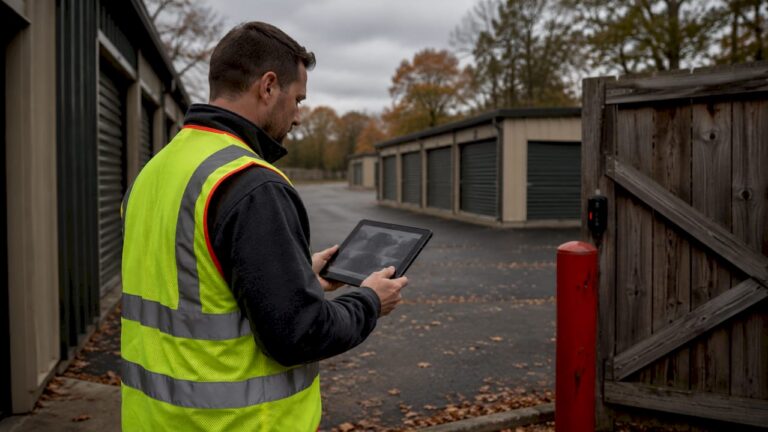
A camera system for a self-storage facility is a critical security infrastructure that provides continuous monitoring, deters theft, and enables rapid incident response. Unlike general commercial surveillance, storage facility CCTV must cover sprawling outdoor layouts, dozens of individual unit doors, and 24-hour access points with minimal staff on site. The industry term for this type of deployment is integrated video surveillance, combining IP cameras, network video recorders (NVRs), and access control into one managed system. Getting this right protects your tenants, reduces liability, and gives you the operational visibility that a disconnected camera setup simply cannot deliver.
What are the essential areas to monitor in a self-storage facility?
Complete coverage is the foundation of any effective self-storage surveillance solution. Industry best practice mandates camera placement at every unit door, climate-controlled hallway, entry lane, elevator, auction prep zone, and perimeter fence line. That standard exists because a single blind spot is all a thief needs.
The most theft-prone zones in a typical facility are the entry gate, drive aisles, and the transition points between indoor and outdoor sections. Entry gates record who comes and goes, while drive aisle cameras capture vehicle movement and license plates. Indoor hallways protect climate-controlled units, which typically store higher-value items like electronics, antiques, and business inventory.
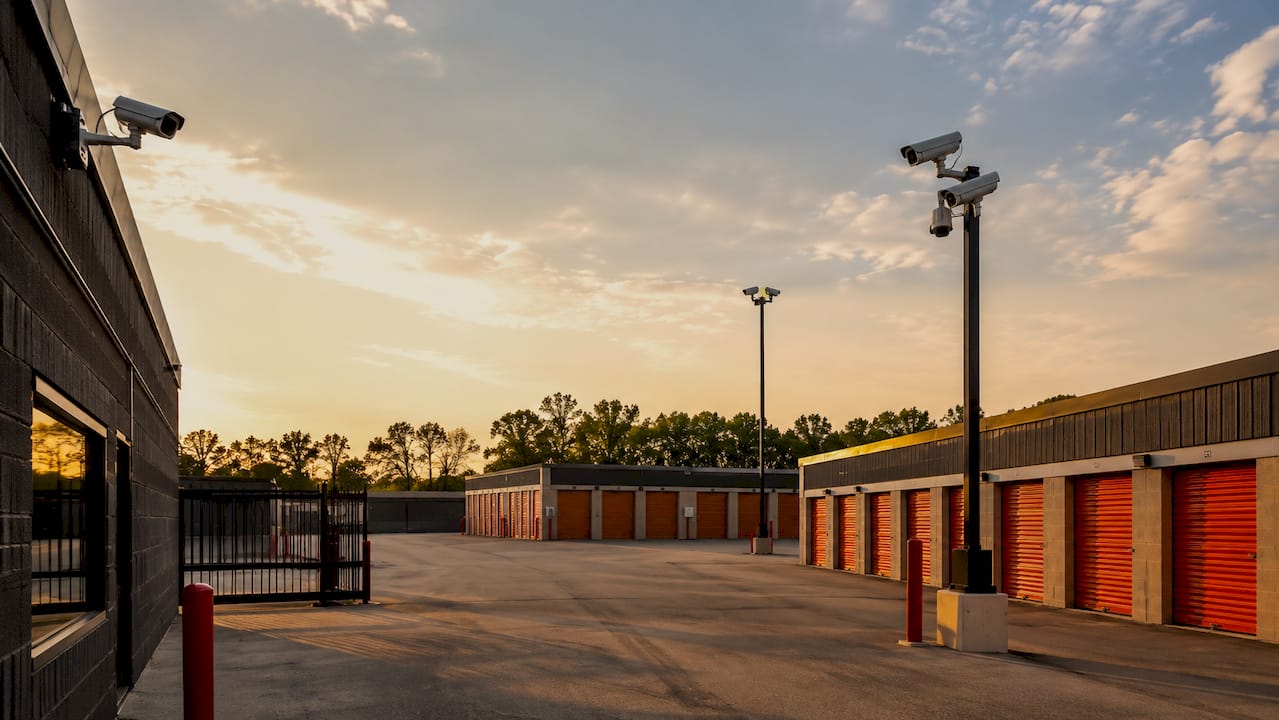
Perimeter fencing is an area many facility managers underestimate. A camera mounted at fence corners can detect after-hours intrusion before anyone reaches a unit door. Parking areas, office entrances, and auction prep zones also require dedicated coverage to capture the full picture during incidents.
Key coverage zones for any self-storage property:
- Entry and exit gates with license plate recognition cameras
- Individual unit door rows using wide-angle or PTZ cameras
- Drive aisles and parking areas for vehicle tracking
- Indoor hallways and elevator lobbies in climate-controlled buildings
- Perimeter fencing and exterior walls for after-hours intrusion detection
- Office, reception, and auction prep areas for staff and visitor monitoring
Adapting coverage to your layout matters. A single-story outdoor facility needs long-range cameras with wide fields of view. A multi-story indoor facility needs elevator cameras and stairwell coverage. A hybrid property needs both.
What technology and features should you look for in a self-storage camera system?
The right hardware separates a system that records incidents from one that prevents them. AI-based analytics are now the standard for storage facilities, automatically flagging human or vehicle movement so you are not manually scrubbing hours of footage after an incident.
Video quality and durability
Resolution matters more at storage facilities than most property types because you need to read license plates and identify faces across long drive aisles. 4K IP cameras deliver the detail required for that level of evidence. Wide Dynamic Range (WDR) technology handles the harsh contrast between bright outdoor sunlight and shaded unit rows. Infrared night vision extends that clarity to after-hours monitoring, which is when most theft occurs.
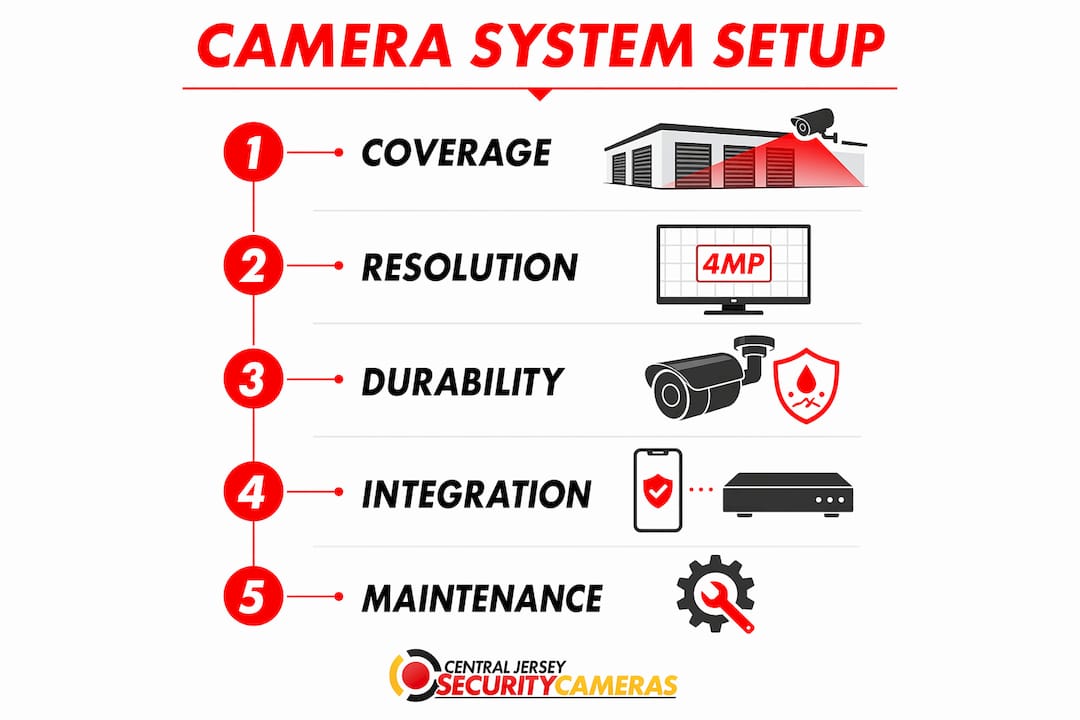
Outdoor cameras at storage facilities face extreme conditions. IP67-rated equipment withstands temperatures from -40°F to +150°F and handles rain, dust, and humidity without failure. That rating is not optional for any camera mounted on a perimeter fence or drive aisle pole.
Integration and storage
ONVIF-compatible systems allow you to connect new cameras with existing access control hardware without replacing everything. Systems supporting ONVIF integration can link existing cameras with new access control hardware in as little as 5 minutes per facility. That compatibility eliminates costly full replacements when you upgrade.
NVR-based storage with advanced video compression can store up to 95% more footage compared to older recording methods. That efficiency means longer retention periods without adding expensive hard drive capacity.
Key technology features to prioritize:
- AI human and vehicle detection for automated event flagging
- 4K resolution with WDR and infrared for all-condition clarity
- IP67 weatherproof rating for outdoor and perimeter cameras
- ONVIF compatibility for integration with existing access control
- NVR with advanced compression for extended footage retention
- Mobile and solar-powered options for remote or unpowered sections
Pro Tip: For storage sections without grid power or internet access, solar-powered surveillance units with cellular connectivity provide autonomous monitoring without running conduit or cable across the property.
How to plan and install a camera system for your self-storage facility
Effective installation starts before a single camera is mounted. A site survey is the first step. Walk the entire property and map every coverage zone, noting distances between cameras and the NVR location, power source availability, and any structural obstacles like rooflines or canopies that block sightlines.
Step-by-step installation process
- Conduct a facility audit. Document every entry point, unit row, and vulnerable zone. Note existing cameras, access control hardware, and network infrastructure.
- Create a coverage map. Mark camera positions on a property diagram. Identify cable run lengths and confirm they fall within the 820-foot limit for CAT5/CAT6 network cabling.
- Select hardware. Choose cameras based on zone requirements: PTZ cameras for wide open drive aisles, fixed cameras for unit door rows, license plate recognition cameras for gates.
- Plan system integration. Confirm ONVIF compatibility between cameras, NVR, and any existing access control system. Map how gate PIN entries will sync with video timestamps.
- Install and configure. Mount cameras, run cabling, connect to NVR, and configure AI detection zones. Set up remote access through a centralized management platform.
- Commission and verify. Test every camera angle, confirm AI alerts trigger correctly, and review footage quality across all lighting conditions before going live.
Typical installation at a mid-size storage facility takes two to three days with minimal disruption to tenant access. Professional installers work in sections, keeping active drive aisles open during the process.
| Setup approach | Best for | Key trade-off |
|---|---|---|
| Wired (PoE) | Permanent indoor and outdoor runs | Reliable, but requires conduit and cable labor |
| Wireless | Areas where cabling is impractical | Flexible placement, but subject to signal interference |
| Hybrid | Mixed indoor/outdoor properties | Best of both, requires careful network planning |
Pro Tip: Map your cable runs before purchasing cameras. A camera positioned 900 feet from your NVR over a single CAT6 run will lose signal. Either add a network switch midpoint or choose a wireless bridge for that section.
How to operate and maintain your self-storage camera system for continuous security
A camera system that goes offline undetected is worse than no system at all. Insurance providers require proof of system uptime at the time of an incident, and automated health monitoring software generates the compliance reports that satisfy those requirements. Without that documentation, a claim can be denied even when footage exists.
Centralized management is the operational backbone of a well-run storage facility. A single remote dashboard with searchable footage lets you retrieve evidence in minutes rather than hours. For multi-site operators, centralizing all facilities on one platform eliminates the need for on-site guards and gives a small remote team full oversight across every property.
Best practices for ongoing system operation:
- Run automated daily health checks to confirm every camera is online and recording
- Review AI-flagged alerts each morning rather than waiting for tenant complaints
- Set footage retention policies that meet your state’s legal requirements, typically 30–90 days minimum
- Sync access control logs with video timestamps so gate PIN entries link directly to camera footage
- Schedule quarterly physical inspections to clean camera lenses, check mounting hardware, and verify cable connections
Linking gate access events with video timestamps turns your security system into an investigation tool, not just a recording archive. When a tenant reports a break-in, you pull the gate log, find the timestamp, and go directly to that footage. That process takes minutes, not hours.
Pro Tip: Set your NVR to send an automated email alert if any camera goes offline for more than 15 minutes. Catching a camera failure the same day prevents evidence gaps that could affect insurance claims or police reports.
What are common mistakes to avoid with self-storage camera systems?
The most expensive mistake is partial coverage. A facility with 40 cameras but three uncovered unit rows has a known vulnerability that experienced thieves will find. Coverage gaps are not random. They result from skipping the site survey or cutting camera counts to reduce upfront costs.
Failing to integrate video with access control is the second most common error. Disconnected systems that lack a centralized dashboard prevent quick evidence retrieval and turn investigations into manual log searches. The camera footage exists, but finding the right clip takes hours without timestamp synchronization.
Common pitfalls to avoid:
- Partial coverage that leaves unit rows, perimeter sections, or drive aisles unmonitored
- No access control integration, forcing manual cross-referencing of gate logs and video
- Ignoring system health monitoring, which creates undetected outages and evidence gaps
- No remote access capability, meaning incidents are discovered late and response is delayed
- Choosing non-scalable systems that cannot add cameras or sites as your portfolio grows
- Underestimating cable run distances, leading to signal loss or expensive rework after installation
Skimping on remote monitoring is a mistake that compounds over time. A facility manager who cannot check cameras from a phone cannot respond to an after-hours alert. That delayed response is the difference between catching an incident in progress and reviewing footage the next morning.
What I’ve learned about integrated storage security after years in the field
Most facility owners I speak with believe that installing cameras equals having security. That belief is the single most common reason their systems fail them when it matters. Cameras record. Security requires that the recording be accessible, searchable, and connected to everything else happening on the property.
The facilities that handle incidents fastest are the ones where gate PIN entries link directly to video timestamps. When a tenant calls to report a missing item, the manager pulls the access log, finds the entry time, and is watching the footage within two minutes. That capability is not complicated. It requires ONVIF-compatible hardware and a centralized platform. But most facilities skip it because it adds to the upfront cost.
Multi-site operators get this right more often than single-site owners. Managing five facilities from one dashboard forces you to build the system correctly from the start. Single-site owners tend to add cameras reactively, which creates the fragmented, hard-to-search archives that are nearly useless during an investigation.
My strongest recommendation is to treat your camera system as an operational tool, not a security checkbox. AI analytics that flag after-hours movement, automated health reports that satisfy insurance requirements, and a mobile app that lets you check any camera from anywhere. These are not premium features. They are the baseline for a system that actually works.
— Tom
Professional self-storage surveillance from Central Jersey Security Cameras
Self-storage facilities have security demands that generic camera setups cannot meet. Central Jersey Security Cameras designs and installs custom surveillance systems built specifically for commercial properties across Ocean County, Monmouth County, Middlesex County, Mercer County, and Burlington County.
Every installation starts with a full site survey and coverage map. The team handles system design, hardware selection, ONVIF integration with existing access control, NVR configuration, and remote access setup. The result is a fully integrated, professionally installed CCTV system with AI analytics, 4K cameras, and a centralized management platform you can access from any device. Contact Central Jersey Security Cameras to schedule a site assessment and get a system designed for your property.
FAQ
What areas of a self-storage facility need camera coverage?
Every entry gate, unit door row, drive aisle, elevator, indoor hallway, perimeter fence, and office area requires a camera. Leaving any zone uncovered creates a blind spot that reduces both deterrence and evidence quality.
How long should self-storage camera footage be retained?
Most facilities retain footage for 30–90 days to meet insurance and legal requirements. Automated health monitoring software helps document system uptime, which insurers require as proof when processing claims.
Can I integrate new cameras with my existing access control system?
Yes. ONVIF-compatible cameras and NVRs connect with most existing access control hardware. Systems supporting ONVIF integration can link cameras with access control in as little as 5 minutes per facility, avoiding a full system replacement.
What camera resolution do I need for a storage facility?
4K IP cameras are the standard for storage facilities because they capture license plates and facial detail across long drive aisles. Pair 4K resolution with WDR and infrared night vision for reliable coverage in all lighting conditions.
Do remote or unpowered storage sections need different cameras?
Yes. Mobile, solar-powered surveillance units with cellular connectivity provide autonomous outdoor monitoring for sections without grid power or internet access. These units are IP67-rated and operate across extreme temperature ranges.