
A good CCTV maintenance plan is a short, repeatable routine. Look at every camera’s view and lens each week. Check cables, alerts and recorded footage each month. Audit firmware, backup power and camera angles each quarter. Add a seasonal pass in New Jersey before winter and after summer storms, and bring in a qualified technician for anything involving wiring, recorders or network settings. This guide gives you the schedule, the tests, a simple log and the point where professional service pays off.
TL;DR
- Weekly: confirm every camera is online, recording and showing a clean, correctly aimed picture.
- Monthly: inspect cables and connections, test motion alerts, review footage and check night lighting.
- Quarterly: audit firmware, housings, backup power and camera angles. Axis recommends a full service at least every six months.
- Seasonal: in New Jersey, check lenses and seals after snow, ice, nor’easters and heavy summer storms.
- Write down every check and every fault. Call a technician for wiring, recorder and network problems.
Table of Contents
- What a CCTV maintenance plan should include
- Weekly checks: five minutes per site
- Monthly checks: connections, alerts and footage
- Quarterly and annual audits
- Seasonal CCTV maintenance in New Jersey
- How to test video quality, night vision and recording
- Inspecting equipment safely
- Documenting findings and handling faults
- What owners can handle and when to call a technician
- Professional maintenance for New Jersey properties
- FAQ
- Sources
What a CCTV maintenance plan should include
A plan answers three questions: what gets checked, how often, and who does it. Systems fail quietly. A spider web across a lens, a loose bracket or a full hard drive looks fine until the night you need the footage.
Axis Communications’ white paper says a video surveillance system can last up to ten years, but no device runs that long without maintenance. It recommends scheduling maintenance at least every six months, checking that cameras are free of debris and cables are intact. It also stresses that even a well-designed system can become ineffective if it is not looked after. So the bar is not high. It is consistency.
An Axis expert suggests splitting tasks into weekly, monthly and quarterly intervals instead of trying to do everything at once, which keeps the process manageable from the lens to the server room. The schedule below follows that logic.
| Interval | What to check | Who can do it |
|---|---|---|
| Weekly | Every camera online, fields of view, lens and housing cleanliness, recording active | Owner or staff |
| Monthly | Wiring and connections, motion detection and alerts, footage review and archiving, night lighting | Owner or staff, technician for cabling faults |
| Quarterly | Firmware and software, housing damage or corrosion, backup power, camera positions and angles | Technician preferred |
| Every six months to annually | Full system test, storage retention, access logs, privacy settings | Technician |
The weekly, monthly and quarterly rows reflect the Axis checklist. The annual items draw on Solink’s maintenance checklist, which adds yearly storage retention audits, privacy and security compliance reviews, full system tests and footage access log reviews.
Weekly checks: five minutes per site
Weekly checks are about catching the obvious. Open your live view or recorder screen and go through each camera.
- Is every camera online? A black tile or “no signal” message needs follow-up the same day.
- Is the view correct? Compare against what you expect to see: the door, the gate, the plate lane. Wind, vibration and curious hands can nudge a camera.
- Is the lens clean? Look for dirt, pollen, spider webs, water spots and glare.
- Is the system recording? Pick a time from yesterday and play it back. Live view working does not prove recording works.
- Is the clock right? Solink’s checklist includes time and date stamp accuracy among weekly checks, and it matters when footage goes to police or an insurer.
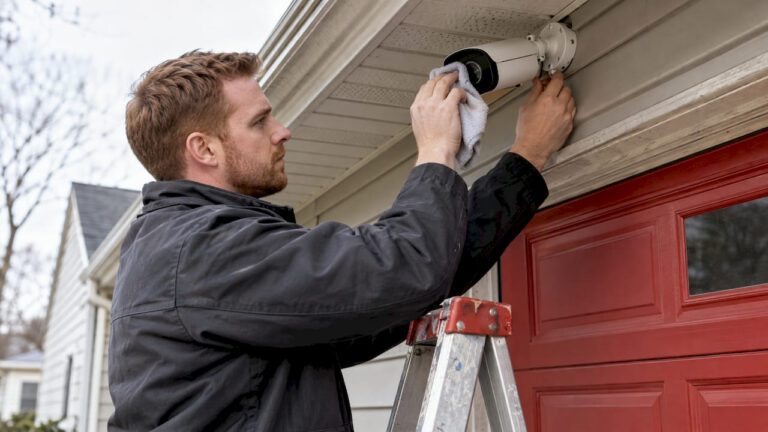
If you can reach a lens safely from the ground, wipe it gently with a dry microfiber cloth. Do not use paper towels or chemical cleaners, which can scratch or damage coatings. Never climb a ladder alone to reach a camera at height, and never touch exposed wiring. Leave those jobs to a technician.
Monthly checks: connections, alerts and footage
Monthly work goes one layer deeper.
- Cables and connectors. Look at every visible run for cracks, chewing, sun damage, loose fittings and cable that has pulled away from its clips. The Axis checklist lists wiring and connections as a monthly item.
- Motion detection and alerts. Walk through each zone and confirm the alert reaches your phone or email. Cameras that alert constantly get ignored, so adjust sensitivity if needed.
- Footage review and archiving. Scrub through a few clips for clarity, color and smooth motion. Save any incident footage so it is not overwritten.
- Night lighting. Check that IR illuminators or white lights come on at dusk and that nothing, such as a new sign or a growing branch, blocks them.
One frequent monthly finding is a picture that looks washed out or flickers. Before assuming a camera is failing, run the two quick interference checks we describe for property owners, since nearby electrical or network issues can mimic a camera fault.
Quarterly and annual audits
Quarterly checks are where a technician earns their visit. Axis lists firmware and software, housing damage or corrosion, backup power, and camera positions and angles in this tier. Solink adds playback spot checks and power backup tests.
Here is what each looks like in practice:
- Firmware and software. Updates can close security gaps and fix bugs, but they should be applied in a planned way, with settings backed up first, so a recorder does not come back with changed configurations.
- Housings and seals. Check for cracked domes, rust on brackets and screws, and gaps where moisture can get in.
- Backup power. If you use a UPS or battery backup, test it. A unit that has never been tested is a guess.
- Angles and coverage. Re-aim cameras that have drifted, and ask whether anything on the property has changed: new fencing, a new loading dock, a parked trailer, a tree that has grown into the view.
- Storage. Confirm how many days of footage you actually retain and whether that matches what you need.
Once a year, add a full system test, a review of who has access to live and recorded video, and a check that your retention and privacy practices still fit your business. If your cameras are approaching the end of their life, our guide to a maintenance-first camera lifespan plan shows how upkeep and replacement planning fit together.
Seasonal CCTV maintenance in New Jersey
New Jersey gives cameras a full workout: humid summers, coastal salt air in Ocean and Monmouth counties, nor’easters, and freeze-thaw cycles through winter. A seasonal pass on top of your regular schedule keeps small problems from growing.
Before winter (October to November)
- Check every seal, gland and connector. Snow and ice alone rarely harm a weatherproof camera. Trouble starts when meltwater gets into a poorly sealed spot and refreezes.
- Tighten mounting screws and brackets, and replace any that show rust.
- Trim branches that will hang heavy with snow or ice over a lens.
- Make sure cameras are not aimed right under a roof edge where icicles form or beside a dryer vent or exhaust that blows warm, moist air across the housing.
- Test backup power, since winter storms are when outages happen.
During winter
- After heavy snow, clear the lens and housing gently from the ground with a soft brush or dry microfiber cloth. Do not chip ice off.
- Watch for fogging inside a dome and for early-morning glare or frost on the lens, since dawn is when footage matters.
- Confirm recordings are continuous after any power flicker.
After winter and before summer
- Inspect cables for cracks caused by repeated freezing.
- Re-check angles, as ice loads and wind can shift cameras.
- Wash off road salt residue and grime from housings.
Summer and storm season
- Clean pollen, dust and insect nests from lenses and IR windows. Insects drawn to IR light can leave webs that cause glare at night.
- Check for water ingress after tropical storms or flooding, particularly on ground-level cameras, recorders and network closets.
- Keep recorders and network equipment ventilated. Heat shortens the life of electronics.
- After any lightning-heavy storm, confirm every camera and recorder is still online. Power surges can damage equipment without any visible sign.
If you want a closer look at how cameras are built to handle New Jersey’s winters, see the weatherproof camera housing in winter conditions.
How to test video quality, night vision and recording
A clean lens is only half the story. A maintenance plan should confirm that what the camera captures is actually useful.
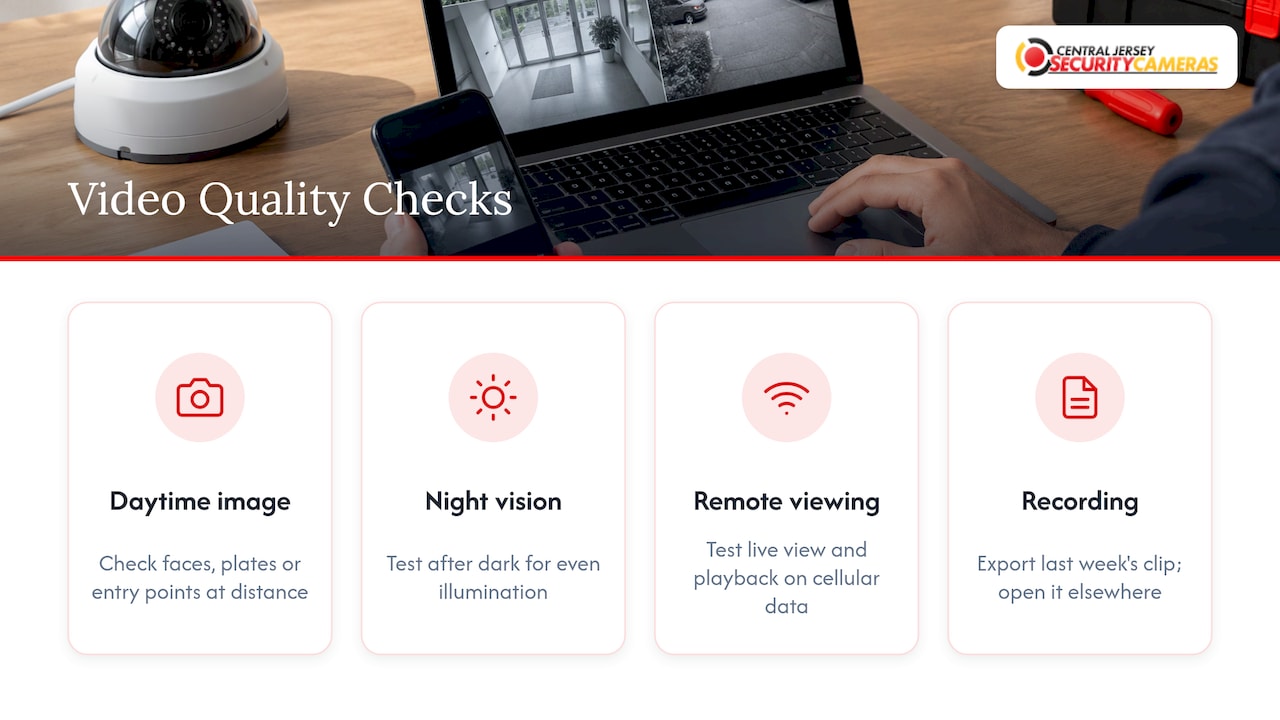
Daytime image. Check that faces, plates or entry points are clear at the distance you care about. Reviewers who evaluate cameras, such as PCWorld’s TechHive, compare resolution and frame rate by recording at different settings and judging clarity and fluidity. You can run a simplified version: record a short clip, walk through the scene and check that motion is smooth.
Night vision. Test after dark, not at dusk. Look for even illumination, no bright hot spots and a usable image at the distance you need. One professional testing lab found that most cameras overstate their infrared range by 20 to 40 percent, so judge by what you see on your own property, not the spec sheet. That same lab also checks for IR washout at close range, which is worth noticing if a camera is mounted near a wall or door. Our guide to matching night vision cameras to the task explains how range and mounting height interact.
Remote viewing. Open the app or web portal from outside your network, on cellular data, and confirm live view and playback work.
Recording and playback. Pick a specific hour from last week, pull it up and export a short clip. Confirm the file opens on another computer. If you use local storage, confirm the drive or card is recognized and recording. If you use cloud storage, confirm clips from a triggered event upload and can be retrieved.
Inspecting equipment safely
Safety comes before thoroughness.
- Stay on the ground when you can. Use a stable ladder only for low, easy-to-reach cameras, with someone holding it, and never near overhead power lines.
- Do not open camera housings, recorders or power supplies. You can void warranties and risk electric shock.
- Never handle damaged power cable. Turn the circuit off and call a licensed professional.
- Keep recorders in a ventilated, locked space and do not stack items on top of them.
- Do not spray liquids on or near electronics. A dry microfiber cloth handles most lens cleaning.
Documenting findings and handling faults
A maintenance plan without records is a plan you cannot prove. Keep a simple log, a spreadsheet or a binder, with one line per check:
| Date | Camera or device | Check done | Result | Action needed | Done by |
|---|---|---|---|---|---|
| Example | Rear lot camera | Night vision | Hot spot on left | Re-aim, retest | Technician |
Record the date, camera name, what you checked, what you found, what you did and who did it. Add photos when something is damaged. Over time the log shows patterns: the same camera going offline every storm points to a power or cabling issue, not bad luck.
If you manage many cameras, locations or other equipment, task tools help. A guide to building a device maintenance schedule suggests piloting with a small group of assets first, then expanding, which works well when you are setting up recurring checks for a handful of cameras before rolling them out across a whole site.
When an inspection finds a fault:
- Log it with a photo and the time.
- Save any footage that may be needed and export it before it is overwritten.
- Decide whether it is an owner task (a dirty lens, a drifted angle) or a technician task (no signal, damaged cable, failing drive).
- Get a repair date and note it in the log, then retest after the fix.
For businesses, tie this record to your service agreement. Our guide to seven checks to put in a maintenance contract covers response times, scope and reporting. Homeowners can start with security camera maintenance explained for homeowners.
What owners can handle and when to call a technician
Owners and staff can usually handle:
- Weekly live-view and recording checks
- Gentle lens cleaning from the ground
- Clearing snow, leaves and webs within safe reach
- Checking alerts reach the right phones
- Keeping the log
Call a qualified technician for:
- Any camera that is offline after a power and network check
- Damaged, exposed or water-affected cabling
- Firmware updates on recorders and cameras, and configuration changes
- Recorder drive failures or storage that does not hold the retention you need
- Re-aiming or re-mounting cameras at height
- Backup power testing and repairs
- Anything involving license plate capture, PTZ cameras or access control integration, where settings are precise
A useful rule: if fixing it needs a ladder above your shoulder height, a screwdriver on electronics or a login to the recorder’s admin settings, it belongs on the technician list.
Our perspective on maintenance
Most camera failures we see are not dramatic. A lens fogged over, a recorder drive that quietly filled up, a connector that corroded after a wet winter. None of it was visible until someone needed footage.
That is why we design systems around the property and then plan for how they will be kept up. A custom system is designed for a specific building, a specific set of entrances and specific lighting. It should be maintained to the same standard, by people who know how it was built and who are local enough to reach it when something changes.
Our advice is simple. Do the weekly look yourself, keep a log, and have a professional handle the quarterly and seasonal work. Ongoing local service is part of what we offer alongside installation, because a system that is installed well and then left alone will not stay reliable for its full life.
Tom
Professional maintenance for New Jersey properties
If you would rather not carry the quarterly audits yourself, we design, install and maintain systems for homes and businesses across Ocean, Monmouth, Middlesex, Mercer and Burlington counties, with free on-site evaluations. Our security camera installations carry a one-time installation fee of $99, and our commercial security installations and repairs cover offices, warehouses, schools and industrial sites.

If you also want alarm coverage, alarm monitoring services are published at $24.95 to $29.95 per month. To book an evaluation of your current system or a new one, start at Central Jersey Security Cameras.
FAQ
How often should CCTV be serviced?
Axis recommends professional maintenance at least every six months. Between visits, do a quick weekly check and a fuller monthly check. Properties in harsh or coastal conditions may benefit from a seasonal visit too.
What is the most common CCTV maintenance mistake?
Assuming live view means recording is working. Always play back footage from a past day to confirm it was saved. Also check that the storage holds as many days as you expect.
Can I clean my own security camera lenses?
Yes, when you can reach the camera safely from the ground. Use a dry microfiber cloth and avoid paper towels or chemical cleaners. For cameras mounted high, ask a technician rather than using a ladder.
Do cameras need extra care in New Jersey winters?
Yes. Check seals and mounts before the cold, clear snow and ice gently from the lens afterward and watch for moisture inside housings. Recheck angles and cabling when the weather warms.
What should a CCTV maintenance contract include?
It should state how often visits happen, what each visit covers, how fast repairs are scheduled and what reports you receive. Our guide to maintenance contract checks lists the points to confirm.
Sources
- Axis Communications: Why security camera maintenance matters, incl. checklist
- Axis Communications: Quality with a purpose, white paper
- Solink: The ultimate CCTV maintenance checklist
- PCWorld: How we test home security cameras at TechHive
- Surveillance Guides: How we test
- CentriOps: Device maintenance schedule