
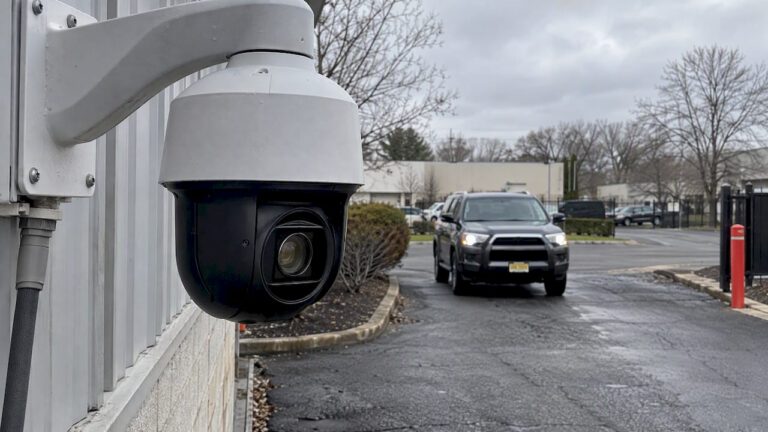
Optical zoom preserves native image detail by changing the lens focal length before light reaches the sensor. Digital zoom crops and enlarges pixels, which reduces usable resolution. Computational tricks can make a digital crop look better, but they cannot recreate detail the lens never captured. For identification or print-quality results, choose optical. Treat digital zoom as a compromise.
TL;DR:
- For views where identification matters, such as gates or license plate checks, choose optical reach or a fixed lens; digital crops suit awareness, not evidence.
- Long optical lenses magnify camera shake, so use a rigid mount; low light also worsens digital crop quality and can defeat heavy zoom.
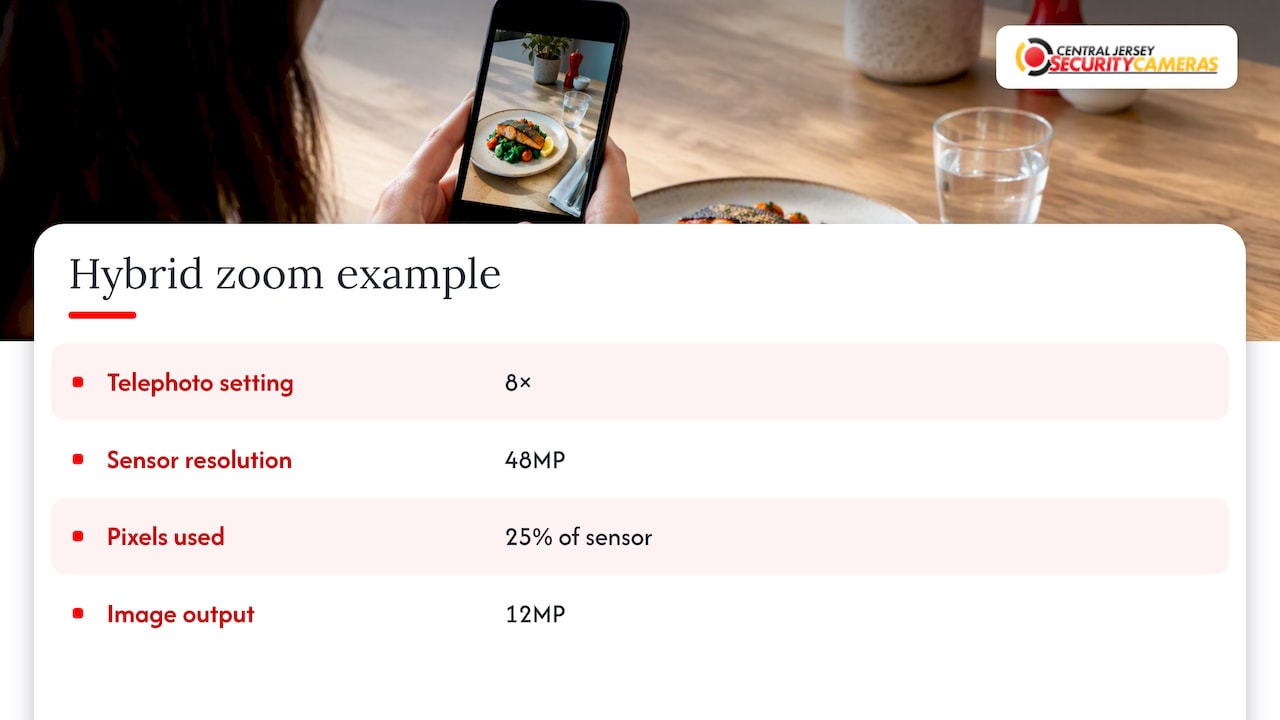
- Some smartphone 8x optical quality modes use 25% of a 48MP sensor and produce 12MP images, so the label does not guarantee native sensor resolution.
- Check physical lens focal lengths and output resolution at your setting, then compare optical and cropped shots at full size, especially in dim light.
Table of Contents
- What optical zoom is and how it works
- What digital zoom is and how it works
- How optical and digital zoom compare side by side
- What the quality tradeoffs look like in practice
- Hybrid and computational zoom: what “optical-quality” really means
- How to choose between optical and digital zoom
- An installer’s view: where optical zoom earns its keep
- Let us match the right zoom to your property
- FAQ
- Sources
What optical zoom is and how it works
Optical zoom changes the focal length of the lens by physically moving glass elements inside it. A longer focal length narrows the field of view and magnifies the scene, and all of that happens before the image reaches the sensor. As Digital Trends explains, optical zoom relies on physical lens movement, so the full resolution of the sensor is preserved at every setting. At each zoom position, the entire pixel array is still recording a smaller slice of the world, which is why a distant face or license plate stays sharp instead of turning to mush.
Think of it as moving closer without walking. A subject that fills a tiny corner of the frame at wide angle can fill the whole frame at full zoom, and every pixel on the sensor contributes to describing it.
Stepped versus continuous zoom
Optical zoom comes in two broad forms. A true zoom lens, like the varifocal and motorized lenses on many security cameras and interchangeable-lens cameras, moves smoothly through a range of focal lengths. Stepped optical zoom, common in smartphones, uses several fixed lenses (wide, ultrawide, telephoto) and switches between them. Each fixed lens is optically true at its own focal length, but the settings in between are usually handled by cropping or blending.
In security work, the clearest example is the pan-tilt-zoom camera. A PTZ unit swings to a target and drives its lens to a longer focal length, so a person across a parking lot is recorded with real detail. If you want to see what that hardware looks like in practice, our PTZ security camera overview covers the range we install, and the LTS PTZ pan-tilt-zoom camera is a good example of mechanical zoom hardware.
The installer’s caveat: long lenses amplify shake
There is a catch that spec sheets rarely mention. A long focal length magnifies camera motion as much as it magnifies the subject. A pole that sways slightly in the wind or a bracket that vibrates when a truck passes can turn a crisp zoomed-in image into a blurry smear. When we install long-range optical zoom cameras, we treat the mount as part of the lens: rigid brackets, solid surfaces, and vibration-resistant hardware matter as much as the zoom number on the box.
What digital zoom is and how it works
Digital zoom does not touch the optics at all. The camera takes the image its sensor already captured, crops out the center, and enlarges that crop to fill the frame. Digital Trends puts it plainly: digital zoom is equivalent to cropping a photo in post-production, and it cannot add detail the sensor never recorded. Each step of digital zoom throws away the pixels around the edge and stretches what remains.
Interpolation and computational help
To stretch a small crop back up to full size, the software has to invent new pixels. Interpolation algorithms such as bilinear and Lanczos estimate those pixels from their neighbors, producing smoother edges than simple enlargement would. More advanced approaches go further. Multi-frame methods capture several images in quick succession and merge them, using tiny hand movements between frames to recover a bit more information. Machine-learning sharpening can then clean up edges and reduce noise.
These techniques genuinely help, especially at modest zoom factors. The honest limit is that they estimate and polish; they do not recover facts. Digital Trends notes that AI and computational photography can improve how digital zoom looks, but cannot recreate true optical information. A smoothed, plausible-looking face is not the same as a captured face, which matters a great deal when footage is used for identification.
When digital zoom is the right call
Digital zoom earns its place in a few situations. On a small phone screen, a modest crop looks fine because the display hides the loss. It is handy for framing a shot before you commit to a lens. And in compact devices where there is simply no room for a long lens, it is the only option. Where it falls short is anywhere you need to read, recognize or prove something from the footage later.
How optical and digital zoom compare side by side
Here is how the two approaches differ on the dimensions that matter when you buy or install.
| Factor | Optical zoom | Digital zoom |
|---|---|---|
| Mechanism | Lens elements move to change focal length | Sensor image is cropped and enlarged in software |
| Effect on detail | Full sensor resolution preserved | Resolution drops with every step |
| Typical usable range | Set by the lens, often several times wide angle | Extends reach on paper, but quality degrades quickly |
| Cost and complexity | Heavier, larger, more expensive hardware | Cheap and compact, no moving parts |
| Best use cases | PTZ and surveillance, telephoto photography, identification | Casual phone shots, small displays, quick framing |
A few points are worth pulling out of that comparison:
- Image quality: cropping lowers pixel count, and the enlarged result tends to show more noise, softness and blocky artifacts.
- Range: optical reach depends on the lens you buy, while digital reach looks limitless in the spec but is limited by what still looks usable.
- Cost: optical zoom adds glass, motors and weight, which is why a PTZ camera costs more than a fixed camera.
- Smartphones: most phones blend both, using separate lenses for real reach and software for everything in between.
- Security: for identification-critical zones, optical zoom or a properly chosen fixed lens is the dependable path.
What the quality tradeoffs look like in practice
The technical differences show up in four ways you can actually see.
Resolution. If a sensor has a set number of pixels and you crop to half the width, you are keeping a fraction of them. A face that had a hundred pixels across it may now have only a few dozen, and no sharpening filter changes that count.
Noise and softness. Enlarging a small crop also enlarges the sensor noise within it. In low light, where noise is already a problem, digital zoom makes it worse. Our night camera range and detail comparison shows how range and detail change after dark, which is where heavy zoom of either kind struggles most.
Stabilization. Optical zoom magnifies camera motion along with the scene. Professional installations fight this with rigid mounts, damping hardware and solid mounting surfaces, because stable footage at a lower zoom level beats shaky footage at a higher one.
Real-world behavior. Phones with several lenses look excellent at their native focal lengths and softer in between. A PTZ on a pole delivers sharp, identifiable detail at distance as long as the pole is steady. Digital zoom on a monitoring screen is often acceptable for general awareness, such as checking whether a delivery arrived, while being poor evidence of who made it.
Run a simple test on your own device
You do not need lab gear to see the difference. Try these steps:
- Photograph the same distant subject at the maximum optical setting.
- Step back, shoot it again at wide angle, then crop to the same framing on a computer.
- Open both images at full size and compare text, edges and fine texture.
- If the camera is mounted, tap the zoom and check whether the picture jitters when a door closes or a vehicle passes.
- Repeat in dim light, because that is where the gap widens.
Pro Tip: Judge zoom by the cropped, full-resolution frame, not the thumbnail. A crop that looks fine on a phone screen can fall apart when someone enlarges it for a report or an insurance claim.
Hybrid and computational zoom: what “optical-quality” really means
Manufacturers increasingly advertise “hybrid” or “optical-quality” zoom, and the label deserves a careful read. Hybrid zoom mixes real optical reach with sensor cropping and digital enlargement. The optical part is genuine, but the digital part still reduces native detail.
A concrete example comes from smartphones. MacRumors reports that on certain models the 8x telephoto setting uses only 25% of the pixels on a 48MP sensor, producing a 12MP image. Because the sensor is dense and the lens already reaches far, that crop still delivers a high-resolution result, which is why the maker calls it optical-quality. It is a clever use of a lot of megapixels, but it is a crop, and the final image has a quarter of the sensor’s pixels.
Manufacturers also offer intermediate “smart” zoom modes. Sony describes smart zoom as combining limited optical reach with algorithmic sharpening to hold up modestly beyond the lens limit, which is useful where there is no room for longer optics, as in phones and compact security cameras. Multi-frame stitching and “Super Res” style processing can land close to optical results at modest factors.
How to read the spec sheet
When you see a zoom claim, check these details before trusting it:
- The focal length of each physical lens, not just the headline multiplier.
- Whether the maker states how much of the sensor is used at each setting.
- The final output megapixels at the zoom level you care about.
- Where the optical range ends and the digital range begins.
If a listing advertises one huge number and hides those facts, assume most of the range is digital.
How to choose between optical and digital zoom
Start with what you actually need to see, and work backward to the hardware.
- Define the job. Write down the farthest distance at which you must recognize a face or read a plate, versus simply notice movement.
- Estimate viewing size. Footage watched on a phone tolerates more digital crop than footage printed or presented as evidence.
- Check mounting. Long optical zoom needs a rigid surface. A swaying pole or thin bracket can ruin the benefit.
- Consider light. If the area is dark at night, favor better optics and sensors over a bigger zoom multiplier.
- Test before you commit. Capture at maximum optical zoom, capture again with a digital crop, and compare both at full resolution.
- Set a budget. Optical hardware costs more, so spend it where identification matters and save on low-stakes areas.
For a smartphone or compact camera, a multi-lens setup with real telephoto glass is the safer buy. For a security installation, bring in a professional when you have long-range or identification-critical views, PTZ requirements or tricky mounting.
Pro Tip: Ask any vendor or installer for the lens focal lengths, the optical zoom stops, and the realistic distance at which the camera can identify a person, not just detect one.
An installer’s view: where optical zoom earns its keep
After enough installs, the pattern is clear: the zoom multiplier on the box matters less than the things around it. A steady mount, the right lens for the distance and an honest estimate of how far you need to identify someone will beat a bigger number every time. For critical zones such as gates, loading docks and perimeter corners, we reach for optical zoom lenses or PTZ units, because digital zoom is not a substitute for identification. Optical systems also need alignment checks and solid hardware over the years to stay useful.
— Tom
Let us match the right zoom to your property
Choosing zoom on paper is guesswork. Choosing it on site is straightforward. We offer free on-site evaluations to work out how much optical zoom you really need, where it should be mounted and how to keep it steady. New Jersey security camera installations are our core service, and the one-time installation fee is listed here.

Our work that bears on zoom performance includes:
- PTZ camera installation, including PTZ cameras installed in New Jersey CCTV systems
- High-resolution camera systems for sharper source detail
- License plate recognition cameras
- NVR integration for reliable recording
- Maintenance and ongoing support
If your site depends on live oversight, remote video monitoring from GuardEX Security Services can sit on top of a well-chosen camera system. Schedule a site assessment or request a quote through our security camera installation page, and we will recommend the right lens, mount and setup for your property.
FAQ
Is digital zoom as good as optical zoom?
No. Optical zoom captures real detail by changing the lens focal length, while digital zoom crops and enlarges existing pixels. Software can make a digital crop look cleaner, but it cannot add detail the sensor never recorded, as Digital Trends notes.
Is iPhone zoom optical or digital?
It is both. Modern iPhones use several physical lenses for true optical reach and fill in the in-between settings with sensor cropping and processing. Some “optical-quality” modes are crops of a large sensor, as MacRumors describes, rather than a longer lens.
Is 30X optical zoom good?
It depends on the job. A high-magnification optical lens can resolve distant subjects with real detail, which suits wildlife, sports and PTZ surveillance. It also magnifies shake, so it needs a tripod or rigid mount to deliver sharp results.
Does digital zoom reduce quality?
Yes. Each step of digital zoom discards pixels around the edge and stretches the rest, which lowers resolution and tends to increase softness and noise. Interpolation and multi-frame processing reduce the damage at modest factors but do not remove it.