
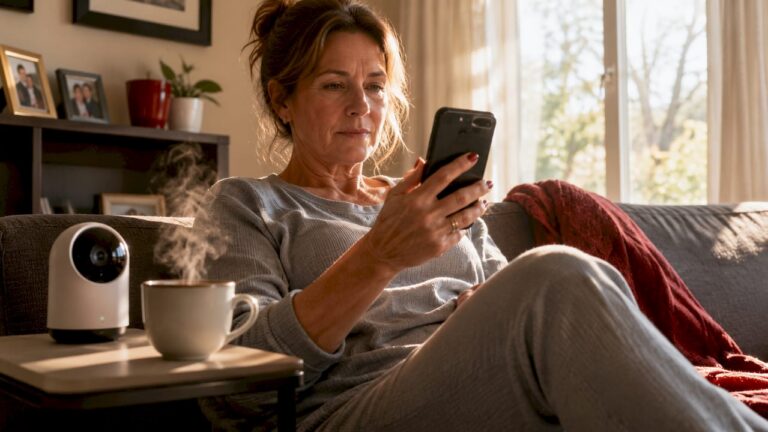
Remote alerts are defined as real-time notifications sent from a security system to a homeowner’s smartphone, email, or monitoring center the moment a sensor detects an event. The role of remote alerts in home security is to close the gap between detection and response, giving you the ability to act within seconds rather than minutes. Without alerts, even the best camera system is a passive recorder. With them, your security system becomes an active incident responder. This article explains how remote alerts work, why they outperform traditional monitoring, and how to configure them so you get the right notifications at the right time.
How do remote alerts work in home security systems?
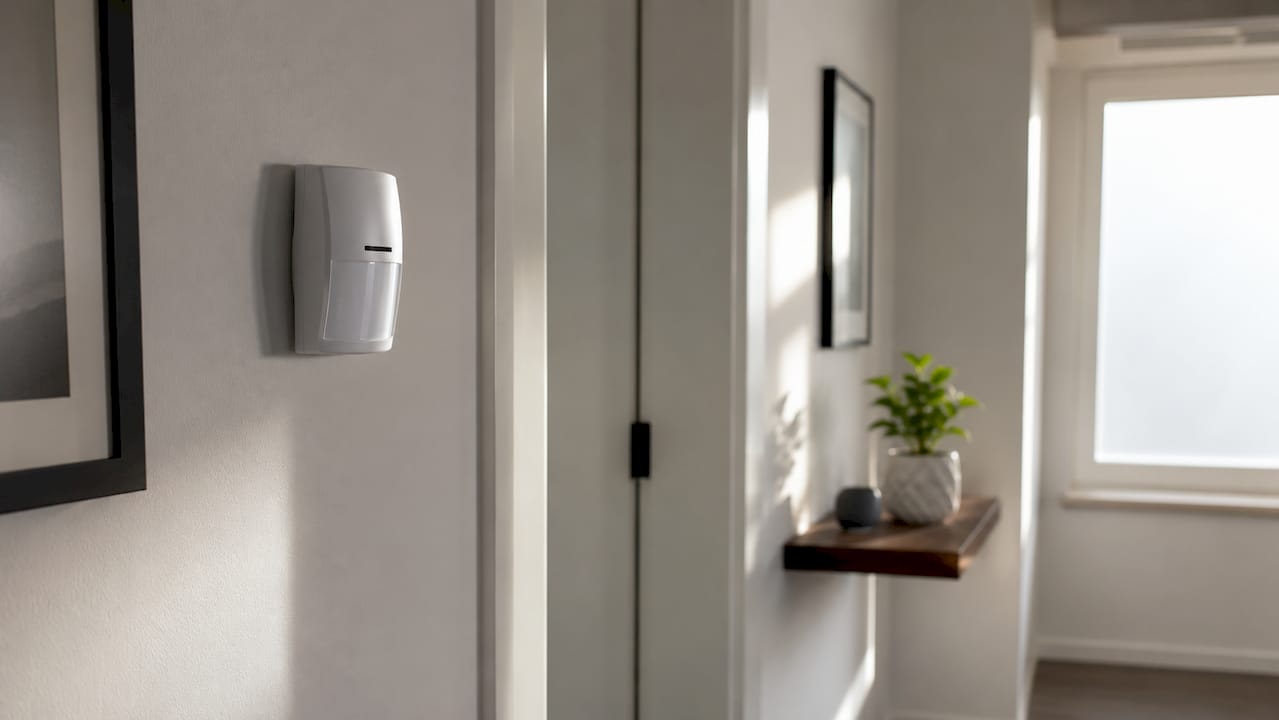
Remote alerts begin with sensors. Passive infrared (PIR) sensors detect changes in heat signatures caused by movement. AI-based video analytics go further, analyzing pixel changes in a camera’s field of view to identify the shape and movement pattern of a person versus a pet or a blowing tree branch. Environmental sensors add another layer, triggering alerts for smoke, carbon monoxide, or flooding.
Once a sensor fires, the signal travels through one of several communication pathways. Most systems use Wi-Fi as the primary channel. Professional-grade systems add cellular backup with battery lasting 12–24 hours, so alerts transmit even during a power outage or internet disruption. Lower-end DIY systems often lack local event storage, which means a cut internet connection can silence the entire notification chain.
The alert itself arrives through a mobile app as a push notification, an email, or a phone call. Smartphone-based remote access uses bank-grade AES 256-bit encryption to protect both the signal and the footage attached to it. That encryption standard is the same one financial institutions use, which matters because an unencrypted alert stream is an exploitable vulnerability.
The critical distinction is between detection and alert. Detection is continuous. The sensor scans constantly. An alert is only sent when a defined trigger condition is met. Understanding that separation is what makes proper configuration possible.
- Sensor types: PIR, microwave, dual-tech, AI video analytics, glass break, door and window contacts
- Communication paths: Wi-Fi primary, cellular backup, cloud relay
- Notification formats: Push notification with video clip, email with snapshot, automated phone call
- Encryption standards: AES 128-bit or 256-bit, VPN-based architectures, multi-factor authentication
Pro Tip: If your system relies solely on Wi-Fi, a burglar who cuts your router’s power line can disable your alerts entirely. Require cellular backup before considering any system complete.
What advantages do remote alerts provide over traditional monitoring?
The speed difference between professional monitoring and self-monitoring is significant. Professional monitoring services dispatch emergency responders in under 45 seconds. Self-monitored homeowners who rely on checking their own phone average 2 minutes 40 seconds to 9 minutes before taking action. That gap is the window a burglar uses.
Two technologies have made professional monitoring faster and more accurate. Enhanced Call Verification (ECV) requires a second contact to confirm an alarm before dispatch, which reduces false dispatches by 25–35%. Automated Secure Alarm Protocol (ASAP-to-PSAP) sends digital alarm metadata directly to 911 centers, cutting alarm-to-dispatch time by 1–3 minutes by bypassing traditional voice-call queues. Both standards represent a measurable improvement over the older model of a monitoring agent calling you, waiting for you to answer, and then calling police.
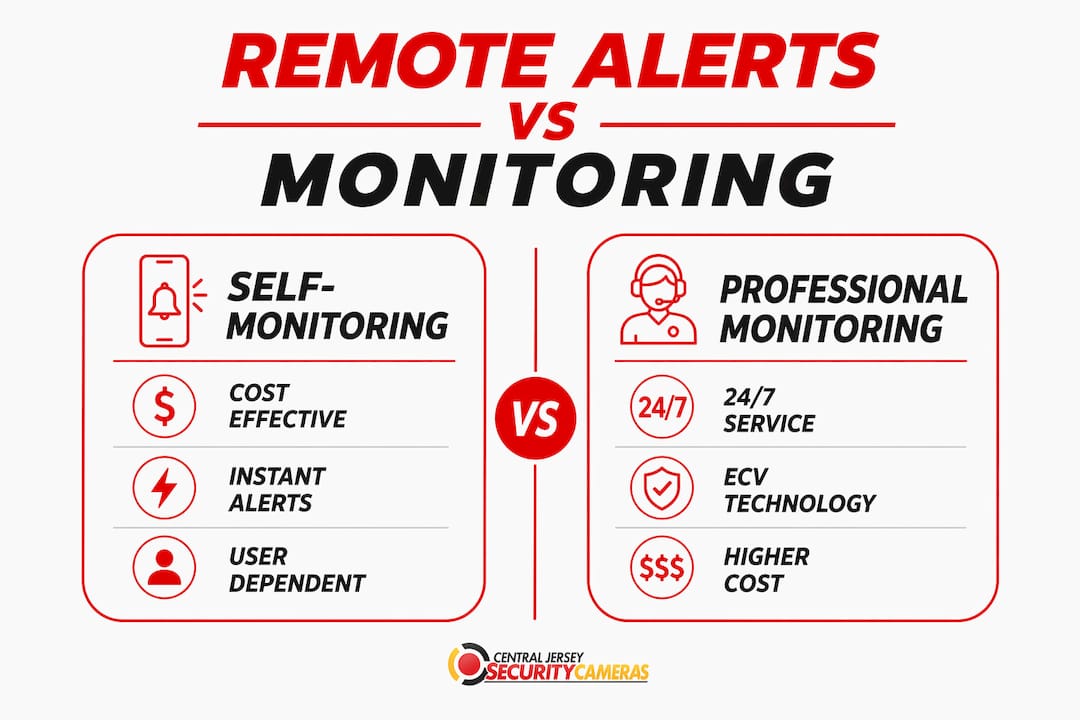
The cost difference between the two approaches is real but often misunderstood. Self-monitoring costs $20–$60 per month less than professional services. Many homeowners choose self-monitoring to save money, then discover they miss alerts during meetings, sleep, or travel. The financial case for professional monitoring strengthens further when you factor in homeowner’s insurance discounts, which many carriers offer for professionally monitored systems.
| Feature | Self-monitoring | Professional monitoring |
|---|---|---|
| Response initiation | 2 min 40 sec to 9 min | Under 45 seconds |
| False alarm reduction | Depends on user judgment | ECV reduces false dispatch by 25–35% |
| Dispatch speed | Manual call to 911 | ASAP-to-PSAP cuts time by 1–3 min |
| Monthly cost | Lower by $20–$60 | Higher, but insurance discounts apply |
| Coverage during sleep or travel | Gaps possible | Continuous |
The instant notification benefits of remote alerts apply to both approaches. The difference is what happens after you receive the notification.
How do motion detection and motion alerts differ, and why does it matter?
Motion detection is a continuous process. The sensor or camera never stops scanning. Motion alerts are a separate layer. They are notifications sent to you only when detection crosses a defined threshold. Treating these two things as the same concept leads to poor configuration and, eventually, alert fatigue.
Motion detection continuously scans for movement, while motion alerts are customized notifications sent based on specific triggers. That distinction gives you control. You can have detection running 24 hours a day while limiting alerts to specific zones, times of day, or event types. A camera pointed at a busy street can detect every passing car without sending you a single notification, as long as you configure the alert trigger correctly.
AI-enhanced detection has made this separation far more useful. Modern motion sensors monitor movement within a 60 to 90-degree field of view up to 40 feet and distinguish between pets and people to minimize false alerts. AI-driven zone masking goes further by excluding irrelevant motion sources like passing cars or wildlife, maintaining high security coverage without the noise. That capability is what separates a professionally configured system from a default out-of-the-box setup.
Sensor calibration and firmware updates are not optional maintenance tasks. They are what keep the detection-to-alert pipeline accurate over time. A sensor that drifted out of calibration six months ago is generating alerts based on incorrect baseline data.
- Detection: Continuous, passive, always running
- Alert: Conditional, triggered, sent only when rules are met
- AI zone masking: Excludes cars, wildlife, and environmental noise from alert triggers
- Calibration: Required periodically to maintain accuracy as lighting and environment change
- Firmware updates: Patch detection algorithms and fix false-positive patterns
Pro Tip: After any major seasonal change, like leaves falling or snow covering the ground, recalibrate your outdoor sensors. Environmental shifts change the baseline your system uses to identify motion.
How can homeowners optimize remote alert settings to avoid alert fatigue?
Alert fatigue is the condition where you receive so many notifications that you start ignoring them. It is the most common reason homeowners disable alerts entirely, which defeats the purpose of the system. The fix is configuration, not fewer cameras.
Motion zones are the first tool. Most systems let you draw a virtual boundary within the camera’s field of view. Anything outside that boundary does not trigger an alert. A camera covering your driveway does not need to alert you every time a car passes on the street. Draw the zone to cover the driveway apron and front door only. That single adjustment can eliminate the majority of false notifications.
Scheduling and mode-based filtering add another layer of control. Most systems offer at least three modes: Home, Away, and Disarmed. In Home mode, interior motion sensors should be suppressed while perimeter sensors stay active. In Away mode, all sensors run at full sensitivity. Setting these modes to switch automatically based on time of day or your phone’s location removes the burden of remembering to arm or disarm the system.
- Define motion zones for each camera. Exclude sidewalks, public roads, and neighboring properties.
- Set mode schedules. Configure Away mode to activate when your phone leaves a defined geographic area.
- Use event-type filters. Limit alerts to person detection only, not generic motion, where AI analytics support it.
- Enable two-way audio review. Before calling police, use the app’s audio feature to assess the situation in real time.
- Test cellular backup monthly. Disconnect your router and confirm that alerts still arrive via the cellular channel.
Proper sensor calibration and placement significantly reduce false alarms, and combining motion alerts with continuous video recording gives you both real-time notifications and footage for evidence. The notification tells you something happened. The recording tells you exactly what.
Pro Tip: Use your system’s temporary access or virtual key feature when a contractor or delivery driver needs access. It creates a time-limited alert window so you know exactly when they arrived and left, without generating ongoing notifications.
Systems using IP port forwarding expose potential vulnerabilities. Cloud relay and VPN-based architectures with multi-factor authentication provide substantially better security for the remote alert pipeline. When evaluating any system, ask specifically how remote access is routed. The answer tells you a great deal about the system’s overall security posture.
Key takeaways
Remote alerts are the mechanism that converts a passive surveillance system into an active security response tool, and proper configuration determines whether they protect you or overwhelm you.
| Point | Details |
|---|---|
| Detection vs. alert | Detection runs continuously; alerts fire only when defined trigger conditions are met. |
| Response speed | Professional monitoring dispatches in under 45 seconds versus up to 9 minutes for self-monitoring. |
| False alarm reduction | ECV and ASAP-to-PSAP together reduce false dispatches and cut alarm-to-dispatch time by 1–3 minutes. |
| Alert fatigue prevention | Motion zones, mode schedules, and AI person-detection filters eliminate most irrelevant notifications. |
| Reliability | Cellular backup lasting 12–24 hours keeps alerts active during power and internet outages. |
Why most homeowners are solving the wrong problem
The security industry spent decades selling hardware. Better cameras, wider lenses, higher resolution. What most homeowners actually needed was better alert management. I have seen properties with 4K cameras on every corner that provided zero protection because the alert settings were never touched after installation. Every notification went to a phone that was silenced during work hours. The cameras recorded everything. Nobody responded to anything.
The critical security failure point is not detection but the response gap between identifying a threat and acting. That insight reframes the entire conversation. The camera is not the security system. The alert workflow is the security system. The camera is just the sensor feeding it.
What I find most homeowners get wrong is treating alert configuration as a one-time setup task. Environments change. Households change. A system configured for a family with no pets needs different zone settings after a dog arrives. A system set up in summer needs recalibration after the first snowfall changes the yard’s visual baseline. The homeowners who get the most value from remote alerts treat configuration as an ongoing practice, not a completed project.
The next evolution is tighter integration between remote alerts and smart home platforms. When an alert triggers not just a phone notification but also exterior lights, a speaker announcement, and a lock status check, the response capability multiplies. That integration already exists in professionally installed systems. The gap between what is possible and what most homeowners have configured is still wide.
— Tom
Professional alert setup from Central Jersey Security Cameras
Getting the hardware right is only half the equation. A professionally configured alert system requires correct sensor placement, calibrated detection zones, encrypted communication paths, and a monitoring workflow that actually gets tested.
Central Jersey Security Cameras designs and installs home security camera systems throughout Ocean County, Monmouth County, Middlesex County, Mercer County, and Burlington County. Every installation includes alert configuration tailored to your property’s layout, cellular backup setup, and remote viewing access secured with AES encryption. If your current system sends too many alerts or too few, that is a configuration problem with a direct fix. Reach out to Central Jersey Security Cameras to schedule a site assessment and get a system that notifies you when it matters and stays quiet when it does not.
FAQ
What is the role of remote alerts in home security?
Remote alerts notify homeowners the moment a sensor detects an event, closing the gap between detection and response. They convert a passive recording system into an active security tool by triggering immediate awareness and action.
Can remote alerts prevent burglaries?
Remote alerts create an intervention window. Intruders spend an average of 12 minutes in a home, and alerts delivered within seconds give homeowners or monitoring centers time to dispatch police before that window closes.
What is the difference between motion detection and motion alerts?
Motion detection is continuous scanning by a sensor or camera. Motion alerts are conditional notifications sent only when detection crosses a user-defined trigger, such as a person entering a specific zone during a specific time window.
How does Enhanced Call Verification reduce false alarms?
Enhanced Call Verification (ECV) requires a second contact to confirm an alarm before emergency services are dispatched, reducing false dispatches by 25–35% compared to single-contact verification systems.
What happens to remote alerts during a power outage?
Professional-grade systems maintain cellular radio with battery backup lasting 12–24 hours, keeping alerts active even when power and internet are both down. DIY systems without cellular backup typically go silent during outages.