
This is an installer-oriented overview of the legacy NVMS V3 storage-server component. It is separate from ordinary recorder playback.
Storage initialization can consume the entire selected disk. Use an empty dedicated disk approved for this purpose, never a working partition with files you need. Have CJSC perform or review initialization.
Documented setup sequence
- Launch Storage Server and establish its device password.
- Find it through Device Management → Search Online Device and add it to the client.
- Verify it is online, then open its remote configuration.
- Prepare the dedicated disk under Storage → General.
- Under Maintenance and Management, open Storage Schedule, choose the device, enable recording, select the PC storage server, set the schedule and save.
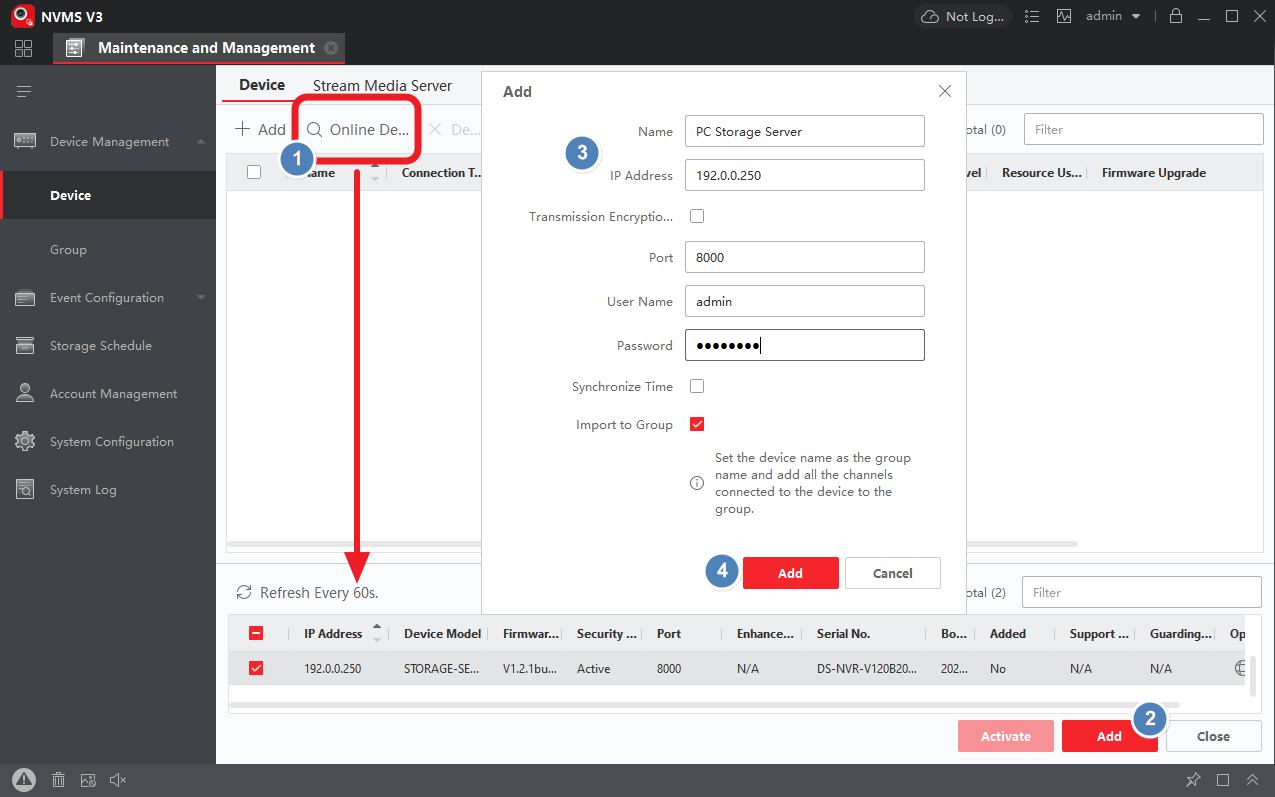
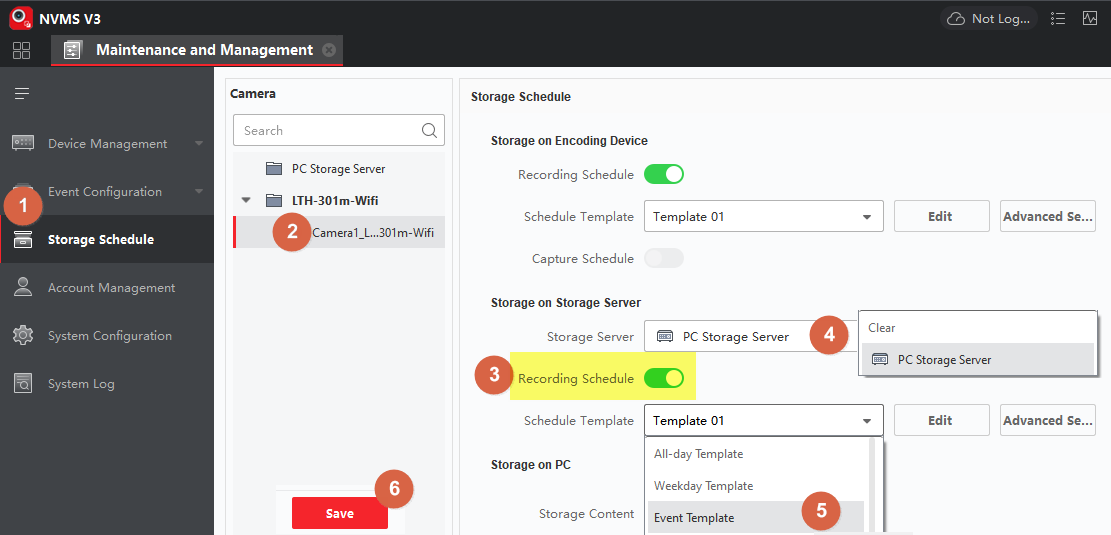
The documented release requires an additional local hard drive; it excludes the system drive, USB flash drives and network storage.
Playback
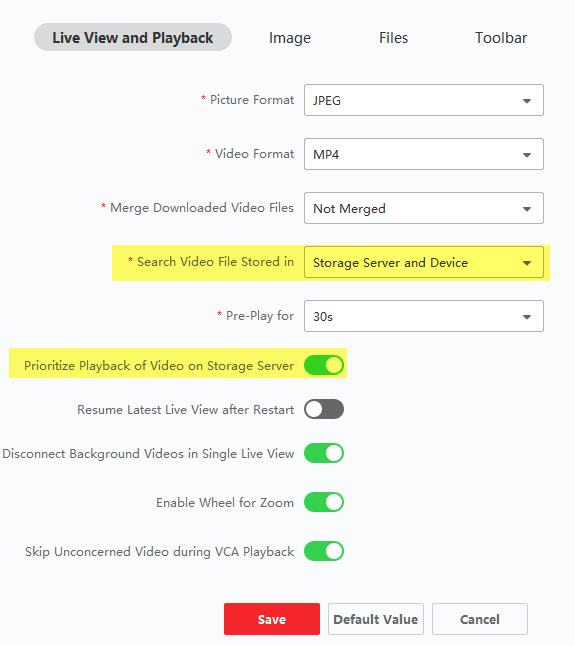
Playback can search device and storage-server recordings. Its settings control the search preference; the download control exports results.
Sources and applicability
Written in CJSC’s own wording using official LTS guide. Follow the version noted above.