
Main stream generally provides more detail; sub stream uses less bandwidth and is useful for multi-camera viewing. The exact resolution depends on the camera configuration.
Change a viewing stream
- Open Live View in the supported recorder web client.
- Use the layout’s stream control to change all displayed cameras, or the control beside a camera to change only that camera.
- Select main stream or sub stream and check the resulting picture.
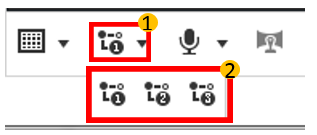
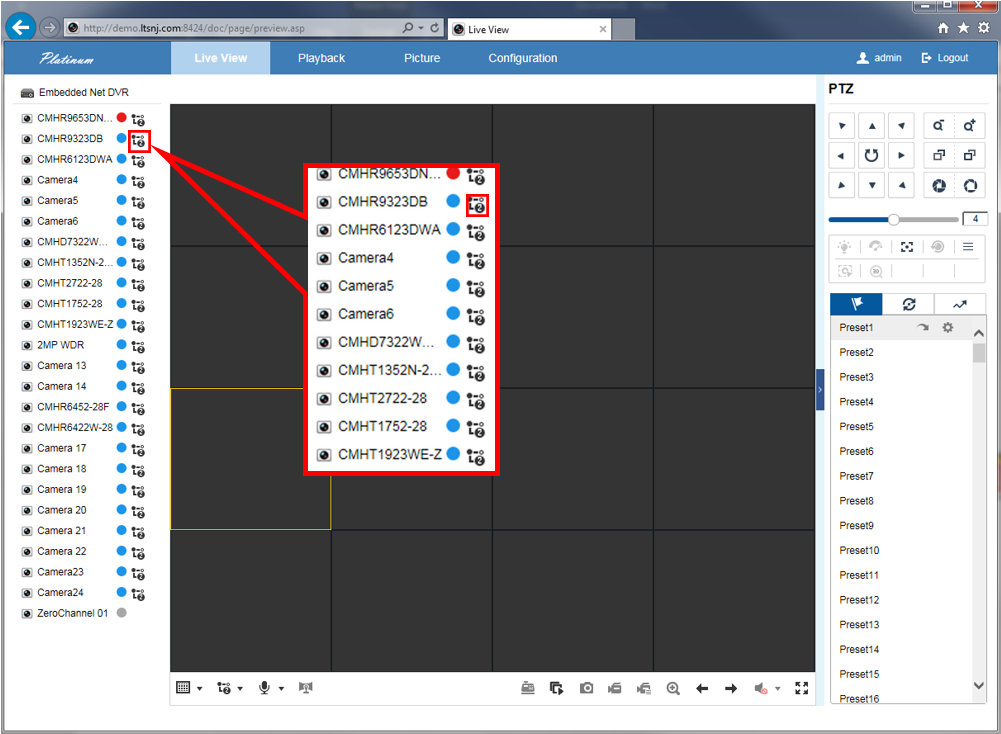
If main stream causes delays, try sub stream or show fewer cameras. To inspect a detail, open the relevant camera at a larger size.
Selecting a viewing stream is different from changing recording settings. Ask CJSC before changing recording resolution or bitrate.
Sources and applicability
Written in CJSC’s own wording using archived LTS instructions. Follow the version noted above.