
Insert a compatible USB drive with enough free space. Follow the section that matches your recorder.
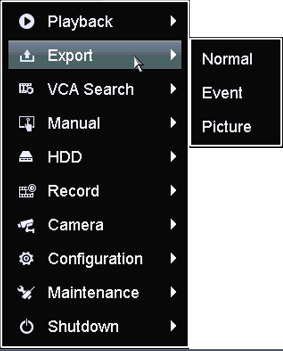
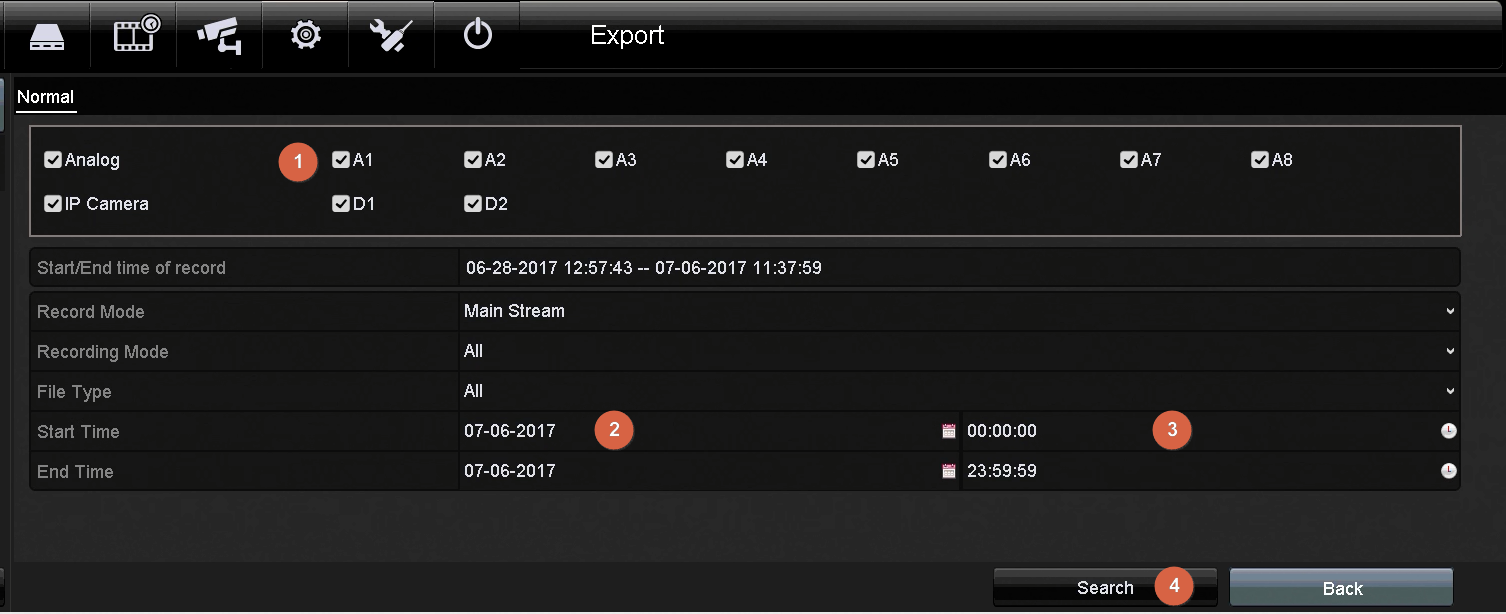
Older 3.0-style menu
- Open Menu → Export → Normal.
- Select the channel and beginning/end date and time, then search.
- Choose the relevant results and select Export.
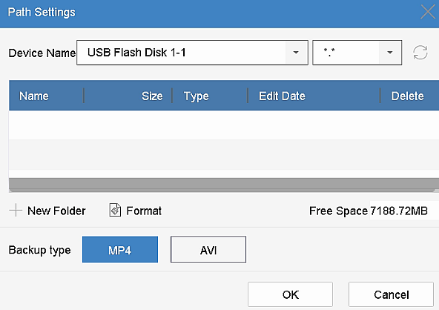
- Confirm the USB destination and wait for completion.
NVR 4.0 file management
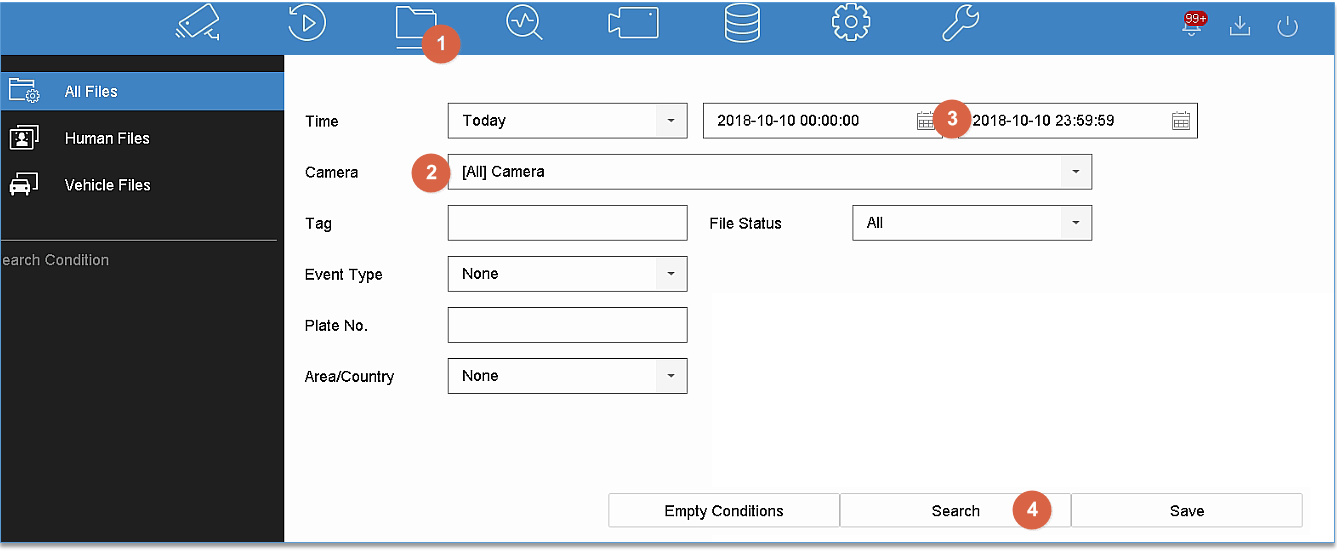
- Open File Management → All Files.
- Choose cameras and the time range, then search.
- Select the video results and export to the USB destination.
- Check Backup Status; a closed dialog does not necessarily mean the transfer has finished.
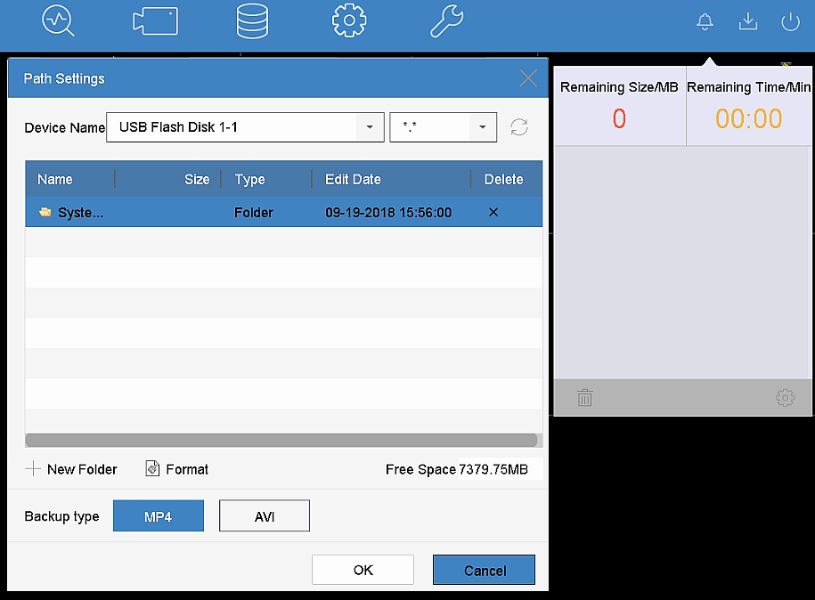
Verify before removing the drive
Use Playback’s External File function where supported, or test the copy on a suitable player. Confirm camera names and timestamps. Never format a drive containing files you still need.
Sources and applicability
Written in CJSC’s own wording using archived LTS instructions and LTS local DVR/NVR 4.0 USB backup guide. Follow the version noted above.