
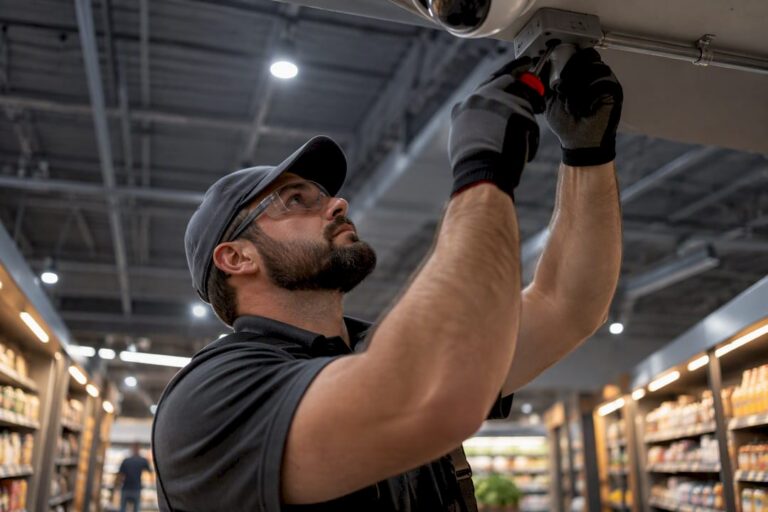
A professionally installed commercial camera system in New Jersey typically runs $1,500 to $50,000+ upfront depending on facility size, with per-camera installed costs of roughly $125 to $450 and monthly recurring fees of $5 to $24 per camera. The biggest swing factors are camera count, hardware grade, and how much cabling or electrical work the site needs.
TL;DR:
- The typical upfront cost in New Jersey for a small business security system ranges from $800 to $2,000 for four to six cameras, with larger setups costing up to $50,000 or more.
- Per-camera installation costs vary from $125 for basic Wi-Fi models to over $450 for 4K PoE cameras, with labor and regional rates influencing the price significantly.
- Cloud storage and licensing fees add about $5 to $24 per camera monthly, which can surpass the initial hardware expense over time, especially for larger systems.
- Installation complexity, building age, wiring condition, and camera features like weatherproofing or AI capabilities drive the overall quote more than just camera count.
- Local NJ labor rates and existing infrastructure notably impact costs, with older buildings and outdoor cameras increasing expenses compared to newer or pre-wired sites.
Table of Contents
- How Much Does a Business Security Camera System Cost in NJ?
- What Does It Cost Per Camera, and What’s Included?
- What Drives the Cost, and How Many Cameras Does Your Business Need?
- What Are the Monthly and Long-Term Ownership Costs?
- How Long Does Installation Take, and What NJ Rules Apply?
- How Do You Budget for Quotes and Avoid Bad Installers?
- What Does Local NJ Installation Experience Actually Look Like?
- Why Reliability Costs More Upfront but Saves Money Later
- Get a Free On-Site Quote From a Local NJ Installer
- Sources
- FAQ
How Much Does a Business Security Camera System Cost in NJ?
The honest answer depends heavily on how many doors, aisles, and blind spots you’re covering, but three project buckets cover most Central Jersey businesses.
A single storefront or coffee shop with four to six cameras generally lands between $800 and $2,000 installed, according to small business security spending guidance, which pegs a typical four-camera system at that range for equipment and labor combined. That’s the floor for most retail operators who just need entrance, register, and back-door coverage.
A small office, retail location, or restaurant running eight to twelve cameras with a networked recorder usually falls within a mid-range budget reflecting regional estimates. This is the sweet spot where a statewide calculator model puts the median default-scope project at roughly $2,264 before local adjustments, and where most Central Jersey business owners actually land once they add a couple of exterior PTZ units.
Multi-location retail chains, warehouses, and larger commercial buildings with 15 to 40+ cameras, multiple NVRs, and more complex cabling routinely run higher-end budgets reflecting extensive installations. Anything with license plate recognition at a loading dock or perimeter fencing pushes toward the top of that range fast.
Where you sit in New Jersey matters more than most owners expect. The same city-by-city cost model that produces the $2,264 statewide median also shows local multipliers built from metro labor statistics and consumer price data. Jersey City tracks similarly. Smaller towns in Burlington or Ocean County often quote closer to or slightly under the statewide average because technician travel and labor overhead are lower.
A typical default-scope example that shows up across calculators includes an 8-camera small-business package with PoE cameras paired with a networked video recorder, professionally cabled, and configured. That package is the baseline most quoting tools use, and it’s a reasonable anchor point when you’re trying to eyeball your own project before calling anyone.
Three things shift a quote up or down from these buckets:
- Building age and existing wiring (older buildings without Cat6 in the walls cost more to cable)
- Whether cameras go outdoors, indoors, or both (weatherproof housings and mounts add per-unit cost)
- Local labor rates in your specific municipality, which stack on top of base equipment pricing
What Does It Cost Per Camera, and What’s Included?
Camera grade drives per-unit pricing more than almost anything else, and NJ-specific quotes tend to track a tighter band than national averages because labor here isn’t cheap.
Entry-level 1080p Wi-Fi cameras installed run on the low end, generally $125 to $200 per camera including mounting and basic setup. Outdoor 2K cameras with better low-light performance land around $200 to $300 installed. PoE 4K cameras, which need a network cable run rather than just power, typically cost $300 to $450 per camera once labor is factored in. PTZ (pan-tilt-zoom) units and AI-capable or license plate recognition cameras run highest, often exceeding $450 per camera before you add specialized mounting or analytics licensing.
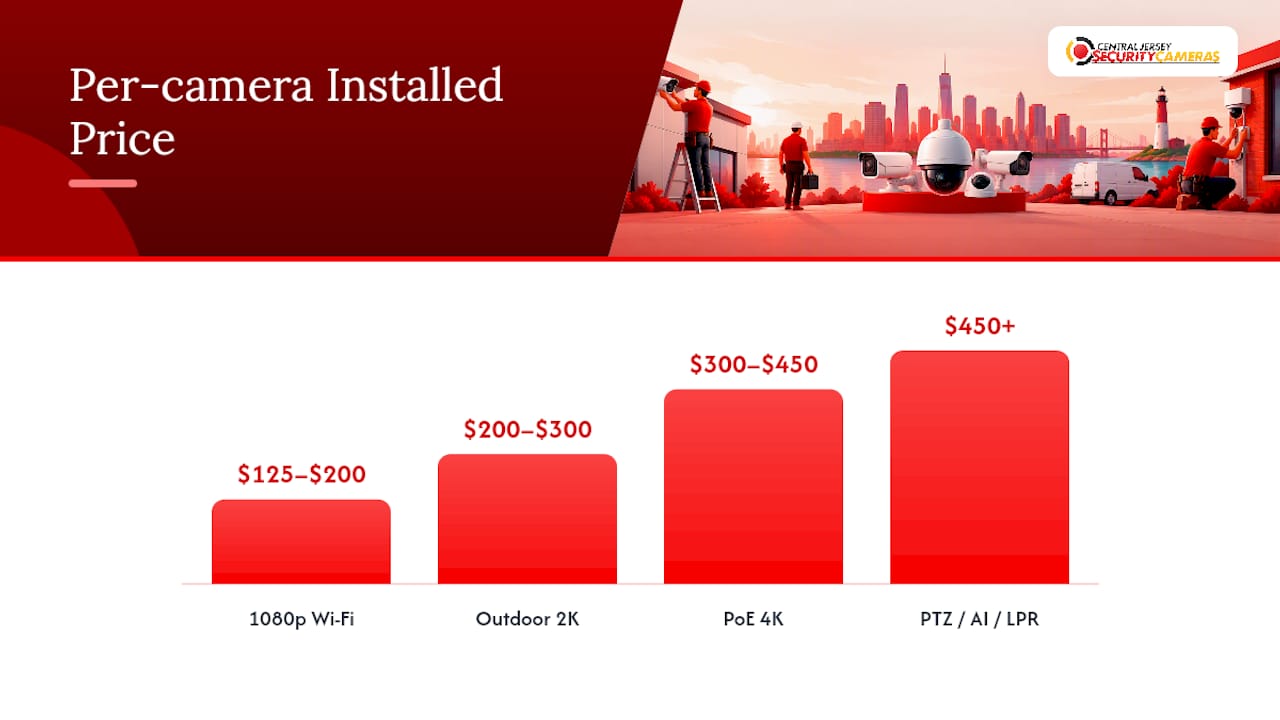
Regionally specific NYC and NJ quotes confirm labor alone often accounts for $100 to $200 of that per-camera total, separate from the hardware itself. That’s a meaningful chunk, and it’s why two businesses with identical camera counts can get very different quotes if one site has finished ceilings and long cable runs and the other doesn’t.
Storage is the other half of the equation. A local NVR (network video recorder) means a bigger upfront hardware cost but no ongoing storage bill beyond electricity. Cloud storage flips that: lower upfront cost, but a predictable monthly bill that scales with camera count and retention length. Comparing the 3-year total cost of ownership between the two approaches, rather than just the sticker price, usually changes which option looks cheaper.
Line items that typically get bundled into that per-camera number:
- Cat6 cable run from camera to recorder or network switch
- Mounting hardware and weatherproof housing where applicable
- Patch panel termination and network configuration
- Basic system programming (motion zones, recording schedules, remote access setup)
What Drives the Cost, and How Many Cameras Does Your Business Need?
Four factors explain nearly every dollar in a commercial camera quote.
- Coverage and camera count. More entrances, aisles, and perimeter points mean more cameras, full stop. This is usually the single biggest line item.
- Camera quality and features. Jumping from basic 1080p to 4K, or adding PTZ and AI-based motion detection, adds real cost per unit but also real capability.
- Recording and storage choice. NVR versus cloud storage changes the upfront-to-recurring cost ratio significantly, as covered above.
- Installation complexity. Concrete walls, drop ceilings, long cable runs, and older electrical panels all add labor hours.
Facility type gives you a reasonable starting camera count before you ever call an installer. A small office typically needs six to ten cameras covering entrances, common areas, and server or file rooms. A retail store usually needs eight to fourteen, weighted toward point-of-sale, fitting rooms exteriors, entrances, and stockroom access. A warehouse or distribution facility often runs fifteen to thirty-plus, covering loading docks, aisles, and perimeter fencing, frequently with PTZ or license plate recognition at vehicle entry points. A restaurant generally lands around eight to twelve, focused on the register, kitchen line, dining room, and back door.
Two quick examples: a 2,500-square-foot retail shop with ten 2K cameras and an NVR typically lands around $3,500 to $5,500 installed. A 20,000-square-foot warehouse with twenty PoE 4K cameras, two exterior PTZ units, and a beefier NVR often runs $12,000 to $18,000.
What Are the Monthly and Long-Term Ownership Costs?
The upfront installation is only part of the budget. Ongoing costs matter just as much for multi-year planning.
Cloud storage and VMS (video management system) licensing typically runs $5 to $24 per camera per month, according to commercial camera cost data, depending on retention length and resolution. A 12-camera system on cloud storage might cost $60 to $290 a month just for licensing and backup, separate from any active monitoring service.
Maintenance contracts, where an installer handles firmware updates, hard drive swaps, and troubleshooting, are usually billed as a flat monthly or annual fee rather than per camera — a common practice in the business services franchises industry supporting ongoing managed service costs and staffing.
Pro Tip: Camera hardware typically lasts 5 to 7 years before image quality or reliability starts to lag behind newer sensors. Budget a partial hardware refresh around year five instead of waiting for a full system failure.
A few things worth budgeting for beyond the basics:
- Analytics add-ons (facial recognition, license plate reads, people-counting) usually carry their own monthly licensing fee per camera
- Off-site or redundant cloud backup, useful if a fire or theft could destroy an on-site NVR
- Occasional firmware updates and camera cleaning, especially for outdoor units exposed to weather
How Long Does Installation Take, and What NJ Rules Apply?
A small system (four to eight cameras) usually installs in a single day. Medium systems (ten to twenty cameras) often take two to three days. Large commercial or warehouse projects can stretch to a full week or more, especially when electrical work is involved.
Permits and electrical work commonly get triggered when a building needs new circuits run for camera power or when local code requires an electrical permit for low-voltage work in commercial structures. That adds both time and cost, so ask early whether your site needs it.
New Jersey doesn’t require a special license just to install security cameras pointed at your own property, but audio recording is a different matter. New Jersey is a one-party consent state for audio, meaning at least one participant in a conversation must consent to it being recorded. Most commercial systems are set to video-only specifically to avoid wiretapping exposure, a point covered in more detail in NJ workplace camera law guidance.
Regulated industries face extra requirements. New Jersey’s cannabis regulations impose specific surveillance retention and coverage standards on licensed dispensaries and cultivation sites, and similar sector-specific rules apply to some medical and financial facilities. Confirm your industry’s requirements before finalizing camera placement or retention settings.
How Do You Budget for Quotes and Avoid Bad Installers?
Getting comparable quotes starts before you call anyone.
- Walk your property and note every entrance, cash handling area, and blind spot you want covered.
- Check whether you already have Cat6 wiring or conduit in place, since reusing existing infrastructure lowers installed cost.
- Note your current internet upload speed if you plan to use cloud storage, since bandwidth constraints affect camera count and resolution choices.
- Request an itemized quote broken into camera hardware, cabling, labor, recorder or NVR, and software or licensing, rather than one lump number.
- Ask directly: who owns the footage, what’s the retention period, and is there a warranty on both hardware and labor?
Pro Tip: A quote that lists “camera system installation, EX” as a single line with no breakdown is a red flag. Reputable installers itemize hardware, cabling, and labor separately, which is also the only way to fairly compare two competing quotes.
Watch for vague scope language, no local references or completed NJ project examples, and installers unwilling to explain what happens to your footage if you cancel a monitoring plan. Reusing existing wiring where it’s still in good condition is a legitimate way to cut costs, not a corner being cut.
What Does Local NJ Installation Experience Actually Look Like?
A local installer in Central Jersey installs commercial systems across Ocean, Monmouth, Middlesex, Mercer, and Burlington counties, working on offices, retail spaces, warehouses, and regulated facilities alike.
A recurring pattern in Central Jersey projects: buildings with drop ceilings and existing low-voltage conduit come in noticeably under initial estimates, while older brick storefronts with finished walls and no existing pathways push costs toward the higher end of a bracket. A free on-site assessment before quoting is standard practice precisely because these building-specific variables are hard to price accurately over the phone.
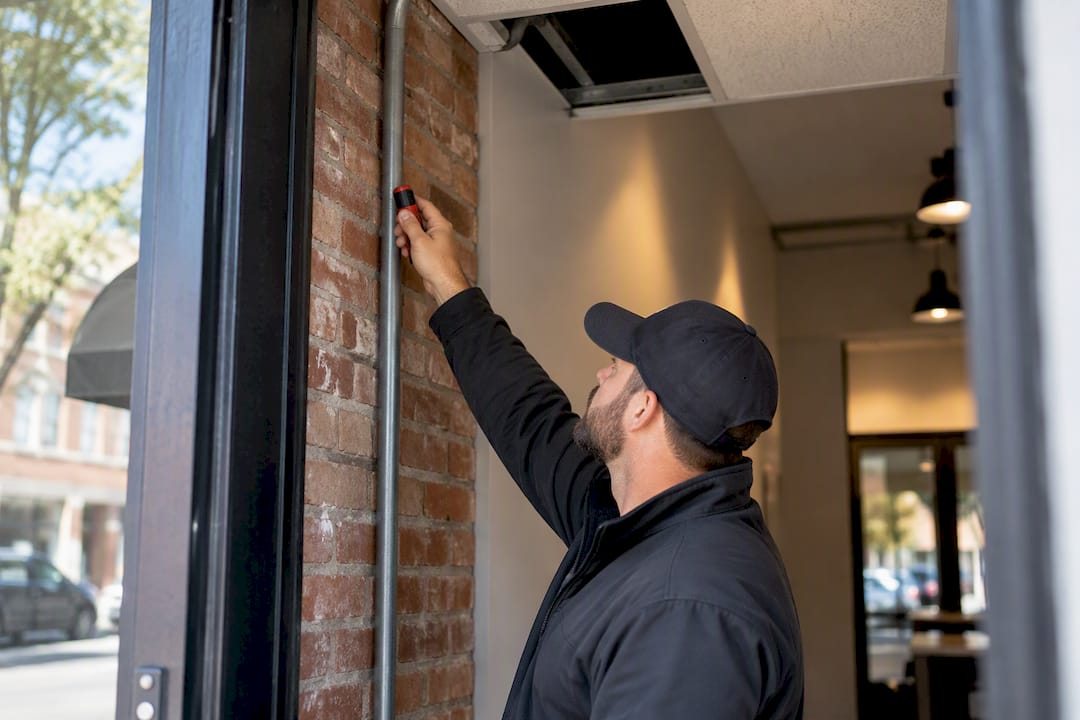
For most commercial properties, a licensed professional installer is the right call. A lighter DIY approach makes sense only for a single-camera setup covering one low-risk area, not a multi-camera commercial system tied to insurance or compliance requirements.
Why Reliability Costs More Upfront but Saves Money Later
Cheap camera hardware fails at the worst possible moment, usually right when you need footage for a police report or an insurance claim. Paying more for wired PoE systems over consumer Wi-Fi cameras, as comparisons of wired versus wireless reliability point out, buys fewer dropped connections and a longer working life.
Reliability should take priority for any business handling cash, inventory, or regulated data. Cost savings matter more for low-risk secondary areas like storage closets, where a cheaper camera covering a low-stakes space is a reasonable trade.
— Tom
Get a Free On-Site Quote From a Local NJ Installer
Unlike national alarm chains that quote off a phone call and a generic package, Central Jersey Security Cameras builds every commercial estimate around an actual walk-through of your building, so the number you get reflects your walls, your wiring, and your specific coverage gaps instead of a national average.

That free on-site evaluation covers camera placement, existing wiring conditions, network capacity, and any electrical work your site needs, then translates it into a line-itemed quote you can actually defend to a business partner or insurer. Central Jersey Security Cameras handles design, installation, and ongoing maintenance for offices, retail spaces, warehouses, and regulated facilities throughout Ocean, Monmouth, Middlesex, Mercer, and Burlington counties, and pairs system installs with optional alarm monitoring plans starting between $24.95 and $29.95 a month for businesses that want live monitoring layered on top of recorded video.
If you’re ready to see what your specific building actually costs to cover, request a quote on the security camera installation page and get a walk-through scheduled.
Sources
- Security Camera Installation Cost Calculator
- Security Camera Installation Cost in New Jersey — City-by-City Comparison | HomeCostCalc
- How Much Should You Spend on Small Business Security Systems?
FAQ
What Is the Typical Cost of a Commercial Security Camera System?
Most small to medium New Jersey businesses spend $1,500 to $50,000+ installed, depending on camera count and building complexity, with per-camera installed costs generally falling between $125 and $450. A basic four-camera storefront system runs closer to $800 to $2,000.
Do You Need a License to Install Security Cameras in NJ?
No general license is required to install cameras on your own property in New Jersey. Audio recording is more restricted under the state’s one-party consent rules, which is why most commercial systems are configured for video only, as detailed in NJ workplace camera law guidance.
How Much Does Business Alarm Monitoring Typically Cost?
Monitoring plans for New Jersey businesses through Central Jersey Security Cameras run $24.95 to $29.95 per month, separate from any camera-specific cloud storage fees. Camera installation itself carries a $99 one-time installation fee before equipment and labor costs.
How Much Does CCTV Cost for a Business?
A CCTV system for a small business typically costs between $800 and $2,000 installed depending on camera count and grade. Larger warehouses or multi-location retailers often run higher upfront costs, reaching into the tens of thousands. Per-camera pricing generally lands between $125 and $450 installed, based on regional NYC/NJ commercial CCTV data.
Is Wired or Wireless Better for a Business Security System?
Wired PoE systems cost more upfront but deliver better long-term reliability and fewer dropped connections than Wi-Fi cameras, according to wired versus wireless comparisons. Wireless makes more sense for renters or single-camera coverage where running cable isn’t practical.